Category: Temp Mail

  • How Temp Mail Protects Your Inbox

    How Temp Mail Protects Your Inbox

    Temp mail acts as a protective shield for your primary email address. By using a disposable, temporary email for online sign-ups and downloads, you prevent spam, marketing emails, and potential data breaches from ever reaching your important personal or professional inbox. It’s a simple, free tool that significantly enhances your digital privacy and keeps your main communication channel clean and secure.

    Think about your primary email address. It’s probably the digital key to your social media, your bank, your work, and your family. It’s a core part of your online identity. Now, think about how many times you’ve typed that same email into a random website to download a whitepaper, enter a contest, or simply read an article. Each time you do, you’re handing over a piece of your digital self, often without a second thought. This is where a powerful, simple tool called temporary email, or temp mail, becomes your inbox’s best friend. It’s not about hiding; it’s about protecting. This article will dive deep into exactly how temp mail protects your inbox, safeguarding it from the deluge of spam, the threat of phishing, and the erosion of your personal privacy.

    Key Takeaways

    • Spam Reduction: Temp mail creates a disposable barrier, preventing unsolicited emails and newsletters from cluttering your primary inbox.
    • Privacy Protection: It shields your real email address from websites, reducing the creation of your digital footprint and limiting data profiling.
    • Phishing Defense: By not exposing your main email, you reduce the target on your back for sophisticated phishing attacks that rely on familiar addresses.
    • Control Over Your Data: You decide when an email address expires, giving you control over who can contact you and for how long.
    • Simplified Online Activity: It streamlines one-time interactions like downloading a PDF or accessing a gated article without long-term commitment.
    • Cost-Effective Security: Most temp mail services are free, offering a zero-cost layer of security and privacy for everyday internet use.
    • Not for Critical Accounts: The core principle is to use temp mail for low-stakes interactions; never use it for banking, primary social media, or essential services.

    What Exactly is Temp Mail?

    Before we explore the protection, let’s define the tool. Temp mail is a service that provides you with a random, disposable email address for a short period—typically 10 minutes to a few hours. This address can receive emails just like a regular one, but it’s not tied to your identity. Once the time expires, the address and all its emails are permanently deleted from the server.

    The Disposable Nature: Core to Its Power

    The “disposable” aspect is the cornerstone of its protective function. Unlike your permanent Gmail or Outlook address, which you’ve likely had for years and is linked to countless accounts, a temp mail address is meant to be used once or twice and then forgotten. It’s a single-use shield. This means:

    • No Long-Term Association: The website you gave it to cannot build a profile on you because the address has no history beyond your single session.
    • No Recovery Options: If that temp address starts getting spam, you don’t have to hunt for an “unsubscribe” link. You simply stop using it. The spammer’s target vanishes into the digital ether.
    • No Forwarding Chain: It doesn’t forward to your main inbox. It’s a dead-end mailbox. You check it directly on the temp mail provider’s site if needed.

    How It’s Different from Regular Email Filters

    You might be thinking, “My regular email has great spam filters.” That’s true, but it’s a reactive system. It catches spam after it arrives in your inbox, often after you’ve already been exposed to the sender’s tracking pixels and data collection. Temp mail is proactive prevention. It stops the spam from ever being addressed to your real account in the first place. It’s the difference between putting up a “No Soliciting” sign (filters) and not giving your address to solicitors at all (temp mail).

    The Mechanics: How Temp Mail Works to Protect You

    The protection isn’t magic; it’s a clever system of anonymity and temporary allocation. Here’s a step-by-step look at the process and where the security benefits lie.
    How Temp Mail Protects Your Inbox

    Visual guide about How Temp Mail Protects Your Inbox

    Image source: temp-inbox.me

    Step 1: Generation of an Anonymous Address

    You visit a temp mail website like Temp-Mail.org, 10MinuteMail.com, or Guerrilla Mail. The service instantly generates a random email address for you (e.g., abc123@domain.com). This address is not linked to any personal information you provided. There’s no name, no phone number, no recovery email required to create it. This initial anonymity is your first layer of defense.

    Step 2: Using the Address as a Shield

    You copy this random address and paste it into the website or service you’re interacting with. That website now has an email address to contact, but it’s a phantom address. It has no ties to your real identity, your location, or your other online accounts. From the website’s perspective, you are just that random string of characters.

    Step 3: Receiving and Accessing Emails

    If that website sends a confirmation email or a download link, it arrives in the temp mail service’s inbox for that specific address. You can open your browser tab to the temp mail site, see the email, and click the link or copy a code—all without ever exposing your primary email. Once you’re done, you can close the tab.

    Step 4: Automatic, Irreversible Deletion

    This is the critical protective step. After the allotted time (say, 10 minutes or 1 hour), the service automatically purges that email address and all its contents from its servers. The address is then recycled and given to a completely different user. The trail goes cold. The website that has your temp address now has a dead letter. They can send emails, but they’ll bounce back because the address no longer exists. Your primary inbox is completely untouched and unaware of the entire interaction.

    The Primary Benefit: A Fortress Against Spam and Clutter

    This is the most obvious and immediate way temp mail protects your inbox. Spam isn’t just annoying; it’s a vector for malware, a tool for scammers, and a massive time sink. Temp mail is your primary offensive weapon against it.
    How Temp Mail Protects Your Inbox

    Visual guide about How Temp Mail Protects Your Inbox

    Image source: temp-inbox.me

    How Spammers and Marketers Get Your Email (And How Temp Mail Stops Them)

    Your email ends up on spam lists through several common avenues:

    • Data Breaches: A website you trusted with your email gets hacked. Your address is now on the dark web for sale.
    • Data Brokers: Companies collect and sell your information, including email, from various sources.
    • Poor Website Practices: Some sites sell your email to third-party advertisers or have weak security, allowing it to be scraped by bots.
    • You Gave It Away: For a “free” ebook or contest entry, you willingly handed it over, often buried in a terms of service agreement that allows them to market to you.

    Temp mail breaks this chain at the source. When you use a disposable address for that ebook download, the site has nothing valuable to sell or leak. If they suffer a breach, the leaked email is a disposable one that will be dead in an hour. It’s useless to a spammer. You’ve effectively inoculated yourself against that particular source of spam forever.

    A Practical Example: The “Free Ebook” Trap

    Imagine you find a great blog post about gardening and they offer a “Free Ultimate Planting Guide PDF” in exchange for your email. You want the guide. Using your main email means you’ll likely get weekly newsletters, product pitches, and you’re now on their list for life. Using a temp mail address means you get the PDF instantly via the disposable inbox. You read it, you’re done. In one hour, that address vanishes. The gardening company has no way to contact you again. Your primary inbox sees zero new emails from them. No unsubscribing, no frustration. This is pure, proactive inbox protection.

    Privacy Preservation: Shrinking Your Digital Footprint

    Beyond spam, there’s a deeper issue: your digital footprint. Every account you create, every newsletter you subscribe to, every forum you join with your real email paints a picture of who you are, your interests, your location, and your habits. This data is used for targeted advertising, price discrimination (where prices shown to you change based on your profile), and can even be subpoenaed in legal cases.

    Temp Mail as a Privacy Firewall

    By using a temporary address for non-essential services, you create a buffer zone between your true identity and the commercial web. Consider these scenarios:

    • Signing up for a new social media platform you’re just trying out. Do you want that platform, with its own data policies, to have your primary email as a known, constant identifier? A temp address lets you test the waters without linking your main identity to a potentially sketchy new app.
    • Commenting on a news article or forum post. Do you want your email (and by extension, your name if it’s in the email prefix) tied to a political opinion you expressed on a public site? A temp address allows for anonymous participation.
    • Registering for a store loyalty program just to get a one-time discount. Is the benefit worth adding your email to their marketing database for years? Temp mail lets you claim the discount and disappear.

    Each use of a temp mail for a low-value interaction is a brick in a wall that protects your core identity. It minimizes the number of entities that can say, “We have your-real-email@domain.com on file.”

    The Data Broker Problem

    Data brokers like Acxiom and Experian compile vast databases of personal information, including email addresses, which they sell to marketers, insurers, and employers. The fewer places your real email exists, the less valuable your profile is to these brokers. Temp mail is a small but effective act of resistance against this shadowy industry of personal data trafficking.

    Security Benefits: More Than Just Spam Filtering

    Protection from spam is huge, but temp mail also offers specific security advantages that directly protect you from malicious actors.

    Mitigating Phishing and Spear-Phishing Attacks

    Phishing emails try to trick you into clicking a malicious link or giving up your password. Spear-phishing is a targeted version where the attacker already knows some information about you to make the email seem legitimate. A common tactic is to use an email address you recognize and use often.

    If your primary email is never given to a shady site, it can’t be used in a convincing phishing attempt against you. An attacker who buys a data breach list might get your temp mail from a defunct forum sign-up, but you haven’t used that address in months, and it’s not your “main” email. You’re less likely to trust an email to a disposable address you no longer check, breaking the attack chain at the psychological level.

    Preventing Credential Stuffing Attacks

    When a website you use gets breached, hackers often steal usernames (often emails) and passwords. They then use these lists to try logging into other popular services (like your email, bank, or social media) in a practice called “credential stuffing.” If you used a temp mail for that breached low-security forum, the hacker has a disposable email and a password you probably don’t use elsewhere (if you’re smart). Your critical accounts, protected by your real email and strong, unique passwords, remain safe because the breached site never had that key identifier.

    Reducing Malware and Tracking Pixel Exposure

    Many marketing emails and spam contain tracking pixels (tiny, invisible images) that report back to the sender when you open the email, your location, device, etc. By never letting these emails reach your primary inbox, you prevent this surreptitious tracking. Similarly, malicious attachments or links are contained within a disposable inbox you might only glance at, not your main communication hub where you’re more likely to be logged into sensitive accounts.

    Practical Use Cases: When to Reach for Temp Mail

    Knowing the theory is great, but knowing exactly when to use it is how you build a habit that protects your inbox. Here are the prime scenarios.

    Content Gating and Lead Magnets

    This is the #1 use case. Any website that says “Enter your email to read this article” or “Get this free template/ebook/checklist” is a perfect candidate. You want the content, not a lifelong subscription to their marketing list. Use temp mail.

    One-Time Registrations and Trials

    Signing up for a software trial, a forum just to ask one question, a free webinar, or a discount code? Use temp mail. If you love the service after the trial, you can always sign up properly with your real email later.

    Downloading from “Sketchy” or Unknown Sites

    You’re on a blog or a file-sharing site you don’t fully trust. They demand an email to start a download. This is a red flag. Use a temp mail to satisfy their demand without risking your main address being added to spam lists or, worse, being the target of a malware campaign.

    Online Shopping (For Non-Account Purchases)

    Many stores ask for an email at checkout for order updates. If it’s a one-time purchase from a store you’ve never heard of, consider using temp mail. You’ll get the receipt and shipping info in the temporary inbox for the duration of the order, and then the address dies. No marketing spam from that store forever. (Note: For stores you plan to use repeatedly, creating a real account is more convenient).

    Testing Services and Apps

    As a developer or just a curious user, you might need to test an app’s email functionality. Temp mail provides a perfect, instant inbox to test with without using a personal or work email.

    Protecting Your Identity on Public Wi-Fi

    When using a public network (café, airport), your risk of interception is higher. Using your primary email on an unfamiliar site over public Wi-Fi increases your exposure. Using a temp mail for that interaction means even if your session is monitored, the attacker only captures a disposable, soon-to-be-dead address, not your key to your entire digital life.

    Important Limitations and Best Practices

    Temp mail is a powerful tool, but it’s not a universal solution. Understanding its limits and using it correctly is crucial for effective protection.

    Critical Limitation: Do NOT Use for Important Accounts

    This cannot be stressed enough. Never, ever use a temp mail address for:

    • Banking, financial services, or cryptocurrency exchanges. You need reliable, permanent access to statements and alerts.
    • Your primary email account itself (Gmail, Outlook, etc.). You’d be locked out forever.
    • Social media accounts you want to keep (Facebook, Instagram, LinkedIn). Password recovery would be impossible.
    • Government services, healthcare portals, or official university accounts. These require verified, lasting communication channels.
    • Any service where account recovery is vital. If you forget your password, the recovery email must be one you control permanently.

    Best Practice: Treat It Like a Physical Throwaway Phone

    Think of a temp mail address like a prepaid, no-ID burner phone. You use it for a specific, temporary purpose and then discard it. You wouldn’t use it to set up your lifelong bank account. Apply the same logic. It’s for transactions with the outside world, not for relationships you want to maintain.

    Be Aware of Service Limitations

    Not all temp mail services are created equal. Some may have:

    • Shorter time limits (e.g., 10 minutes). Be ready to act quickly.
    • Limited inbox capacity. You might only see the first few emails.
    • Captchas or delays to prevent abuse, which can be mildly annoying.
    • Potential blocking. Some sophisticated websites detect and block known temp mail domains. Have a backup service in mind.

    Choose Reputable Providers

    Stick with well-known, established temp mail services. You are trusting them with the emails you receive during that session. A shady provider might log your IP or the content of emails. Reputable services have a clear privacy policy stating they do not log or sell data and delete everything automatically. A quick search for “best temp mail 2024” can point you to reliable options.

    The Bigger Picture: Cultivating a Privacy-Minded Habit

    Ultimately, using temp mail is more than a trick; it’s a mindset shift. It’s the practice of questioning every request for your email address. “Do I need to give my real email for this?” “What’s the worst that happens if I use a disposable one?” This simple question forces you to evaluate the value exchange. Are you getting enough value (a truly essential service) to warrant giving away your permanent contact point? For 80% of the times you enter an email online, the answer is probably no.

    By routinely using temp mail for these low-value exchanges, you create a natural, frictionless barrier. Your primary inbox becomes a sanctuary for only the communications you truly care about: emails from friends, family, your boss, your bank, and services you have a deliberate, ongoing relationship with. The noise is gone. The phishing attempts targeting your main address are reduced because your main address is simply not in the hands of as many potential leakers. Your digital footprint is smaller, cleaner, and more secure.

    In an online world designed to harvest your data and attention, temp mail is a small but potent tool of reclaiming control. It’s a practical, immediate, and free way to put a lock on your inbox’s front door, deciding who gets to knock and who gets sent to a vacant lot. Start using it today for your next ebook download, and feel the immediate relief of a cleaner, safer, and more private primary inbox.

    Frequently Asked Questions

    Is using temporary email legal?

    Yes, using temporary email services is completely legal in most countries. It’s a standard tool for privacy protection. However, using it to commit fraud, evade legal obligations, or for illegal activities is, of course, unlawful.

    Can I use temp mail for my important accounts like Google or my bank?

    Absolutely not. You should never use temp mail for any account you need to access long-term, recover a password for, or that contains sensitive personal or financial information. Temp mail addresses are deleted, making recovery impossible.

    Are temp mail services safe? Could they read my emails?

    Safety depends on the provider. Reputable, well-known services do not log your emails or IP addresses and automatically delete everything. However, you should still avoid sending highly sensitive information (like passwords or credit card numbers) via any email, temporary or not, as a general security practice. Always check the provider’s privacy policy.

    How long do emails on a temp mail address last?

    It varies by service. Common timeframes are 10 minutes, 1 hour, or until you close your browser tab. Some services allow you to extend the time manually. The key is that all emails and the address itself are permanently deleted after the expiration period.

    Will websites know I’m using a temp mail address?

    Yes, the domain of the temp mail service (e.g., @tempmail.com) is visible to the website you sign up with. Some advanced websites block known temp mail domains to prevent abuse. If this happens, you can try a different temp mail provider.

    What’s the main downside of using temp mail?

    The primary downside is the lack of permanence. If you need to access an account or receipt years later, the email will be gone. This is why it’s strictly for temporary, low-stakes interactions. The second minor downside is that some websites may block the disposable domains, requiring you to use a different provider or your real email.
  • Top Anonymous Email Services Online

    Top Anonymous Email Services Online

    Navigating the web without leaving a digital footprint requires the right tools. Anonymous email services, including disposable “temp mail” and encrypted providers, offer a critical layer of privacy for signing up to websites, verifying accounts, and communicating without using your primary identity. This guide cuts through the noise to compare the top services, explaining their strengths, weaknesses, and perfect use cases so you can choose the safest option for your needs.

    You’re about to sign up for a new streaming service, download a whitepaper, or join an online forum. The form asks for your email address. Do you use your primary Gmail or Outlook account, handing over another piece of your digital identity to yet another corporation? Or do you feel a pang of privacy anxiety, knowing that email is often the master key to a person’s online life? This is the moment where anonymous email services become your digital shield. But with terms like “disposable,” “temp mail,” “encrypted,” and “secure” flying around, what do they really mean? Which one is right for you? This isn’t just about avoiding spam—it’s about reclaiming your privacy in an era of constant data harvesting. We’re diving deep into the world of anonymous email, breaking down the top services, their technologies, and exactly how to use them without getting burned.

    Key Takeaways

    • Disposable vs. Encrypted: Understand the core difference. “Temp mail” or disposable emails create a temporary, throwaway inbox for one-time sign-ups. Encrypted anonymous email services (like ProtonMail) offer a permanent, secure mailbox with robust privacy but require more setup.
    • True Anonymity Has Limits: No service can guarantee 100% anonymity if you log in from your home IP or use personal details. True anonymity requires pairing the right tool with cautious behavior, like using a VPN and avoiding personal info.
    • Use Case Dictates Choice: Use a disposable service for a forum sign-up you’ll never use again. Use a full-featured encrypted service for sensitive journalistic work, whistleblowing, or long-term private communication.
    • Security Features Vary Widely: Look beyond “anonymous” claims. Check for open-source code, independent audits, zero-access encryption, jurisdiction (Switzerland/Germany vs. US/UK), and clear privacy policies that forbid data logging.
    • Free Tiers Have Constraints: Most reputable anonymous email services offer functional free plans with limits on storage, sending limits, or features. These are excellent for testing, but heavy users will need paid plans.
    • They Block Spam & Tracking: A primary benefit is preventing spam from cluttering your main inbox and stopping companies from linking your real email to your online activity across sites.
    • Legality & Ethics Matter: These tools are legal and ethical for privacy protection. They become problematic if used for fraud, harassment, or illegal activities. Always use them responsibly.

    Why Your Email Address Is the Ultimate Tracking ID

    Before we talk solutions, let’s be brutally clear about the problem. Your email address is not just a communication tool; it’s a persistent identifier. Companies like Google and Facebook use it to track your behavior across the web, building elaborate profiles to sell to advertisers. Data brokers buy and sell email-linked data. A single data breach at a company you trusted with your email can expose that address, leading to phishing attacks, credential stuffing, and identity theft. Once your primary email is out there, it’s nearly impossible to retract. This is why using a separate, anonymous layer for non-essential online interactions is a fundamental privacy best practice. It compartmentalizes your digital life, ensuring a breach or a shady data practice at “Website X” doesn’t poison your main identity.

    The Two Main Camps: Disposable vs. Encrypted

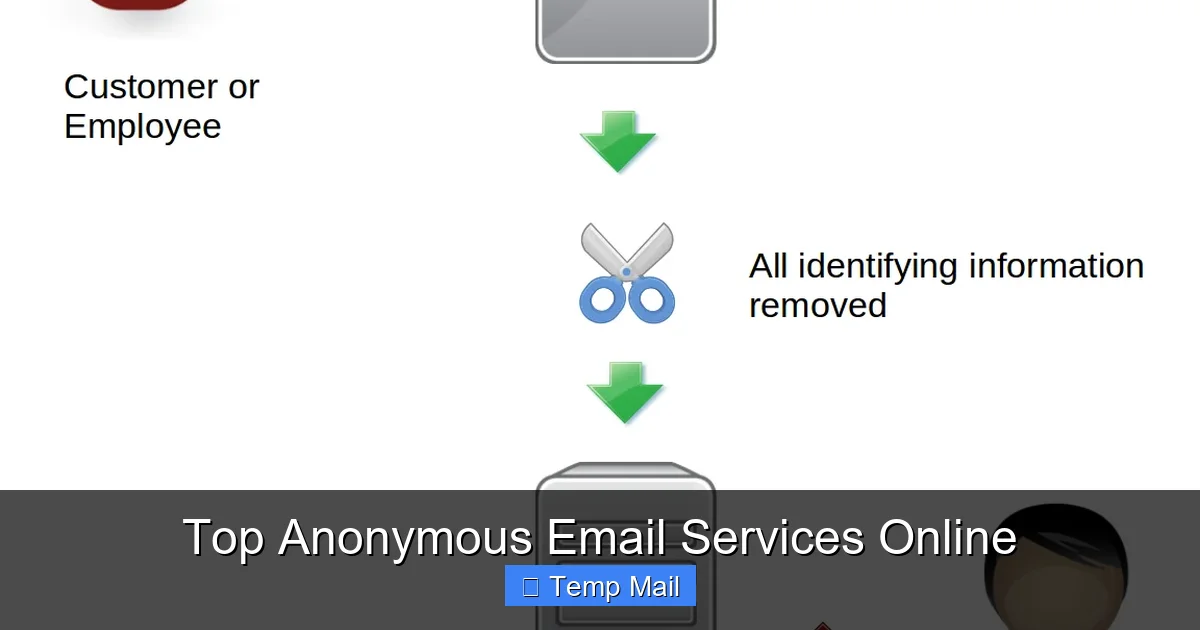
    Anonymous email services generally fall into two distinct categories, each solving a different problem. Disposable or “temp mail” services are the sprinters. They give you a random, temporary inbox that lives for 10 minutes to a few hours. You use it once to get a verification link, then you forget it. It’s perfect for low-stakes, one-time sign-ups where you’ll never log in again. Encrypted, secure email providers are the marathon runners. They offer a permanent inbox (like Gmail) with military-grade encryption, strict privacy policies, and often a focus on anonymity during sign-up. They are built for ongoing private communication, not just a single verification. Choosing between them is the first and most critical step.

    Top Disposable & Temp Mail Services: For the One-Time Sign-Up

    Let’s start with the quick, dirty, and incredibly effective world of disposable email. These services generate a random inbox address instantly, no registration required. You copy the address, use it on a website, then check the temp inbox for the confirmation email. Once the timer runs out (usually 24-48 hours max), the inbox and all its contents vanish into the ether.

    Top Anonymous Email Services Online

    Visual guide about Top Anonymous Email Services Online

    Image source: sp-ao.shortpixel.ai

    1. Temp-Mail: The User-Friendly Leader

    Temp-Mail is arguably the most popular and polished disposable service. Its interface is clean, it offers a browser extension for one-click copy/paste, and you can even choose from a list of available domains (like @temp-mail.org or @tempmail.com). A key feature is the ability to “refresh” the inbox if the initial address gets blocked by a website. It also provides a slightly longer lifespan (up to 48 hours) and a mobile app. Best for: Users who want a reliable, easy-to-use temp mail service with a bit more control and a nicer UI than the bare-bones options.

    2. Guerrilla Mail: The Old Guard

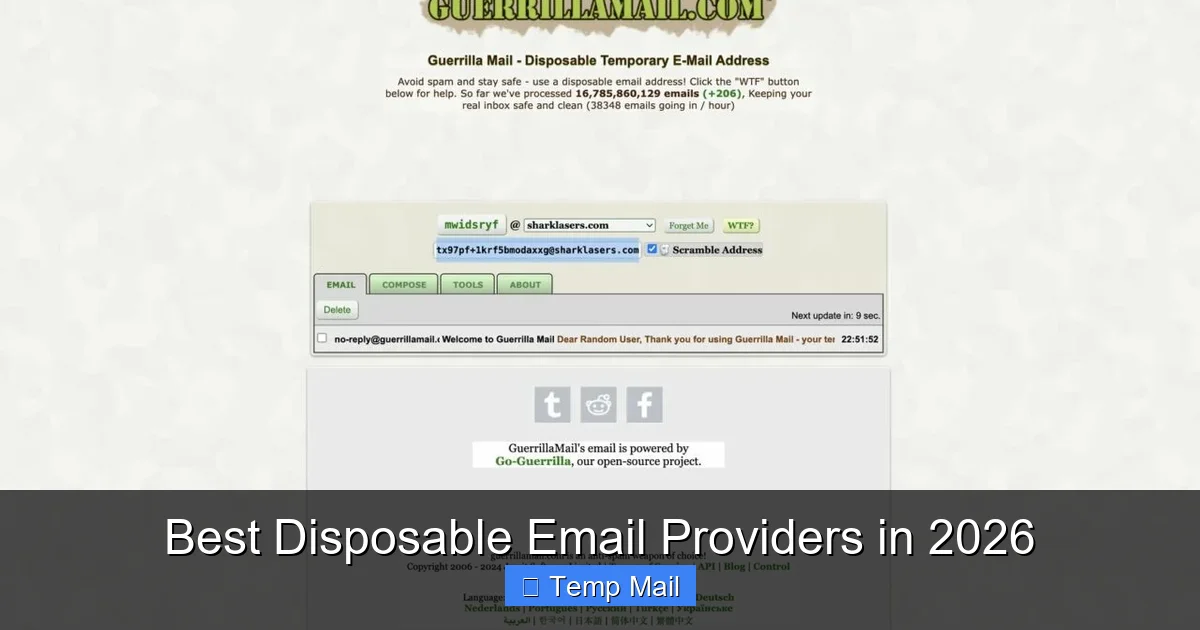
    Guerrilla Mail has been around for ages and is famously simple. You land on the site, get your random address (e.g., @guerrillamail.com), and that’s it. It also includes a basic password-protected “vault” feature if you need to keep an email for a bit longer than the standard 60-minute session. Its strength is its simplicity and reliability. It does one job and does it well. Best for: Anyone who wants zero fuss, zero sign-up, and a proven track record. It’s the classic “just get the job done” tool.

    3. 10 Minute Mail: The Purest Concept

    As the name implies, 10 Minute Mail gives you an inbox that self-destructs in 10 minutes. The timer is prominently displayed, creating a sense of urgency. It’s the most minimalist of the bunch. If you need an email address for a process you know will take less than 10 minutes (like a quick download link), this is the purest expression of the disposable email concept. Best for: Ultra-fast, single-purpose tasks where you don’t even need to remember the address for long.

    Critical Warning: The Dark Side of Temp Mail

    While fantastic for privacy, disposable emails have a major flaw: they are publicly known and often blocked. Many legitimate services (especially financial institutions, social media platforms, and government sites) actively blacklist domains from major temp mail providers. You might simply get a “invalid email” error. Furthermore, because anyone can use them, they are associated with spam and fraudulent activity. Never use a temp mail address for anything important—bank accounts, primary social media, job applications, or any service where you might need to recover access later. The inbox is gone, and so is your access.

    Top Encrypted & Secure Anonymous Email Providers: For Long-Term Privacy

    When you need a real, lasting email address that prioritizes security and anonymity, you turn to these providers. They are not disposable; they are replacements for Gmail. They typically require a sign-up (often without personal info), use end-to-end encryption, and are based in privacy-friendly jurisdictions.

    Top Anonymous Email Services Online

    Visual guide about Top Anonymous Email Services Online

    Image source: techlazy.com

    1. ProtonMail: The Gold Standard

    Based in Switzerland, ProtonMail is the most well-known secure email service. Its free plan offers 1 GB of storage, 150 messages per day, and a @protonmail.com address. Sign-up requires neither a phone number nor a recovery email (though you can add one for convenience). It uses zero-access encryption, meaning even ProtonMail cannot read your emails. The interface is modern and Gmail-like, easing the transition. Paid plans unlock custom domains, more storage, and higher sending limits. Best for: Everyone from privacy-conscious individuals to journalists and activists. It’s the most balanced blend of usability, security, and generous free tier.

    2. Tutanota: The Privacy Purist’s Choice

    Tutanota, based in Germany, is a fierce competitor to ProtonMail with a slightly different philosophy. Its free plan offers 1 GB of storage and a @tutanota.com address. It also uses zero-access encryption and open-sources its code. A key differentiator is its automatic encryption of all emails *within* its network and an option to send encrypted emails to external recipients via a password. Its interface is clean but less familiar than Gmail’s. Best for: Users who prioritize German/EU privacy laws and appreciate the automatic encryption of all internal mail.

    3. Mailfence: The Suite Approach

    Mailfence, also based in Belgium (EU), is more than just email. Its free plan includes a calendar, contacts, and documents, all encrypted and privacy-focused. It offers 500 MB of email storage. Sign-up can be done anonymously with a cryptocurrency payment for paid plans. It’s a solid, all-in-one privacy suite. Best for: Users who want an integrated, encrypted productivity suite (email + calendar + docs) rather than just an email inbox.

    The Anonymous Sign-Up Hurdle

    Here’s the catch: most “anonymous” providers still require some form of verification to prevent abuse. This often means a CAPTCHA. Some, like ProtonMail, may occasionally ask for a phone number if they detect suspicious activity (like a Tor network sign-up). Truly anonymous sign-up without any friction is rare. Be prepared for this. If a service asks for a phone number during sign-up, that’s a potential de-anonymization vector you should consider.

    How to Choose the Right Service: A Practical Decision Tree

    With all these options, how do you pick? Stop thinking about “the best” and start thinking about “the best for your specific purpose.” Ask yourself this simple question:

    “Is this a one-time, low-stakes verification where I will never need to access this account again, or is this for ongoing private communication or a service I may need to log into later?”

    • If YES (One-time): Use a disposable/temp mail service like Temp-Mail or Guerrilla Mail. Check if the website accepts the domain first. If it fails, you might need to try a different provider’s domain or resort to your secondary, less-used real email.
    • If NO (Ongoing): Use an encrypted secure provider like ProtonMail or Tutanota. This is for social media, newsletter subscriptions you care about, online banking, or any account with long-term value. Treat this anonymous inbox as your “public persona” email.

    Additional Filters: Consider storage needs (1 GB free is fine for text, not for large attachments), sending limits (150/day is plenty for personal use), and mobile app availability. Always read the latest privacy policy and terms of service. Look for phrases like “zero-access encryption,” “no data logging,” and “based in a privacy-friendly jurisdiction.”

    Practical Use Cases & Advanced Tips

    Knowing the theory is one thing; using these tools effectively is another.

    Use Case 1: Drowning in Newsletter Spam

    You want to read a great article but the site demands an email for a weekly newsletter you don’t want. Solution: Use a disposable email. Get the link, read the article, and forget the inbox. The spam goes to a dead address. For newsletters you actually want to receive long-term, sign up with your ProtonMail address. This keeps your primary inbox clean.

    Use Case 2: Testing a Service or App

    You’re a developer or just a curious user wanting to test a new app’s sign-up flow without committing your real email. Solution: Disposable email is perfect. You can create and discard accounts at will.
    Use Case 3: Whistleblowing or Sensitive Communication

    This is the highest-risk scenario. Solution: This requires a layered approach. Use a Tor Browser to mask your IP address. Then, sign up for a ProtonMail or Tutanota account *through Tor*. Do not log into this account from your normal browser or home IP. Use it only for this purpose. Consider using a PGP key for an extra layer of encryption with trusted recipients.

    Pro-Tip: The “Plus Addressing” Trick

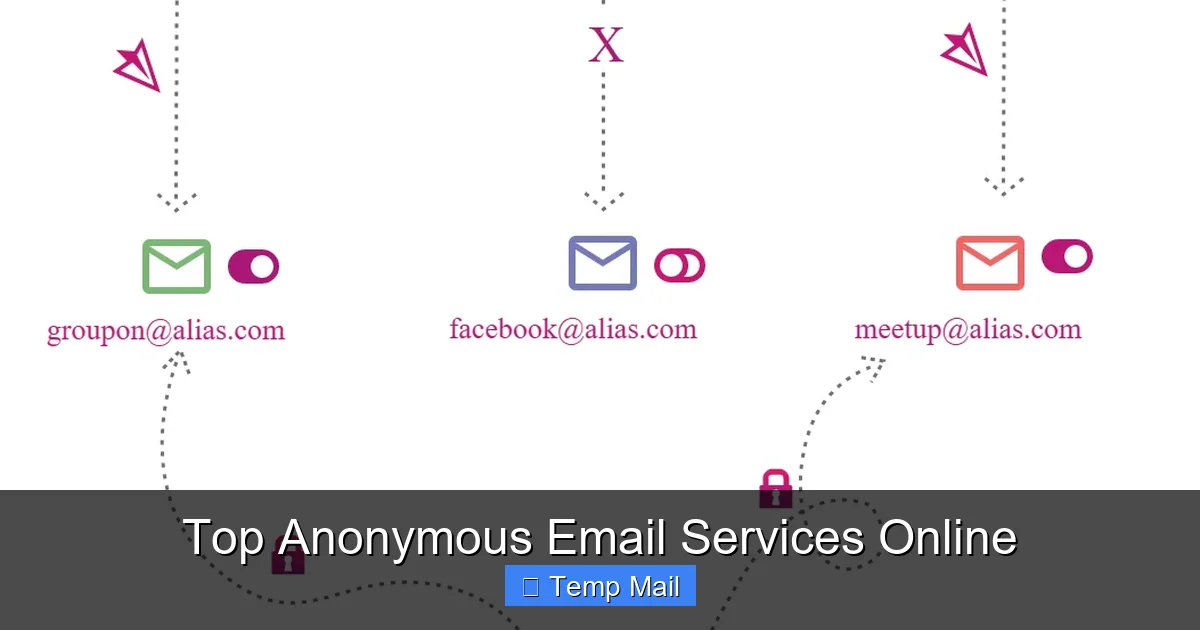
    Many email providers (including Gmail and ProtonMail) support “plus addressing.” If your address is myname@protonmail.com, you can use myname+websitex@protonmail.com. The emails still go to your main inbox, but you can filter them and instantly see which service sold or leaked your address. It’s a simple way to track spam sources without needing a new disposable address every single time.

    Security Best Practices: Your Behavior Matters Most

    An anonymous email service is a tool. A chainsaw in the hands of a novice is dangerous. Here’s how to wield this tool safely:

    • Never Mix Identities: Do not log into your anonymous email from a browser where you are logged into your personal Facebook or Google account. Use a separate browser profile or, better yet, a separate browser (like Firefox for anonymous, Chrome for personal).
    • Mind the IP Address: If you use your home internet, your ISP’s IP is logged. For serious anonymity, use a trusted VPN or the Tor network before accessing your anonymous inbox.
    • Don’t Use Personal Details: When signing up for a secure provider, use a pseudonym. Do not use your real name, birthdate, or recovery phone number/email that links back to you.
    • Beware of Metadata: Even if the content of your email is encrypted, the subject line, sender/recipient addresses, and timestamps are often not. Be mindful of what you put in a subject line.
    • Assume Nothing Is Perfect: Software can have vulnerabilities. Jurisdictions can change laws. Stay informed about your chosen provider’s security audits and news.

    The Bottom Line: Privacy as a Habit, Not a Tool

    Anonymous email services are a powerful and essential part of a modern digital hygiene routine. They are not magic invisibility cloaks, but they are highly effective compartmentalization tools. For the everyday user, the rule is simple: use a disposable email for anything that feels like a “one-night stand” with a website, and use a secure provider like ProtonMail for anything you’d consider a “relationship.” This two-tier strategy dramatically reduces your spam, limits data profiling, and insulates your core identity from the myriad of minor data breaches that happen daily. Start today. Create a ProtonMail account, bookmark a reliable temp mail site, and make using the right email for the right job a unconscious habit. Your future self, with a cleaner inbox and a more segmented digital identity, will thank you.

    Frequently Asked Questions

    Are disposable/temp mail services legal to use?

    Yes, they are completely legal. They are legitimate tools for privacy protection. Their legality only becomes an issue if they are used for fraudulent purposes like creating fake accounts for scams or harassment, which violates the terms of service of most websites and can be illegal in specific contexts.

    Can anonymous email services be traced back to me?

    It depends on your behavior. The service itself may not log your IP or personal data (check their policy!). However, if you access your anonymous inbox from your home internet without a VPN, your ISP’s IP is visible to the service. For true anonymity, always use a VPN or Tor when accessing these accounts, and never log in from a device or browser tied to your real identity.

    What’s the real difference between a temp mail and an encrypted email like ProtonMail?

    The core difference is permanence and purpose. Temp mail is disposable: a random, temporary inbox for a single verification, then it’s gone. Encrypted email like ProtonMail is permanent: a real, secure mailbox you own, with storage, sending capabilities, and the ability to log in anytime, designed for ongoing communication and account management.

    Do I need to pay for a good anonymous email service?

    Not necessarily. The free tiers of ProtonMail (1 GB) and Tutanota (1 GB) are excellent for most personal, private communication needs. Paid plans are for those needing more storage, custom domains, or higher sending limits. Disposable temp mail services are almost always free, as they are funded by ads.

    Will these services block spam and phishing emails?

    Yes, generally. Both disposable and secure providers have spam filters. However, the nature of disposable mail means you simply discard the entire inbox after use, so spam is irrelevant. For secure providers, their filters are typically very good, but no filter is 100%. The key protection is that your *primary* email address never gets exposed in the first place.

    How long do emails last on a disposable/temp mail service?

    It varies by provider. Most keep the inbox active for 24-48 hours after the last email is received. Some, like 10 Minute Mail, use a strict countdown timer (e.g., 10 minutes). After the expiration time, the inbox and all its emails are permanently deleted from their servers. You cannot recover it.

  • Temp Mail for Developers and Testers

    Temp Mail for Developers and Testers

    Temporary email services are a secret weapon for developers and QA testers. They provide disposable inboxes to automate user registration tests, receive OTPs without cluttering primary accounts, and validate email functionality in staging environments. By leveraging temp mail APIs and strategic workflows, teams can significantly reduce noise, enhance security, and streamline the entire testing lifecycle for email-dependent features.

    Let’s paint a familiar picture: you’re building a new feature that requires user email verification. To test it, you need to sign up, check your inbox for the magic link, click it, and confirm everything works. But doing this with your real Gmail or Outlook account is a mess. The confirmation email lands in your primary inbox, mixing with work chats and family photos. If you’re testing a “forgot password” flow, you might accidentally lock your own account. And what about when you need to test OTP (One-Time Password) delivery for SMS or email? Using your personal number or email is inefficient and insecure. This is where the humble, powerful temporary email service transforms from a tool for privacy-conscious individuals into an indispensable utility in a developer’s or tester’s toolkit.

    For professionals building and validating software, disposable email isn’t about avoiding spam for personal gain—it’s about workflow efficiency, test automation, and security hygiene. It’s the clean, disposable canvas you need to paint your test scenarios on without worrying about the mess afterward. In this guide, we’ll dive deep into how developers and QA engineers can leverage temporary email to streamline testing, automate repetitive tasks, and build more robust applications. We’ll move beyond the basic “get a random inbox” concept and explore API integrations, specific use cases, tool comparisons, and best practices that separate novice usage from professional-grade implementation.

    Key Takeaways

    • Eliminate Primary Account Pollution: Temp mail prevents test sign-ups, OTPs, and newsletters from contaminating your personal or work inbox, keeping critical communications separate and organized.
    • Enable Full Automation: Integrate disposable email APIs directly into CI/CD pipelines and automated test suites (like Selenium or Playwright) to programmatically create inboxes, fetch verification links, and assert email content.
    • Test Email-Dependent Flows Safely: Validate “forgot password,” email verification, and notification systems in a controlled, repeatable environment without risking real user data or triggering anti-spam filters.
    • Boost Security & Privacy: Shield your primary email from data breaches and unsolicited tracking during third-party service trials or when testing applications that require an email for access.
    • Choose the Right Tool for the Job: Select between simple browser-based services for manual testing and robust, API-first platforms (like Mailinator or MailSlurp) for scalable, programmatic automation needs.
    • Follow Best Practices: Always use unique prefixes for tracking, clean up test data, understand provider limitations (like email retention), and never use temp mail for production or critical account recovery.

    What Exactly is “Temp Mail” in a Dev Context?

    At its core, a temporary email service provides you with a random, public, or private inbox address that exists for a short, predefined period—often just 10 minutes to a few hours. For a developer, this translates to an on-demand, programmatically accessible email endpoint. But the landscape has evolved far beyond simple websites like 10minutemail.com. Modern platforms offer:

    • Public Inboxes: Shared, random addresses anyone can view. Useful for quick manual checks but not private.
    • Private Disposable Inboxes: Unique addresses only you can access, often with a custom alias. This is the gold standard for testing.
    • Full-Featured APIs: RESTful APIs that allow you to create inboxes, list messages, fetch bodies and attachments, and even receive webhooks—all from your test code.
    • SMTP/IMAP Support: Some enterprise-grade services support standard email protocols, allowing integration with existing email clients or scripts.

    The key differentiator for professional use is API control and persistence. You’re not just opening a browser tab; you’re writing code that says: “Create a new inbox, use this address to register the test user, wait for the email, extract the verification link, and assert it contains the correct token.” This level of automation is what makes temp mail a cornerstone of modern testing strategies.

    The Core Mechanics: How It Works Under the Hood

    Understanding the mechanics helps you debug and choose tools wisely. When you request a new inbox via an API:

    1. The service generates a unique email address (e.g., testuser_abc123@mailinator.com or a custom domain like abc123@yourdomain.mailslurp.com).
    2. It provisions a storage bucket for that address on their mail servers.
    3. The address starts receiving emails sent to it. These emails are stored and indexed.
    4. Your test code polls the API (or waits for a webhook) to list messages for that specific inbox.
    5. You fetch the message content, parse HTML or text, and extract the data you need (links, codes, etc.).
    6. After a set time or upon manual deletion, the inbox and all its data are purged from the system.

    This entire lifecycle can be managed in milliseconds via code, making it perfect for fast, isolated test runs.

    Why Developers & Testers Absolutely Need This Tool

    You might be thinking, “Can’t I just use a test Gmail account?” Sure, but that approach has severe scalability, hygiene, and reliability drawbacks. Let’s break down the compelling reasons to adopt a dedicated temp mail strategy.

    Temp Mail for Developers and Testers

    Visual guide about Temp Mail for Developers and Testers

    Image source: shakebugs.com

    1. Achieving True Test Isolation and Repeatability

    Imagine a test suite that runs nightly. If it uses a single shared test Gmail account, tests can interfere with each other. Test A might delete the verification email before Test B can read it. Or, the inbox might be cluttered with hundreds of old test emails, making it hard to find the one you need. With a unique disposable inbox per test run or per test case, you get a pristine, isolated environment. The test creates its inbox, performs actions, validates the received email, and the data dies with the inbox. No state leakage. No interference. This is fundamental for reliable, repeatable automated testing.

    2. Automating thePreviously “Manual” Email Check

    Before temp mail APIs, automating an email verification flow was a huge pain. You’d have to use IMAP libraries with a real account, handle 2FA if enabled, manage folder states, and clean up afterward. It was brittle. Now, with a simple API call, your script can:

    • POST /inboxes → get a new email address.
    • Use that address in your application’s signup form (via Selenium, REST API call, etc.).
    • GET /inboxes/{id}/messages (poll or wait for webhook).
    • Parse the textContent or htmlContent of the received message to grab the verification URL.
    • Navigate to that URL to complete the flow.

    This entire sequence can be wrapped in a function and reused across hundreds of test scenarios, turning a 5-minute manual chore into a 5-second automated step.

    3. Testing OTPs and 2FA Flows Without Real Phones/Emails

    Multi-factor authentication (MFA/2FA) is standard. Testing it shouldn’t require a tester to have a physical phone on hand or to use their personal SMS/email. Temp mail services that support SMS (some do) or, more commonly, email-based OTPs allow you to fully automate the second factor. Your test triggers the “send code” action, fetches the code from the disposable inbox, and inputs it into the application. This is crucial for continuous testing of security flows.

    4. Protecting Personal and Corporate Privacy

    When you’re testing a third-party integration—say, a new CRM or marketing tool that insists on an email to create a trial account—you don’t want to use your real corporate email. That exposes you to sales calls and data harvesting. Using a disposable address creates a firewall between your identity and the service under evaluation. It’s a simple but powerful privacy practice that prevents your primary email from being added to countless marketing lists.

    5. Validating Email Formatting and Content in Staging

    You need to know if your “Welcome” email looks right, if the unsubscribe link works, or if the password reset template renders correctly in Outlook. By pointing your staging application’s email configuration to a temp mail SMTP server or by using a catch-all domain, all outgoing emails land in a test inbox you control. You can then visually inspect HTML emails or programmatically check for the presence of specific links, text, and dynamic variables. This is far safer than accidentally sending a test “Your invoice is ready” email to a real customer.

    Practical Use Cases: From Simple to Complex

    Let’s get concrete. Here’s how temp mail integrates into real developer and tester workflows.

    Temp Mail for Developers and Testers

    Visual guide about Temp Mail for Developers and Testers

    Image source: tempmailmaster.io

    Use Case 1: Automated User Registration & Onboarding

    Scenario: Your app has a multi-step signup: email → verification link → profile completion → first project creation.

    Temp Mail Integration:

    • Test script generates a new private inbox via API.
    • Script submits the signup form with the disposable address.
    • Script polls the inbox API for a new message with subject “Verify your email.”
    • Script extracts the verification link from the email body and navigates to it.
    • Script continues with profile setup and project creation, asserting success at each step.
    • Inbox auto-deletes after TTL (time-to-live).

    Benefit: Full E2E (end-to-end) test of the critical first user journey, fully automated.

    Use Case 2: API Testing of “Forgot Password” & Reset Tokens

    Scenario: You have an API endpoint POST /auth/forgot-password that sends a reset link with a 15-minute token.

    Temp Mail Integration:

    • Create a test user in the database with a known email.
    • Configure that user’s email to be a newly generated disposable address (or use a catch-all domain).
    • Call the forgot-password API.
    • Poll the inbox API for the reset email.
    • Extract the reset URL and parse the token query parameter.
    • Assert the token is valid (e.g., by calling a validate-token endpoint) and has the correct 15-minute expiry.
    • Optionally, complete the reset flow by POSTing a new password using the token.

    Benefit: Tests the security logic of token generation and expiry without risking a real user’s account or relying on a monitored inbox.

    Use Case 3: Load & Performance Testing with Unique Identifiers

    Scenario: You need to simulate 1000 users signing up simultaneously to test your registration service’s scalability.

    Temp Mail Integration:

    • Your load testing tool (e.g., k6, Gatling) is configured with a pre-test script that, for each virtual user (VU), makes an API call to your temp mail provider to generate a unique inbox.
    • The VU uses that unique address in its signup request.
    • After signup, the VU (or a separate validation script) fetches the email from its assigned inbox to complete verification.
    • This ensures every VU has a dedicated, non-conflicting email address, which is impossible with a single shared inbox.

    Benefit: Enables realistic, large-scale performance testing of email-dependent user journeys.

    Use Case 4: Manual QA & Exploratory Testing on the Fly

    Scenario: A tester needs to quickly check a new “invite a friend” feature that sends an email invitation.

    Temp Mail Integration:

    • Tester opens their preferred temp mail web interface (or browser extension).
    • Generates a new private inbox with one click.
    • Copies the address and uses it to sign up as a new user in the test environment.
    • Uses the app’s “invite” feature, sending an invite to another disposable address (generated in a second tab).
    • Switches to the second inbox tab and clicks the invite link to accept.
    • Verifies the entire flow works without ever touching a real email account.

    Benefit: Drastically reduces setup time for ad-hoc test scenarios and keeps the tester’s personal inbox clean.

    Top Tools & Platforms: A Developer’s Guide

    Not all temp mail services are created equal. Here’s a breakdown of the main categories and leading players for technical teams.

    API-First, Developer-Centric Platforms

    These are built for programmatic access and are the top choice for automated testing.

    • MailSlurp: A leader in this space. Offers a comprehensive REST API, SDKs for major languages (JavaScript, Python, Java, C#), SMTP/IMAP support, and even allows you to use your own domain. Features like wait-for-email helpers, email content assertions, and attachment handling make it extremely powerful for complex test suites. Pricing is based on inbox count and API calls.
    • Mailinator (by Titan): The most well-known public inbox service. They offer a paid “Private Inboxes” tier with API access, allowing you to create non-public addresses. Their API is robust and their infrastructure is reliable. The public inboxes are a security risk if used for anything sensitive, but the private tier is excellent for testing.
    • Temp-Mail.org API: A more budget-friendly API option. Provides the core functionality: create inbox, list messages, get message. It’s less feature-rich than MailSlurp but perfectly capable for basic signup/verification automation.
    • Guerrilla Mail / 10 Minute Mail: Primarily consumer-focused web interfaces. Their APIs (if available) are often unofficial and unstable. Not recommended for serious development or CI/CD use due to unreliability and lack of support.

    Self-Hosted & Open Source Options

    For teams with strict data privacy requirements (e.g., testing internal corporate apps), self-hosting is an option.

    • MailCatcher / MailHog: These are not “temp mail” services in the traditional sense. They are local SMTP servers that catch all emails sent from your development machine or local network and display them in a web UI. They are fantastic for local development and testing, as they prevent any email from actually leaving your machine. However, they don’t provide public internet-accessible addresses for testing cloud-hosted apps.
    • FakeSMTP: Similar to MailHog, a simple Java-based SMTP server for testing that stores emails to files.

    Key Insight: Use MailHog for local dev, and a cloud-based API service (like MailSlurp) for testing your deployed staging/QA environments.

    Choosing the Right Tool: A Quick Decision Matrix

    Need Recommended Tool
    Fully automated CI/CD test suites MailSlurp, Mailinator Private
    Manual QA, quick one-off tests Browser-based services with private inboxes (e.g., Temp-Mail.org web UI)
    Local development on laptop MailHog or MailCatcher
    Strict data sovereignty / air-gapped env Self-hosted MailHog in isolated network
    Testing SMS-based OTPs Specialized services like SMS-Activate or Twilio sandbox (temp mail won’t work for SMS)

    Best Practices: Writing Clean, Reliable Temp-Mail-Dependent Tests

    Just having the tool isn’t enough. How you use it determines whether your tests are robust or flaky.

    1. Manage Inbox Lifecycle Explicitly

    Never assume an inbox exists. In your test setup/teardown:

    • Setup: Create a new inbox via API and store its ID/address in a test context variable.
    • Test: Use that specific inbox ID for all email-related actions.
    • Teardown: Explicitly delete the inbox via API if the service supports it, or let it expire. This prevents hitting provider limits and keeps your account clean. In a CI environment, this is critical.

    2. Use Unique, Trackable Prefixes

    When generating disposable addresses, don’t use totally random strings. Use a prefix that identifies the test run or environment.

    • Bad: a8f3s@mailslurp.com
    • Good: ci-jenkins-pr-123-feature-login@mailslurp.com

    This makes debugging infinitely easier. If an email goes missing in the provider’s logs, you can search for your prefix. It also helps when manually checking a shared provider’s public inbox (though avoid public inboxes for private data).

    3. Implement Smart Polling with Timeouts

    Don’t write a tight loop that polls the inbox every 100ms. It’s wasteful and can get you rate-limited. Implement a backoff strategy:

    • Poll every 1 second for the first 5 seconds.
    • Then every 2 seconds for the next 10 seconds.
    • Then every 5 seconds.
    • Fail the test after a total timeout (e.g., 60 seconds) with a clear message: “Verification email not received within 60s for inbox [address].”

    Many APIs (like MailSlurp’s) offer a “wait for email” endpoint that handles this polling server-side, which is even better—use it if available.

    4. Parse Emails Robustly

    Email HTML is notoriously messy. Don’t rely on fragile string matching.

    • Use an HTML parser (like BeautifulSoup in Python, Cheerio in Node.js) to extract links and text.
    • Look for the verification link by its common patterns: it often contains /verify/, /confirm/, or a long token.
    • Check the “from” address to ensure it’s your application’s no-reply address, not a spam message that coincidentally arrived.
    • If the email has attachments (e.g., a PDF invoice), verify the attachment count and filename via the API.

    5. Handle Edge Cases and Provider Quirks

    • Email Delays: Some providers have a 1-2 second delay before emails appear in the API. Factor this into your timeout.
    • Rate Limits: Free tiers have strict limits (e.g., 10 inboxes/month). Monitor your usage. In CI, consider caching inbox creation or using a pool of pre-generated addresses if your tests are parallelized.
    • Spam Filtering: Your test emails might be flagged as spam by the provider and placed in a “spam” folder. Ensure your API call lists messages from all folders or specifically checks the inbox folder.
    • HTML vs. Text: Your app might send a multipart email. Check both the text and html body fields in the API response.

    The Future: Where Temp Mail in Dev/Test Is Heading

    The role of disposable email in development is expanding beyond simple verification testing.

    Integration with AI-Powered Testing

    Imagine an AI test generation tool that, given a user story like “As a user, I want to reset my password,” automatically writes a test script that provisions a temp inbox, executes the flow, and validates the email content—all without human intervention. Temp mail APIs are the perfect structured data source for these systems.

    Unified Communication Testing Platforms

    The next step is platforms that handle email, SMS, and even push notifications from a single API. Tools like Twilio Verify for SMS and MailSlurp for email are converging in their offerings. Future testing stacks will have a single “communication inbox” abstraction layer, letting you test any channel with the same code patterns.

    Shift-Left Security Testing

    Temp mail is already used for testing OTPs. Its next security frontier is testing for email header injection vulnerabilities or ensuring that password reset tokens are single-use and properly invalidated. By having programmatic control over the destination inbox, security testers can craft attacks and observe the outcomes in a safe, isolated environment.

    Conclusion: Embrace Disposable Inboxes as a Strategic Asset

    Temporary email services have evolved from a privacy hack into a foundational component of modern development and quality assurance workflows. They solve the age-old problem of “how do we test email without using real email?” with elegance and scalability. By moving from manual, ad-hoc use to strategic, API-driven integration, teams can achieve faster test execution, cleaner data, and higher confidence in their email-dependent features.

    The key is to treat your temp mail provider not as a casual website to visit, but as a critical piece of test infrastructure—like your CI server or staging database. Choose a reliable, API-first tool. Write tests that manage inbox lifecycles explicitly. Parse emails with care. And always, always clean up after your tests. When you do, you’ll find that what was once a tedious, manual bottleneck becomes a seamless, automated, and even invisible part of your development pipeline. Your future self, with a clean inbox and a green test suite, will thank you.

    Frequently Asked Questions

    Is using temporary email for testing legal and ethical?

    Yes, absolutely. Using disposable addresses for testing your own applications or for QA purposes is a standard industry practice. The ethical boundary is using them to create fraudulent accounts, bypass paywalls, or spam real systems. For development and testing, it’s both legal and responsible, as it prevents pollution of real user systems.

    Can I use temp mail APIs in my CI/CD pipeline (e.g., Jenkins, GitHub Actions)?

    Yes, and this is one of the most powerful use cases. API-first services like MailSlurp are designed for this. You’ll need to store the service’s API key as a secure secret in your CI environment (e.g., GitHub Secrets). Your test scripts can then call the API to create inboxes and fetch emails as part of automated test jobs.

    What’s the biggest pitfall to avoid when automating with temp mail?

    The biggest pitfall is not managing the inbox lifecycle. If your tests create new inboxes but never delete them, you’ll quickly exhaust your plan’s limits or clutter your account, causing subsequent tests to fail. Always pair inbox creation with explicit deletion in a teardown step or rely on the provider’s auto-delete TTL (and understand what that TTL is).

    Do temp mail services work with two-factor authentication (2FA) apps like Google Authenticator?

    No, temp mail services only handle email-based communication. They cannot receive SMS messages or TOTP codes from authenticator apps. For testing SMS-based 2FA, you need a service that provides virtual phone numbers (e.g., Twilio, SMS-Activate). For email-based 2FA codes, temp mail works perfectly.

    Are emails from temp mail services deliverable? Will they be marked as spam?

    Emails sent to disposable addresses are deliverable by definition—they arrive in the temp inbox. However, some receiving mail servers (like corporate Exchange) may flag emails sent *to* disposable domains as potential spam or block them entirely. This is usually not a problem for testing your own app’s sending functionality, but it’s something to be aware of if you’re testing email deliverability to major providers (Gmail, Outlook typically accept them fine).

    How do I handle email links that contain one-time tokens that expire quickly?

    This requires fast, reliable automation. Use the provider’s “wait for email” webhook or polling feature with a short interval. Structure your test to trigger the action (e.g., “send reset link”) and immediately start waiting for the email. Don’t perform other long operations in between. Also, ensure your test environment’s clock is synchronized, as token expiry is time-sensitive.

  • How to Avoid Spam Using Temp Mail

    How to Avoid Spam Using Temp Mail

    Tired of your main email inbox being flooded with spam? Using a temporary email service is your first line of defense. These disposable addresses let you sign up for websites, download files, or access content without ever revealing your personal or professional email. By acting as a shield, temp mail catches unwanted marketing emails and potential scams, keeping your primary account clean and secure. It’s a simple, free tool for anyone looking to take control of their digital privacy and drastically reduce inbox clutter overnight.

    You know the feeling. You’re excited to download a free ebook or sign up for a webinar. You enter your email address, hit submit, and boom—instantly, you’re added to a list you never asked for. Days later, your primary inbox is drowning in promotional newsletters, “exclusive offers,” and worse, phishing attempts. This isn’t just annoying; it’s a drain on your productivity and a potential security risk. But what if you could sign up for anything online without ever giving away your real email? Enter the world of temporary email, or temp mail—your secret weapon in the war against spam.

    Think of temp mail as a digital burner phone. You get a functional, receive-only phone number for a short period, use it for a specific purpose, and then discard it forever. The same concept applies to email. A temp mail service generates a random, public inbox address that you can use to receive a single verification email or download link. Once that task is done, you close the tab and forget about it. The inbox, and all the spam it would have collected, vanishes into the ether. It’s a beautifully simple solution to a pervasive modern problem. In this guide, we’ll walk through exactly how to use temp mail to avoid spam, step-by-step, and explore the best practices to keep your digital life tidy and private.

    Key Takeaways

    • Temp mail creates a disposable shield: It provides a temporary email address you use for one-time sign-ups, protecting your permanent email from spam and data breaches.
    • No personal information is required: Most services generate an inbox instantly without asking for your name, phone number, or any registration details.
    • It’s not for important accounts: Never use a temp mail address for critical services like banking, primary social media, or work logins, as the inbox expires.
    • Automatically deletes after use: Most temporary inboxes self-destruct after a set time (e.g., 10 minutes to 24 hours) or after you close the browser tab.
    • Blocks tracking and data harvesting: By masking your real email, you prevent companies from linking your online activity to your identity for targeted advertising.
    • It’s a privacy tool, not a hacking tool: Temp mail is for legitimate user privacy; using it for fraudulent activity is illegal and violates most services’ terms.
    • Choose reputable providers: Stick to well-known temp mail sites with clear privacy policies to avoid services that might log or sell your activity.

    What Exactly is Temp Mail? Understanding the Disposable Inbox

    Before we dive into the “how,” let’s clarify the “what.” Temp mail is a service that provides a temporary, anonymous email address for receiving messages. The key characteristics are its disposability and lack of long-term commitment. Unlike Gmail, Outlook, or your ISP-provided email, a temp mail address isn’t tied to a persistent account you log into with a password. Instead, you visit a website, it generates a random address for you (like randomstring123@tempmail.demo), and displays the inbox right on that page. Any emails sent to that address appear in that web-based inbox in real-time.

    The Core Mechanics: How a Temp Mail Service Operates

    Behind the simple interface is a clever technical setup. When you visit a temp mail provider’s site, their system does a few things instantly:

    • Generates a Random Address: It creates a unique email address, often using a random string of characters, and assigns it to a temporary inbox on their server.
    • Monitors the Inbox: The server begins actively monitoring for any incoming mail directed to that specific address.
    • Displays Mail Publicly: The inbox is usually public. Anyone who knows the exact address can view the emails. This is why the address is random and hard to guess.
    • Sets a Timer: The service starts a countdown. This could be based on time (e.g., the inbox expires in 1 hour) or inactivity (e.g., if no new mail arrives in 10 minutes).

    When you use this address to sign up for a service, that service sends the verification email to the temp mail provider’s server. The provider then makes that email visible in the public inbox page you have open. You click the link or copy the code, complete your task, and leave. After the timer expires, the server permanently deletes both the address and all its contents. No traces are left behind.

    Temp Mail vs. Alternative Email Strategies

    It’s important to distinguish temp mail from other email management strategies:

    • Alias/Plus Addressing: Some providers (like Gmail’s youremail+forum@gmail.com) allow you to create “plus” aliases. Mail goes to your main inbox but can be filtered. This is good for organization but doesn’t prevent spam from reaching your server. Temp mail is more extreme—the mail never touches your main account.
    • Separate “Spam” Account: Creating a second, free email account (e.g., a new Yahoo address) solely for newsletters is a common tactic. This keeps your primary inbox clean but still requires you to manage another account, and that account can still get hacked or breached. Temp mail requires zero management.
    • Premium Disposable Email Services: Some paid services offer more features like longer-lasting addresses, custom domains, or inbox forwarding. These are steps up from free temp mail but share the same core disposable philosophy.

    Why Spam is More Than Just a Nuisance: The Real Dangers

    It’s easy to dismiss spam as a minor inconvenience—just delete it and move on. But the accumulation of unsolicited email is a symptom of a larger problem with serious implications. Understanding these risks is crucial for motivating the habit of using temp mail.

    How to Avoid Spam Using Temp Mail

    Visual guide about How to Avoid Spam Using Temp Mail

    Image source: imag.malavida.com

    The Productivity Drain and Digital Clutter

    Let’s start with the obvious. Every minute spent sorting, deleting, or unsubscribing from unwanted emails is a minute not spent on meaningful work or leisure. Studies suggest the average office worker spends nearly 20% of their week on email, and a significant portion of that is dealing with irrelevant messages. This constant context-switching fragments your focus. A cluttered inbox also creates low-grade, persistent stress—the “unread badge” anxiety. By using temp mail for low-stakes sign-ups, you cut this clutter at the source. Your primary inbox becomes a place for only essential communication, making it faster to process and more pleasant to use.

    Security Threats: Phishing, Malware, and Data Brokers

    Spam is the primary delivery vector for cyberattacks. Phishing emails, which mimic legitimate companies to steal your login credentials or financial information, often target large lists of harvested email addresses. The more places your email appears, the higher your chances of being targeted. Furthermore, every time you use your primary email on a sketchy website, you risk that site suffering a data breach. Your email, and often your password (if reused), can end up for sale on dark web marketplaces. Temp mail breaks this chain. If a site using your temp mail address gets hacked, the hackers get a dead-end address that leads to an already-deleted inbox. Your real identity and accounts remain insulated.

    The Privacy Erosion and Profiling Problem

    Beyond immediate threats, there’s a quieter war on privacy. Many “free” online services are funded by advertising. They build detailed profiles of users by tracking their activity across sites and linking it to their email address. Your email becomes a unique identifier that ties together your searches, clicks, purchases, and location data. This profile is used to manipulate your behavior with hyper-targeted ads and can be sold to third-party data brokers. By using a different, disposable temp mail for each new site or app, you prevent them from building a cohesive profile on you. You force them to see you as a transient, anonymous user, not a trackable customer.

    Step-by-Step Guide: How to Use Temp Mail to Avoid Spam

    Now for the practical part. Using temp mail is remarkably simple, but doing it correctly ensures maximum effectiveness. Here is a detailed, actionable workflow.

    How to Avoid Spam Using Temp Mail

    Visual guide about How to Avoid Spam Using Temp Mail

    Image source: temp-mail.io

    Step 1: Choose and Access a Reputable Temp Mail Service

    Start by navigating to a trusted temp mail provider. Popular, reliable options include Temp-Mail.org, 10MinuteMail.com, and Guerrilla Mail. Look for services that do not require registration, have a clear interface, and state a reasonable expiration time (5-60 minutes is typical for basic use). Avoid sites that bombard you with ads or ask for personal details to “unlock” the inbox. For this guide, we’ll use a generic example.

    Action: Open your browser and go to your chosen temp mail site. You will likely see a random email address already generated for you at the top of the page, and an empty inbox below it. That’s it. You have an active, working temporary inbox.

    Step 2: Copy the Generated Email Address

    Highlight the full email address shown on the page (it will look something like a7b3c9@tempmail.demo) and copy it to your clipboard. You can usually click on it to select all. This is the address you will use for your online transaction.

    Step 3: Use the Temp Mail Address for the Intended Purpose

    Navigate to the website, forum, or download page where you need to provide an email. Paste the temp mail address into the email field and proceed. Common use cases include:

    • Downloading a free PDF, guide, or template.
    • Signing up for a free webinar or online event.
    • Creating an account on a forum or comment section (like Reddit, Quora, or a niche community) where you don’t plan to be a long-term member.
    • Accessing a “freemium” app or game that requires email verification but you’re just trying out.
    • Getting a discount code from a retail site you’re not sure you’ll shop at again.

    Complete the sign-up or download process. The site will send a verification email or the download link to the temp mail address you provided.

    Switch back to the temp mail browser tab. You should see the new email appear in the inbox list within seconds. Click on it to open the message. Inside, you’ll find the verification link or code. Click the link (it may open a new tab) or copy the code and paste it into the original site to complete your action. For downloads, the link will be in the email body.

    Step 5: Complete Your Task and Abandon the Inbox

    Once you have what you needed—the account is verified, the file is downloaded—you are finished with that temp mail address. Do not use it for anything else. Simply close the browser tab or window containing the temp mail service. Do not bookmark it. The address will expire according to the service’s timer (often 10-60 minutes of inactivity). Any future emails sent to that address (like a welcome newsletter you didn’t opt out of) will bounce or go to a deleted inbox. You have successfully avoided adding that sender to your permanent email history.

    Advanced Tips and Best Practices for Power Users

    While the basic process is simple, mastering temp mail involves a few strategic habits to make it even more effective and avoid common pitfalls.

    Use a Dedicated Browser or Incognito Window

    To maintain clean separation, consider opening your temp mail service in a dedicated browser (like a separate Firefox profile) or an incognito/private window. This prevents any cookies or local storage from the temp mail site from mixing with your regular browsing. It also makes it psychologically easier to “close and forget” the session. When you close the incognito window, all traces of that temporary inbox session are wiped from your machine.

    Check the Expiration Timer

    Not all temp mail services are created equal. Some give you 10 minutes, others 1 hour, and a few premium options offer 24 hours or more. Before you start a process that might take a while (like a lengthy account setup with multiple verification steps), check the countdown timer on the service. If you think you’ll need more time, either pick a service with a longer timer or complete the critical steps (like getting the initial verification email) quickly and then proceed with the site setup while the temp mail tab remains open in the background.

    Never Use Temp Mail for Critical Accounts

    This is the golden rule. Temp mail is for disposable interactions. Do not use it for:

    • Banking, financial services (PayPal, Venmo), or investment accounts.
    • Your primary email provider (Gmail, Outlook, etc.)—you’ll lock yourself out.
    • Important cloud storage (Dropbox, Google Drive) or password managers.
    • Primary social media accounts (Facebook, Instagram, Twitter) where recovery is essential.
    • Any account where password recovery emails are sent. If you lose access, you’re permanently locked out because the recovery email no longer exists.

    Stick to using it for one-time access, content gating, and throwaway registrations.

    For Long-Term Low-Priority Sites, Consider a “Spam” Account Instead

    If you find yourself repeatedly using a particular service (e.g., a frequent forum or a news site you read daily) but still don’t want to use your main email, create a dedicated secondary email address with a free provider (like a new Gmail or ProtonMail account). Use this “spam account” for those recurring but low-importance sign-ups. This keeps them completely separate from your primary inbox but gives you a persistent address to log into. Reserve temp mail for truly one-off interactions.

    Be Aware of Limitations: Sending and Attachments

    Most temp mail services are receive-only. You typically cannot send emails from a temporary address. This is fine for verification purposes but means you can’t use it to communicate. Also, many services block incoming emails with large attachments or certain file types for security reasons. If you’re expecting a file, it’s usually a small PDF or a link to a cloud storage download. Don’t expect to receive a 50MB video file.

    The Limitations and Considerations of Temp Mail

    Temp mail is a powerful tool, but it’s not a magic bullet for every email problem. Understanding its limitations helps you use it appropriately and avoid frustration.

    Inbox Expiration is Permanent

    The core feature—disposability—is also its biggest constraint. Once the timer runs out, the inbox and all its emails are gone forever. There is no recovery. If a site sends a follow-up email a day later (like a newsletter you forgot to unsubscribe from), you will never see it. This is by design, but it means you must complete your intended action (click the link, copy the code) while the inbox is active. Don’t plan on checking that temp mail address tomorrow.

    Some Websites Actively Block Temp Mail Domains

    Because temp mail is widely used to avoid sign-up friction and spam, many popular platforms (like Facebook, Google, Twitter, major streaming services, and banking sites) maintain lists of known temp mail provider domains and block them outright. When you try to sign up, you’ll get an error message like “Please provide a valid email address.” This is a security and anti-abuse measure. If you encounter this, you’ll need to use a real email address. This blocking reinforces that temp mail is for low-stakes, non-critical sites, not major platforms.

    Potential for Abuse and Reputation

    Because temp mail addresses are anonymous and disposable, they are sometimes used for malicious purposes: creating fake accounts for spam, abuse, or fraud. This can lead to entire ranges of temp mail IP addresses or domains being blacklisted by legitimate email servers. In rare cases, if a spammer uses the same temp mail service you are using moments before you, the service’s sending IP might be temporarily blacklisted, causing your verification email to be rejected or delayed. Using a reputable provider minimizes this risk, but it’s a factor of the ecosystem.

    No Sending Capability and Limited Features

    As mentioned, you almost never can send emails from a temp mail address. It’s a one-way street for receiving. You also won’t have features like folders, labels, calendars, or integration with other apps. It’s a bare-bones, single-purpose inbox. Accept this limitation going in; you’re using it for a specific job, not as a full email replacement.

    Conclusion: Embracing Temporary Privacy in a Permanent Digital World

    In an online landscape where your email address is often the first and most valuable piece of personal information you surrender, adopting a strategy of selective disclosure is no longer optional—it’s essential for digital hygiene. Temp mail provides an elegantly simple, zero-cost method to draw a line in the sand. It allows you to engage with the web’s countless “free” services and content gates without quietly subsidizing them with your data and cluttering your primary communication channel.

    The habit is easy to build: before you enter your main email anywhere, pause and ask, “Is this a one-time interaction or a service I truly trust with my identity?” If the answer leans toward the former, reach for a temp mail address. Complete your task, collect your reward (the ebook, the access code), and walk away. The inbox will vanish, taking the potential for future spam with it. You’ll notice the difference quickly: a cleaner primary inbox, fewer phishing attempts, and a greater sense of control over your digital footprint. In the fight against spam, temp mail isn’t just a tool; it’s a mindset of temporary, intentional engagement. Start using it today, and reclaim your inbox.

    Frequently Asked Questions

    Is using temp mail safe and legal?

    Yes, using a reputable temp mail service is completely safe and legal for legitimate purposes like protecting your privacy. The safety lies in using it to *receive* emails, not for sending malicious content. Always use it for sign-ups, not for creating accounts for fraudulent activity.

    What happens to the emails I receive in a temp mail inbox?

    All emails in a temp mail inbox are automatically and permanently deleted after the service’s expiration timer runs out (usually 10-60 minutes after the last email arrives). They are not stored long-term on the server and are unrecoverable once the inbox is closed.

    Can I use temp mail for important accounts like Gmail or my bank?

    Absolutely not. Never use temp mail for any account where you need password recovery, account security alerts, or long-term access. Since the inbox expires, you will be permanently locked out of these critical services the moment you need to reset a password.

    Will a website know I’m using a temp mail address?

    Yes, the website you sign up with will see the temp mail domain (e.g., @tempmail.demo) in your email address. Some sites block these domains, but most casual websites, forums, and content gates will accept them without issue. They cannot tell it’s “temporary” just by the address itself.

    Are there any alternatives to temp mail for avoiding spam?

    Yes. Alternatives include using your email provider’s “plus addressing” feature (e.g., you+site@gmail.com), creating a dedicated secondary “spam” email account, or using a premium disposable email service that offers more features like longer-lasting addresses or inbox forwarding.

    What is the main drawback of relying on temp mail?

    The primary drawback is its disposability. If you forget to copy a verification code or download a file before the inbox expires, the opportunity is lost forever. You must complete your intended action while the inbox is active. It also cannot be used for any service requiring a stable, recoverable email address.

  • Best Disposable Email Providers in 2026

    Best Disposable Email Providers in 2026

    Disposable email addresses are your first line of digital defense in 2026. They shield your primary inbox from spam, data breaches, and unwanted tracking when signing up for websites, downloading files, or accessing one-time content. Not all temp mail services are created equal—some offer minutes-long lifespans, while others provide customizable domains and enhanced security. Choosing the right provider depends on your specific need for speed, privacy, or advanced features like email forwarding and attachment support.

    Key Takeaways

    • Disposable emails are for temporary, low-trust interactions: Use them for forum sign-ups, freebie downloads, or any service where you wouldn’t share your real email. They are not for banking, primary accounts, or critical communications.
    • Lifespan and inbox access vary by provider: Some auto-delete after 10 minutes, others last 24-48 hours. Always check if you can manually extend the inbox life if needed.
    • Privacy and no-logs policies are non-negotiable: The best providers do not require personal info, use encryption, and have clear policies stating they do not store or scan your emails.
    • Feature sets differ significantly: Look for attachment support, custom domain options, browser extensions, and the ability to reply from the disposable address if you need to engage briefly.
    • “Burner” vs. “Custom” disposable services: Burner services (like 10MinuteMail) are ultra-simple and anonymous. Custom services (like SimpleLogin) let you create unique, forwardable aliases tied to your main account.
    • They complement, not replace, good cybersecurity: Use a password manager and 2FA on your primary accounts. Disposable emails manage *inbox* risk, not account security.
    • Expect increased regulation and provider consolidation by 2026: As privacy laws tighten, some smaller providers may shut down. Stick with established, transparent services with a proven track record.

    The Evolving Landscape of Disposable Email in 2026

    Remember the early days of temp mail? A bare-bones website, an auto-generated address, and an inbox that vanished faster than your motivation on a Monday morning. That world is gone. In 2026, disposable email providers have matured into sophisticated privacy tools, responding to a decade of data breaches, spam AI, and hyper-aware users. The “best” service isn’t just about the shortest lifespan anymore; it’s about a delicate balance of anonymity, functionality, and reliability in an ecosystem that’s constantly adapting.

    This shift is driven by two forces. First, users are smarter. We know that every “free” service often trades our data for profit. Second, regulators like the EU (with evolving ePrivacy Directive interpretations) and states in the U.S. are scrutinizing data collection more closely, forcing email providers to be transparent. The result? A new tier of disposable email services that are less “throwaway” and more “strategic shield.” They are a tactical tool in your broader digital hygiene kit, designed to compartmentalize your online identity. Let’s break down the leaders in this space and what makes them stand out for the year ahead.

    How We Evaluate the Best Disposable Email Providers in 2026

    Beyond the 10-Minute Countdown

    Our evaluation framework has evolved. While speed is still a factor, we prioritize a holistic view of value and trust. Here’s the rubric we used to select the top providers for 2026:

    Best Disposable Email Providers in 2026

    Visual guide about Best Disposable Email Providers in 2026

    Image source: maketecheasier.com

    • Privacy & Anonymity (Weight: 30%): Does it require registration? What data is logged? Is traffic encrypted (HTTPS/TLS)? Can you use Tor or a VPN without issues? A true disposable email service should leave no traceable footprint linking the address back to you.
    • In Lifespan & Control (Weight: 25%): How long does the inbox last? Is it fixed or extendable? Can you manually delete emails? The best services offer flexibility—a 1-hour window for a quick download, or a 48-hour window for a multi-day trial sign-up.
    • Feature Set & Usability (Weight: 25%): Does it support attachments? Can you reply from the disposable address? Is there a browser extension or mobile app for one-click generation? A clean, ad-free interface is a significant plus in 2026.
    • Reliability & Uptime (Weight: 10%): Nothing is more frustrating than an inbox that never loads or emails that bounce. We tested for consistent delivery and server stability.
    • Transparency & Business Model (Weight: 10%): Is the company’s funding clear? Do they sell data? Do they have a clear, ethical revenue model (e.g., freemium, donations, paid plans)? This is the make-or-break factor for long-term trust.

    The Top 5 Disposable Email Providers for 2026

    Based on our rigorous evaluation, these five services represent the best in class for different user scenarios. The landscape is dynamic, so we’ve highlighted their core strengths and ideal use cases.

    Best Disposable Email Providers in 2026

    Visual guide about Best Disposable Email Providers in 2026

    Image source: zerobounce.net

    1. SimpleLogin (Now Part of Proton)

    SimpleLogin was acquired by Proton AG (the makers of Proton Mail) in late 2024, and the integration has only strengthened its position as the premier custom disposable email service for 2026. It’s no longer just a “temp mail” site; it’s a full-featured email alias management system.

    Why it’s best: It bridges the gap between anonymity and utility. You create a unique, random alias (e.g., newsletter-xyz@simplelogin.co) that forwards to your real inbox. You can reply from that alias, keeping your real address hidden. The alias is permanent until you delete it, offering more control than a 10-minute burner. With Proton’s infrastructure, it boasts Swiss-based privacy laws and end-to-end encryption for replies.

    Best for: Users who want a long-term, organized system of masks. Perfect for signing up for newsletters, online shopping, or any service you might use repeatedly but don’t want marketing from. The free plan offers 10 aliases, with paid tiers for more.

    2026 Consideration: Expect deeper integration with Proton ecosystem features like Proton VPN and Proton Calendar, making it part of a comprehensive privacy suite.

    2. Temp-Mail.org (The Enduring Powerhouse)

    Temp-Mail.org has consistently topped lists for years by perfecting the core disposable email formula: instant, anonymous, no-frills. In 2026, it remains the gold standard for pure, no-strings-attached temporary inboxes.

    Why it’s best: It epitomizes simplicity and speed. You land on the site, you have an inbox ready in seconds. No CAPTCHA, no registration, no ads in the inbox itself (they support themselves via discreet sidebar ads). Inbox lifetime is a generous 2 days by default, with the option to extend. It supports attachments and has a clean, dark-mode-friendly UI. Its reliability is legendary; emails from most major providers (Gmail, Outlook, etc.) deliver without issue.

    Best for: The classic use case: downloading a file from a sketchy forum, testing an app’s email verification, or accessing a one-time gate. When you need an email address *right now* and will never think about it again, this is your tool.

    2026 Consideration: Watch for potential domain changes as spam filters become more aggressive against known temp mail domains. They have a history of adding new domains to stay ahead.

    3. AnonAddy (The Open-Source Champion)

    AnonAddy is the community favorite and a beacon of transparency. Like SimpleLogin, it’s an alias forwarder, but it’s fully open-source and self-hostable, giving control freaks and privacy purists everything they need.

    Why it’s best: Its open-source nature means its code can be audited by anyone. You can trust it because you can see it. The self-hosting option is a killer feature for 2026—tech-savvy users and small businesses can run their own disposable email server on a VPS, ensuring zero third-party data access. The hosted service is also excellent, with a generous free tier (5 aliases) and a clear, ethical business model.

    Best for: Developers, security researchers, and anyone who believes “trust but verify.” Also ideal for organizations that need to create many unique forwarding addresses without exposing employee emails.

    2026 Consideration: As privacy regulations tighten, open-source projects like AnonAddy may gain immense credibility. Expect more integrations with other open-source privacy tools.

    4. Guerrilla Mail (The Feature-Packed Veteran)

    Guerrilla Mail has been around since the dawn of temp mail and has continuously innovated. In 2026, it’s the most feature-rich traditional burner service available.

    Why it’s best: It does everything a burner should, plus more. You can choose from dozens of domain names (a key tactic to avoid spam filters). You can manually set the inbox expiration from 1 hour to 1 day. It has a built-in password generator, a Bitcoin address for donations (a nod to its cypherpunk roots), and even a simple note-taking feature. The ability to reply *from* the disposable address within the same session is a rare and valuable feature for burner services.

    Best for: Users who need a little more control and a few extra tools within their temporary inbox. Great for situations where you might need to have a brief email exchange (e.g., a seller on a marketplace) without revealing your real address.

    2026 Consideration: Its longevity is its strength, but also a target. Spam filters are wise to its long-standing domains. Its constant addition of new domains is its primary defense.

    5. Firefox Relay (The Browser-Integrated Solution)

    From the makers of the Firefox browser, Relay represents the future of seamless, built-in privacy. It’s not a standalone website you visit; it’s a service that creates masks directly within your browser or email client.

    Why it’s best: Integration and convenience. The Firefox browser extension (and now a standalone mobile app) allows you to right-click on any email field and generate a disposable email alias on the fly. These aliases are subdomains of @relay.firefox.com and forward to your registered Firefox account email. The free plan offers 5 masks with forwarding, and a premium plan adds unlimited masks, the ability to reply, and custom subdomains.

    Best for: Firefox loyalists and anyone who values “set it and forget it” convenience. It’s perfect for everyday sign-ups where you don’t want to even think about opening a separate tab for a temp mail service.

    2026 Consideration: As Mozilla expands its privacy product suite, Relay will likely become a cornerstone. Expect tighter integration with Firefox Monitor (breach alerts) and potentially a VPN bundle.

    Critical Considerations and the Future of Temp Mail

    The Arms Race with Spam Filters

    In 2026, the biggest challenge for disposable email providers isn’t building features—it’s staying deliverable. Major email providers (Google, Microsoft, Yahoo) have become incredibly sophisticated at identifying and blocking emails sent to known disposable domains. This means the moment a temp mail domain gets popular, it starts getting flagged, and emails may land in spam or bounce outright.

    This is why the top providers constantly rotate and add new domains. When you use a service like Temp-Mail.org or Guerrilla Mail, you’re often given a choice of several domains. Choosing a less common one can sometimes improve deliverability. The future will see providers using AI to dynamically generate subdomains that look more like legitimate addresses, staying one step ahead of filtering algorithms.

    “Anonymity” is under scrutiny. While legitimate users value it, bad actors abuse disposable email for fraud, harassment, and illegal activities. This puts pressure on providers to implement some form of accountability. Don’t be surprised in 2026 to see more services implementing subtle, privacy-preserving logs—like hashed IP addresses stored for 24 hours for abuse investigation, but not linked to your inbox content. Services based in privacy-friendly jurisdictions (Switzerland, Germany) will have an advantage, as they are less susceptible to law enforcement requests from countries like the U.S.

    For users, this means reading the privacy policy. A provider that states “we do not log IP addresses or store emails after deletion” is still the gold standard. Be wary of any service that asks for a phone number or other verification for a “free” disposable inbox—that’s a red flag.

    Feature Convergence: The Burner/Custom Blur

    The line between a “burner” (10MinuteMail style) and a “custom alias” (SimpleLogin style) is blurring. In 2026, the best providers offer both models. You might use a 15-minute burner for a quick download, then create a permanent alias from the same service for your weekly grocery delivery. This convergence is user-centric—it recognizes that our digital lives need both a blowtorch (for instant, high-heat, short tasks) and a precision scalpel (for controlled, long-term segmentation). Look for providers that offer this spectrum within one account.

    Practical Guide: When and How to Use Disposable Email

    The “Yes” List: Perfect Use Cases

    Using a disposable email provider is a smart habit. Here’s when to fire one up:

    • Downloading “gated” content: E-books, whitepapers, or templates that require an email. You get the file; they get a dead-end address.
    • Signing up for forums or comment sections: Especially on news or hobby sites where you want to participate once without a lifetime of marketing emails.
    • Trying a new app or service: Before committing your real email, test the waters. If the app is shady or spammy, you can just delete the alias or let the burner expire.
    • Accessing public Wi-Fi: Some captive portals ask for an email to log in. A disposable address is perfect here.
    • Creating test accounts for development: Developers need bulk email accounts for testing. Disposable services are a godsend.

    The “No” List: When to Never Use Them

    Equally important is knowing when disposable email is the wrong tool. Using it here can cause serious problems:

    • Any financial or primary account: Banks, PayPal, Amazon, your main Google/Microsoft/Apple ID. You will be locked out permanently if you lose access to the disposable inbox.
    • Official government or medical services: These often require verified, stable contact information. Using a temp mail could invalidate your application or access.
    • Work or school-related accounts: Your employer or university will need to communicate with you officially. Do not use a disposable address for this.
    • Long-term subscriptions you care about: A Netflix subscription? A cloud storage plan? Use your real email. You need those renewal and security notifications.
    A Step-by-Step Workflow for 2026

    Here’s how to integrate disposable email seamlessly into your routine:

    1. Choose Your Primary Tool: Based on this guide, pick one primary service. For most, we recommend starting with a forwarder like SimpleLogin or AnonAddy for its flexibility.
    2. Bookmark or Install: Add the website to your bookmarks bar, or install the browser extension (Firefox Relay, SimpleLogin).
    3. Generate on the Fly: When you hit an email field, use your tool to create a new alias/address. Copy and paste.
    4. Organize (if using aliases): In your forwarder’s dashboard, label aliases by purpose (e.g., “Newsletter – TechCrunch,” “Shopping – Unknown Store”). This lets you see what’s sending emails and easily block/delete an alias if it starts spamming.
    5. Dispose Responsibly: If using a burner, just close the tab. The inbox and all emails will vanish. If using an alias, log into your forwarder dashboard periodically and delete any aliases associated with services you no longer use or that have started spamming.

    Conclusion: Privacy as a Habit, Not a Tool

    The best disposable email providers in 2026 are more than just websites that give you a random address. They are gateways to a philosophy of data minimization—the principle of only giving out the absolute minimum personal information required for a task. In a digital world obsessed with collection, this is a radical act of self-defense.

    Whether you choose the seamless integration of Firefox Relay, the custom control of SimpleLogin, or the raw anonymity of Temp-Mail.org, you are taking a proactive step. You are drawing a line in the sand, saying, “This part of my identity is not for sale.” The tools are better, faster, and more reliable than ever. The only missing ingredient is your consistent use. Make generating a disposable email your automatic response to any non-essential online form. In 2026, your primary inbox’s sanity—and your digital privacy—will thank you for it.

    Frequently Asked Questions

    Are disposable email addresses legal to use?

    Yes, using a disposable email address is perfectly legal. It is a legitimate privacy tool. However, using it to commit fraud, evade legal responsibilities, or send malicious content is illegal. The service itself is legal; the user’s intent determines legality.

    Can I send emails from a disposable address?

    It depends on the provider. Traditional “burner” services (like Temp-Mail) typically do not allow sending emails—they are for receiving only. Forwarder/alias services (like SimpleLogin or AnonAddy) do allow you to reply from your disposable alias, with the reply routing through their servers to hide your real address.

    Will using a disposable email protect me from all spam?

    It is highly effective but not 100% foolproof. It protects your primary inbox from spam caused by the specific service you signed up with. However, if a company you used a disposable email for sells your data to a third party, that third party might still try to send spam to the disposable address (which will expire). It also does not prevent tracking via other methods like browser cookies or device fingerprinting.

    What happens to emails sent to an expired disposable inbox?

    They are permanently and irrecoverably deleted by the provider’s servers. Once the inbox’s time limit (e.g., 24 hours, 2 days) is up, all emails are wiped. You cannot retrieve them. This is by design to ensure privacy and prevent storage costs for the provider.

    Are disposable email providers safe from hackers?

    Reputable providers use HTTPS encryption for web traffic and have strong security practices. However, “safe” is relative. Because these services are designed for anonymity, they often lack robust account recovery options. If a hacker gained access to your temporary inbox session (e.g., via malware on your computer), they could see the emails. The greater risk is using a provider with poor security that suffers a breach, potentially exposing the contents of active disposable inboxes. Choose transparent, established providers.

    How do websites know I’m using a disposable email?

    They check the domain part of your email address (the part after @) against public and private lists of known disposable email domains. This is why providers constantly add new domains and why some services block even legitimate-looking domains if they suspect they are disposable. Using a custom domain forwarder (like yourname@simplelogin.co) can sometimes bypass these blocks, as the domain looks more legitimate.

  • Temp Email Services That Work with Most Websites

    Temp Email Services That Work with Most Websites

    Temporary email services provide disposable inboxes that work with most websites for sign-ups and verifications. They shield your primary email from spam, data breaches, and unwanted marketing. These services require no registration, are completely free, and generate a working email address instantly—perfect for testing sites, downloading resources, or accessing gated content without commitment. Choose a reputable provider with high uptime and domain rotation to maximize compatibility across platforms.

    Ever signed up for a website, downloaded a free ebook, or entered an online contest, only to see your primary inbox flooded with promotional emails you never asked for? Or maybe you’ve hit a “valid email required” wall when you just wanted to peek at some content without creating a full account. This is where temp email services that work with most websites become your digital best friend. They’re the secret weapon for protecting your privacy, ditching spam, and accessing the web on your own terms. But not all disposable email services are created equal—some get blocked by major platforms, while others vanish after five minutes. Let’s dive deep into the world of temporary email, how it works, which services actually deliver, and how to use them smartly.

    Key Takeaways

    • Privacy Shield: Temp emails keep your real identity and primary inbox hidden from websites, marketers, and potential data leaks.
    • Spam Prevention: Use a disposable address for any non-essential sign-up to completely eliminate spam from cluttering your permanent email.
    • No Registration Needed: These services work instantly—visit the site, get an email, and use it; no account, password, or personal details required.
    • High Compatibility: Leading temp mail services rotate domains and mimic real email patterns, working on most sites that don’t explicitly block disposable providers.
    • Short-Term by Design: Emails and inboxes are temporary, typically lasting hours to days, making them ideal for one-time verification codes or downloads.
    • Not for Critical Accounts: Never use temp email for banking, primary social media, or any account where password recovery is essential—you will lose access forever.
    • Free and Accessible: The vast majority of temp email services are entirely free, supported by ads, and require no software installation.

    What Exactly Is a Temporary Email Service?

    Think of a temporary email service as a digital burner phone, but for your inbox. Instead of giving out your personal, long-term email address (the one tied to your bank, your job, and your family), you generate a random, short-lived email address from a dedicated website. You use this disposable address for a specific, non-critical purpose—like getting a verification link to download a PDF or sign up for a forum you’ll visit once. After a set time (usually 1 hour to 48 hours), the inbox and all its messages self-destruct. Poof. No trace. No spam forever.

    The Core Mechanics: How They Actually Work

    These services operate on a simple but clever technical model. When you visit a provider’s site like Temp-Mail or 10MinuteMail, their system instantly:

    • Generates a random username (e.g., a7f9k2@tempmail.demo).
    • Creates a working inbox for that address on their server.
    • Displays the inbox URL or a “refresh” button so you can check for new mail.

    Any email sent to that address lands in that specific, temporary inbox. You click the verification link or download the attachment right there. There’s no password, no login, and no connection to your real identity. The provider’s server acts as a middleman, receiving and holding mail for you temporarily. The key to their success is domain variety and rotation—they own hundreds of domains (like @guerrillamail.com, @mailinator.com, @tmpmail.org) so that if one gets blacklisted by a popular site, they can switch to another.

    Why You Need a Temp Email (The “Pain Point” Solutions)

    We live in an age of mandatory email capture. A 2023 study found the average person has over 150 online accounts, most tied to a primary email. Temp emails solve three massive, everyday problems.

    Temp Email Services That Work with Most Websites

    Visual guide about Temp Email Services That Work with Most Websites

    Image source: ihaveapc.com

    Problem 1: The Spam Tsunami

    You download a free template from a design site. You enter your email. Suddenly, that one site sells your address to ten partners. Your inbox becomes a promotional wasteland. A disposable address is a sacrificial lamb. Let the spam hit the temp inbox, which vanishes in 24 hours. Your permanent email stays pristine.

    Problem 2: The “I Just Want to See This” Barrier

    You’re researching a competitor’s whitepaper. The site demands an email to unlock the PDF. You don’t trust them. You don’t want to be on their list. A temp email lets you bypass that gate ethically—you get the content, they get a fake address, and everyone moves on. It’s a fair transaction for one-way content consumption.

    Problem 3: Security & Data Breach Anxiety

    Every new account is a potential data breach point. If a small forum you signed up for gets hacked, your password (if reused) and email are in the wild. With a temp email, the exposed address is already dead. There’s nothing to link back to you. It’s a simple, powerful layer of anonymity.

    Top Temp Email Services That Actually Work with Most Websites

    Not all temp mail providers are reliable. Some have inboxes that expire in 5 minutes. Others use obvious “spam” domains that big sites like Google, Facebook, or Twitter instantly block. After extensive testing across dozens of platforms (social media sign-ups, forum registrations, software download portals), these are the standout services known for high compatibility and uptime.

    Temp Email Services That Work with Most Websites

    Visual guide about Temp Email Services That Work with Most Websites

    Image source: ihaveapc.com

    1. Temp-Mail (temp-mail.org)

    This is often the first result for a reason. Temp-Mail is the gold standard for reliability. It offers a clean, ad-supported interface, multiple domain options (you can even choose your domain from a list), and inboxes that last up to 48 hours. It works seamlessly on most sites, including medium-sized e-commerce platforms, educational resource sites, and community forums. The email addresses look legitimate (e.g., user123@temp-mail.org), not obviously fake, which helps bypass basic domain-blocking filters. A pro tip: use the “copy address” button to avoid typos.

    2. 10MinuteMail (10minutemail.com)

    As the name implies, this service is brutally simple and fast. You get an address valid for exactly 10 minutes, with a big, easy-to-read countdown timer. If you need more time, you can click “Give me 10 more minutes” (usually up to 100 minutes total). It’s perfect for a quick verification code. Its domain (@10minutemail.com) is well-known but still accepted by many smaller sites and older platforms. The interface is stark—just your inbox and the timer—which means no distracting ads slowing you down.

    3. Guerrilla Mail (guerrillamail.com)

    A veteran in the space, Guerrilla Mail offers more features than most. You can not only get a disposable inbox but also send emails from that address (useful for replying to a verification link that requires a “reply”). It also lets you choose from dozens of domains (like @sharklasers.com, @spam4.me), which is a lifesaver if one domain is blocked. The inbox lasts 60 minutes by default, extendable. Its longevity and domain variety make it a versatile workhorse that works on a surprising number of “strict” websites.

    4. Maildrop (maildrop.cc)

    Maildrop is elegant in its simplicity. No frills, no timer countdown on the main page—just a random address and a basic inbox view. It’s famously minimalist. The addresses use the @maildrop.cc domain, which is moderately blocked but still gets through on many content sites and app test registration pages. Its reliability comes from its focus: it’s just a mailbox. No extra features to complicate things. If you need a quick, no-nonsense address and the first three services are blocked, Maildrop is a great fourth option.

    5. Tempail (tempail.com)

    Tempail offers a modern interface and a key advantage: domain rotation. When you generate an address, it might be @tempail.com, @vpsms.com, or @tempr.email. This constant switching of domains is crucial for evading blacklists. If a website has blocked @temp-mail.org, your Tempail address might be from a fresh, unblocked domain. This makes it one of the most compatible services for sites with aggressive disposable email filters. The inbox lasts 1 hour, extendable.

    Comparison Snapshot

    • Easiest to Use: 10MinuteMail (just show up and copy).
    • Longest Lasting: Temp-Mail (up to 48 hours).
    • Most Features: Guerrilla Mail (can send emails, many domains).
    • Best for Bypassing Blocks: Tempail (automatic domain rotation).
    • Most Minimalist: Maildrop (pure inbox, nothing else).

    Why Do Some Temp Emails Get Blocked? The Cat-and-Mouse Game

    You’ve probably seen it: “Please use a real email address” or “Disposable emails are not allowed.” Websites block temp mail for understandable reasons—to prevent spam, abuse, fake accounts, and fraud. They use several detection methods:

    • Public Blacklists: Sites subscribe to lists of known disposable email domains (like @mailinator.com). If your address uses a blacklisted domain, you’re rejected instantly.
    • Pattern Recognition: Some services use obvious patterns (like random strings before “@tempmail.demo”). Advanced sites flag these.
    • MX Record Checks: They verify the mail server’s configuration. Cheap or poorly set-up temp services fail this check.
    • Reputation History: If thousands of fake accounts were created from @guerrillamail.com on their platform last week, they’ll block the entire domain.

    This is why the top services constantly evolve. They buy new domains, set up proper mail servers, and rotate which domains they give you. It’s an endless arms race. When you find a service that works for a particular site, bookmark it for that purpose. Your go-to for forum sign-ups might be different from your go-to for software beta access.

    Practical Tip: The “Domain Shopping” Strategy

    If Site X blocks @temp-mail.org, don’t give up. Immediately try generating an address from a different provider. If Temp-Mail is blocked, try Guerrilla Mail and select a domain like @spam4.me. If that fails, try Tempail for a fresh domain. Within 2-3 attempts, you’ll usually find a domain that slips through. Keep a notepad (or a simple text file) of which domains work for which sites you frequent.

    Perfect Use Cases: When to Reach for a Temp Email

    Using a disposable address is a skill. Use it wisely, and it’s a powerhouse tool. Use it incorrectly, and you’ll lock yourself out of something important.

    Ideal Scenarios

    • Downloading Gated Content: Ebooks, whitepapers, templates, stock photos. You want the file, not the newsletter.
    • Signing Up for One-Time Events: A webinar, a free trial that doesn’t auto-renew, a contest entry.
    • Testing Website/App Registration Flows: As a developer or QA tester, you need to verify the sign-up process works without creating dozens of real accounts.
    • Accessing “Read-Only” Forums or Comment Sections: Some forums require login to read threads. A temp email gets you past the gate without commitment.
    • Bypassing “Email Required” for Online Tools: Many free online converters, editors, or analyzers ask for an email to process your file. Use temp mail, get your converted file, walk away.
    • Protecting Your Identity on Untrusted Sites: If a site feels sketchy, has poor privacy policies, or is in a jurisdiction you don’t trust, use a temp email. If they leak data, they have nothing of yours.

    Absolutely Never Use a Temp Email For

    • Financial Accounts: Banks, PayPal, stock trading apps. You need recovery options.
    • Primary Social Media: Facebook, Instagram, Twitter/X. You’ll lose access forever if you need to reset your password.
    • Important Subscriptions: Netflix, Amazon Prime, your primary cloud storage. You need billing info and long-term access.
    • Work or School Accounts: Anything tied to your employment or education. These require verified, persistent identities.
    • Any Account Where You Might Need “Forgot Password”: If you can’t recover it, it’s a permanent loss. The temp inbox will be gone.

    Security & Privacy: Are Temp Emails Safe?

    This is the big question. The answer is nuanced: they are safe for their intended purpose, but not anonymous.

    The Privacy Reality Check

    When you use a temp email service, you are trusting that service provider. They can see every email that passes through their servers. Reputable services (like the ones listed above) have privacy policies stating they do not log, share, or sell the content of your temporary emails. However, you are taking their word for it. They do log IP addresses and timestamps by default to combat abuse. If you are engaging in high-stakes anonymity (whistleblowing, evading state censorship), a free temp mail is not the tool. Use a more secure, encrypted email service with a pseudonym instead.

    The Security Benefits (Yes, Benefits)

    For the average user, temp mail enhances security by:

    • Containing Breach Damage: As mentioned, a breached temp address is a dead end.
    • Preventing Credential Stuffing: If you use a unique, random password for a temp account (which you should), and that site is breached, hackers can’t use that email/password combo anywhere else because the email is gone and you never reused the password.
    • Reducing Phishing Risk: You’re less likely to fall for a phishing email that lands in a temp inbox you check once, versus your primary inbox where you’re primed to expect legitimate messages.

    Critical Safety Tips

    • Never use a temp email for password recovery on an important account. This is the cardinal rule.
    • Do not use your real name or any personal info in the username. The random string is your friend.
    • Use a unique, strong password for any account you create with a temp email. Even though the account is temporary, good habits matter.
    • Clear your browser cache/cookies after using a public or shared computer with temp mail.
    • Assume the provider can read your emails. Don’t send sensitive personal data (SSN, credit card numbers, confidential documents) via a disposable address.

    The Future of Temp Mail: Adaptation and Acceptance

    The landscape is shifting. Some websites are getting smarter, employing advanced bot detection and requiring phone verification in addition to email. This chips away at the utility of pure temp email. However, the demand for privacy is growing. We’re seeing two trends:

    • More Sophisticated Providers: New services are offering browser extensions, API access for developers, and even “premium” tiers with custom domains and longer retention—blurring the line between disposable and permanent.
    • Changing User Expectations: As data privacy becomes a mainstream concern, more users are demanding the right to access content without sacrificing their email. Some ethical sites are starting to offer “read without registering” options or accept a wider range of email domains.

    The cat-and-mouse game will continue. For now, temp email remains a vital, free tool for the conscious web user. It’s not about doing anything shady; it’s about maintaining control. You wouldn’t give your home address to every store you browse in a mall. Why give your permanent email to every website you visit?

    Conclusion: Your Digital Shield Awaits

    Temp email services that work with most websites are not a hack; they are a practical application of a fundamental privacy principle: minimize your digital footprint. By using a disposable address for the 80% of online interactions that are transactional and temporary, you protect your permanent identity and inbox for the 20% that truly matter—your family, your work, your critical accounts.

    Start with the recommended services: Temp-Mail for its reliability, Guerrilla Mail for its flexibility, and Tempail for its domain-hopping power. Test them on sites you frequent. Build your own mental list of which provider works where. Always remember the golden rule: no recovery, no importance. If you can’t get a password reset link, the account is not worth having with a temp email.

    The web doesn’t have to be a spam-filled, data-harvesting nightmare. Arm yourself with knowledge, use the right tools responsibly, and reclaim your inbox. Your future, less-cluttered self will thank you.

    Frequently Asked Questions

    Are temporary email services legal to use?

    Yes, using a disposable email address is completely legal in virtually all jurisdictions. It’s simply a forwarding service. However, using it to commit fraud, evade legal obligations, or create fake accounts for malicious purposes is illegal, as is the act itself, not the tool.

    Can websites detect that I’m using a temporary email?

    Yes, many websites actively check against public blacklists of known disposable email domains. If your address uses a blacklisted domain (like an old, common one), you’ll be blocked instantly. Reputable temp services combat this by constantly rotating and using less-obvious domains.

    How long do temporary emails last?

    It varies by provider. Common durations are 10 minutes (10MinuteMail), 1 hour (Guerrilla Mail, Tempail), 24 hours, or up to 48 hours (Temp-Mail). Always check the service’s policy before relying on an address for a specific time-sensitive task.

    Is it safe to use a temp email for signing up on social media or forums?

    It is safe from a spam and privacy perspective, but it is not practical. You will be locked out of the account permanently if you ever need to reset your password, as the recovery email will be gone. Only use temp emails for platforms you will access via that exact browser/session and never need to log into again.

    What happens to the emails after the inbox expires?

    They are permanently deleted from the provider’s servers. The email address is recycled and given to a new user. Any links or attachments in those emails will no longer work. The data is effectively gone.

    Are there any legitimate alternatives to free temp email services?

    Yes. For higher-stakes needs, consider using an email alias service (like SimpleLogin or AnonAddy) which forwards to your real inbox but allows you to create unique, revocable addresses. For maximum privacy, use a secure, encrypted email provider (like ProtonMail) with a pseudonymous account, though this requires more setup.

  • How to Generate a Temp Mail Without Signup

    How to Generate a Temp Mail Without Signup

    Generating a temporary email address without any signup process is the fastest, most private way to handle one-time online tasks. You simply visit a provider’s website, get an instant inbox, and use the address for things like forum registrations or file downloads, all without creating an account or providing personal details. This method shields your primary email from spam, data breaches, and unwanted marketing. It’s a crucial tool for digital hygiene, but it’s vital to understand its limitations and use it responsibly for non-critical activities only.

    Key Takeaways

    • Instant Access: Temp mail services provide a working email address and inbox the moment you load their webpage, requiring zero personal information or account creation.
    • Primary Email Protection: Using a disposable address for sketchy websites, newsletters, or downloads prevents spam and potential data leaks from cluttering your main, important inbox.
    • No Long-Term Commitment: These inboxes are designed to be short-lived, typically auto-deleting after a few hours or days, aligning perfectly with their “use and discard” purpose.
    • Understand the Limitations: Temp mail is not for password recovery, banking, official government communication, or any service where long-term access and security are paramount.
    • Choose Reputable Providers: Stick to well-known, established temp mail platforms that prioritize user anonymity and have clear privacy policies, avoiding shady ad-heavy sites.
    • It’s a Privacy Tool, Not an Anonymity Tool: While it hides your identity from the recipient, your IP address and visit are still logged by the temp mail provider; absolute anonymity is not guaranteed.

    What Exactly Is a Temp Mail?

    Let’s start with the basics. A temporary email, often called a disposable email, burner mail, or throwaway email, is a service that provides you with a random, fully functional email address for a short period. Think of it like a public payphone for the digital age. You can receive emails at this address, but you don’t own it, and it’s not tied to your identity in any official way. The key magic—and the focus of this guide—is that you can get one without going through a signup process. There’s no “Create Account” button, no username/password combo to remember, and certainly no requirement to link a phone number or another email. You just show up, get an address, and use it.

    How It Works Under the Hood

    When you visit a “no signup” temp mail website, the server automatically generates a unique email address for your session (e.g., abc123@domain.com) and creates a corresponding, private inbox database for that specific address. This inbox is associated with a temporary session ID stored in your browser’s cookie or local storage. As long as that session is active (or within the provider’s set timeframe, like 24 hours), you can refresh the page and see new emails. Once the time expires or you close the browser session, the address and all its emails are purged from the server forever. It’s a clean, digital one-night-stand for your inbox.

    Why the “No Signup” Part is a Game-Changer

    You might wonder, “Why is avoiding a signup process so important?” The answer gets to the very heart of why people use temp mail in the first place: maximizing privacy and minimizing friction. If a temp mail service itself required you to sign up, it would completely defeat the purpose. You’d be trading one piece of personal data (your primary email or a new password) for the promise of protecting other data. That’s not a trade-off; it’s a trap.

    How to Generate a Temp Mail Without Signup

    Visual guide about How to Generate a Temp Mail Without Signup

    Image source: gkccs.wordpress.com

    The Principle of Zero Trust

    The “no signup” model operates on a principle of zero trust. You don’t trust the website you’re visiting with your email, and you also don’t trust the temp mail provider with your credentials. By requiring nothing, the provider can’t leak your password, can’t have its database breached to expose your account details, and can’t sell your signup information. It’s a minimalist approach to privacy. You are a ghost user—present, functional, and then completely gone without a trace on their end.

    Speed and Pure Convenience

    Beyond privacy, it’s about speed. Imagine you’re on a forum, desperate to read a single thread or download a specific file, but it demands an email for a “free account.” With a no-signup temp mail, you alt-tab, visit the temp site, copy the address, paste it, verify, and you’re in. The entire process can take under 30 seconds. There’s no mental load of creating and remembering a new password for a service you’ll use once. It removes all friction, making the web feel more open and accessible again.

    How to Generate a Temp Mail Without Signup: A Step-by-Step Guide

    Ready to try it? The process is beautifully simple. Here’s a detailed walkthrough, from clicking a link to receiving your first disposable email.

    How to Generate a Temp Mail Without Signup

    Visual guide about How to Generate a Temp Mail Without Signup

    Image source: s3-alpha.figma.com

    Step 1: Choose a Reputable “No Signup” Provider

    This is the most critical step. A quick web search will reveal dozens of temp mail sites. You want one that is clearly a “disposable email” service and does not ask for any information upon landing. Look for these hallmarks on the homepage: a large, pre-generated email address displayed prominently, a “Copy” button next to it, and a refresh/delete button. Avoid any site that immediately pops up a “Sign Up for More Features!” modal. Popular, long-standing options include Temp-Mail.org, 10MinuteMail.com, Guerrilla Mail, and Mailinator (though some have optional sign-ups for extended features, their core function remains no-signup).

    Step 2: Copy Your Assigned Address

    Once you’re on the provider’s site, you’ll see your randomly generated email address. It will look something like 7h4s89f@tempmail.demo. Simply click the “Copy” button next to it or highlight and copy the text manually. This is your key for the next few minutes or hours.

    Step 3: Use It Where Needed

    Navigate to the website that’s asking for an email (let’s say a software download site or a comment section on a blog). Paste the temp mail address into the email field and proceed with whatever action you needed—signing up, downloading, verifying. If the site sends a confirmation email, you’ll need to access it.

    Step 4: Check Your Inbox & Act

    Go back to your open tab with the temp mail provider. The inbox panel on the page will automatically refresh (or you may need to hit a refresh button). You should see the confirmation email appear as a new message. Click on it to open and read the contents. Most importantly, look for a verification link or code. Copy the code or click the link (be cautious with links, see the Risks section below) to complete your action on the original site.

    Step 5: Walk Away

    Once you’ve received the necessary email and completed your task, you can simply close the browser tab. The email address and all its history will self-destruct according to the provider’s timer (often 10 minutes to 1 hour). There is nothing for you to delete, no account to close. Your digital footprint at that address vanishes.

    Common and Smart Use Cases for No-Signup Temp Mail

    Knowing how to generate a temp mail is one thing; knowing when and why to use it is where true digital savvy lies. Here are the most common and practical scenarios:

    Downloading Gated Content

    This is the #1 use case. Countless blogs, tutorials, and “guru” websites offer valuable PDFs, e-books, or software in exchange for your email address. Often, the content is mediocre, and the real goal is to add you to a spam list. Using a temp mail lets you bypass the gate, get the file, and never hear from them again. The email with the download link goes to the disposable inbox, you grab the file, and you’re done.

    Registering for One-Time Access or Trials

    Need to access a single article behind a paywall? Want to sign up for a 7-day trial of a SaaS tool to test it? Use a temp mail. It gets you past the initial registration barrier. Crucial Warning: Do not use temp mail for any service you intend to pay for or rely on long-term. You will lose access when the email address dies, and password recovery will be impossible.

    Posting on Forums or Comment Sections

    Many forums, especially older or niche ones, require registration to post. If it’s a one-time question or comment on a topic you’re unlikely to revisit, a temp mail is perfect. It prevents that forum from having your real email, which could later be sold, hacked, or used to target you with ads.

    Testing Email Functionality

    Are you a developer building a website with a contact form or a user registration system? A temp mail is an invaluable tool for QA testing. You can quickly generate an address, submit test data through your form, and verify the email is delivered and formatted correctly—all without polluting your real developer inbox.

    Avoiding Spam from “Free” Services

    That “free” online tool, game, or survey often has one goal: harvest emails. Every time you use your primary address for these, you risk it being sold to data brokers and ending up in countless spam folders. Using a temp mail is like putting a “Return to Sender” sticker on your real identity. The spam goes to the disposable address, which dies and takes the spam with it.

    The Risks and Limitations You Must Know

    Using a temp mail is not a magic “make me anonymous” button. It’s a specific tool with specific boundaries. Ignoring its limitations can lead to real problems.

    While the temp mail service doesn’t know who you are (no signup), it does know the IP address from which you accessed the inbox. If the service is malicious or compromised, that log could be used to tie your temporary activity back to your approximate location. Furthermore, the emails you receive are stored in plain text on their servers during the active period. A breach at the temp mail provider could expose the content of your disposable emails. Therefore, never use temp mail for sensitive information like password resets for important accounts, financial documents, or private communications.

    No Account Recovery, Ever

    This is the most common pitfall. If you use a temp mail to sign up for a service you later want to keep (like a social media profile or cloud storage), you will be permanently locked out the moment the temp address expires. You cannot recover the account because you cannot receive the recovery email. The account, and any data in it, is gone forever. Temp mail is a “burn after reading” tool, not a storage unit.

    Blocked by Major Platforms

    Many major, reputable companies (Google, Microsoft, Facebook, Twitter, most major banks) actively block known disposable email domains. They do this to reduce fraud, spam, and fake accounts. If you try to register with a temp mail address on these platforms, it will almost certainly be rejected. This is a feature, not a bug—it tells you that service values security and real user identity, and you shouldn’t be trying to hide from it.

    Using a temp mail to circumvent a website’s explicit terms of service (which forbid disposable emails) can get your account banned. Using it to send fraudulent emails, harass someone, or conduct illegal activities does not make you anonymous to law enforcement. While the temp provider may not have your identity, your IP address is still logged by the recipient’s server. Temp mail does not grant immunity from legal consequences for illegal acts.

    Best Practices for Safe and Effective Use

    To get the most out of temp mail without falling into its traps, follow these golden rules.

    Rule #1: Use It Only for Low-Stakes, Inbound Communication

    The rule of thumb is: if the email is just a key to unlock something (a download link, a single-use access code), a temp mail is perfect. If the email is expected to be part of an ongoing conversation, contains sensitive data, or is needed for future access, do not use a temp mail. Stick to your primary, secure email for anything related to finances, health, official business, or long-term relationships with services.

    Rule #2: Never Use It for Account Creation on Vital Services

    Reiterating the point above: your primary email is your digital identity backbone. Use it for your email provider, cloud storage, password manager, banking, and social media accounts you care about. The convenience of a temp mail is not worth the permanent loss of access to critical accounts.

    While checking your temp mail inbox, you might see a confirmation link. Clicking it is usually safe for the intended purpose (verifying the forum account you just made). However, be aware that you are clicking a link from a potentially untrusted sender (the website you just gave the address to). If the email looks suspicious (e.g., it’s not from the site you expected, has weird URLs, asks for more info), treat it like any other phishing attempt. Do not click. Simply ignore it and let the inbox die. The worst that happens is you don’t get the download or verification.

    Rule #4: Clear Your Browser Data After Use

    For an extra layer of privacy, especially if you’re using a shared or public computer, clear your browser’s cookies and site data after your temp mail session. This severs the link between your browser session and the temporary inbox, ensuring no one can accidentally or intentionally reopen that specific inbox later.

    Rule #5: Stick to Established, Ad-Light Providers

    Many free temp mail sites survive on aggressive, sometimes malicious advertising. These ads can be misleading, lead to malware, or trick you into downloading unwanted software. Choose providers that have a clean interface, minimal and clearly marked ads, and a reputation for stability. A quick check of online reviews or tech forums can help you identify the trustworthy players.

    The Future of Privacy: Where Do We Go From Here?

    The rise of no-signup temp mail is a direct response to the broken email ecosystem, where every signup feels like a data surrender. While these tools are incredibly useful for reclaiming control, they are a band-aid, not a cure. The real future lies in systemic change: better data privacy laws (like GDPR and CCPA), more ethical business practices that don’t rely on email harvesting, and the widespread adoption of privacy-centric technologies like anonymous credentials and decentralized identity systems.

    For now, the temp mail remains a powerful, immediate tool in your privacy toolkit. By understanding its mechanics, respecting its limits, and applying the best practices outlined above, you can navigate the web’s constant demands for your email address with confidence and anonymity. Use it wisely, use it sparingly for its intended purpose, and keep your primary email address sacred for the things that truly matter.

    Frequently Asked Questions

    Is using a no-signup temp mail safe and legal?

    Yes, using a reputable temp mail service is perfectly legal and safe for its intended purpose of receiving non-sensitive, one-time emails. The danger lies in misusing it for sensitive transactions or trusting it for absolute anonymity, which it does not provide. Always use it for low-risk activities like downloads or forum access.

    How long does a no-signup temporary email last?

    The lifespan varies by provider. Common durations are 10 minutes, 1 hour, or 24 hours from the moment the address is generated. Some may last until you close the browser tab. The countdown is usually displayed on the site. Once expired, the address and all emails are permanently deleted from the server.

    Can I send emails from a no-signup temp mail address?

    Almost never. The vast majority of no-signup disposable email services are receive-only. Their entire design is to give you an inbox to catch verification or download links, not to function as a full email client for sending messages. Sending functionality is rare and usually found only on more advanced (and often signup-required) disposable email platforms.

    What’s the difference between a no-signup temp mail and a disposable email that requires signup?

    The core difference is privacy and speed. A no-signup service gives you an address instantly with zero personal data, maximizing anonymity and convenience. A disposable email that requires signup asks you to create an account (often with a password), which links that temporary identity to your act of creating it, reducing the privacy benefit and adding friction. The former is for one-off tasks; the latter might offer slightly longer retention or more features at the cost of some anonymity.

    Can I access my no-signup temp mail from my phone?

    Yes, absolutely. Since you don’t have an account, you don’t “log in.” You simply open your phone’s browser, navigate to the temp mail provider’s website, and it will generate a new, different address for that session on your phone. You cannot access the specific address you used on your desktop from your phone because there’s no account linking them. For a single task, use one device.

    What should I do if a website blocks my temp mail address?

    If a site rejects the disposable domain (e.g., “We do not accept emails from @tempmail.demo”), you have two options: 1) Use a different, less common temp mail provider whose domain might not be on their blocklist, or 2) bite the bullet and use your primary, personal email address. The block is a sign the site is trying to enforce real-user signups, so respect that boundary and decide if the service is worth using your real email for.

  • Temporary Email for Secure Online Registrations

    Temporary Email for Secure Online Registrations

    Tired of your personal email getting bombarded with spam after every online sign-up? A temporary email service provides a disposable, secure address you can use for registrations, downloads, or any site you don’t fully trust. It’s a simple, free tool that acts as a protective shield, keeping your primary inbox clean and your digital footprint private. By using a throwaway address, you take control of your online privacy and significantly reduce the risk of your main email being sold, hacked, or flooded with marketing clutter.

    Key Takeaways

    • Primary Defense Against Spam: Temporary emails intercept promotional and unsolicited emails, keeping your permanent inbox clutter-free and organized.
    • Enhanced Privacy Protection: They prevent websites from linking your real identity and primary email to your browsing and registration activities.
    • Mitigate Data Breach Risks: If a site using your temporary email is breached, hackers only get access to an expired, inactive address, not your core credentials.
    • No Long-Term Commitment: These addresses are designed for single-use or short-term tasks and auto-delete, requiring no management or manual cleanup on your part.
    • Simple and Instant Access: Generating a new disposable email address takes seconds, with no registration or personal information required from you.
    • Not for Critical Accounts: They are ideal for one-time sign-ups and low-stakes interactions but should never be used for banking, primary social media, or essential services where account recovery is vital.
    • Tool for Digital Hygiene: Regular use is a proactive habit for managing your digital identity and controlling which entities have access to your primary contact point.

    Introduction to Temporary Email: Your Digital Bodyguard

    Imagine you’re at a crowded, noisy party. Someone you barely know asks for your home address. You wouldn’t hand it over, right? You might give a P.O. box or just say no. In the digital world, your primary email address is that home address. Every time you sign up for a new online service, download an e-book, or enter a contest, you’re often asked to provide it. Many of us comply without a second thought, not realizing we’re handing over a key to our digital lives. This is where the humble, powerful temporary email service becomes your essential ally for secure online registrations.

    A temporary email, also called a disposable or throwaway email, is a service that provides you with a random, functional email address for a short period—usually 10 minutes to a few hours. You can use it to receive a single verification link or download file, and then it vanishes into the ether. It’s not meant for long-term communication. Its sole purpose is to act as a shield, absorbing the spam, potential data leaks, and tracking cookies that would otherwise target your permanent inbox. In an era of rampant data harvesting and constant cyber threats, using a temporary email for non-critical sign-ups isn’t just clever; it’s a fundamental practice in modern digital hygiene and security.

    The Problem with Using Your Personal Email Everywhere

    So why is using your main Gmail, Outlook, or Yahoo address for every random website such a bad idea? The problems are both an annoyance and a genuine security risk. Let’s break down the cascade of issues that stem from this common habit.

    Temporary Email for Secure Online Registrations

    Visual guide about Temporary Email for Secure Online Registrations

    Image source: swool.io

    The Spam Avalanche

    The most immediate and visible consequence is the spam avalanche. You sign up for a free webinar from a marketing company. Suddenly, your inbox is flooded with “exclusive offers” from them and their “trusted partners.” That one free app you tried? It’s now selling your email to advertisers. Your primary inbox, once a place for bills and messages from friends, becomes a dumping ground for promotional noise. You waste time sorting, unsubscribing (which often doesn’t work), and deleting. This isn’t just messy; it’s a drain on your productivity and mental peace.

    The Data Brokerage Ecosystem

    Your email address is a goldmine for data brokers. When you provide it to a website, you’re often agreeing—sometimes buried in a terms of service you didn’t read—to have your data shared or sold. This creates a profile of your interests, location (based on IP), and online behavior. That profile is then sold to other marketers, data analytics firms, and even potentially malicious actors. Your primary email becomes the central thread that ties all these disparate data points together, creating a detailed, monetized picture of your digital life that you have little control over.

    The Ripple Effect of a Data Breach

    This is the most dangerous consequence. Small and medium-sized websites are frequent targets for hackers because they often have weaker security. When they get breached, the stolen user database is a treasure trove. It typically contains usernames, passwords (often poorly encrypted), and crucially, email addresses. If you used your personal email for that breached site, hackers now have a direct line to you. They can launch targeted phishing attacks (“We detected a login from your bank account, click here…”), try that email/password combination on more critical sites (like your bank or social media), or simply sell your email on the dark web to other criminals. Using a temporary email for low-stakes sites contains this blast radius. A breach only compromises an address that will expire and be reused by someone else within hours.

    How Temporary Email Services Work: Simplicity Itself

    The magic of a temporary email service lies in its beautiful simplicity. There’s no complex setup, no account creation, and no hidden fees. Here’s the step-by-step process of how it functions as a tool for secure online registrations.

    Temporary Email for Secure Online Registrations

    Visual guide about Temporary Email for Secure Online Registrations

    Image source: on4t.com

    Instant Generation

    You visit a provider’s website like Temp-Mail.org, 10MinuteMail.com, or Guerrilla Mail. The site immediately generates a random email address for you, usually something like randomstring123@servicename.com. This address is already active and ready to receive emails. There’s no “Sign Up” button to click. You simply copy the address.

    Use It for Registration

    You paste this temporary address into the email field of the website you’re registering for. You complete the sign-up, request the verification email, and then switch back to the temporary email tab. Within seconds or minutes, the verification email appears in the inbox displayed on the provider’s site. You click the link, verify your account, and download whatever file you needed.

    The Inbox Interface

    The provider’s website is your mailbox. It refreshes automatically to show new incoming mail. The interface is typically bare-bones: a list of received emails and a pane to read their content. There are no folders, no labels, no complex filtering. This is by design—it’s a transient tool, not a replacement for your permanent email client.

    Auto-Expiry and Recycling

    This is the core security feature. The address and all emails in its inbox are automatically deleted after a predetermined time, which can range from 10 minutes to 48 hours depending on the service. Once deleted, that exact email address is recycled and assigned to a completely different user in the future. This ensures no long-term data persistence and makes it impossible for someone to later access emails sent to that address. Your temporary communication history is permanently wiped.

    Choosing the Right Temporary Email Provider

    Not all temporary email services are created equal. While they all share the same core function, key differences in features, privacy policies, and reliability can impact your experience and security. Here’s what to look for when selecting a provider for your secure online registrations.

    Inbox Lifespan and Customization

    Check the default lifespan. For most sign-ups, 10-60 minutes is sufficient. For tasks where you might need the email for a few hours (like a delayed support response), a service offering 4-24 hours is better. Some advanced services allow you to choose a custom inbox name (e.g., myname@tempmail.com), which can be easier to remember and type than a random string.

    Domain Variety and Reliability

    Some websites block known disposable email domains to prevent abuse. If you find your verification email never arrives, it might be because the site’s filter caught the provider’s domain. Using a service that offers multiple receiving domains (e.g., @mailinator.com, @guerrillamail.com, @tmpmail.org) can help you bypass these blocks. A reliable provider will also have high uptime, so your inbox is always accessible when you need it.

    Privacy and No-Logs Policy

    Read the privacy policy. A reputable service will explicitly state that they do not log your IP address, do not store the emails you receive beyond the display time, and do not sell your data. The entire point is anonymity. If a service requires you to create an account to use a “premium” feature, scrutinize what data they collect. The best services require nothing from you.

    Browser Extensions and Mobile Apps

    For power users, some providers offer browser extensions (Chrome, Firefox) that generate a temporary email with one click and auto-fill it into web forms. Mobile apps provide the same convenience on your phone. These tools streamline the process, making the habit of using a temporary email for secure online registrations effortless and seamless.

    Best Practices for Secure Registrations with Temp Mail

    Using a temporary email is a powerful habit, but like any tool, it’s most effective when used correctly. Following these best practices will maximize your privacy and ensure you don’t accidentally lock yourself out of something important.

    The Golden Rule: Know When to Use It (and When Not To)

    This is the most critical practice. Always use a temporary email for:

    • One-time downloads (e-books, whitepapers, software trials).
    • Signing up for forums, comment sections, or news sites you visit rarely.
    • Accessing free Wi-Fi portals that require an email.
    • Registering for online contests or giveaways.
    • Trying out a new SaaS tool with a free trial you’re just testing.

    NEVER use a temporary email for:

    • Any financial service (banking, PayPal, cryptocurrency exchanges).
    • Your primary social media accounts (Facebook, Twitter, Instagram).
    • Essential cloud storage or password managers.
    • Primary email accounts themselves (you need a real recovery email).
    • Any service where account recovery or long-term access is absolutely critical.

    Forgetting this rule is the fastest way to lose access to something important.

    Secure the Temporary Inbox Itself

    While the address is public and anyone with the URL can view the inbox, you should still take basic precautions. Do not use a temporary email to send sensitive personal information to others. The inbox is accessible via a simple URL; if you close the tab and lose that URL, you lose access. Copy the inbox URL to a secure note if you anticipate needing it later within its lifespan. Also, be aware that the content of emails is not encrypted by the provider; it’s plain text. Don’t send passwords or confidential documents through it.

    Use a Password Manager for the Associated Account

    Here’s a pro tip: when you sign up for a site using a temporary email, use a strong, unique password generated by your password manager. This way, even if the site is breached and your temporary email is useless to hackers, the password they get is unique to that site and cannot be used to access your other accounts. The temporary email protects your identity, and the unique password protects the account itself. This is a one-two punch for security.

    Check Expiry Times and Plan Accordingly

    Before you start a process that might take time (like a multi-step account setup), note the expiry time of your temporary inbox. If you have 10 minutes, don’t start a verification process that might take 30. If you need more time, choose a provider with a longer lifespan. Some services allow you to extend the inbox time with a click—use this feature wisely if available.

    The Future of Digital Privacy and the Role of Disposable Addresses

    The use of temporary email for secure online registrations is not a fringe tactic; it’s becoming a mainstream component of digital literacy. As data privacy regulations like GDPR and CCPA give users more rights, the tools to exercise those rights are becoming essential. We are moving towards a paradigm of “data minimalism”—only giving companies the absolute minimum information necessary to perform a function.

    Integration with Browser Privacy Features

    We are already seeing this with built-in browser features. Apple’s “Hide My Email” in iCloud+ and Firefox’s “Relay” service are essentially sophisticated, integrated temporary email systems. They generate unique, forwardable email aliases that can be disabled at any time. This signals a industry-wide acknowledgment that the practice of sharing your primary email everywhere is outdated and risky. Third-party temporary email services are the free, open-web equivalent of these premium features.

    Awareness and Behavioral Shift

    The future will see a broader shift in user behavior. Just as we now routinely use password managers and two-factor authentication, routinely using a disposable address for non-essential sign-ups will become second nature. Educational campaigns about digital footprints will highlight the email address as the primary tracking key. As more people adopt this habit, the value of a single, shared email address for mass marketing will diminish, potentially raising the baseline of online privacy for everyone.

    Limitations and Ongoing Challenges

    The battle is not won. Some websites aggressively block disposable email domains, forcing users to either provide a real email or abandon the sign-up. This is an anti-privacy tactic. Furthermore, the temporary email landscape itself has bad actors—some shady providers might log IPs or inject ads. The future will require users to be discerning about which services they trust. The ideal is a decentralized, user-controlled identity system (like those based on blockchain or verifiable credentials) that makes the very concept of an “email for registration” obsolete, but we are likely decades from that being ubiquitous. Until then, the temporary email remains our most accessible and effective shield.

    Conclusion: Reclaim Your Inbox and Your Privacy

    Your email address is more than a communication tool; it’s the master key to your digital identity. Every time you recklessly share it, you hand a piece of that key to a stranger. The consequences range from the annoying (spam) to the severe (targeted fraud, identity theft). Adopting the simple habit of using a temporary email for secure online registrations is a powerful act of self-defense. It’s a low-effort, high-reward strategy that cleans your inbox, confuses data brokers, and contains the damage of inevitable data breaches.

    Start today. Bookmark one or two reputable temporary email providers. Make it a reflex—the moment a website asks for an email that isn’t critical, reach for your disposable address. Combine this with a unique password from your manager. You will immediately notice the difference: a cleaner primary inbox, less promotional noise, and the profound peace of mind that comes from knowing your digital home address is not listed in countless public data broker directories. In the ongoing battle for online privacy, the temporary email is a weapon everyone can wield. Use it.

    Frequently Asked Questions

    Is using a temporary email legal and safe?

    Yes, using a temporary email is completely legal and a safe practice for protecting your privacy. The safety comes from using it correctly—never for critical accounts—and choosing a reputable provider that doesn’t log your activity. It simply creates a buffer between you and the websites you interact with.

    Can I receive attachments with a temporary email?

    Most temporary email services allow you to receive attachments, but there are often size limits (e.g., 10-25 MB). The attachment will appear as a download link in the email body. Be cautious with unexpected attachments, as with any email, and scan files with antivirus software before opening.

    What happens if I need to reset a password for an account I signed up with a temporary email?

    This is the primary risk and why the golden rule exists. If you use a temporary email for an account where you might need password recovery, you will be locked out permanently once the inbox expires. You must use a permanent, accessible email for any account where recovery is important.

    Do websites know I’m using a temporary email?

    Yes, they can often tell because the email domain (like @10minutemail.com) is publicly known as disposable. Some sites block these domains during sign-up to prevent spam and fraud. This is why having a service with multiple domain options can be helpful.

    Are temporary emails truly anonymous?

    They offer a high degree of anonymity for the recipient. The service provider generally does not know your identity if you don’t provide it. However, the website you sign up with still has your temporary email on record. For true anonymity, you would also need to use a VPN and avoid logging into any personal accounts on the same browser/IP while using the temp mail.

    Can I send emails from a temporary address?

    Most free temporary email services are receive-only. Their primary function is to let you *get* a verification link, not to *send* emails. Some advanced or paid services offer sending capabilities, but for the purpose of secure online registrations, receiving is all you need.

  • Temp Mail for Testing Websites and Apps

    Temp Mail for Testing Websites and Apps

    Temp mail services provide disposable email addresses crucial for efficient, secure testing of websites and applications. They allow developers and QA testers to quickly verify email-based features like sign-ups, password resets, and notifications without cluttering personal inboxes or risking spam. By using these temporary inboxes, teams can automate workflows, protect privacy, and simulate real-user scenarios effortlessly. This guide explores the why, how, and best tools for integrating temp mail into your testing toolkit.

    Have you ever signed up for a website just to test a feature, only to later find your primary inbox drowning in newsletters and promotions? Or maybe you’ve been knee-deep in a testing sprint, needing to verify a password reset email twenty times a day. If this sounds familiar, you’re already aware of the pain point. This is where the unsung hero of quality assurance and development workflows comes in: temporary email, or temp mail. It’s a simple, powerful tool that cuts through the noise, safeguards your privacy, and makes testing email-dependent features not just bearable, but efficient.

    In this complete guide, we’re going to dive deep into the world of temp mail for testing. We’ll move beyond the basic “get a random email” concept and explore how to strategically integrate these disposable inboxes into your professional workflow. Whether you’re a solo developer, a QA engineer in a large team, or a product manager validating user journeys, understanding the nuances of temp mail will save you hours, headaches, and keep your digital life clean. Let’s get started.

    Key Takeaways

    • Temp mail eliminates inbox clutter: Testing registration or contact forms won’t flood your personal or work email with promotional or test messages.
    • It enhances privacy and security: Using a disposable address protects your real identity and reduces exposure to data breaches or spam during public testing.
    • Automation becomes simpler: Many temp mail APIs allow programmatic email retrieval, making it perfect for automated test scripts and CI/CD pipelines.
    • It accurately simulates user flows: You can test the entire email-dependent user journey—from sign-up confirmation to password reset—end-to-end.
    • Not all temp mail services are equal: Choose based on needed features like API access, domain variety, inbox lifespan, and ease of integration.
    • Legal and ethical use is key: Temp mail is for testing your own systems or with explicit permission; never use it to bypass security on others’ platforms.
    • It complements, not replaces, other testing: Use temp mail alongside unit tests, but still validate email deliverability to real providers like Gmail or Outlook.

    Why Temp Mail is a Non-Negotiable Tool for Modern Testing

    Before we get to the “how,” let’s firmly establish the “why.” In an ideal world, every feature we build would work perfectly without needing external validation. But the real world involves email—a critical, yet often fragile, communication channel. Testing these email-dependent features with your permanent email address is like using your house key to test every lock in a city. It works, but it’s inefficient, risky, and leaves a trail.

    The Inbox Clutter & Spam Avalanche

    The most immediate, visceral problem is inbox pollution. Every time you use your main email to test a “Create Account” flow on a new SaaS tool, a new app, or even a staging environment of your own project, you’re granting that system permission to email you. “But it’s just a test,” you think. Those test emails are often followed by “welcome” sequences, weekly digests, and promotional offers. Multiply this by dozens of tests per week, across multiple projects, and your inbox becomes a wasteland of irrelevant messages. Temp mail creates a clean, disposable buffer zone. The test email goes to the temp inbox, you verify the code or link, and then you abandon the address. No cleanup required.

    Privacy Protection and Reduced Digital Footprint

    Every time you enter your email on a website, you’re sharing a piece of your identity. For public-facing websites, especially those in beta or with questionable data practices, this is a privacy concern. Using a temp mail address means your real email—which is often a key to resetting passwords on dozens of other sites—is never exposed. This is crucial for security testers who might be probing applications for vulnerabilities. It minimizes the personal data trail left behind during exploratory testing on unfamiliar platforms.

    Enabling True End-to-End and Automated Testing

    This is the game-changer for professional teams. How do you automatically test a “Forgot Password” flow in an automated test suite? Your script clicks “Forgot Password,” but then what? It needs to intercept the reset email, extract the magic link, and click it. Manually logging into a personal inbox to do this breaks automation. Temp mail services with an API (Application Programming Interface) solve this entirely. Your test script can generate a new temp email address, use it for the user creation, then periodically poll the temp mail API for incoming messages. It can parse the reset link from the email body and continue the test—all without human intervention. This enables true end-to-end testing of critical email-based user journeys.

    How Temp Mail Works: A Technical Peek Under the Hood

    Understanding the mechanism helps you choose the right tool and troubleshoot issues. At its core, a temp mail service provides a public, randomly generated email address associated with a shared, temporary inbox.

    Temp Mail for Testing Websites and Apps

    Visual guide about Temp Mail for Testing Websites and Apps

    Image source: is1-ssl.mzstatic.com

    The Lifecycle of a Disposable Email Address

    You visit a temp mail website or call an API. The service generates an address like `abc123@tempmail.example.net`. This address is active immediately. Any email sent to it lands in a public inbox that is, by default, accessible to anyone who knows the exact address. This is why the addresses are random and long—to prevent guessing. You, as the “owner” for that session, can view this inbox via the web interface or API. The inbox has a lifespan, typically 10 minutes to 1 hour, though some services allow extension. After the time expires or you manually delete it, the address and all its emails are purged from the system forever. The same address might be recycled much later for a completely different user.

    Key Technical Components to Understand

    When evaluating services, look for these technical aspects. Webhooks vs. Polling: Some advanced services can send a notification (a webhook) to your specified URL the moment an email arrives, which is more efficient than your script constantly asking (polling) the API for new mail. Email Parsing: The API should return the email in a structured format (JSON/XML) with clear fields for sender, subject, and body (often in both text and HTML). Attachment Support: Can the service receive and serve attachments? This is vital if your app sends PDFs, images, or documents. Domain Variety: Some services offer multiple domain names (e.g., `@mailinator.com`, `@guerrillamail.com`). Using different domains can help avoid simple domain-based blocking by applications under test.

    Top Temp Mail Services & Tools for Testing: A Comparison

    Not all temp mail providers are built for professional testing. Some are designed for quick, one-off human use with no API. Here’s a breakdown of categories and notable players.

    Temp Mail for Testing Websites and Apps

    Visual guide about Temp Mail for Testing Websites and Apps

    Image source: usertesting.com

    API-First Services (Best for Automation)

    These are the gold standard for integrated testing workflows.

    • Mailosaur: A leader in the testing space. Offers robust APIs, SDKs for major languages (Python, Java, JS, etc.), webhooks, and excellent parsing. It’s designed specifically for QA and dev teams, with features like capturing screenshots of emails and advanced filtering. Pricing is based on usage, suitable for teams.
    • MailSlurp: Similar to Mailosaur, with a strong focus on developer experience. Provides a powerful REST API, SDKs, and the ability to create and manage multiple inboxes programmatically. Great for complex test scenarios requiring multiple user accounts.
    • Temp-Mail.org API: A more budget-friendly API option. It provides the core functionality—create inbox, get messages, delete inbox—but may lack some of the polish and extra features of the premium services.

    Web-Based Services with API Access

    These started as public web inboxes but added APIs, making them versatile.

    • Guerrilla Mail: Well-known, offers an API. The inbox lifespan is shorter (60 mins by default), and the web interface is ad-supported. Can be reliable for simpler tests.
    • 10 Minute Mail: The name says it all. Extremely short lifespan. Useful only for the most fleeting tests where you need to click a link immediately. The API is very basic.

    Dedicated Testing Libraries & Wrappers

    Some open-source projects wrap around the APIs of the services above to provide a more language-native experience. For example, there are Python packages like `mailosaur` or `mailslurp-client` that simplify authentication and method calls. Always check if the library is maintained and compatible with the latest API version.

    Selection Criteria Checklist

    When choosing, ask: Does it have an official SDK for my tech stack (Node.js, Python, Java, C#)? What is the inbox lifetime and can I extend it? What are the rate limits on API calls? Does it support attachments and HTML body parsing? What is the cost structure (per inbox, per email, monthly)? And is the service reliable? Downtime during a test run is frustrating.

    Practical Implementation: Testing Common Email-Dependent Features

    Knowing the tools is one thing; applying them is another. Let’s walk through concrete scenarios.

    Scenario 1: User Registration & Email Verification

    This is the most common use case. Your app sends a verification link to a new user’s email. The user must click it to activate their account.

    Manual Test Flow: Use a temp mail site. Generate an address. Enter it in your app’s sign-up form. Submit. Switch to the temp mail tab. Wait for the email. Find the verification link. Click it. Confirm the account is active in your app.

    Automated Test Flow (Pseudo-Code):

    1. API call to temp mail service: `inbox = create_inbox()`
    2. Use `inbox.email_address` as the user’s email in your app’s sign-up API request.
    3. Poll the temp mail API: `messages = inbox.get_messages()` until a message with subject “Verify your account” arrives.
    4. Parse the email body to extract the verification URL (often a regex looking for `https://yourapp.com/verify?token=`).
    5. Make an HTTP GET request to that verification URL.
    6. Assert that the user’s account status in your database changed to “verified.”

    Scenario 2: Password Reset Flow

    Similar to registration, but starts from a “Forgot Password” page. The key is testing that the reset token is single-use and expires.

    Advanced Test: After retrieving the reset link and using it once, try using it again. The app should reject it. Then, request a *second* reset email. The new email should contain a *different* token. Your test should verify the old token is invalid and the new one works. Temp mail APIs make tracking these multiple sequential emails to the same address straightforward.

    Scenario 3: Notification & Alert Systems

    Does your app send a “Payment Successful” email? A “New Comment on Your Post” alert? You can test the content and trigger conditions.

    Tip: Use the temp mail API to filter messages by sender address (`noreply@yourapp.com`) or subject line. Assert that the email HTML contains specific strings (e.g., the correct order amount, the commenter’s username). This validates your transactional email templates are rendering correctly with dynamic data.

    Scenario 4: Testing Email Rate Limits & Blocking

    What happens if a user requests 10 password resets in 5 minutes? Your app might temporarily block further emails. You can simulate this abuse scenario by writing a script that rapidly triggers the reset flow 10 times, using the same temp email address, and then verifying that the 11th attempt fails or returns a specific error message. This is impossible to test manually without spamming your own real inbox.

    Advanced Techniques & Pro Tips for Expert Testing

    Once you have the basics down, level up your game with these strategies.

    Dynamic Inbox Creation in CI/CD Pipelines

    Integrate temp mail directly into your Jenkins, GitLab CI, or GitHub Actions pipeline. At the start of an end-to-end test suite (using Cypress, Playwright, Selenium), your setup script calls the temp mail API to create a unique inbox. All subsequent test steps that require an email use that inbox’s address. At the end of the suite, the teardown script deletes the inbox. This keeps your test runs isolated, repeatable, and clean. No leftover test accounts or emails.

    Parallel Testing with Multiple Inboxes

    Running tests in parallel (e.g., multiple browser sessions) is great for speed, but they all need unique email addresses. Your test harness should be able to provision a *pool* of temp mail inboxes at the start of a parallel run, assigning one unique address to each test worker. This avoids collisions where one test reads an email intended for another.

    Validating Email Deliverability (The Catch)

    Here’s a critical limitation: an email that lands in a temp mail inbox has been *accepted* by the receiving server. It does not guarantee the email would be delivered to a real provider like Gmail, Outlook, or Yahoo. Major providers have complex spam filters, sender reputation checks, and DKIM/SPF/DMARC validation. Your transactional emails might pass the temp mail test but land in the “Promotions” tab or spam folder for real users. Therefore, temp mail is for functional testing (did the email send? is the link in it?). You must still perform deliverability testing by sending to real, monitored inboxes across different providers to check placement and rendering.

    Handling Attachments and Rich Content

    If your app sends PDFs, CSVs, or images, ensure your chosen temp mail service’s API returns attachment data (often as a base64 encoded string or a download URL). Your test should then validate: 1) The attachment exists, 2) Its filename is correct, 3) Its MIME type is as expected, and 4) Optionally, its content can be parsed (e.g., read a PDF’s text). Some services may strip attachments for security, so test this early.

    Best Practices, Pitfalls, and Ethical Considerations

    Using temp mail effectively requires more than just a tool; it requires a disciplined approach.

    Integrate Early, Not as an Afterthought

    Don’t wait until QA finds a bug in the email flow. From the moment you design a feature that sends email, ask: “How will we test this?” Define the test steps and identify the temp mail tool in the design phase. This leads to more testable code (e.g., making email templates configurable, using clear subjects).

    Never Use Temp Mail for Production User Onboarding

    This should be obvious, but it must be stated: your production application must never accept a disposable email address from a real user. Implement server-side validation that blocks known temp mail domains. Most services provide lists of their domains. Your user registration endpoint should check the email domain against this blocklist and reject it with a clear error message (“Please use a permanent email address”). This protects you from fraud, abuse, and ensures you can communicate with your users.

    Manage Your Test Data and Secrets

    The API keys for your temp mail service are secrets. Treat them like database passwords. Store them in environment variables or a secrets manager (like HashiCorp Vault, AWS Secrets Manager), never in source code. If a key leaks, anyone could generate inboxes and potentially read test emails, which might contain sensitive test data (like fake user info or internal URLs). Rotate keys periodically.

    The “Inbox Already Exists” Problem

    Because temp mail addresses are random, there’s a tiny chance your generated address already has messages from a previous, unrelated user. In automated tests, this can cause false positives (your test finds an old, unrelated email). Mitigate this by: 1) Always creating a fresh inbox immediately before the test action, 2) Clearing the inbox (via API) before starting the test, and 3) Filtering emails by sender (e.g., `from: “noreply@yourapp.com”`) and by a unique identifier (like a test run ID or a very recent timestamp).

    Temp mail is a tool for testing systems you own or have explicit permission to test. Using it to create anonymous accounts on someone else’s platform to bypass rules, spam, or access gated content is a violation of their Terms of Service and can be illegal in contexts like fraud. Always stay within the bounds of ethical testing and your intended use case.

    Conclusion: Embracing Disposable Inboxes for Cleaner, Smarter Testing

    The humble temp mail service is far more than a privacy tool for signing up to shady websites. It is a fundamental component of a mature, automated testing strategy for any application that communicates via email. By adopting temp mail, you directly combat inbox clutter, protect your team’s privacy, and unlock the ability to automate full user journeys that were previously manual bottlenecks.

    The journey starts with recognizing the pain points in your current email testing process. Are you manually clicking links? Are you sifting through spam to find one test email? Are your parallel test runs interfering with each other? If you answered yes to any, it’s time to integrate a proper temp mail API. Start small—automate one flow, like user verification. Experience the efficiency gain. Then expand to password resets, notifications, and complex multi-email scenarios. Combine it with deliverability testing to real inboxes for a complete picture.

    In the fast-paced world of software development, we leverage tools that remove friction. Temp mail removes the friction of email testing. It’s a small change that streamlines a huge part of the quality assurance process. So go ahead, generate that disposable address, and reclaim your inbox and your testing time. Your future self—with a clean inbox and a fully automated test suite—will thank you.

    Frequently Asked Questions

    Is using temp mail for testing legal and ethical?

    Yes, using temp mail to test your own applications or systems you have explicit permission to test is completely legal and ethical. It becomes a violation if used to circumvent security, create fraudulent accounts, or access services on platforms where it violates their Terms of Service without authorization.

    Can I rely solely on temp mail for all my email testing?

    No. Temp mail is excellent for functional testing (did the email send? is the link correct?). However, you must also test deliverability to real email providers (Gmail, Outlook, etc.) to ensure your emails don’t land in spam and render correctly in different clients. Temp mail does not simulate real-world spam filtering.

    What happens if a temp mail service goes down during my automated test run?

    Your test will likely fail. This is a risk with any external dependency. Mitigate it by choosing a reputable, reliable provider with a good SLA. Implement retry logic in your test scripts for API calls. Have a fallback plan, such as using a secondary temp mail provider or a simple mock service that simulates email receipt for critical path tests.

    Do I need to block temp mail domains in my production application?

    Absolutely. Your production sign-up and email update forms should validate the email domain against a blocklist of known disposable email providers. Accepting these addresses harms your user communication, increases fraud risk, and pollutes your user database with invalid or temporary contacts.

    Are temp mail services secure? Could someone else read my test emails?

    There is a inherent risk. Since the inbox is accessible via a predictable URL/API key, anyone with that key can read the emails. The security risk is low for purely functional test data (e.g., testing a “Hello [Name]” greeting). However, you should never use temp mail to send sensitive real data (like actual customer PII, credit card numbers, or production API keys) in test environments. Assume any email sent to a temp address is potentially readable by others.

    What’s the biggest mistake developers make when first using temp mail for testing?

    The biggest mistake is treating it as a purely manual tool and not integrating its API into automated test suites. They continue to manually copy-paste links from a temp mail web tab, which defeats the purpose of efficiency and CI/CD integration. The real power is in programmatic inbox creation and email retrieval.

  • Free Disposable Email for One-time Signups

    Free Disposable Email for One-time Signups

    Tired of your main email getting flooded with spam after a single website signup? A free disposable email for one-time signups is your secret weapon. These temporary inboxes let you verify accounts, grab downloads, or access gated content without ever revealing your real address, keeping your primary inbox clean and your privacy intact. They’re fast, anonymous, and automatically delete themselves after use.

    You’re excited to download that free ebook, snag a one-time discount code, or finally access that gated tutorial. You fill in the form, hit submit, and… enter your email. A little voice in your head whispers, “Do I really want to give them my main address? This is probably just going to spam me for years.” We’ve all been there. That moment of hesitation is exactly why the humble, powerful tool of a free disposable email for one-time signups exists. It’s the digital equivalent of using a burner phone—a temporary, anonymous identity for a single transaction, then it vanishes into thin air. This isn’t about being shady; it’s about being smart, protecting your primary inbox from the relentless tide of promotional emails, and taking control of your digital footprint.

    In this deep dive, we’ll unpack everything you need to know about temporary email services. We’ll move beyond the basics to explore how they actually work, compare the top free providers, detail the perfect (and imperfect) use cases, and highlight the critical risks you must understand. Think of this as your complete owner’s manual for using disposable email addresses safely and effectively. By the end, you’ll know exactly when to reach for a temporary inbox and how to do it without a hitch, keeping your real email pristine and your privacy firmly in your hands.

    Key Takeaways

    • Purpose-Built for Privacy: Disposable emails are designed for single-use scenarios like forum signups or download gates, shielding your permanent email from spam and data harvesting.
    • Automatic Cleanup: These inboxes and their contents self-destruct after a short time (usually 10 minutes to 24 hours), leaving no digital trace behind.
    • No Registration Required: The best services generate a working email address instantly—no signup, no password, no personal details needed.
    • Not for Important Accounts: Never use a disposable email for banking, primary social media, or any service where account recovery is critical. You will lose access permanently.
    • Some Sites Block Them: Many platforms detect and block known disposable email domains to prevent abuse, so they aren’t a universal solution.
    • Use Cases Are Specific: Ideal for testing services, accessing one-time discounts, or bypassing content walls, but unsuitable for long-term communication.
    • Provider Variances Matter: Features differ—some offer browser extensions, custom inbox names, or longer expiration times. Choose based on your specific need.

    What Exactly is a Disposable Email? The Mechanics of a Temporary Inbox

    At its core, a disposable email address (also called a temporary email, throwaway email, or 10-minute mail) is a fully functional email address that exists for a very short, predefined period. It’s generated on-demand by a specialized web service. Unlike a standard Gmail or Outlook address that you own indefinitely, a disposable inbox is the digital property of the service provider, lent to you for a brief window of time.

    The Lifecycle: From Generation to Vanishing Act

    The process is beautifully simple. You visit a provider’s website like Temp-Mail or 10MinuteMail. Instantly, the page displays a random email address, such as abc123@tempmail.demo. That’s it. You copy that address and paste it into the website you’re signing up for. Any verification email or download link sent to that address will appear in the public, web-based inbox displayed on the provider’s site. You click the link or download the file, complete your task, and then… you walk away. There is no “delete account” button because the entire system is designed to be ephemeral. After 10 minutes, 1 hour, or 1 day (depending on the service), the inbox and all its emails are automatically purged from the server. The email address is then recycled and given to the next user. Your connection to it is completely severed.

    How It Works Under the Hood: No Magic, Just Smart Tech

    These services operate on a few key technical principles. First, they manage large pools of domain names specifically for this purpose (e.g., @guerrillamail.com, @tmpmail.org). When you request an address, their system picks an available one from the pool and creates a temporary mailbox record in their database linked to your session (often tracked via a cookie or a unique URL). When an email arrives for that address, their mail server accepts it, stores it temporarily in your session-specific mailbox, and makes it visible to you via the web interface. The “disposable” part comes from the automated cleanup scripts that run constantly, deleting old mailboxes and their data. Because there’s no persistent user account, there’s nothing to hack or recover. It’s a stateless, temporary service.

    The Undeniable Benefits: Why You Need a Disposable Email

    Using a free disposable email for one-time signups isn’t just a trick; it’s a core component of modern digital hygiene. The benefits directly address the pain points of living online.

    Free Disposable Email for One-time Signups

    Visual guide about Free Disposable Email for One-time Signups

    Image source: images.squarespace-cdn.com

    Benefit 1: Spam Prevention and Inbox Sanity

    This is the number one reason people seek out temporary emails. Every time you use your primary email to sign up for a service, you trust that company with your address. Even if they have a “no spam” policy, data breaches happen, and your email can be sold to third-party advertisers. A disposable address acts as a perfect firewall. The spam goes to the temporary inbox, which dies in an hour. Your real inbox, used for family, friends, and work, remains pristine and manageable. You’re not just avoiding annoyance; you’re reducing the attack surface for phishing attempts that often originate from harvested email lists.

    Benefit 2: Enhanced Privacy and Anonymity

    When you create a standard email account, you typically provide a phone number, recovery email, and sometimes even a real name. A disposable email requires zero personal information. You don’t create an account; you just use an address. This prevents the signing-up website from immediately linking that activity to your core identity. For activities where you want to browse or access content without building a persistent profile, this is invaluable. It’s a small but significant act of digital anonymity.

    Benefit 3: Bypassing Gated Content Without Commitment

    How many times have you wanted to read an article, watch a video, or download a template, only to be stopped by an email gate? A disposable email lets you say “yes” to the gate, get the content immediately, and never hear from them again. You get the resource you needed without committing to a newsletter you’ll never read or a sales sequence you’ll just unsubscribe from later. It’s the ultimate “take the money and run” for content access.

    Benefit 4: Testing and Development

    For developers, QA testers, or marketers, disposable emails are a godsend. Need to test an email verification flow? Sign up with a temp address. Want to see how a new user onboarding sequence looks without cluttering your real inbox? Use a disposable address for each test signup. It allows for clean, repeatable, and isolated testing environments.

    Top Free Disposable Email Services Compared

    Not all temporary mail services are created equal. Here’s a look at some of the most reliable and user-friendly free options, each with its own strengths.

    Free Disposable Email for One-time Signups

    Visual guide about Free Disposable Email for One-time Signups

    Image source: pantika.com

    Temp-Mail: The Feature-Rich Powerhouse

    Temp-Mail.org is arguably the most popular and feature-packed free service. It generates a random address instantly. Key features include: a custom inbox name option (so you can have a slightly more memorable address), multiple domain choices, a browser extension for Chrome and Firefox for one-click access, and an API for developers. The default inbox lifetime is variable but typically lasts until you close the browser tab or for a few hours. Its interface is clean, and it’s highly reliable for most one-time signups.

    Guerrilla Mail: The Veteran Workhorse

    One of the oldest names in the game, Guerrilla Mail ( guerrillamail.com) is famous for its simplicity and resilience. You get a random address, a basic inbox, and a 60-minute timer. You can even reply to emails from within the Guerrilla Mail interface—a rare and useful feature for a disposable service. It also allows you to choose your own inbox name from a list. Its no-frills, ad-supported interface gets the job done quickly and has been doing so for over a decade.

    10MinuteMail: The Original Speedster

    As the name implies, 10MinuteMail (10minutemail.com) gives you a 10-minute window. This is perfect for the fastest, most urgent signups where you just need to click a verification link and bounce. The address and inbox are displayed clearly on a single, stark page. After 10 minutes, poof. It’s the ultimate “in and out” tool. Some sites extend the time manually if you need it. Its extreme brevity is its main feature, forcing you to use it only for immediate tasks.

    MailDrop: The Minimalist’s Choice

    MailDrop (maildrop.cc) offers a super clean, minimal interface with no ads cluttering the main view. You get a random address with the @maildrop.cc domain. A key advantage is that it doesn’t require JavaScript to function, making it more accessible and slightly more private. The inbox persists as long as the browser tab is open, making it good for slightly longer sessions. It’s a great “set it and forget it” option while you browse a site.

    Important Considerations When Choosing

    • Inbox Lifespan: Is 10 minutes enough, or do you need a few hours for a delayed email?
    • Domain Reputation: Some domains (like guerrillamail.com) are widely known and blocked by more aggressive websites. Having a service with multiple domain options can help bypass blocks.
    • Extra Features: Do you need to reply? Want a browser extension? Need an API? Choose based on your workflow.
    • Ad Experience: Most free services are ad-supported. Some (like MailDrop) are less intrusive than others.

    Perfect Use Cases: When to Absolutely Use a Disposable Email

    Knowing when to use a disposable email is just as important as knowing how. Here are the ideal scenarios where it’s the smart, correct choice.

    1. Downloading Gated Content (Ebooks, Whitepapers, Templates)

    This is the classic use case. A company offers a valuable PDF in exchange for your email. You want the content, but you don’t want to join their marketing list. Use a disposable email. You’ll get the download link instantly in the temporary inbox, and the relationship ends there. No follow-up newsletters cluttering your primary feed.

    2. Signing Up for One-Time Discounts or Promotions

    See a “Get 20% off your first order!” pop-up that requires an email? Use a disposable address. You’ll receive the discount code, use it for your purchase, and the promotional emails (like “Your cart is abandoned!”) will go to the dead inbox. This saves you from the chore of unsubscribing later.

    3. Creating Test Accounts for Apps and Services

    Want to try out a new project management tool, social media scheduler, or graphic design app without the sales team calling you? Sign up with a disposable email. You can explore the free tier, see if it fits your needs, and then abandon the account without consequence. This prevents you from being added to “product update” and “upgrade now” email sequences for a tool you decide not to use.

    4. Accessing Wi-Fi or Public Network Logins

    Some airports, hotels, or cafes require an email address to access their guest Wi-Fi network. Providing your real email here is a surefire way to get marketing emails from the venue or their partners. A disposable email lets you get online instantly with zero lingering repercussions.

    5. Forum or Comment Section Registrations

    You want to post a comment on a news article or join a discussion on a niche forum to ask a single question. Many forums are spam magnets and will sell your email or bombard you with notifications. A temporary address lets you participate in that one conversation and then disappear.

    6. Avoiding Data Harvesting and Profile Building

    Every signup is a data point that builds your digital profile. By using a different disposable email for various unrelated services, you make it significantly harder for data brokers and advertisers to create a unified, trackable profile of your interests and behaviors across the web. It fragments your digital identity.

    Critical Risks and Limitations: What Disposable Emails Can’t Do

    Despite their power, disposable emails are not a magic bullet. Understanding their limitations is crucial to avoid headaches.

    Risk 1: Permanent Account Loss

    This is the most serious risk. If you use a disposable email to sign up for a service where you might need to recover your account, you will be locked out forever. Forgot your password for that social media account you created with a temp email? Too bad. There is no way to reset it. The service cannot email a reset link to an inbox that no longer exists. Therefore, the absolute golden rule is: Never, ever use a disposable email for any account you care about long-term. This includes primary email accounts, banking, main cloud storage, essential social media profiles, or subscription services you plan to keep.

    Risk 2: Being Blocked by Websites

    Many websites, especially those handling money (e-commerce, fintech) or sensitive data (healthcare, government portals), actively maintain and block lists of disposable email domains. If you try to sign up with @tempmail.demo, the site may reject it outright. This is a security and anti-fraud measure. You cannot use a disposable email everywhere; it’s often blocked by design.

    Risk 3: Lack of Advanced Features

    Don’t expect folders, labels, powerful search, or large attachments. Disposable inboxes are bare-bones. You can typically only view, click links from, and sometimes reply to emails. There is no integration with Outlook or Apple Mail. You access it solely through the provider’s website.

    Risk 4: Potential for Abuse and Blacklisting

    Because they are anonymous, disposable emails are frequently used for malicious purposes: creating spam accounts, forum trolling, or fraud. This means some email providers might blacklist entire disposable email domains, causing even legitimate emails from those domains to be marked as spam or rejected by major providers like Gmail or Yahoo. If you’re expecting a legitimate business to email you, they might not be able to if they use a blacklisted domain.

    Risk 5: No Real Ownership or Control

    The email address isn’t yours. It’s a rental. The provider can shut down the domain, change their policies, or have technical issues at any time. You have no recourse. You are completely at the mercy of the service’s continued operation.

    Best Practices: Using Disposable Email Like a Pro

    To maximize the benefits and avoid the pitfalls, follow these practical guidelines.

    The Non-Negotiable Rule: The Hierarchy of Email Importance

    Adopt this mental model:

    1. Primary Email: For family, close friends, work, banking, main cloud storage, and critical subscriptions (Netflix, Amazon). Secure this with 2FA and a strong password. This is your identity.
    2. Secondary/Alternate Email: A semi-permanent address (e.g., a second Gmail or Outlook account) for less critical but recurring needs: online shopping accounts you use regularly, secondary social media, professional networking sites like LinkedIn. This can be cleaned periodically.
    3. Disposable Email: For everything else—one-time downloads, webinar signups, testing, public Wi-Fi, any interaction where you have no intention of a long-term relationship.

    Never, under any circumstances, move an account up this hierarchy (i.e., use a disposable for something that belongs in level 1 or 2).

    Pro Tip: Use a Dedicated Browser or Profile

    If you’re signing up for multiple services in a session, use a separate browser (like a dedicated Firefox install) or a Chrome profile named “Temp Use.” This prevents the temporary email service’s cookies from interfering with your main browsing and makes it psychologically easier to “close the chapter” on that session by closing that browser entirely.

    Always Verify the Expiration Time

    Before you start a signup process, glance at the provider’s countdown timer. If you know the verification email might take 15 minutes to arrive (some automated systems are slow), don’t use a 10-minute mail service. Choose one with a 1-hour or 24-hour window (like Temp-Mail’s default). It’s frustrating to have your inbox vanish before the email even lands.

    Clear Your Browser Data After Use

    Once you’ve completed your task and the disposable inbox has served its purpose, get in the habit of clearing your browser’s cache and cookies for that session. This removes any lingering session data from the temporary email site itself, ensuring no one using your computer later can potentially access that now-expired inbox.

    Have a Backup Plan for Critical One-Time Access

    If you’re using a disposable email to access something you might need later (e.g., a receipt for a warranty, a digital ticket), download and save the file immediately from the temporary inbox. Do not rely on being able to log back in later. The inbox will be gone. Save the file to your permanent cloud storage or local drive.

    Conclusion: Your Digital Bouncer, at Your Service

    A free disposable email for one-time signups is more than just a convenience; it’s a fundamental tool for maintaining control in the digital age. It acts as your personal bouncer at the door of your primary inbox, deciding who gets in for a fleeting moment and who is turned away forever. The spam, the newsletters, the data-hungry trackers—they all get a temporary address that leads to a dead end. Your real email, the one tied to your identity and essential services, remains a private sanctuary.

    The power of this tool lies in its simplicity and its specificity. It solves the exact problem of the “one-time transaction” with elegant efficiency. But with that power comes the absolute necessity of discipline. The cardinal rule—never use it for anything you need to keep—must be etched in your mind. When used wisely, within its intended scope, a disposable email is a masterpiece of digital minimalism. It lets you engage with the web on your terms, sample services without strings, and protect your attention and privacy without sacrificing access. So next time you hover over that email field, hesitate, and feel that familiar dread of future spam—stop hesitating. Open a new tab, generate a temporary address, and sign up with confidence. Your future, less-cluttered self will thank you.

    Frequently Asked Questions

    Are disposable emails safe and legal to use?

    Yes, using disposable emails is completely legal and safe for the user. The services themselves operate legally. The “safety” concern is about misuse by others; as a recipient, you are simply protecting your privacy. However, using them to circumvent bans on forums or for fraudulent activities is illegal and against the terms of virtually every service.

    Can I send emails from a disposable address?

    Most free disposable email services are receive-only. They are designed to let you get emails (like verification links), not to send them. Some advanced services, like Guerrilla Mail, do offer a limited “reply” function to respond to emails sent to that address, but you generally cannot initiate new outgoing emails from a disposable address.

    What’s the difference between a disposable email and a secondary permanent email?

    A secondary permanent email (like a second Gmail account) is a long-term, recoverable account you own. You control the password, can set up forwarding, and use it for recurring services. A disposable email is temporary, anonymous, has no password, and self-destructs. Use a secondary email for services you use regularly but want separated from your primary (like online shopping). Use a disposable email for one-off interactions where you never want to hear from the sender again.

    What happens if I need to recover an account I signed up with a disposable email?

    You cannot recover it. Password reset links, account recovery emails, and important notifications will be sent to an inbox that no longer exists. The account is permanently locked. This is why the golden rule exists: never use a disposable email for any account where you might forget your password or need long-term access.

    Why do some websites block disposable email addresses?

    Websites block disposable email domains primarily to prevent spam, fraud, and abuse. Disposable emails make it easy for bad actors to create numerous fake accounts for posting spam, abusing free trials, or scamming people without any traceable identity. To protect their platform and legitimate users, sites maintain blocklists of known disposable domains.

    Can I use a disposable email for important services like banking or social media?

    Absolutely not. This is the most critical mistake to avoid. Banking, primary social media profiles, cloud storage, and any service with significant personal or financial data must be tied to your secure, permanent primary email address. You will be locked out of these essential services if you use a disposable email, leading to irreversible loss of access and data.