Category: Temp Mail

  • How Temp Email Helps Avoid Spam

    How Temp Email Helps Avoid Spam

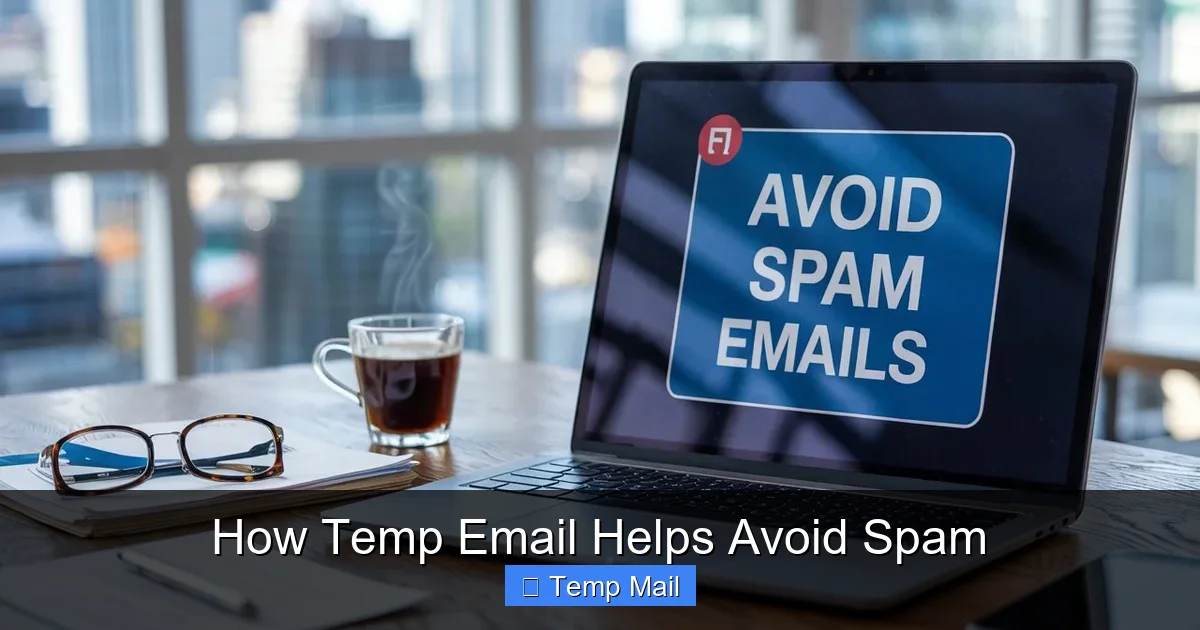
    Temp email services provide disposable, anonymous email addresses for signing up to websites, downloading files, or accessing online content without using your real, permanent email. This creates a crucial barrier between your primary inbox and potential spam sources. By isolating your main account, you drastically reduce the risk of phishing attacks, marketing bombardment, and data breaches. It’s a simple, free, and powerful tool for anyone looking to take control of their digital privacy and inbox hygiene.

    Key Takeaways

    • Primary Defense: Temp email acts as a sacrificial shield, absorbing spam and marketing emails away from your real, important inbox.
    • Enhanced Privacy: It prevents websites and online services from collecting and linking your primary email address to your personal identity.
    • Phishing Mitigation: By not exposing your main email, you make it harder for scammers to target you with convincing, personalized phishing attempts.
    • No Long-Term Commitment: These addresses are designed to expire, meaning you don’t have to manage or delete unwanted subscriptions manually.
    • Ideal for Low-Stakes Activities: Perfect for one-time sign-ups, forum registrations, software trials, and accessing gated content.
    • Not for Critical Accounts: Should never be used for banking, primary cloud storage, social media logins, or any service requiring account recovery.
    • Provider Awareness: Not all temp mail services are equal; some offer better encryption, longer lifespans, and more reliable inbox access than others.

    [FEATURED_IMAGE_PLACEHOLDER]

    The Inbox Invasion: Understanding the Spam Problem

    Open your email app right now. What do you see? If you’re like the vast majority of internet users, your primary inbox is a battleground. It’s a mix of crucial messages from family and colleagues, buried under an avalanche of promotional newsletters you never signed up for, “special offers” from retailers you browsed once, and the ever-present threat of phishing scams designed to steal your data. This isn’t just annoying; it’s a significant drain on your time, focus, and digital security. The root of this problem often traces back to a single, simple action we all perform dozens of times a week: handing over our primary email address.

    Every time you create an account for a new app, download a free e-book, or comment on a blog, you’re asked for an email. That email becomes a key data point. Companies sell it to advertisers. Data brokers compile it into profiles. Hackers breach databases and leak it to the dark web. Your primary email address becomes a beacon, attracting a relentless stream of unsolicited communication. This is where the strategic use of a temporary email address, or “temp mail,” transforms from a convenience into a critical line of defense.

    What Exactly is Temporary Email?

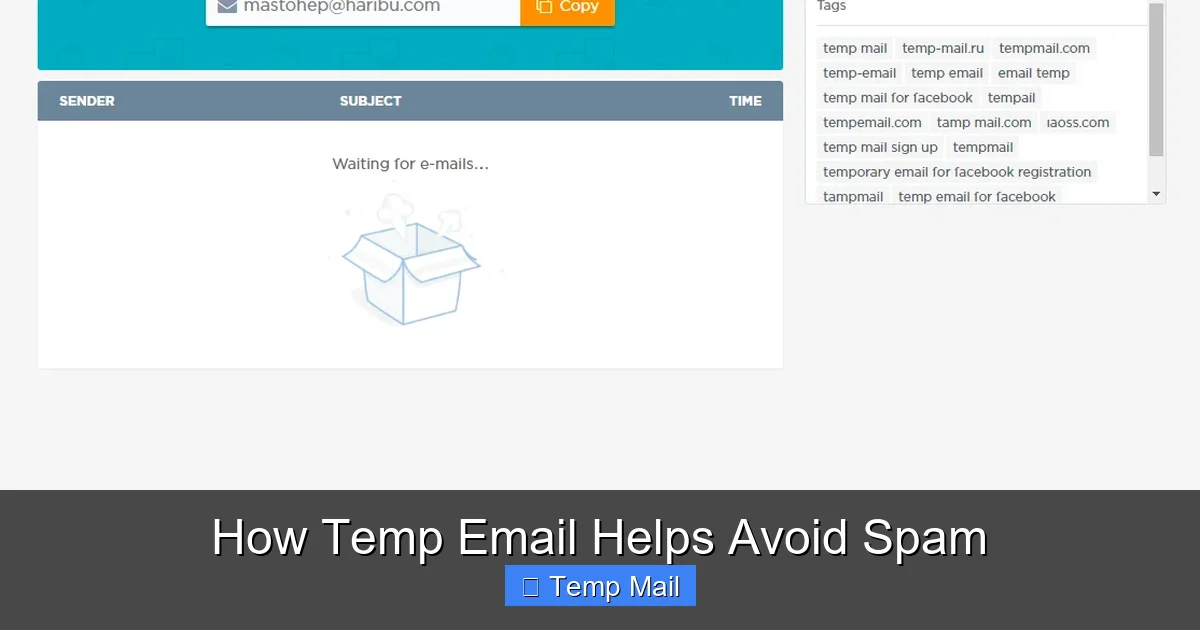
    At its core, a temporary email service provides you with a random, disposable email address that exists for a short period—usually a few hours to a few days. You don’t need to register an account, provide a password, or link it to your identity to use it. You simply visit the service’s website (or use their browser extension/app), and a new inbox with a random address is generated for you instantly. You can then use that address to receive a single verification email or download link. Once you’re done, you close the tab. The address and all its emails typically vanish into the digital ether.
    How Temp Email Helps Avoid Spam

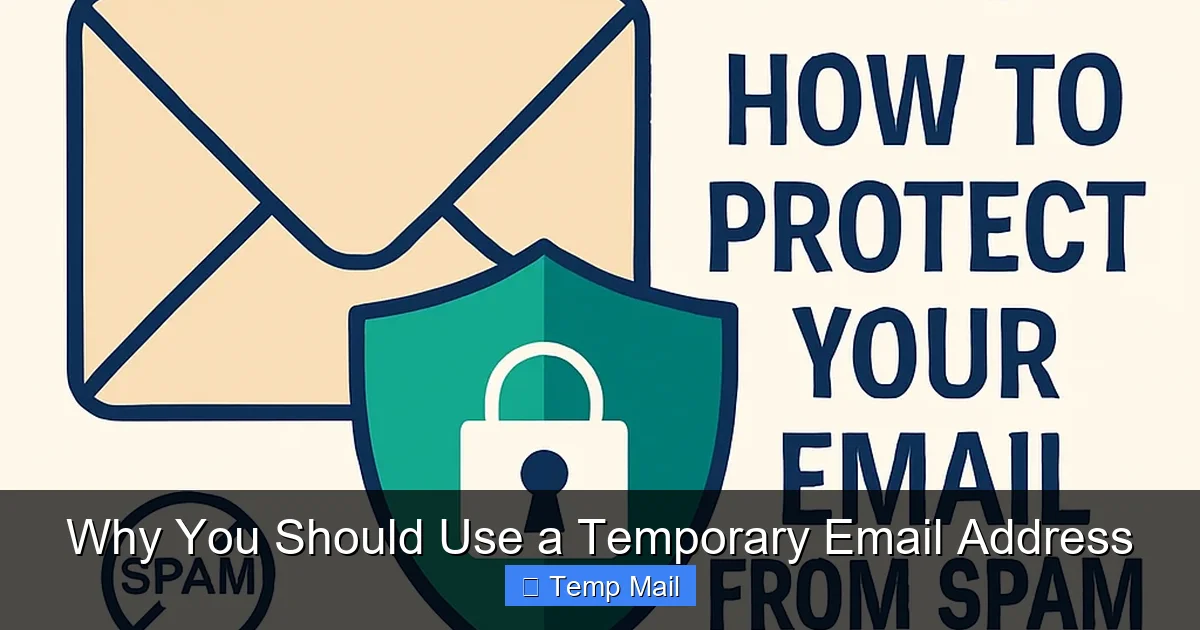
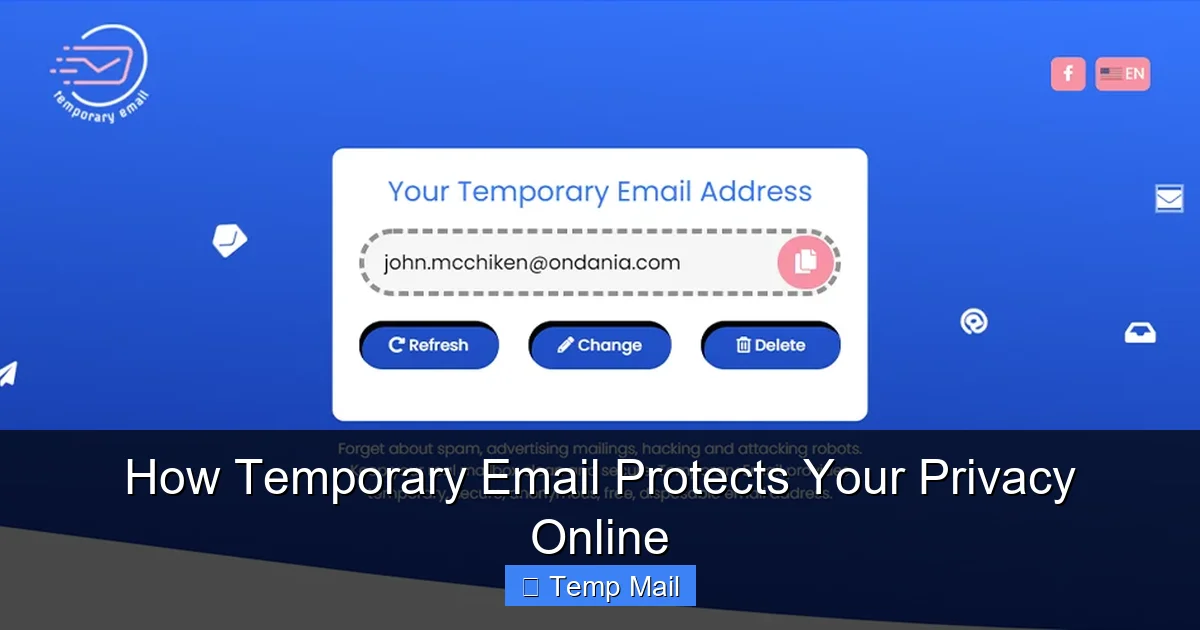
    Visual guide about How Temp Email Helps Avoid Spam

    Image source: gridinsoft.com

    How It Works Technically

    These services operate on a simple principle. They maintain a pool of domains and generate unique inboxes on their servers. When an email is sent to your temporary address, it’s routed to that specific inbox on their server, which you can access via a unique URL. No persistent account is tied to you. The system is designed for anonymity and impermanence. Reputable services use basic encryption for transmission (like TLS) but often do not offer end-to-end encryption, as the primary goal is receipt, not secure, long-term storage.

    Common Features of Good Temp Mail Services

    • Instant Generation: No sign-up, no CAPTCHA (sometimes), immediate inbox creation.
    • Custom Address Option: Some allow you to choose a memorable prefix for the random address.
    • Multiple Domain Support: Access to several different domain names (e.g., @tempmail.com, @10minutemail.com) to avoid being blocked.
    • Inbox Auto-Refresh: Automatically checks for new emails without manual reloading.
    • Attachment Support: Can receive emails with attachments (though size limits apply).
    • Extended Lifespan: While many last 10-60 minutes, some offer addresses that last 24 hours or more for longer tasks.

    The Spam Pipeline: How Your Email Gets Sold and Shared

    To understand the power of temp mail, you need to see the journey your primary email takes the moment you enter it online. It’s not a passive process; it’s an active pipeline feeding the spam economy.
    How Temp Email Helps Avoid Spam

    Visual guide about How Temp Email Helps Avoid Spam

    Image source: tempail.com

    The Initial Harvest

    When you sign up for “FreePianoSamples.net” with your real Gmail address, that site now owns a verified, active email tied to an interest (music). Even if they have a privacy policy, that data is a valuable asset. Many smaller sites use “growth hacking” tactics that include selling their user email lists to third-party data aggregators. Your email is now in a database, tagged with the site’s category.

    The Data Broker Ecosystem

    Companies like Acxiom, Experian, and countless smaller data brokers compile these lists. They merge data from hundreds of sources—online purchases, survey sites, app downloads—to build intricate profiles. Your email becomes a node in a graph that includes your estimated income, location, interests, and buying habits. This profile is then sold to marketers, advertisers, and even political campaigns.

    The Breach and The Dark Web

    This is the most dangerous stage. When a company you trusted with your email (maybe even a major retailer or social media platform) suffers a data breach, your email address and often hashed passwords are leaked. Cybercriminals scrape these databases and sell them on dark web marketplaces. Now, your email is in the hands of professional spammers and phishing operators who use automated tools to send millions of scam emails, knowing at least some will be opened because the address is real and active.

    The Result: Your Inbox Under Siege

    The spam you see is the final, visible product of this entire pipeline. It’s not random; it’s targeted based on the digital footprint your primary email has accumulated over years. By using a temp mail address for the initial sign-up at “FreePianoSamples.net,” you break the pipeline at the very first step. That disposable address gets harvested, sold, and breached instead. Your primary email remains off those marketing lists and out of those breach databases, staying clean.

    How to Use Temp Email Effectively: A Practical Guide

    Knowing *why* temp mail works is only half the battle. Using it correctly is key. Here’s a step-by-step guide and best practices.

    Step 1: Identify When to Use It (The “Should I?” Checklist)

    Adopt a simple rule: if the website or service is not critical to your daily life, financial security, or long-term identity, use a temp email. Ask yourself:

    • Am I just downloading a free PDF, template, or wallpaper?
    • Is this a forum I might visit once or twice?
    • Is it a “get a discount” pop-up on an e-commerce site I’m browsing?
    • Am I signing up for a webinar or online event I’m unsure about?
    • Is it a news site asking me to “register to read 3 free articles”?

    If you answered “yes” to any, fire up your temp mail.

    Step 2: Generating and Using the Address

    Go to a trusted temp mail site (e.g., Temp-Mail.org, 10MinuteMail.com, or built-in browser features like Firefox Relay). A new address will appear. Copy it. Paste it into the sign-up form. Proceed. Check the inbox on the temp mail site for the verification email. Click the link or copy the code. Complete your task on the original site.

    Step 3: Knowing When to Abandon Ship

    Once you’ve received the necessary email (verification code, download link), your job is done. Do not use this address for ongoing communication. Do not add it to your contacts. Simply leave it. The service will automatically delete the inbox after its time limit (e.g., 10 minutes, 1 hour, 1 day). If you need a longer window for a multi-day trial, choose a service that offers a 24-hour or 7-day option.

    Pro-Tips for Power Users

    • Use Browser Extensions: Extensions like “Temp Mail” for Chrome or Firefox let you generate an address with one click and often auto-fill forms.
    • Bookmark Your Provider: Keep your go-to temp mail site bookmarked for instant access.
    • Check Attachment Limits: If you’re expecting a file, ensure the temp service supports attachments and note the size limit.
    • Don’t Get Attached: Never use a temp email for anything where losing access would be a disaster. No account recoveries, no important subscriptions.

    The Benefits Beyond Spam: A Holistic Privacy Shield

    While spam reduction is the most obvious benefit, the strategic use of temporary email creates a ripple effect of digital privacy advantages.

    Your email address is often the master key to your online identity. It’s used for login, for password resets, and as a unique identifier across platforms. By never providing your primary email to unimportant services, you prevent them from building a profile around *you*. They might have an email in their system, but it’s a dead-end alias with no connection to your real name, other accounts, or long-term behavior. You become a ghost in their data.

    2. Dodging the “Social Media” Trap

    Many blogs and comment sections now require login via Facebook, Google, or Twitter. Using a temp email for these third-party registrations means the new service still gets your email (from the social platform’s side), but it’s a secondary layer. More importantly, you avoid linking your real email to a random forum that might have questionable moderation or security practices, reducing cross-site tracking.

    3. Safely Testing Services and Trials

    Want to try a SaaS tool’s 14-day trial without committing to their marketing drip campaign? Use a temp email. You get the full access, but when the trial ends, the “you” that signed up vanishes. No cancellation emails to your primary inbox, no “we miss you” campaigns. It’s a clean, consequence-free test.

    4. Reducing Phishing Surface Area

    Phishing emails are more convincing when they use your real email address and reference a service you actually use. If your primary email is only ever given to your bank, employer, and family, a phishing email claiming to be from “Netflix” is an immediate red flag because you’ve never given that email to Netflix. Temp mail drastically narrows the list of legitimate services that should be emailing you, making scams easier to spot.

    Limitations and Crucial Cautions: What Temp Email CAN’T Do

    Temp email is a powerful tool, but it is not a magic bullet. Understanding its limitations is essential for using it safely and effectively.

    It is NOT for Security-Critical Accounts

    This is the golden rule. Never, under any circumstances, use a temporary email for:

    • Online Banking or Financial Services: You will be locked out permanently if you lose access to the temp inbox.
    • Primary Cloud Storage (Google Drive, iCloud, Dropbox): Account recovery is impossible.
    • Your Main Social Media Profiles: You cannot recover a Facebook or Twitter account without access to the confirmed email.
    • Government or Healthcare Portals: These require verified, persistent contact information.
    • Any Service with Long-Term Value: Gaming accounts, subscription logins you use daily, professional tool accounts.

    They Can Be Blocked

    Many websites and platforms actively maintain and update blocklists of known temporary email domains. If you try to sign up with an address from a blocked domain, the site will reject it. This is why using a service with multiple domain options or a less common provider can be helpful. However, for major platforms (Google, Microsoft, Facebook), temp email is almost always blocked at the point of account creation.

    No True “Deletion” or Control

    You cannot delete a specific email from a temp inbox. You cannot recall a sent message. The entire inbox is a temporary holding zone. Once it expires, everything is gone. This is by design, but it means you have no control over the data once it’s there.

    Potential for Abuse and Reputation

    Because they are anonymous, temp emails are frequently used for malicious purposes: creating spam accounts, posting abusive comments, signing up for fraud. Therefore, some services may view all traffic from a temp mail domain with suspicion. Using one on a professional or community-oriented site might get your account flagged or manually reviewed.

    Best Practices and Choosing a Service

    To integrate temp email into your digital life seamlessly and safely, follow these best practices and know how to choose a provider.

    Best Practice Protocol

    • Designate a Primary Email: Have one central, secure email (with 2FA enabled!) for everything truly important: finance, main cloud, primary social media, official correspondence.
    • Use a Secondary Email for “Medium” Stuff: Consider having a secondary, free email (like a dedicated Gmail) for newsletters, online shopping accounts, and less-critical services you want to keep but separate from your main inbox. Temp mail is for the “lowest” tier.
    • Never Use for Recovery: Double-check that you are not setting a temp email as a password recovery or 2FA backup option for any important account.
    • Assume it’s Public: Do not send any sensitive information to or from a temp email address. Treat it like a public postcard.
    • Use Reputable Providers: Stick with well-known, established temp mail services that have clear privacy policies (even if minimal) and do not require you to enable JavaScript unnecessarily. Avoid obscure sites that might be malware traps.

    What to Look for in a Temp Mail Service

    • Uptime & Reliability: Does the inbox actually load and refresh? Some free services are ad-heavy and buggy.
    • Domain Variety: Does it offer multiple @domain options? This helps if one gets blocked.
    • Inbox Lifespan Options: Can you choose between 10-minute, 1-hour, and 24-hour addresses?
    • Ad Intrusiveness: A few ads are expected for a free service, but aggressive pop-ups and misleading download buttons are a red flag for poor quality or malicious intent.
    • No Installation Required: Web-based is safest. Avoid downloadable “temp mail clients” from unknown sources.

    Conclusion: Reclaiming Your Inbox and Your Privacy

    The relentless spam in our inboxes is not an accident; it’s the inevitable outcome of a data economy built on the collection and sale of our email addresses. We have been conditioned to give away this critical piece of our digital identity for trivial gains—a PDF, a discount code, a single article. It’s a bad trade. Temporary email services flip this dynamic. They give you a tool to say “no” to that trade. They allow you to participate in the modern web without sacrificing your primary communication channel to the spam machine.

    By adopting the habit of using a disposable address for every non-essential sign-up, you perform a small but powerful act of digital self-defense. You clean your inbox, you reduce your exposure to phishing, and you take the first step toward owning your data trail again. It requires a slight change in workflow—copying a different address instead of your usual one—but the payoff is immense: a quieter, safer, and more manageable primary inbox. Start today. Your future self, free from the tyranny of spam, will thank you.

    Frequently Asked Questions

    Is using a temporary email address safe and legal?

    Yes, using reputable temp mail services is completely legal and safe for the user, provided you use it for its intended purpose (receiving verification emails). The service itself operates within legal frameworks. However, using it for fraudulent activities, illegal purchases, or to bypass bans is illegal. The safety risk is minimal if you avoid downloading suspicious attachments from unknown senders.

    How long do temporary emails last?

    It varies by provider. Common lifespans are 10 minutes, 1 hour, or 1 day. Some services offer a 7-day option. The inbox and its address are permanently deleted once the time expires. Always check the specific timer on the service you are using.

    Can I send emails from a temporary address?

    Most temporary email services are designed for **receiving** only. They typically do not have an outgoing mail (SMTP) function. Their purpose is to receive a single verification or download link, not to facilitate two-way communication. If you need to send emails, use a proper email service.

    Will websites block my temporary email address?

    Yes, many popular websites and platforms (like Google, Facebook, major banks) maintain blocklists of known temporary email domains and will not allow you to sign up with them. Additionally, some smaller sites may block them to prevent spam account creation. If your temp email is rejected, try a different provider or domain.

    What happens if I don’t check my temporary email in time?

    If you don’t access the inbox to retrieve the verification code or link before the email expires (or before the inbox itself is deleted), the email is gone permanently. You will not be able to complete the sign-up or download process and will need to generate a new temporary address and start over.

    Should I use a temporary email for my social media accounts?

    Absolutely not. Social media accounts are critical to your online identity. They are used for login, friend connections, and often as a recovery method for other services. Using a temp email means you will be permanently locked out if you ever lose access to the temp inbox (which is guaranteed). Always use a permanent, secure email address with two-factor authentication enabled for social media and any important accounts.
  • Top Benefits of Using Temp Mail Services

    Top Benefits of Using Temp Mail Services

    Temp mail services offer a powerful, simple tool for safeguarding your digital life. By providing disposable email addresses, they create a crucial barrier between your primary inbox and the vast, often risky, corners of the internet. This effectively slashes spam, bolsters your privacy, and shields you from phishing and data breaches on sites you don’t fully trust. It’s the easiest, most cost-effective way to take control of your online footprint.

    Let’s be honest: your email address is a golden ticket to your digital life. It’s the key to your social media, your bank accounts, your work communications, and your online shopping history. Every time you hand it out to a new website, an app, or a newsletter, you’re trusting that entity with a piece of your privacy. But what if you didn’t have to? What if there was a simple, free, and incredibly effective way to interact with the parts of the web you’re unsure about, without ever risking your primary inbox? Enter the world of temporary email, or “temp mail.” This isn’t just a niche tool for tech gurus; it’s a fundamental utility for anyone who values their privacy, sanity, and security online. In this guide, we’ll unpack the top benefits of using temp mail services and show you exactly how this simple switch can revolutionize your digital experience.

    Key Takeaways

    • Privacy Shield: Temp mail prevents websites from collecting your real email, protecting your identity and browsing habits from data brokers and unwanted tracking.
    • Spam Annihilation: By using a disposable address for sign-ups and downloads, you keep promotional and malicious emails out of your permanent inbox forever.
    • Phishing & Scam Defense: A temporary address acts as a sacrificial layer. If a phishing email arrives, it targets an address that will soon vanish, not your main account.
    • No Registration Hassle: Most services require no sign-up, no password, and no personal details, offering instant, anonymous access to a functional email.
    • Cost-Effective Security: Many robust temp mail services are completely free, providing premium-level privacy and inbox management at zero cost.
    • Simplified Online Testing: Developers and testers can use temp mail to automate account creation and email verification flows without managing multiple real accounts.
    • Control Over Your Inbox: You decide which communications are important enough to receive at your primary email, reducing digital clutter and mental load.

    1. Unparalleled Privacy Protection in the Digital Age

    We live in an era of pervasive data collection. Every website you visit, every form you fill out, and every “free” service you use is often a data-gathering machine in disguise. Your email address is one of the most valuable identifiers they collect, linking your activity across platforms and building a detailed profile that’s sold to advertisers or, worse, leaked in a data breach. Temp mail services provide a direct and powerful solution to this erosion of privacy.

    How Temp Mail Severs the Data Chain

    When you use a disposable email from a service like Temp-Mail, Guerrilla Mail, or 10MinuteMail to sign up for a forum, download a PDF, or access a gated article, you are using an address that is not tied to your name, your other accounts, or your real identity. The website receives an email address that exists in a vacuum. They cannot cross-reference it with your Facebook profile, your Amazon purchases, or your LinkedIn career history. Once you close that temporary inbox, the digital trail goes cold. The data they collected is effectively orphaned, attached to an address that no longer points to you. This practice, known as using an “alias,” is a cornerstone of modern digital hygiene and a primary benefit of temp mail.

    Practical Example: The “Free E-book” Trap

    Imagine you find a fantastic, industry-specific e-book offered by a relatively unknown company. To get the PDF, you must enter your email. Using your primary Gmail address means you’ve just given that company permission to email you indefinitely, and they’ve added your address to their customer database, which may be sold. If you use a temp mail address instead, you get the e-book instantly. Any follow-up “special offer” emails go to the disposable inbox, which you’ll abandon after 10 minutes or an hour. Your primary inbox remains pristine, and your identity remains unlinked to that marketing list.

    2. Annihilating Spam and Unwanted Promotions

    Spam is more than a nuisance; it’s a productivity killer and a security threat. The average office worker receives dozens of unwanted emails per week. Much of this spam originates from that one time you signed up for a newsletter years ago and couldn’t find the unsubscribe link, or from a website that sold your address. Temp mail is the ultimate spam filter because it works at the source.

    Top Benefits of Using Temp Mail Services

    Visual guide about Top Benefits of Using Temp Mail Services

    Image source: darksms.com

    The One-Time Use Principle

    Temp mail addresses are designed for single, specific interactions. You use it to register for a gaming beta test. You receive the confirmation code, verify your account, and then you forget about that inbox. The address is gone, and with it, the channel for future spam. There is no “unsubscribe” because the list the address is on becomes invalid almost immediately. This creates a “use and discard” model for online registrations that is fundamentally hostile to spam proliferation.

    Managing Newsletter Overload

    Even legitimate newsletters can become overwhelming. You might want to read a few issues from a new blog but don’t want a weekly digest cluttering your inbox for the next year. Use a temp address. Read what you need, and then let the address expire. No guilt, no clutter, no hunt for the unsubscribe button buried in fine print. It gives you complete control over what news and promotions you actually want to receive long-term.

    3. A Critical Layer of Security Against Phishing and Data Breaches

    Phishing emails—those fraudulent messages pretending to be your bank, PayPal, or employer—are the most common attack vector for cybercrime. Their goal is to get you to click a link and enter your credentials on a fake site. Temp mail adds a brilliant, low-effort layer of defense here. Furthermore, in a world where even large, trusted companies suffer data breaches, using a disposable address for low-stakes sites limits your “attack surface.”

    Top Benefits of Using Temp Mail Services

    Visual guide about Top Benefits of Using Temp Mail Services

    Image source: darksms.com

    Sacrificial Inboxes for Risky Interactions

    If a phishing email arrives at your primary inbox, there’s a chance (however small) that you might be tricked because it *seems* to come from a trusted source. But if that same phishing attempt targets your temp mail inbox from a “free movie streaming” site you signed up for, the risk profile is different. You know that inbox is temporary and associated with a low-trust site. You are far more likely to delete it without a second thought, avoiding any potential compromise. The temp address acts as a canary in the coal mine; suspicious activity there signals a compromised low-value account, not your primary identity.

    Containing the Blast Radius of a Breach

    When a small e-commerce site you used once gets hacked, the stolen database often contains user emails and passwords. If you used your primary email and a unique password for that site, you’re at risk of credential stuffing attacks on your more important accounts. If you used a temp email and a throwaway password, the hackers get a useless email address that no longer exists and a password you’ve already discarded. The breach is contained to that single, insignificant interaction. This practice of using unique, disposable credentials for low-trust sites is a key tenet of cybersecurity experts.
    4. Zero Registration and Ultimate Anonymity

    The sign-up process itself can be a barrier and a privacy risk. Many services require you to create an account with a username, password, and sometimes even a phone number or real name before you can access basic features. Temp mail services flip this script on its head.

    Instant Access, No Strings Attached

    Visit a temp mail website. You are immediately assigned a random email address and a populated inbox. That’s it. No “Create Account” button. No “Verify Your Email” step. No CAPTCHA. No password to remember. This is pure, frictionless access. For a quick download, a one-time forum access code, or to bypass a “email wall” on an article, this is the definition of efficiency. It respects your time and your desire for anonymity.

    Truly Anonymous Browsing

    Because no personal information is collected to generate the inbox (the service itself may have its own privacy policy, so choose reputable providers), you are interacting with the web under a veil of anonymity. For journalists, activists, or everyday users in regions with sensitive surveillance, this can be a vital tool for research, whistleblowing, or simply accessing information without leaving a personal breadcrumb trail back to their primary identity.

    5. Cost-Effective and Developer-Friendly

    While many premium temp mail services offer extended features for a fee, the core functionality—receiving emails at a random, disposable address—is almost universally free. This makes it an incredibly accessible tool for everyone, from students to large corporations.

    The Free Tier is Often All You Need

    For the average user, the free, no-frills service of generating an inbox that lasts for 10 minutes to 1 hour is perfectly sufficient for 95% of use cases. You don’t need a subscription to protect your privacy from a shady download site. You don’t need to pay to avoid spam from a one-off registration. The business model for these free tiers is usually ads on their site or limited premium upgrades, not selling your data, making them a safe and cost-free option.

    A Power Tool for Developers and QA Testers

    This is a massive, often overlooked benefit. In software development, testing user registration, password recovery, and email notification flows requires creating hundreds of email accounts. Using real Gmail or Outlook accounts is impractical and messy. Temp mail APIs and services allow developers to programmatically generate thousands of disposable addresses, automate sign-up and verification processes, and then discard the addresses. This streamlines testing, saves immense time, and keeps development environments clean. Services like Mailinator even offer public inboxes and APIs specifically for this professional use case.

    6. Simplifying Life’s Mundane Digital Tasks

    Beyond high-stakes security, temp mail brings simple convenience to everyday online chores. It removes the mental friction of deciding “Is this site trustworthy enough for my real email?”

    Downloading Software and Resources

    How many times have you wanted a free template, a software trial, or a research paper, only to be stopped by an email gate? With a temp mail address, you breezily enter the disposable email, get the download link in the temporary inbox, and grab your file. No commitment, no follow-up spam, no regret.

    Accessing Public Wi-Fi or Services

    Some airports, cafes, or hotels require you to “register” with an email to use their Wi-Fi. Do you really want your primary email on their list? Use a temp address. You get online, and they get an email that will vanish in an hour. It’s a perfect, low-stakes application of the tool.

    Creating Trial Accounts

    Want to test a premium SaaS tool for 14 days? Use a temp email to sign up. Use it for the trial period, explore the features, and then let it expire. The company has no way to re-market to you after the trial, and your primary inbox is never cluttered with “Your trial is ending!” reminders for a product you decided against.

    Conclusion: Embracing Strategic Disposability

    The concept of “temporary” is often seen as flimsy or inferior. But when it comes to your core digital identity, strategic disposability is a mark of strength and wisdom. Temp mail services are not about hiding from the internet; they are about engaging with it on your own terms. They are the digital equivalent of using a pseudonym at a noisy trade show—you can gather the information you need, make the connections you want, and walk away without giving away your home address. By adopting the habit of using a disposable email for any interaction that is not a core, trusted relationship (like your bank, your employer, or your close family), you erect a smart, automated firewall around your most valuable digital asset: your permanent email inbox. You reduce spam, enhance your privacy, contain security risks, and reclaim countless minutes otherwise spent on email management. In a complex online world, this simple, free tool offers one of the clearest paths to a cleaner, safer, and more private digital life. Start using one today—your future inbox will thank you.

    Frequently Asked Questions

    Are temp mail services legal to use?

    Yes, using temporary email services is perfectly legal in most jurisdictions. They are a legitimate tool for privacy protection. However, using them to commit fraud, evade legal requirements, or send illegal content is, of course, illegal. The service itself is a neutral utility.

    Can I send emails from a temp mail address?

    Most free temp mail services are designed primarily for *receiving* emails (like confirmation codes, links, and newsletters). Sending functionality is often limited, non-existent, or reserved for paid premium plans. They are optimized for one-way verification, not two-way communication.

    Are temp mail addresses truly anonymous?

    For the end-user, yes, they provide a high degree of anonymity because no personal information is required to generate an inbox. However, the service provider itself technically has logs of IP addresses and inbox activity for a short period. For maximum anonymity, use a reputable provider with a clear no-logs policy and consider using a VPN alongside it.

    What happens to the emails I receive? Are they stored forever?

    Emails in a temporary inbox are stored for a very short, predefined time—typically 10 minutes, 1 hour, or 1 day, depending on the service. After that time, both the inbox and all its contents are permanently and automatically deleted from the server. They are never accessible again.

    Can I use temp mail for important accounts like banking or social media?

    Absolutely not. You should never use a temporary email for any account where you need long-term access, password recovery, or official communications. Your primary, secure, and permanent email address is essential for these critical services. Temp mail is for low-trust, one-off interactions only.

    Is it safe to click links in emails sent to my temp mail inbox?

    Exercise the same caution you would with any email. While the risk is lower since the account is disposable, the links could still lead to malicious websites designed to phish for any information you might enter. Never enter your real passwords, financial details, or personal data on a site you reached via a link from an email to a disposable address.

  • Is Temporary Email Safe to Use?

    Is Temporary Email Safe to Use?

    Temporary email is a double-edged sword. It excels at protecting your primary inbox from spam and phishing, but its very disposability creates significant risks. Using it for account logins, financial services, or important communications is unsafe due to a lack of encryption, no long-term access, and potential for data interception. Ultimately, its safety depends entirely on your use case—it’s a privacy tool for low-stakes interactions, not a secure replacement for a permanent email address.

    Key Takeaways

    • Temporary email is a privacy tool, not a security tool: Its primary function is to shield your main email from spam and data brokers, but it offers minimal protection against hackers or data interception.
    • Never use temp mail for critical accounts: Banking, primary social media, work, or any account with recovery options tied to the email will be permanently lost when the temp address expires.
    • Most temporary email services lack encryption: Emails are often stored and transmitted in plain text, making them readable by the service provider and anyone who intercepts the data.
    • Anonymity can be a legal and ethical gray area: While legal for privacy, using temp mail to bypass bans, post abuse, or create fraudulent accounts violates most platforms’ Terms of Service and can have consequences.
    • Reputable providers matter, but trust is still limited: Choose well-known services with clear privacy policies, but assume any email sent through a temp service could be logged or accessed by the provider.
    • The biggest risk is human error: The convenience of a temp address can lead to complacency, causing users to forget which accounts are tied to it, resulting in irreversible loss of access.
    • It’s perfectly safe for its intended purpose: Using a temp mail to download a PDF, get a one-time discount code, or sign up for a low-stakes forum is generally low-risk and achieves its goal of inbox protection.

    Introduction: The Allure and Anxiety of the Disposable Inbox

    You’re excited to download that new e-book or snag a 15% discount code. The checkout form asks for your email. You pause. Your primary inbox is already a warren of unread newsletters and promotional blasts. Do you really want another sender adding to the noise? This is the moment of truth for millions of internet users. You type in a random, auto-generated address from a website like Temp-Mail.org or 10MinuteMail, click “Submit,” and instantly a new inbox appears. You get your file, your code, and you close the tab. No clutter. No fuss. It feels like a victory.

    But then, a doubt creeps in. Is this safe? What if that website isn’t just a harmless tool but a data-harvesting trap? What if someone else got that same email address before you and is now reading your “private” confirmation? The promise of temporary email is simple: anonymity and cleanliness. The reality, however, is a complex landscape of privacy trade-offs, security vulnerabilities, and practical limitations. This article will dissect the safety of temporary email from every angle—technical, practical, and ethical—to give you a clear, unvarnished picture. By the end, you’ll know exactly when to reach for the disposable inbox and when to run in the opposite direction.

    How Temporary Email Services Actually Work

    Before we judge safety, we must understand mechanics. Temporary email isn’t magic; it’s a clever system design. When you visit a provider’s site, their server instantly generates a unique, random email address (e.g., a7b9c3@domain.temp). This address is linked to a temporary, isolated inbox database on their server. Any email sent to that address is routed to that specific inbox, which you can access via the web interface you’re already on.

    Is Temporary Email Safe to Use?

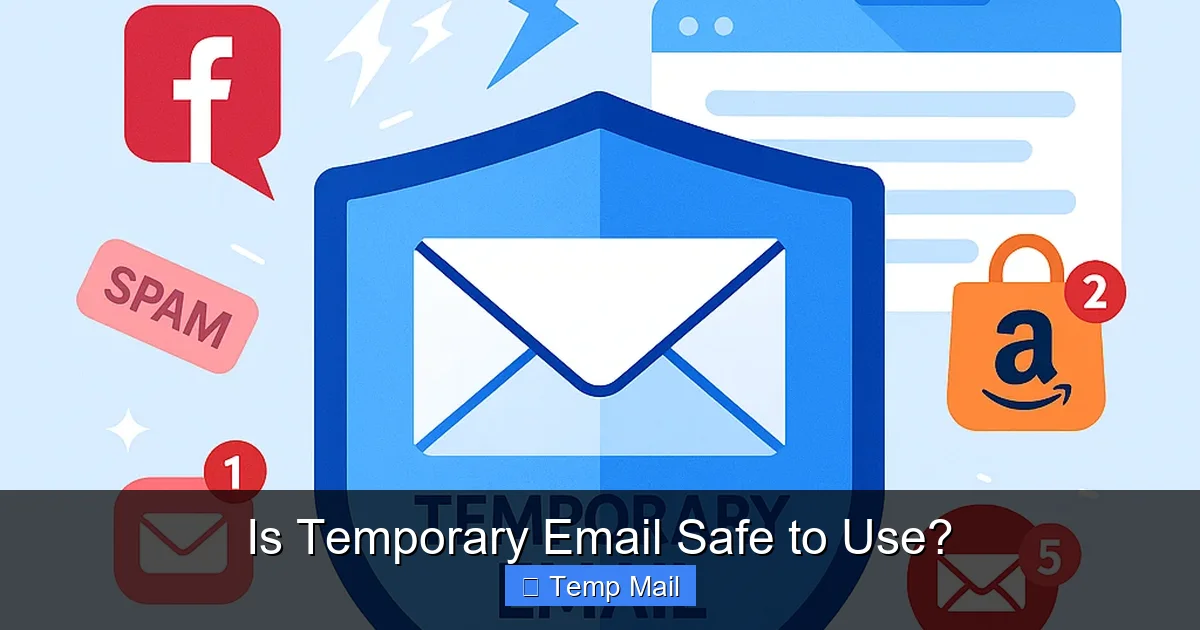
    Visual guide about Is Temporary Email Safe to Use?

    Image source: temporary-email.net

    The Core Mechanics: Generation, Lifespan, and No Strings Attached

    There’s no sign-up. No password. No personal details. The address and its inbox exist solely because you loaded the webpage. The “temporary” part is defined by a countdown timer. Some services give you 10 minutes, others 1 hour, and some allow the inbox to persist as long as you keep the browser tab open. Once the timer expires or you close the tab (depending on the service’s policy), the address and all its emails are purged from the server permanently. The address is then recycled and given to a future user. This is the fundamental trade-off: ultimate convenience and anonymity at the cost of permanence and control.

    The Privacy Benefits: Why You Might Want to Use Temp Mail

    Let’s start with the good news. For its designed purpose, temporary email is remarkably effective and offers tangible privacy benefits.

    Is Temporary Email Safe to Use?

    Visual guide about Is Temporary Email Safe to Use?

    Image source: temporary-email.net

    Benefit 1: A Moat Against Spam and Data Brokers

    This is the number one reason people use temp mail. Every time you use your real email to sign up for a free webinar, a retail newsletter, or a gaming site, you’re adding your address to another marketing list. These lists are sold, traded, and hacked. Over time, your primary inbox becomes a target for relentless promotional emails and, worse, phishing campaigns that spoof legitimate brands. A temporary email acts as a sacrificial shield. The spam goes to the disposable inbox, which vanishes in an hour. Your real email remains clean and isolated from that specific data leak.

    Benefit 2: Bypassing Mandatory Sign-Ups for One-Time Access

    The internet is full of “gated content.” Want to read that whitepaper? View that price list? See that article past a paywall? Often, the only key is an email address. Using a temp mail here is a perfect use case. You get the content you need immediately, and there’s no lingering relationship with the sender. You’ve accessed the resource without joining their marketing ecosystem.

    Benefit 3: Anonymity for Sensitive (But Not Critical) Activities

    For whistleblowers, activists in restrictive regions, or someone simply researching a sensitive health condition online, a temporary email can provide a layer of anonymity. It breaks the direct link between the online activity and the user’s permanent identity. While not foolproof against determined adversaries (see the security risks section), it raises the barrier for casual tracking.

    The Security and Safety Risks: The Dark Side of Disposability

    This is the crux of the matter. The features that make temp mail convenient also create its most serious vulnerabilities. Safety here is not just about malware; it’s about data integrity, access control, and long-term consequences.

    Risk 1: Zero Encryption and Pervasive Data Exposure

    This is the single biggest technical security flaw. The vast majority of free temporary email services do not use HTTPS (SSL/TLS) encryption for the email content itself. While your connection to their website might be encrypted (look for the padlock), the emails stored in their database are often in plain text. This means:

    • The service provider can read every email you receive. Their privacy policy (if they have one) dictates what they do with that data—many explicitly state they may log or analyze it.
    • Anyone with access to the server (hackers, rogue employees, government agencies with a subpoena) can read all emails in that temporary inbox.
    • If the service suffers a data breach, all emails from a given timeframe are exposed in plain text.

    For context, established providers like Gmail or ProtonMail use end-to-end encryption in transit and at rest. Temp mail services almost universally do not. You are sending sensitive information (even a password reset link) through a digital postcard that anyone in the delivery chain can read.

    Risk 2: The “Address Recycling” Problem

    When your temp address expires, it’s not deleted; it’s recycled. The next person who visits the site could be assigned the exact same email address you used an hour ago. If you signed up for a forum with that address and the forum sends a “Welcome!” email, that email goes to the new user’s inbox. They now have your forum username and the fact you used that service. In more serious cases, if a service sends a password reset link to that now-recycled address, the new user can reset your password and hijack your account. You lose access permanently, and an unknown stranger gains it.

    Risk 3: Phishing and Fraud Amplification

    Temporary email is a favorite tool of phishers and scammers. Why? Because it’s untraceable to them. They can create a temp address, send thousands of fraudulent emails pretending to be your bank, and if the scam is reported, the trail goes cold at the temp service. Conversely, you are more vulnerable to phishing when using a temp address. You might receive a “security alert” from a service you just signed up for. Because you have no long-term relationship with that sender, you’re more likely to click a malicious link or download an attachment, thinking it’s legitimate. The anonymity works both ways.

    Risk 4: No Account Recovery, No Long-Term Access

    This is a practical, devastating risk. You used a temp mail to sign up for a SaaS tool you plan to use for a month. After a week, you need to reset your password. The reset link goes to an inbox that has expired and been purged. Your account is gone. You cannot recover it. The same applies to any online purchase receipts, warranty information, or important notifications. If the sender uses your temp address as the primary contact, you will never hear from them again once the address dies.

    Beyond pure security, using temporary email can land you in hot water with websites and, in rare cases, the law.

    Violation of Terms of Service (ToS)

    Nearly every major online platform—Facebook, Twitter, Google, Instagram, LinkedIn, most banking apps—explicitly forbids the use of disposable email addresses in their Terms of Service. Why? Because it undermines their ability to verify user identity, combat spam and fake accounts, and enforce bans. If detected (and many services have databases of known temp mail domains), your account will be suspended or permanently banned immediately upon creation, or later if suspicious activity is flagged. You could lose access to a social media account you’ve had for years simply because you used a temp address for a secondary account that got linked.

    Legality and Acceptable Use

    Using a temporary email service is legal in most jurisdictions. The tool itself is neutral. However, how you use it can cross legal lines. Using a temp address to:

    • Create fraudulent accounts for scams.
    • Harass or abuse others anonymously.
    • Bypass a legal or court-ordered ban from a service.
    • Engage in money laundering or other financial crimes.

    …is illegal. The anonymity provided by temp mail does not grant immunity from law enforcement, who can often obtain server logs from the provider with a legal warrant.

    Best Practices: How to Use Temporary Email Safely (If You Must)

    Given the risks, is there a safe way to use these tools? Yes, but only within a very narrow, well-defined set of rules. Think of it as using a public payphone—fine for a quick, anonymous call, but never for sharing your bank PIN.

    Rule 1: The Golden Rule – Never for Anything Important

    This cannot be stressed enough. Do not use a temporary email for:

    • Banking, financial services (PayPal, Venmo, crypto exchanges).
    • Primary email for social media, especially if it’s your main online identity.
    • Work or professional accounts.
    • Any account where password recovery is email-based and you might need it long-term.
    • Online shopping where you need receipts, shipping updates, or warranty info.
    • Government services, healthcare portals, or legal communications.

    Safe uses: Downloading a gated PDF, getting a one-time coupon code, signing up for a webinar you’ll attend once, creating a throwaway account on a random forum you’ll never visit again.

    Rule 2: Choose Reputable Providers (Relative Term)

    The temp mail world is filled with shady sites that exist solely to harvest the emails they generate. Do a quick search. Look for providers that:

    • Have a clear, concise privacy policy (even if it says “we may log emails”).
    • Don’t bombard you with ads or require you to disable ad-blockers.
    • Offer a reasonable lifespan (10-60 minutes is standard for true “temp” mail).
    • Are widely referenced in tech forums (e.g., Temp-Mail.org, 10MinuteMail.com, Maildrop.cc). Avoid unknown sites with pop-up ads everywhere.

    Remember, “reputable” in this context means “less likely to be a blatant scam,” not “secure and private.”

    Rule 3: Combine with a VPN for Basic Anonymity

    If you are concerned about your IP address being linked to the temp mail activity (which the provider can see), use a reputable VPN service before visiting the temp mail site. This masks your real IP from the provider, adding a small layer of anonymity. It does nothing for the email content’s security, but it separates your network identity from the disposable address.

    Rule 4: Never Enter Sensitive Information Anywhere

    Never, under any circumstances, use a temporary email to receive:

    • Password reset links for important accounts.
    • One-time passwords (OTPs) for 2FA.
    • Credit card authorization codes.
    • Medical test results or legal documents.
    • Any personally identifiable information (PII) you wouldn’t want a stranger to see.

    Assume every email in that inbox is public.

    Rule 5: Be Aware of the “Session” Model

    Understand your chosen provider’s model. Some keep the inbox alive as long as your browser tab is open. If you accidentally close it, the inbox and address are gone. Others have a fixed timer from creation. Know the rules so you don’t lose an expected email prematurely.

    Conclusion: A Tool of Context, Not a Universal Solution

    The question “Is temporary email safe?” has only one correct answer: It depends entirely on what you’re using it for. As a tool for its intended purpose—a short-lived, anonymous channel for low-value, non-sensitive communications—it is perfectly safe and highly effective. It performs its function of keeping your primary inbox pristine with aplomb. The danger arises when we misuse it, lulled by its convenience into applying it to domains where its fundamental flaws—lack of encryption, address recycling, no recovery—become catastrophic weaknesses.

    Think of a temporary email like a public library computer. You can use it to quickly look up a fact, but you wouldn’t log into your bank account or write a confidential legal document on it. The safety profile is identical. The library computer (and the temp mail service) is a shared, transient resource with inherent privacy and security limitations. Your judgment in choosing when to use that resource is the ultimate determinant of your safety. Respect the disposability, understand the risks, and use it with clear intention. For everything else, a properly secured, permanent email address—ideally with two-factor authentication and from a provider with a strong privacy stance—remains the only safe choice.

    Frequently Asked Questions

    Is using a temporary email address illegal?

    No, using a temporary email service is not illegal. The service itself is a legitimate tool for privacy. However, using it for illegal activities like fraud, harassment, or to circumvent a legal ban is illegal, regardless of the email type used.

    Do websites and apps block temporary email addresses?

    Yes, many major platforms (like Google, Facebook, Twitter, and most financial services) actively block known temporary email domains during sign-up. They maintain updated blocklists to prevent spam and fake account creation. If your temp address is blocked, you must use a real, permanent email.

    Are temporary emails encrypted? Can anyone read my emails?

    Almost all free temporary email services do not encrypt the email content stored on their servers. Emails are typically stored in plain text. This means the service provider can read them, and if their servers are compromised, hackers can read them too. You should assume any email sent to a temp address is publicly readable.

    What are the most reputable temporary email services?

    While “reputable” is relative, services with long-standing histories and clear interfaces include Temp-Mail.org, 10MinuteMail.com, and Maildrop.cc. Always review their privacy policy. Avoid services that are ad-heavy, require disabling security tools, or have vague data practices.

    Can I use a temporary email for social media or gaming accounts?

    No, this is a very bad idea. Social media and gaming platforms almost always prohibit disposable emails in their ToS. Your account will likely be flagged and banned. More importantly, you will lose access permanently if you need to recover your password, as the reset email goes to an expired address.

    What happens to my temporary email after it expires?

    The email address and all its contents are permanently deleted from the service’s server. The address is then recycled and assigned to a new, random user. Any future emails sent to that address will be received by that new user, not you. There is no way to recover the address or its emails after expiration.

  • Temp Mail for Quick Website Registrations

    Temp Mail for Quick Website Registrations

    Tired of your inbox exploding after signing up for a website? Temp mail is your secret weapon. It provides a temporary, disposable email address you can use for one-time sign-ups, instantly protecting your real email from spam. This tool streamlines registrations for forums, downloads, or trials without long-term commitment or privacy risk. It’s fast, free, and keeps your primary inbox clean and secure.

    You know the drill. You find a great article behind a “subscribe to read” wall, a tempting discount for a new online store, or a forum you want to contribute to. You click “Sign Up,” and the form asks for your email address. A little voice in your head whispers, “Do I really want to give them my real email?” You hesitate, knowing that this one sign-up could be the first domino in a long line of promotional newsletters, data breaches, and spam that clogs your primary inbox for months. What if there was a way to get the access you need right now, without any of the long-term baggage? Enter the world of temporary email—a simple, powerful tool designed specifically for moments like these. This isn’t about being shady; it’s about being smart and in control of your digital footprint. Let’s dive deep into how using a temp mail for quick website registrations can transform your online experience from a spam-ridden chore into a streamlined, private process.

    Key Takeaways

    • Instant Inbox Shield: Temp mail creates a throwaway email address in seconds, acting as a barrier between your real inbox and potential spam from website registrations.
    • Frictionless Sign-Ups: It bypasses the need to use your personal email for services you might use once, eliminating the “unsubscribe” headache later.
    • Enhanced Privacy: By not sharing your primary email, you reduce data trails and minimize the risk of your personal information being sold or breached from a low-security site.
    • Not for Everything: Temp mail is ideal for one-off access but should never be used for critical accounts like banking, primary cloud storage, or any service requiring password recovery.
    • Site Detection is Common: Many popular websites actively block known disposable email domains, so it may not work for every registration you attempt.
    • Choose Reputable Services: Use well-known temp mail providers that offer clear inbox lifespans and don’t require personal details to generate an address.
    • Manage Expectations: The email and its contents vanish after a short time (often 10 minutes to 1 hour), so save any important confirmation codes immediately.

    What Exactly is a Temporary Email Service?

    At its core, a temporary email service is a platform that generates a random, functioning email address for you to use for a very short period. Think of it like a public payphone for the internet. You can “make a call” (send or receive an email) right then and there, but you don’t own the number, and it disappears after a short time. These services require no registration, no password, and no personal information to create an address. The inbox is typically accessible directly from the service’s website via a unique, random URL.

    The Anatomy of a Temp Mail Address

    A disposable email address usually looks something like abc123@tempmail.demo or randomstring@ guerrillamail.block. The domain (the part after the @) is owned and operated by the temp mail provider. When you visit the provider’s site, it automatically assigns you one of these addresses and displays an empty inbox. Any email sent to that address within the next 10 minutes to 1 hour (the lifespan varies by service) will appear right there on your screen. Once the timer expires, the address and all its contents are permanently deleted from the server, never to be seen again.

    How Temp Mail Supercharges the Website Registration Process

    Using a temp mail for website registrations is brilliantly simple, but understanding the step-by-step flow highlights its elegance. Let’s walk through a typical scenario: you want to download a free e-book that requires an email sign-up.

    Temp Mail for Quick Website Registrations

    Visual guide about Temp Mail for Quick Website Registrations

    Image source: images-websitehunt.s3.amazonaws.com

    Step 1: Generate Your Disposable Identity

    You navigate to a trusted temp mail website like Temp-Mail.org or 10MinuteMail.com. Instantly, a new email address is generated for you. You don’t need to think of a username or password. You simply copy that address to your clipboard. This whole process takes less than 5 seconds.

    Step 2: The Seamless Sign-Up

    You go to the e-book download page, paste the temp mail address into the email field, fill out any other required info (often just a name), and click “Submit” or “Download.” The website sends a confirmation email or a direct download link to the disposable address you just provided.

    Step 3: Instant Access, Zero Trace

    You switch back to the temp mail tab on your browser. Within seconds, the confirmation email appears in your temporary inbox. You click the link inside, claim your download, and you’re done. Once you close the browser tab, the email address becomes invalid. The website now has an email address that leads to a black hole. They cannot email you again, sell your address, or bother you in any way. You got what you wanted, and your real inbox remains pristine.

    Practical Example: The Forum Gamification Trap

    Imagine you discover an online community for vintage camera enthusiasts. To post in the forum, you must register. You love the hobby but have no interest in their weekly newsletter or promotional offers. Using your main email would inevitably lead to clutter. With a temp mail, you register, verify your account via the disposable inbox, and start participating. You can even set a unique, random password you’ll never forget because you’ll never need to log in again if you choose. The forum gets its active user metric, and you get community access without a permanent commitment. It’s a clean, win-win transaction.

    The Undeniable Benefits: Why Your Inbox Will Thank You

    The primary value of temp mail for registrations is negative space—what it *prevents* from entering your life. The benefits cascade from that core principle of isolation.

    Temp Mail for Quick Website Registrations

    Visual guide about Temp Mail for Quick Website Registrations

    Image source: temp-mail.best

    Benefit 1: The Ultimate Anti-Spam Shield

    This is the most obvious and powerful advantage. Every website you sign up for is a potential spam source. Even reputable companies have “partners” or “affiliates” you inadvertently opt into. Data breaches happen constantly, and your email address is a prime target for hackers and data brokers. By using a disposable address for any site you don’t fully trust or intend to engage with long-term, you create a dead-end for all that unwanted correspondence. Your primary email remains a sanctuary for personal and professional communications only.

    Benefit 2: Reclaiming Control of Your Digital Privacy

    Every email address you give out is a data point that can be linked back to you. It can be used to build a profile of your interests, your location (via IP logs), and your online behavior. Using a temp mail severs that link at the point of sign-up. For sites with questionable privacy policies or those you’re just browsing casually, this is a critical step in practicing minimal data sharing. You are not building a persistent identity with that service; you are performing a single, anonymous transaction.

    Benefit 3: Bypassing the “Confirm Your Email” Gatekeeper Effortlessly

    Many websites, especially those offering free resources or trials, use email verification as a low-barrier way to filter out casual browsers and build their mailing list. This can be a major inconvenience. A temp mail makes this gatekeeping useless for their purposes. You comply with their technical requirement (you provide an email and click the link) without sacrificing anything. It turns a potential roadblock into a 10-second formality.

    Benefit 4: Testing and Development Made Simple

    Beyond personal use, temp mail is a godsend for developers, testers, and marketers. Need to test if a website’s registration flow sends a proper confirmation email? Use a disposable address. Want to see how a competitor’s lead magnet works without signing up with your company email? Temp mail to the rescue. It allows for clean, repeatable testing without contaminating real inboxes or creating a trail of test accounts.

    Important Caveats and Risks: What Temp Mail Can’t Do

    Despite its power, temp mail is not a magic bullet for all online registration problems. Understanding its limitations is crucial for using it effectively and avoiding pitfalls.

    Risk 1: Websites Are Getting Smarter at Blocking Them

    The cat-and-mouse game between temp mail services and website operators is ongoing. Many major platforms (like Google, Facebook, Twitter, and most major banking or SaaS sites) maintain and constantly update lists of known disposable email domains. If you try to register with a temp mail address on these sites, you’ll likely get an immediate error message saying the email domain is invalid or not allowed. This is a security and anti-abuse measure. For these services, you have no choice but to use a legitimate, permanent email address.

    Risk 2: No Password Recovery, No Long-Term Access

    This is the most critical limitation. If you use a temp mail to sign up for a service where you *might* need to recover your password in the future, you are locking yourself out permanently. Once the disposable inbox expires, the “forgot password” link will send an email into the void. You will lose access to that account forever. Therefore, temp mail is strictly for accounts you intend to use once or have zero emotional/financial investment in.

    Risk 3: Potential for Abuse and Reputation Damage

    Because they are anonymous and ephemeral, temp mail addresses are sometimes used for malicious purposes: creating spam accounts, posting abusive comments, or signing up for free trials with the intent to never pay. While using one for a legitimate one-off download is fine, be aware that some websites may associate the *domain* (not you personally) with abuse. This could lead to that entire temp mail domain being blocked by more sites over time, reducing its utility.

    Risk 4: Limited Functionality and Security

    Temp mail inboxes are bare-bones. You typically cannot forward emails, set up filters, or access them via a standard email client like Outlook or Apple Mail. They are purely web-based, temporary viewing portals. Furthermore, while the connection to the temp mail site may be HTTPS, the contents of your temporary inbox are not meant to be highly secure. You should never receive sensitive information like password reset links for important accounts, banking statements, or confidential documents via a disposable address.

    Best Practices: How to Use Temp Mail Wisely and Effectively

    To get the most out of temp mail for quick registrations while avoiding headaches, follow these practical guidelines.

    Rule 1: The “One-and-Done” Principle

    Only use a disposable email for services where you need a single, immediate action: download a file, access one article, get a discount code, or verify a temporary account. If the service is something you plan to use regularly—a project management tool, a newsletter you genuinely want, a social platform—use your real email. Ask yourself: “Will I need to log back into this in a month?” If the answer is yes, skip the temp mail.

    Rule 2: Act Fast and Save What You Need

    The inbox lifespan is short, often 10-60 minutes. The moment you request a confirmation email, stay on the temp mail tab and refresh it frequently. As soon as the email arrives, click any links or copy any codes immediately. Do not close the tab until you have completed the necessary action. If the email contains a coupon code or a downloadable link, save that file or code to your computer before the inbox vanishes.

    Rule 3: Choose a Reputable Provider

    Not all temp mail services are created equal. Some may inject ads, have shorter lifespans, or have domains that are more widely blocked. Stick with well-known, established providers like Temp-Mail, Guerrilla Mail, or 10MinuteMail. These services generally have more stable domains and clearer policies. Avoid any service that asks you to create an account or provide personal info to get a disposable address—that defeats the purpose.

    Rule 4: Never Use It for Identity or Finance

    This cannot be stressed enough. Do not, under any circumstances, use a temp mail for:

    • Banking, cryptocurrency exchanges, or payment services (PayPal, Stripe).
    • Primary cloud storage or password managers (Google Drive, Dropbox, LastPass).
    • Government services, official documentation, or tax filings.
    • Any account where you value the assets, data, or identity associated with it.

    The risk of permanent loss is simply too high.

    The Future of Disposable Email and Digital Identity

    The rise of temp mail is a direct response to the broken economics of the modern web, where user attention and data are commodities. As privacy regulations like GDPR and CCPA give users more rights, and as spam becomes more sophisticated, the demand for tools that provide transactional anonymity will grow. We may see closer integration of disposable email features directly into privacy-focused browsers or email clients. Furthermore, the concept might evolve into more robust “alias” systems (like Apple’s Hide My Email or Firefox’s Relay), which create unique, forwardable email addresses that can be disabled at will, offering a middle ground between full disposability and permanent exposure. The fundamental need—to interact online without surrendering your core identity—isn’t going away, and temp mail is a vital tool in that ongoing struggle.

    Conclusion: Your Inbox, Your Rules

    In a digital world that constantly demands your email address as a key to its kingdom, temp mail hands the power back to you. It’s the perfect tool for the modern internet’s myriad low-stakes interactions: that quick download, that one-time forum post, that trial you want to sample without commitment. By creating a short-lived buffer between your real identity and the vast, often spammy expanse of the web, you reclaim your attention, your privacy, and the sanctity of your primary inbox. It’s not a tool for everything, but for the specific, common task of quick website registration, it is virtually indispensable. Use it wisely, understand its limits, and enjoy the profound peace of a cleaner inbox. The next time a website asks for your email, ask yourself: “Is this a bridge I need to keep, or a toll I just need to pay?” With a temp mail, you can pay that toll and never look back.

    Frequently Asked Questions

    Is using temp mail for website registrations legal?

    Yes, using a disposable email service is completely legal in most jurisdictions. The legality typically depends on how you use the account, not the tool itself. However, using it to commit fraud, evade bans, or send illegal content is, of course, illegal regardless of the email type.

    Can a website detect that I’m using a temp mail address?

    Yes, absolutely. Most websites maintain lists of domains from known disposable email providers. When you enter an address like @tempmail.demo, their registration system can often recognize it and block the sign-up attempt. This is why temp mail works for smaller or less security-conscious sites but fails for major platforms like Google or Facebook.

    What happens if I need to reset my password for a site I signed up with temp mail?

    You will be unable to recover the account. The password reset email will be sent to the disposable inbox, which has already expired and been deleted. This is why the cardinal rule is to never use a temp mail for any account where you might need to log in again or recover access in the future.

    How long do temp mail addresses and their inboxes last?

    It varies by provider, but lifespans are typically short. Common durations are 10 minutes, 1 hour, or until you close the browser tab. Some services allow you to extend the time manually. Always check the specific service’s countdown timer to know how long you have to retrieve your confirmation email.

    Is it safe to use temp mail? Can the provider read my emails?

    Safety is relative. While the connection to the temp mail site is usually encrypted (HTTPS), the provider technically has access to any email that passes through their system. You should never send or receive sensitive personal, financial, or confidential information via a disposable address. For its intended purpose—receiving a one-time verification link—it is generally safe from external hackers, but not from the service operator themselves.

    What are the best temp mail services for quick registrations?

    Popular and reliable options include Temp-Mail.org, Guerrilla Mail, and 10MinuteMail.com. These services have been around for years, have relatively stable domains that are less frequently blocked, and require no sign-up. Always have a backup provider in mind, as domains can get blocked and change over time.

  • Best Websites to Get a Temporary Email Address

    Best Websites to Get a Temporary Email Address

    Need a disposable email for online sign-ups? Temporary email services provide a quick, private way to avoid spam and protect your main inbox. This guide reviews the top temp mail websites, comparing features like security, lifespan, and ease of use. Find the perfect disposable inbox for your needs.

    You’re about to download a free e-book, sign up for a forum discussion, or grab a discount code. The website asks for your email. You hesitate. That’s your primary inbox—your digital home. You don’t want it cluttered with marketing newsletters or, worse, exposed to a data breach. What if there was a way to get an email address, use it once, and throw it away? Enter the world of temporary email services. They are the digital version of a burner phone—a quick, anonymous, and disposable communication tool for the modern web.

    This isn’t about hiding shady activities. It’s about pragmatic privacy. Every day, we’re asked to trade an email address for access to content, software, or services. Many of these sites have questionable data practices or simply add you to an endless spam list. A temporary email breaks that chain. It gives you a functional inbox for a short period, letting you receive that crucial verification link or download file without sacrificing your long-term digital hygiene. But with so many options, which ones are reliable, secure, and actually easy to use? We’ve tested dozens to bring you this definitive guide to the best websites to get a temporary email address.

    Key Takeaways

    • Privacy Shield: A temporary email hides your real address from websites, preventing data harvesting and unwanted tracking.
    • Spam Killer: Use disposable inboxes for one-time sign-ups to keep promotional emails and newsletters out of your primary mailbox forever.
    • No Strings Attached: The best services require no registration, no personal details, and create an inbox instantly.
    • Inbox Lifespan Varies: Addresses can auto-delete after 10 minutes, 1 hour, or 1 day—choose based on your task’s urgency.
    • Not for Important Accounts: Never use temp mail for banking, primary social media, or any account you must recover later.
    • Features Matter: Look for browser extensions, custom domains, and the ability to reply to emails for more flexibility.
    • Security Isn’t Absolute: While good for privacy, temp mail inboxes are often public; never send sensitive data like passwords or financial info.

    What Exactly is a Temporary Email Service?

    Before we dive into the “best,” let’s clarify the “what.” A temporary email service is a web-based platform that generates a random, public email address for you to use instantly. Unlike Gmail or Outlook, you don’t create an account or set a password. The service provides a random inbox URL (like abc123@tempmail.demo), and any email sent to that address appears in a public inbox linked to that URL. The inbox and its address are automatically deleted after a set time—usually between 10 minutes and 24 hours.

    How It Works: The Simple Magic

    The process is beautifully simple. You visit a temp mail site. It instantly displays a new email address and a button to open its inbox. You copy that address, paste it into the website you’re signing up for, and click the verification link sent to your temp inbox. That’s it. There’s no “sign up” for the temp service itself. The inbox lives in your browser’s session or a unique URL. Close the tab, and the address is often gone forever (though some services let you bookmark the inbox URL for a short time). It’s zero commitment email.

    Common Use Cases: When to Reach for a Temp Mail

    These services shine in specific scenarios. Think of them as your go-to tool for:

    • One-Time Content Gating: A blog wants your email for a PDF. Use temp mail, get the download, and vanish.
    • Software Trials & Downloads: Avoid getting locked into a vendor’s marketing sequence just to try a tool.
    • Forum or Comment Section Sign-Ups: Many forums require an email to post. Temp mail keeps your identity separate.
    • Testing Email Delivery: Developers and marketers use them to test if their sign-up or notification emails are working.
    • Anonymous Browsing: Adding an extra layer of anonymity when exploring sites you don’t trust.

    The rule of thumb: if you don’t need a long-term relationship with the sender, use a temporary address.

    Why You Absolutely Need a Disposable Inbox in 2024

    You might be thinking, “I just use a separate email for sign-ups.” That’s good practice! But a temporary email is the ultimate separate email. It requires zero setup, zero management, and leaves zero trace after its job is done. Let’s break down the compelling reasons to integrate temp mail into your daily digital toolkit.

    Best Websites to Get a Temporary Email Address

    Visual guide about Best Websites to Get a Temporary Email Address

    Image source: images.surferseo.art

    The Spam Avalanche is Real

    You sign up for a legitimate service with your “junk” email. Six months later, that service gets acquired, its data practices change, or it simply sells your address to a partner network. Suddenly, your carefully curated secondary inbox is flooding with promotions. A temporary email is a firewall against this mission creep. The address dies before the spam can even begin.

    Data Breaches and Your Digital Footprint

    Every website you sign up for becomes a potential point of failure in a data breach. Hackers steal email addresses and passwords, which are then sold on the dark web. By using a unique, temporary address for each minor site, you contain the blast radius. If that temp site is breached, hackers get an address that no longer exists, not your real one. It’s a simple but powerful way to segment your digital identity.

    Bypassing “Email-Only” Gating Without the Guilt

    Let’s be honest: some websites are overly aggressive with email gates. They won’t let you read an article, see a price, or access a tool without handing over your address. Using a temp mail lets you assert your right to browse privately. You get the content you need without feeding the corporate data machine unnecessarily. It’s a small act of digital self-defense.

    The Top Contenders: Best Temporary Email Websites Reviewed

    Not all temp mail services are created equal. Some are faster, some offer more features, and some have questionable privacy policies themselves. We evaluated based on speed, inbox longevity, user interface, ad load (less is better), and additional functionality. Here are our top picks for the best websites to get a temporary email address.

    Best Websites to Get a Temporary Email Address

    Visual guide about Best Websites to Get a Temporary Email Address

    Image source: media.nbcdfw.com

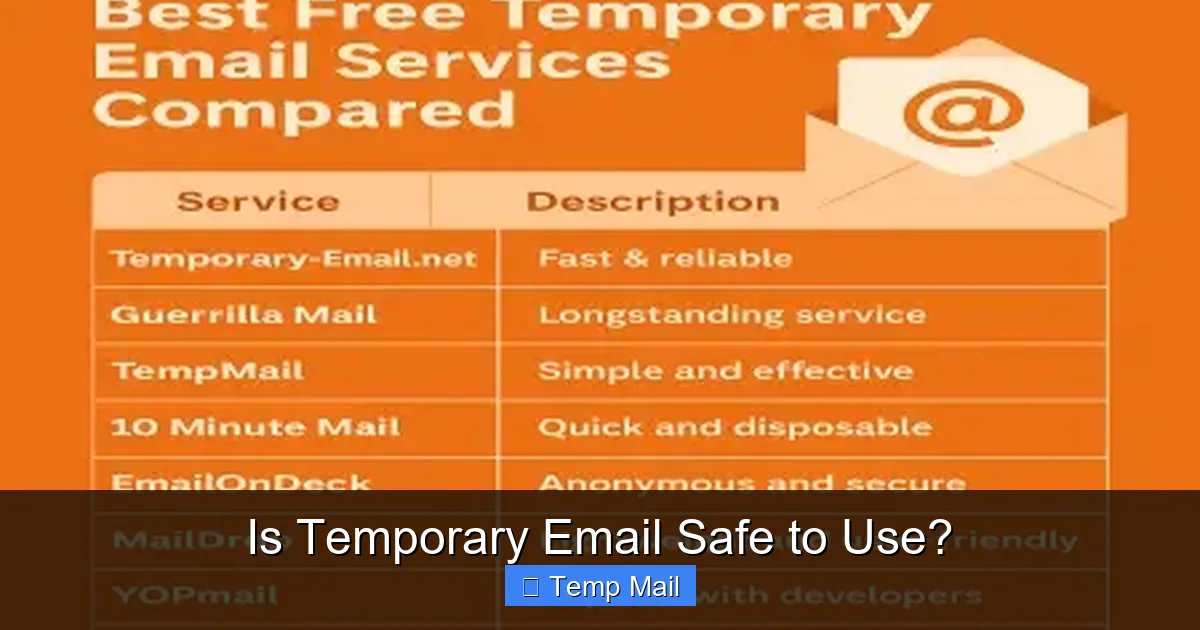
    1. Temp-Mail.org: The Gold Standard for Reliability

    Why it’s great: Temp-Mail.org is the most polished and reliable service in the category. It offers a clean, ad-light interface, multiple domain options (you can pick from a list of @tempmail.org, @tmpmail.org, etc.), and a generous 24-hour inbox lifespan by default. Emails refresh automatically, and you can even extend the time if needed. It also provides a handy browser extension for Chrome and Firefox, letting you generate a temp address without even leaving your current tab.

    Best for: Users who want a hassle-free, feature-rich experience with a longer window to check emails. Perfect for when you might need to access a verification link a few hours later.

    Practical Tip: Use the “Copy Address” button and pin the inbox tab. The address will stay active as long as the tab is open, even beyond 24 hours in some cases.

    2. 10MinuteMail: The Classic Speed Demon

    Why it’s great: As the name implies, this service gives you a bare-bones, 10-minute inbox. Its interface is starkly simple—just a big countdown timer and your email address. It’s incredibly fast and has been around for ages, proving its staying power. The short lifespan is its superpower for maximum privacy; the address is truly ephemeral.

    Best for: Instant, single-use sign-ups where you need the verification link immediately, like accessing a gated article or a quick download. The 10-minute deadline forces you to act fast.

    Practical Tip: Have the target website ready to paste the email. Open 10MinuteMail, copy the address, immediately switch tabs, paste, and wait for the email. Don’t get distracted!

    3. Guerrilla Mail: The Feature-Packed Power User Choice

    Why it’s great: Guerrilla Mail goes beyond basic inboxing. It offers a pseudo-registered feeling: you can choose a custom username (e.g., yourname@guerrillamail.com), reply to emails directly from the inbox, and even forward messages to your real email if you change your mind. The inbox lasts for 1 hour, and it has a “scramble” address feature for extra randomness.

    Best for: Situations where you might need to briefly correspond back, like a customer support ticket that requires a simple reply. Also great if you want a slightly more memorable (but still disposable) address.

    Practical Tip: The “Reply” and “Forward” features are unique. Use them if a sender asks a simple question, but remember the address will vanish. Don’t use it for critical conversations.

    4. Mailinator: The Public Inbox Pioneer (Use with Caution)

    Why it’s great: Mailinator is one of the oldest and most famous services. Its key feature is that its inboxes are completely public by default. You don’t even need to visit the site first; you can just guess an address (like test123@mailinator.com) and check it. This makes it fantastic for shared testing environments. It also offers a “Private” premium tier with password protection and longer retention.

    Best for: Developers testing email flows, or for situations where you need a shared, known address for a team. The public nature means zero privacy for the address you use, so never use it for anything personal.

    Practical Tip: For absolute privacy, avoid the default public inboxes. If you use Mailinator, generate a random, complex address that no one would guess, and check it quickly.

    5. Mohmal: Minimalist and Fast

    Why it’s great: Mohmal (formerly “Mohmal Email”) is a no-frills, lightning-fast option from France. It provides a clean interface, a 1-hour inbox duration, and multiple domain choices (like @mohmal.com, @dispostable.com). It has virtually no ads and focuses purely on the task. The simplicity is its strength.

    Best for: Users who are overwhelmed by extra features and just want a simple, fast, and clean temporary inbox. It’s a great “set it and forget it” tool.

    Practical Tip: Its simplicity means you won’t get distracted. Open it, get your address, use it, and close the tab. The inbox will purge itself reliably after an hour.

    Advanced Features to Look For: Beyond the Basic Inbox

    Once you’ve mastered the basics, you might want more control. The best services offer advanced features that make them more versatile. Here’s what to look for if you’re a power user.

    Browser Extensions & Integrations

    Services like Temp-Mail.org offer official browser extensions. These are game-changers. With one click in your browser toolbar, you can generate a new temporary email, copy it, and open its inbox. This workflow integration saves seconds and keeps you on the page you’re on. It’s the difference between a multi-tab juggling act and a seamless action.

    Custom Domain Selection

    Some services let you choose the domain part of your email (the part after the @). You might see options like @tempmail.org, @tmpmail.org, or @discard.email. This is useful if a particular website blocks emails from known temp mail domains (a common anti-fraud measure). If one domain is blocked, refresh and pick another.

    The Ability to Reply or Forward

    As seen with Guerrilla Mail, the power to send a reply from your disposable address is rare but valuable. It allows for a single, brief exchange without revealing your real email. Forwarding to your main inbox is also handy if you realize you need to keep a confirmation receipt but don’t want the temp address to be your permanent contact.

    API Access for Developers

    For developers automating tests or building apps, an API is crucial. Services like Temp-Mail.org offer paid API plans that let your code programmatically create inboxes, fetch emails, and delete them. This is essential for robust, scalable email testing in CI/CD pipelines.

    Password Protection (The “Private” Inbox)

    A few services, like Mailinator’s premium tier, allow you to set a password on a specific inbox. This makes it semi-private, meaning only someone with the exact URL and password can see the emails. This is useful for temporary team collaboration where you need a shared, but not publicly searchable, inbox.

    How to Use Temporary Email Safely and Effectively

    Using a temp mail service is simple, but using it correctly and safely requires a few mental rules. A tool is only as good as the person wielding it.

    The Cardinal Rule: Never for Critical Accounts

    This cannot be stressed enough. Do not use a temporary email for:

    • Banking, financial services, or PayPal.
    • Your primary email account (Google, Microsoft, Apple).
    • Any social media profile you intend to keep long-term.
    • Accounts where password recovery is essential.
    • Government or official services.

    Why? Because the inbox vanishes. If you forget your password, you’re locked out forever. You cannot recover a Facebook account tied to an inbox that deleted itself after an hour.

    Always Check the Site’s Privacy Policy First

    Before you paste that temp address, take 10 seconds to skim the site’s privacy policy. Are they clear about data retention? Do they sell data? Some sites explicitly state they will never delete your data, which defeats the purpose of a temp mail. If the policy is vague or non-existent, consider if you even want to engage with that site at all.

    Clear Cookies and Session Data After Use

    Since many temp mail inboxes are tied to your browser session or a specific URL, it’s good practice to clear your browser cookies and cache after you’re done. This ensures no lingering session data is left behind. For an extra layer, use your browser’s private/incognito mode for the entire temp mail session—it all gets wiped when you close the window.

    Know the Lifespan and Plan Accordingly

    If you use a 10-minute service but know the verification email might take 15 minutes (some automated systems are slow), you’ve failed. Choose a service with an inbox lifespan that comfortably exceeds your expected wait time. When in doubt, pick a 1-hour or 24-hour service like Temp-Mail.org. You can always close the tab early if you’re done.

    Never Send Sensitive Information *To* a Temp Address

    This is a two-way street. It’s not just about what you receive. If you are *sending* an email and the recipient provides a temporary address as their contact, be wary. That address could be public, and the person may not be who they claim. Avoid sending contracts, personal documents, or confidential information to any disposable address.

    The temp mail landscape is evolving. As websites get smarter at blocking disposable domains, and as privacy regulations tighten, these services are adapting.

    The Cat-and-Mouse Game with Blocklists

    More websites are using services like BlockDisposableEmail.com to prevent sign-ups from known temp mail domains. This is a constant arms race. In response, temp mail providers are creating new domains daily and using more generic naming conventions. The trend is toward dynamic, less obvious domains that are harder to systematically block.

    Integration with Broader Privacy Suites

    We’re seeing temp mail functionality baked into broader privacy tools. Password managers like Bitwarden have experimented with it. VPN providers and anti-tracking browsers may offer integrated disposable email as a value-add. The future is unified privacy management—one tool for VPN, tracker blocking, and temp mail.

    Stricter Regulations and Service Viability

    Laws like GDPR and CCPA impose rules on data processing. Some temp mail services, by their very public nature, might face legal scrutiny. We may see a consolidation where only the most compliant (i.e., those with clear data deletion policies and no logging) survive. The era of truly anonymous, no-questions-asked temp mail might narrow, but demand will ensure alternatives persist.

    The Rise of “Semi-Disposable” Aliases

    A growing trend is the “plus addressing” or “sub-addressing” feature from providers like Fastmail, ProtonMail, and Gmail (with limitations). You can create aliases like yourname+temp1@protonmail.com that forward to your main inbox. These are more permanent but can be easily filtered and deleted. They offer a middle ground: more control than a public temp inbox, but less commitment than a full separate account. For high-stakes sign-ups where you need to receive emails for a few months, this is becoming a preferred method over traditional temp mail.

    Conclusion: Choosing Your Disposable Digital Shield

    Temporary email services are an essential, no-cost tool in the modern internet user’s arsenal. They are the first line of defense against the relentless tide of spam, data harvesting, and unwanted digital footprints. From the ultra-simple 10MinuteMail to the feature-rich Temp-Mail.org, there’s a solution for every need. The key is understanding their purpose: they are for transactional, low-stakes interactions where you need to receive a single piece of information and then disappear.

    Incorporate them into your routine. The next time a website gates content behind an email form, don’t groan and hand over your primary address. Take 15 seconds, generate a temp inbox, get your download, and close the tab. Your future self—with a cleaner, safer, and more manageable inbox—will thank you. Remember, in the digital world, your email address is a key to your identity. Guard it fiercely, and use a disposable copy for every lock that doesn’t truly matter.

    Frequently Asked Questions

    Is using a temporary email address legal?

    Yes, using a temporary email is completely legal. These services operate within the law and are legitimate tools for online privacy. The legality only comes into question if the address is used for fraudulent or illegal activities, which applies to any communication tool.

    Can I send emails from a temporary address?

    Most traditional temporary email services are receive-only. They are designed for you to get a verification link or download, not to initiate correspondence. However, some services like Guerrilla Mail do offer a limited reply function. For sending emails from a disposable identity, you’d typically need a different type of service, like an anonymous email provider.

    How long does a temporary email last?

    The lifespan varies by service. Common durations are 10 minutes (10MinuteMail), 1 hour (Guerrilla Mail, Mohmal), and 24 hours (Temp-Mail.org). Some services may extend the life if you actively use the inbox. Always check the specific timer for the service you’re using.

    Are temporary emails secure and private?

    They offer privacy from the website you’re signing up for, as your real address is hidden. However, the inboxes themselves are often not secure by design—many are public or accessible via a simple URL. Do not use them for sensitive information. Their security is about obscurity and ephemerality, not encryption like ProtonMail.

    Can I use a temporary email for two-factor authentication (2FA)?

    Generally, no. Two-factor authentication codes are meant to be a secure, second factor for logging in. If your 2FA is sent to a temporary inbox that vanishes after an hour, you will be locked out of your account the next time you need to log in. Always use a permanent, secure email or an authenticator app for 2FA.

    What is the best temporary email for signing up to potentially shady websites?

    For high-risk sign-ups, use a service with a very short lifespan and no personalization, like 10MinuteMail. The 10-minute window minimizes exposure, and the lack of custom usernames means there’s no persistent identifier linked to you. Act quickly, get what you need, and let it die.

  • How to Create a Temp Email Instantly

    How to Create a Temp Email Instantly

    Tired of spam clogging your primary inbox? A temporary email address is your instant solution for online sign-ups, downloads, and any situation where you don’t want to use your real email. Creating one takes less than 30 seconds, requires no registration, and automatically deletes after use. This guide shows you exactly how to generate a disposable email address right now, highlights the best free services, and reveals pro tips for maximizing your privacy and security online.

    Have you ever hesitated to sign up for a free ebook, a forum, or a one-time online tool because it demanded your email address? You knew that offering your primary, personal email was like handing out a key to your digital front door—it would likely lead to a flood of promotional spam you’d never unsubscribe from. What if you could have a secret, throwaway email address at your fingertips, ready to use in the next 30 seconds, that automatically vanishes without a trace? That’s the power of a temporary email, and learning how to create a temp email instantly is one of the simplest yet most effective privacy skills you can master in today’s connected world.

    This isn’t about doing anything shady. It’s about being a smart, defensive digital citizen. Think of your primary email address as your home address. You wouldn’t give it to every random street vendor or sketchy survey taker, would you? A temporary email is like using a P.O. box for those one-off interactions. It keeps your main inbox clean, your personal data out of marketing databases, and reduces your “digital footprint” on sites that don’t need to know who you really are. In this comprehensive guide, we will walk through everything you need to know, from the absolute basics of what a temp mail is to advanced strategies for using it effectively and safely. By the end, you’ll be able to generate a disposable inbox faster than you can say “unsubscribe.”

    Key Takeaways

    • Instant Setup: A temporary email address can be generated in under 30 seconds with no account creation or personal details required.
    • Primary Purpose is Privacy: Temp mail shields your real email from spam, data harvesting, and potential security breaches on untrusted websites.
    • It’s a One-Way Street: You can receive emails to a temp address, but you cannot send emails from it. It’s for receiving verification links and content only.
    • Auto-Expiration is Key: Most disposable inboxes self-destruct after a set time (e.g., 10 minutes to 24 hours) or after a certain number of emails are received.
    • Not for Important Accounts: Never use a temp email for critical services like banking, primary social media, or any account where account recovery is essential.
    • Multiple Providers Exist: Popular services like Temp-Mail, 10MinuteMail, and Guerrilla Mail offer similar core functions with slight variations in lifespan and interface.
    • It’s a Privacy Tool, Not a Hacker Tool: Use temp mail ethically to protect yourself, not to create fraudulent accounts or bypass legitimate bans.

    [FEATURED_IMAGE_PLACEHOLDER]

    What Exactly Is a Temporary Email Address?

    Before we dive into the “how,” let’s clarify the “what.” A temporary email address, also called a disposable email, throwaway email, or fake email, is a service that provides you with a random, functional email inbox for a short, predetermined period. The core mechanics are beautifully simple:

    • No Registration: You visit the temp mail website. That’s it. No forms to fill out, no passwords to create, no CAPTCHAs to solve (usually).
    • Random Inbox Generation: The site instantly assigns you a random email address (e.g., abc123@tempmail.demo) and displays a corresponding inbox on the same page.
    • Receive-Only: These inboxes can only receive emails. You cannot send emails from a disposable address. This is a critical security and anti-spam feature.
    • Auto-Destruction: After a set time (common durations are 10 minutes, 1 hour, or 24 hours) or after a certain number of emails have been received, the address and all its contents are permanently deleted from the server.

    The technology behind it uses a pool of domain names and randomly generated local parts (the part before the @). When an email is sent to that address, the service’s server catches it and makes it viewable only in the browser window associated with that session. Once the timer expires or the browser is closed (depending on the service), that specific inbox is purged forever.

    The Fundamental Difference: Temp Mail vs. Regular Email

    Understanding this distinction is crucial. Your Gmail, Outlook, or Yahoo account is a persistent identity. It’s linked to you, your contacts, your calendar, and often your other online accounts. Losing access to it is a major problem. A temporary email is a single-use tool. It has no identity, no history, and no value after its short life. You use it, get what you need (usually a verification link), and then forget it ever existed. This lack of persistence is its greatest strength for privacy.

    Why Would You Need a Temporary Email? (The Benefits)

    Knowing how to create a temp email instantly is useful, but knowing *why* to use one is what makes it a powerful habit. The benefits cluster around three main pillars: privacy, cleanliness, and security.

    How to Create a Temp Email Instantly

    Visual guide about How to Create a Temp Email Instantly

    Image source: blog.aspose.com

    Benefit 1: Spam Prevention and Inbox Sanity

    This is the #1 reason people use disposable emails. Every time you sign up for a newsletter you’re only mildly interested in, download a “free” template from a sketchy site, or register for a one-time discount, you’re taking a risk. That company might sell your email address to data brokers, or their own database might get hacked. Your primary inbox then gets bombarded with unwanted promotions, phishing attempts, and “special offers.” A temp email acts as a spam sponge. All that garbage goes to an address that will self-destruct in an hour, leaving your real inbox pristine.

    Benefit 2: Enhanced Privacy and Data Minimization

    In the age of data harvesting, every piece of information you provide online is valuable. Why should a random website offering a wallpaper pack know your real email and be able to link your activity to your identity? Using a temp mail minimizes the data you leak. You’re not providing a key that can be used to cross-reference your activity across the web. It’s a simple act of data minimization—giving a website only the absolute minimum information it needs to provide the service you want (in this case, just an email format to send a link to).

    Benefit 3: Bypassing Unwanted Registration Walls

    How many times have you wanted to read an article, view a PDF, or use a basic web tool, only to be stopped by a “Sign up for our newsletter to continue” wall? Often, these are low-value sites where creating a real account is overkill. A temp email lets you effortlessly bypass these gates. You get the content or tool you wanted immediately, and the site gets an email that bounces after an hour. It’s a win-win that respects your time and your inbox.

    Benefit 4: Safe Testing and Development

    For developers, QA testers, or even just tech-savvy users, temp mail is invaluable. Need to test an email verification flow on a new app? Want to see how a website behaves with a fresh, unassociated email? A disposable inbox lets you do this quickly and cleanly without polluting your real accounts with test notifications.

    How to Create a Temp Email Instantly: A Step-by-Step Guide

    Now for the main event. The process is deliberately simple, but let’s break it down into crystal-clear steps. You can do this on any device with a web browser—phone, tablet, or computer.

    How to Create a Temp Email Instantly

    Visual guide about How to Create a Temp Email Instantly

    Image source: slash1.startupheroes.io

    Step 1: Choose a Reputable Temporary Email Service

    This is the only step that requires any thought. While dozens of sites offer this service, they are not all created equal. You want a provider that is:

    • Fast and No-Frills: The inbox should load immediately without annoying pop-ups or mandatory video ads.
    • Reliable: It should actually receive the verification emails you need. Some services have poor deliverability and get blocked by major platforms like Google or Facebook.
    • Clear on Lifespan: The countdown timer should be prominently displayed so you know exactly how long you have.
    • No Registration Required: The whole point is instant access. If it asks for an email to “create an account,” run away.

    Recommended Starting Services: For beginners, Temp-Mail.org and 10MinuteMail.com are excellent, user-friendly, and highly reliable choices. We will use Temp-Mail for our visual example below.

    Step 2: Generate Your Disposable Address

    1. Open your browser and navigate to your chosen service’s website (e.g., temp-mail.org).
    2. The page will load. Within one or two seconds, you will see a large, bolded email address at the top of the screen. It will look something like: e8c7d5f2@tempmail.demo.
    3. Right next to it, you’ll see a countdown timer (e.g., “Time left: 59:59”). This is your inbox’s lifespan.
    4. That’s it. You now have an active, receiving email inbox. The inbox window below will be empty at first, waiting for emails.

    Step 3: Use the Temp Email Wherever Needed

    Now, simply copy that generated email address (most sites have a handy “Copy” button next to it). Navigate to the website, app, or forum where you need an email. Paste it into the sign-up or verification field and proceed as normal. When that site sends a verification email or a download link, it will appear almost instantly in the inbox window on your temp mail site. Click the email to open it, and then click the link or copy the code inside. Job done.

    Step 4: Let It Expire or Manually Delete

    You don’t need to do anything to “close” your account. The service will automatically delete the inbox and all its contents the moment the timer hits zero. The email address will then be recycled and given to a future user. If you are done early and want to immediately free up the address (or just stop receiving emails), look for a “Delete” or “Change” button on the site. Clicking this immediately terminates your current inbox and generates a brand new random address for you, providing an extra layer of privacy.

    Top 5 Temporary Email Services Compared

    While the core function is the same, different services offer slight variations that can affect your experience. Here’s a comparison of five of the most reliable and user-friendly options available today.

    1. Temp-Mail.org

    Often considered the gold standard. It features a clean, modern interface, a browser extension for even quicker access, and a reliable 60-minute inbox lifespan. It supports multiple languages and has a good track record of emails getting through to most services. The domain list is extensive, reducing the chance of being blocked.

    2. 10MinuteMail.com

    The classic. As the name suggests, it provides a strict 10-minute inbox. This ultra-short lifespan is perfect for the fastest, most disposable interactions. The interface is retro but functional. Its simplicity is its strength—no distractions, just a timer and an inbox. Great for a quick verification and immediate forgetfulness.

    3. Guerrilla Mail

    Offers more features than most. You can actually choose your own random username from a list, and it provides a slightly longer 60-minute lifespan. It also has a “Send Mail” feature (use with caution—it’s still traceable to their servers) and a password protection option for the inbox if you need to leave the browser tab open briefly. A solid, feature-rich option.

    4. Mailinator.com

    One of the oldest and largest services. It’s incredibly fast and has a massive pool of domains. However, its public inboxes mean that if you pick a common name, someone else might theoretically see emails sent to it (though this is rare for random strings). It offers a 1-hour lifespan. Be aware that many major services actively block Mailinator domains, so it may not work for Gmail or Facebook sign-ups.

    5. Tempail.com

    A strong contender with a very user-friendly design. It offers a 60-minute timer and a clear, large inbox display. It often has fewer ads than some competitors, making for a smoother experience. The email generation is instant and reliable for a wide range of websites.

    Pro Tips and Advanced Usage Strategies

    Once you know the basics, you can optimize your use of temporary emails for better results and enhanced privacy.

    Tip 1: The “One Site, One Address” Rule

    For maximum privacy compartmentalization, don’t reuse the same temp email for multiple sites. If Site A and Site B both get your temp address, and they share data (or both get hacked), your activity on both is linked by that single disposable address. The easiest way to avoid this? Use the “Change” or “Delete” button after you’re done with a site. This gives you a fresh, unassociated address for the next website. It’s a small step that significantly reduces cross-site tracking.

    Tip 2: Check the Lifespan Before You Start

    If you’re signing up for a service that might take a while (like a multi-step account creation), a 10-minute timer might be too short. Always glance at the countdown before you copy the address. If it’s a 10-minute service like 10MinuteMail, but you need more time, switch to a 60-minute service like Temp-Mail first.

    You can use a temp email to receive a password reset link for a *low-importance* account you already have (like a forum you rarely use). However, never set the primary recovery email for an important account to a temp address. If you lose access to your main account, you’ll be locked out forever because the recovery link goes to a dead inbox.

    Tip 4: Browser vs. Private Window

    For an extra layer of separation, open your temp mail site in a private/incognito browser window. This ensures that no cookies from your regular browsing can be associated with that temp session. Combine this with the “Change” button after each use, and you have a very strong privacy practice for one-off sign-ups.

    Critical Limitations and Common Mistakes to Avoid

    Temporary email is a fantastic tool, but it’s not a magic bullet. Understanding its limitations is crucial to using it safely and effectively.

    Mistake 1: Using It for Essential Accounts

    This is the cardinal sin. Do not use a disposable email for:

    • Banking or financial services.
    • Your primary email account (Gmail, Outlook, etc.).
    • Major social media profiles (Facebook, Instagram, Twitter/X).
    • Any account where you might need to recover access years later.
    • Official government or healthcare portals.

    The reason is simple: once the inbox expires, you are permanently locked out. There is no “forgot password” because the reset link goes nowhere.

    Mistake 2: Assuming 100% Anonymity

    While temp mail hides your email identity from the receiving website, it does not make you anonymous on the internet. The website you visit still sees your IP address (unless you use a VPN). Your ISP knows you visited the temp mail site. The temp mail provider itself logs access times and IPs (though they typically claim not to store email content after deletion). For true anonymity, you need Tor or a reputable VPN combined with other operational security practices.

    Mistake 3: Expecting to Send Emails From It

    Disposable inboxes are receive-only. You cannot use them to email a friend or a business. Attempting to do so will fail. They are a shield, not a sword.

    Mistake 4: Trusting a Temp Email for Sensitive Data

    Never use a temp email to receive sensitive documents like contracts, ID scans, or medical records. The inbox is public to anyone who has the URL (if you share your screen or leave the tab open), and it will disappear. Only use it for low-stakes verification links and content.

    Conclusion: Your Digital Shield is Ready

    Learning how to create a temp email instantly is a small action that yields massive returns for your digital hygiene. It takes 30 seconds, costs nothing, and immediately puts you in control of your inbox and your personal data. You now have the knowledge to surgically provide an email address only where it’s absolutely necessary, letting everything else bounce into the void. Remember the core philosophy: your primary email is your home. A temporary email is a P.O. box for strangers. Use it wisely for sign-ups, downloads, and verification links on sites you don’t fully trust. Let it handle the spam so your real inbox can be a place for communication that matters. Go ahead, open a new tab, generate that disposable address, and reclaim your online privacy today. Your future, less-spammed self will thank you.

    Frequently Asked Questions

    Is using a temporary email address safe?

    Yes, using a reputable temp mail service is safe for its intended purpose of receiving verification emails. The main safety risk is if you use it for important accounts (which you shouldn’t) or if you leave the inbox window open where others can see it. The service provider itself typically does not store your emails after deletion.

    How long does a temporary email last?

    It varies by provider. Common lifespans are 10 minutes (10MinuteMail), 60 minutes (Temp-Mail, Guerrilla Mail), or 24 hours. The countdown timer is always displayed on the service’s page so you know exactly when your inbox will expire.

    Can I send emails from a temporary address?

    No. Disposable email services are designed as receive-only systems to prevent spam and abuse. You can only use them to receive emails, such as sign-up verification links or download content. You cannot use them to send messages to others.

    Will a temporary email work for Facebook or Google sign-up?

    Often, no. Major platforms like Google, Facebook, and Instagram actively maintain blocklists of known disposable email domains. You may find that when you try to sign up, the site will reject the temp email address. It’s best to use them for smaller websites, forums, and content downloads.

    What happens to the emails after the timer expires?

    The email address and all messages associated with that specific inbox session are permanently and automatically deleted from the service’s servers. That email address is then recycled and assigned to a new, random user in the future. No trace of your activity remains on their system.

    Do I need to create an account to use a temp mail service?

    Absolutely not. The entire point of a disposable email is instant, no-strings-attached access. You simply visit the website, and an inbox is generated for you immediately. Any service that asks you to “register” or provide another email to use its temp mail feature is not a true disposable email provider.

  • Temp Mail Vs Disposable Email: What’s the Difference?

    Temp Mail Vs Disposable Email: What’s the Difference?

    Temp mail and disposable email are often used interchangeably, but they have distinct differences in lifespan, primary purpose, and underlying technology. Temp mail typically refers to services that provide a temporary inbox for privacy-focused, short-term use without registration. Disposable email often implies a single-use address designed specifically to avoid spam when signing up for untrusted sites. Understanding these nuances helps you choose the right tool for protecting your primary inbox, maintaining anonymity, or bypassing registration walls safely and effectively.

    Key Takeaways

    • Understanding Temp Mail vs Disposable Email: What’s the Difference?: Provides essential knowledge

    Temp Mail vs Disposable Email: Unpacking the Confusion

    You’re about to sign up for a new online forum, download a whitepaper, or access a gated article. You don’t want your primary inbox flooded with newsletters or potential spam. The solution? A temporary email address. But when you start searching, you see terms like “temp mail,” “disposable email,” “throwaway email,” and “10-minute mail.” Are they all the same thing?

    In everyday conversation, these terms are used interchangeably, and for good reason—they serve the same fundamental goal: providing a short-lived email address to protect your real one. However, there are subtle but important differences in their typical implementation, intended lifespan, and primary use case. Understanding temp mail vs disposable email isn’t just semantics; it’s about choosing the right tool for the job to maximize your privacy and convenience without hitting frustrating roadblocks. This guide will clear up the confusion, diving deep into the mechanics, purposes, and practical applications of each.

    What is Temp Mail? The Privacy-Focused Powerhouse

    Defining the Temp Mail Experience

    “Temp mail” is a broad category referring to services that provide a temporary, anonymous email inbox. The “temp” stands for temporary. The key characteristic is immediacy and anonymity. You visit a website like Temp-Mail.org, Guerrilla Mail, or 10MinuteMail, and a random email address is generated for you instantly. There’s no sign-up, no password, no personal information required. You use that address to receive a verification link or a file, check the inbox on the same tab, and then close it. The address and all its messages typically expire after a set period—often 1 hour, 10 minutes, or 1 day—or when you close the browser session.

    Temp Mail Vs Disposable Email: What’s the Difference?

    Visual guide about Temp Mail Vs Disposable Email: What’s the Difference?

    Image source: temp-mail.eu.com

    The Primary Purpose: Anonymous Interaction

    The driving force behind temp mail is privacy and anonymity. It’s designed for situations where you need to interact with a website or service but have zero desire to establish any lasting identity or relationship with them. You are not “creating an account” in the traditional sense; you are borrowing a digital mailbox for a few minutes. This makes it ideal for:

    • Bypassing mandatory registration: Reading an article that demands an email sign-up.
    • Anonymous forum posting: Participating in a discussion where you don’t want your real email tied to your username.
    • Quick verification: Accessing a beta test, a limited-time offer, or a software download that requires email confirmation.
    • Privacy-sensitive research: Looking into topics you don’t want associated with your identity, even by a data broker.

    Because there is no account recovery, no password, and often no persistent data storage on the service provider’s side (many claim to delete everything upon expiration), the privacy promise is strong. You are a ghost in the machine.

    What is Disposable Email? The Spam-Fighting Specialist

    Defining Disposable Email

    “Disposable email” is a subset of temporary email services, but with a slightly different connotation. It emphasizes the “use once and discard” philosophy. While many temp mail services work this way, disposable email is often associated with two specific models:

    Temp Mail Vs Disposable Email: What’s the Difference?

    Visual guide about Temp Mail Vs Disposable Email: What’s the Difference?

    Image source: atempmail.com

    1. Alias-based Services: Services like SimpleLogin, AnonAddy, or Firefox Relay. These are not truly “temporary” in the short-term sense. You create a permanent, free account with a reputable provider (often using your real email for login). Within that account, you can generate hundreds of unique, disposable aliases (e.g., newsletter-xyz@sl.email). Each alias forwards mail to your real inbox. You can delete the alias at any time with one click, instantly stopping all future mail from that sender. The alias itself is “disposable.”
    2. Single-Use Domain Services: Some providers offer domains specifically for one-time use (e.g., @mailinator.com has been famous for this). You pick a random address like abc123@mailinator.com. Anyone who knows that address can see the inbox. It’s public. You use it for a single sign-up, get your email, and never look back. The next person might use the same address an hour later.

    The Primary Purpose: Spam Containment

    The heart of disposable email is fighting spam and clutter. The alias-based model is particularly powerful for this. Instead of giving your real email to “OnlineDealsRUs,” you give them onlinedealsrus@youralias.com. When they sell your address or you no longer want their emails, you simply disable or delete that specific alias. Your main inbox remains pristine. The public domain model (like the classic Mailinator) is about getting a quick verification code without any expectation of privacy for that specific address, as it’s inherently public.

    Key Differences: Lifespan, Purpose, and Practicality

    1. Intended Lifespan & Control

    This is the most significant differentiator.

    • Temp Mail: Lifespan is controlled by the service and is usually very short (10 minutes to 24 hours). The clock starts ticking as soon as the address is generated. You have minimal control; you can’t extend it. It’s a burn-after-reading scenario.
    • Disposable Email (Alias Model): The alias exists as long as you keep it. You have full control to delete it after one email or keep it for months for a recurring service. The “disposability” is at your discretion.
    • Disposable Email (Public Domain): Lifespan is undefined but practically useless after the first use. The address is a public resource; anyone can check the inbox at any time.

    2. Privacy vs. Spam-Fighting: The Core Intent

    Think of it this way:

    • Temp Mail asks: “How can I interact with this site without them knowing who I am?”
    • Disposable Email (Alias) asks: “How can I give this site an email they can contact me at, but that I can completely sever later without affecting my other emails?”

    The alias model brilliantly solves the “I need to receive a receipt or password reset from this one service, but I don’t want it forever” problem, which pure temp mail often fails at because the inbox vanishes before you might need a future email from that sender.

    3. Security and Data Handling

    Reputable temp mail services often have strict no-logs policies because they have no user accounts to log. However, the inbox is usually accessible to anyone who has the random URL, presenting a risk if you use it for anything sensitive. The public domain model is the least private.

    Disposable alias services (like SimpleLogin) are more secure. They require a login to your main account to manage aliases. The alias inbox is not public; mail is forwarded securely to your real inbox. The provider has a business model based on trust and privacy, often being open-source and audited.

    4. Reliability and Website Detection

    This is a huge practical difference. Thousands of websites maintain blocklists of domains from popular temp mail services (like 10minutemail.com, temp-mail.org). If you try to sign up with one of these, the site will often reject it outright, saying “Please provide a valid email address.”

    • Temp Mail domains are almost universally blocked because they are synonymous with fraud and spam.
    • Disposable alias domains (e.g., @relay.firefox.com, @sl.email) are often not on these blocklists because they are tied to a legitimate forwarding service with a user base. This makes them far more reliable for actually completing a sign-up process.

    When to Use Which: A Practical Guide

    Scenario 1: “I just need to read this one article.”

    Tool: A classic temp mail service (10-minute mail). You generate an address, paste it, refresh the inbox page, click the link, read the article, and close the tab. Perfect. No need for the address again.

    Scenario 2: “I want to sign up for this forum but stay completely anonymous.”

    Tool: A temp mail service with a longer lifespan (1-day temp mail). You create a username/password on the forum with the temp address. You can log in and post for a day. When the inbox expires, the account is dead. You have no recoverable link to your real identity.

    Scenario 3: “I need to download this software manual and maybe get a newsletter update later.”

    Tool: A disposable alias (from SimpleLogin, Firefox Relay, etc.). Create an alias like softwaremanual@youralias.com. Use it. You’ll receive the download link and any future newsletters in your main inbox. A month later, if the newsletter becomes spammy, you delete the alias. Done. Your main email is untouched.

    Scenario 4: “This e-commerce site requires an email to see the discount code.”

    Tool: A disposable alias is best. You want the code now, and you might want to receive the discount code email later if you forget it. An alias forwards it to you. Using a 10-minute temp mail might expire before you check out.

    Scenario 5: “I’m testing a website’s sign-up flow for a client.”

    Tool: A temp mail service. You need multiple, unique, anonymous addresses quickly to test registration, password resets, etc. You don’t need to keep the emails. Short-lived temp mail is efficient.

    Scenario 6: “I’m concerned about data brokers and want to minimize my email footprint everywhere.”

    Tool: A comprehensive disposable alias strategy. Use a unique alias for every single online account, newsletter, and shopping site. This is the gold standard for controlling your email-based identity and preventing cross-site tracking via your email address.

    The Critical Caveats: What Neither Service Solves

    It’s vital to understand the limitations of both temp mail and disposable email.

    Account Recovery is Impossible

    If you use either for an account you care about (even a little), and you forget your password, you are locked out forever. There is no “forgot password” link that will reach you because the mailbox is gone or the alias is deleted. Never use these for primary social media, banking, cloud storage, or any service where you might need to recover access.

    They are Not Invisible to the Service You’re Using

    The website you’re signing up for knows you used a temporary/disposable address. They see the domain. This can be a red flag for fraud detection systems. While it’s fine for benign uses, it might limit your ability to do certain actions (like make a high-value purchase) on some platforms.

    Using a temp/disposable email often violates a website’s Terms of Service. They can ban the associated account without warning. It’s a gray area—you’re not breaking laws, but you’re breaking their rules. Use it accordingly.

    They Don’t Make You “Hacker-Proof”

    If you engage in risky behavior (downloading shady files, visiting malicious sites), a temporary email doesn’t protect your device or real identity from other vectors of attack. It only protects your email address from being harvested in a breach.

    Conclusion: Choosing Your Temporary Email Strategy

    The debate of temp mail vs disposable email really boils down to a spectrum of temporariness and control. On one end, you have the wild, public, ultra-short-lived temp mail address—perfect for a quick, anonymous, one-off task with no expectation of future communication. On the other end, you have the managed, private, user-controlled disposable alias—a sophisticated tool for managing your long-term email reputation and fighting spam without sacrificing the ability to receive necessary communications.

    For the casual user just wanting to bypass a single sign-up form, a quick visit to a 10-minute temp mail site is perfectly adequate. For anyone seriously concerned about digital privacy, data minimization, and inbox hygiene, investing time in setting up a disposable alias service (many have generous free tiers) is the superior, more sustainable, and more reliable approach. The best practice? Use disposable aliases for any service you might reasonably want to hear from (even once), and reserve classic temp mail for truly anonymous, fire-and-forget interactions where you will never need the sent email again. By matching your tool to your specific need, you keep your primary inbox clean, your identity more private, and your online experience less cluttered.

    Frequently Asked Questions

    Is using temp mail or disposable email illegal?

    No, using these services is not illegal. However, it often violates the Terms of Service of the website you are using it on, which can result in a banned account. It is a breach of contract with the site, not a law.

    Can websites detect if I’m using a disposable email?

    Yes, absolutely. Websites maintain blocklists of domains from known temp and disposable email providers. If you use an address from one of these blocked domains, the site will usually reject it during sign-up, stating the email is invalid.

    What’s the safest option for privacy: temp mail or disposable aliases?

    A reputable disposable alias service (like SimpleLogin or Firefox Relay) is generally safer for privacy. They use secure forwarding, require a login to manage aliases, and don’t make your inbox publicly accessible. Classic temp mail inboxes are often public via a shared URL, posing a privacy risk if someone else discovers the address.

    Can I use a disposable alias for important accounts like banking?

    Absolutely not. You should never use any temporary or disposable email for critical accounts where you need account recovery, security alerts, or official statements. If you lose access to the alias or it expires, you will be permanently locked out of your bank account.

    Do disposable email services keep logs of my activity?

    It depends on the provider’s privacy policy. Reputable disposable alias providers state they keep minimal logs and do not link aliases to your real identity in their systems. Classic temp mail services may keep logs for a very short period but typically purge everything quickly. Always check the privacy policy if anonymity is critical.

    Will my emails get delivered if I use a disposable address?

    Yes, delivery is usually reliable with disposable alias services because their domains are not typically on spam blocklists. With classic temp mail domains (like @10minutemail.com), delivery is also reliable, but the website you’re signing up for may reject the domain before you even submit it, preventing the email from being sent at all.

  • Why You Should Use a Temporary Email Address

    Why You Should Use a Temporary Email Address

    A temporary email address is your first line of defense against spam, data mining, and privacy invasion. By using disposable emails for online sign-ups, you protect your primary inbox from unwanted messages and potential security risks. It’s a simple, free tool that puts you back in control of your digital footprint.

    Have you ever hesitated to sign up for a free online service, a newsletter, or a forum because you didn’t want to “pollute” your primary email inbox? You’re not alone. In today’s digital landscape, your email address is more than just a communication tool; it’s a key that can unlock a torrent of spam, targeted advertising, and potential security risks. This is where a simple, powerful tool comes into play: the temporary email address. Often called “disposable email” or “temp mail,” this service is your secret weapon for navigating the web with confidence and control.

    Think about it. Every time you enter your email on a new website, you’re potentially adding your name to a marketing list that may never respect the “unsubscribe” button. You’re trusting that company’s security measures with a critical piece of your personal identity. A temporary email address acts as a buffer, a sacrificial proxy that absorbs the spam and risk so your main, important email stays pristine and secure. It’s not about being paranoid; it’s about being pragmatic. In this guide, we’ll dive deep into exactly why you should be using a temporary email address for your everyday online activities, how it works, and the best ways to leverage this free tool for maximum benefit.

    Key Takeaways

    • Privacy Shield: A temporary email prevents companies from linking your online activity to your real identity and primary email.
    • Spam Annihilator: It keeps promotional and phishing emails out of your main inbox, which you can simply discard after use.
    • No Strings Attached: There’s no registration, password, or long-term commitment required to create and use a disposable address.
    • Completely Free: Most reputable temporary email services are free, offering a cost-effective privacy tool.
    • Enhanced Security: Isolates your primary email from data breaches on low-security websites you visit occasionally.
    • Inbox Zero Made Easy: Automatically deletes after a short time, ensuring your primary inbox stays clean and organized effortlessly.

    What Exactly Is a Temporary Email Address?

    Let’s start with the basics. A temporary email address is a randomly generated, short-lived email account you can use without any registration. You don’t need to create a password, provide your name, or link it to any of your existing accounts. You simply visit a temp mail website, a new, unique inbox is created for you instantly, and you’re given an address to use. That’s it.

    How Do Disposable Emails Work?

    The mechanics are beautifully simple. When you arrive at a service like Temp-Mail.org, Guerilla Mail, or 10 Minute Mail, their system automatically assigns you a random email address (e.g., abc123@tempmail.demo). This address is tied to a temporary inbox that exists on their servers. You can then copy this address and paste it into any website’s sign-up or contact form. Any emails sent to that address are routed to that temporary inbox, which you can view by refreshing the page on the temp mail site. The magic happens in the lifespan: these inboxes are designed to self-destruct. After a set period—often 10 minutes, 1 hour, or 1 day—the address and all its contents are permanently deleted from the server, never to be seen again.

    Key Features of Temp Mail Services

    While features vary slightly between providers, most reliable temporary email services share these core characteristics:

    • Instant Creation: No sign-up, no forms, no CAPTCHA (sometimes). An inbox is ready the second you load the page.
    • Randomized Addresses: Your email address is a random string of characters, offering zero personal identifiable information.
    • Auto-Deletion: Inboxes and emails are automatically purged after a predetermined time, ensuring no long-term data storage.
    • No Password Required: Since the inbox is public to anyone with the exact URL (which is unique to your session), there’s no need for a login.
    • Receive Attachments: Many services allow you to receive attachments, though there are often size limits and security scans.
    • Reply Functionality (Sometimes): A few advanced services offer a “reply” feature, allowing you to respond to an email received at the temp address, though this is less common.

    The Compelling Benefits: Why You Need a Disposable Email

    Now, let’s get to the heart of the matter. Using a temporary email address isn’t just a neat trick; it’s a practical habit that solves several common—and frustrating—digital problems.

    Why You Should Use a Temporary Email Address

    Visual guide about Why You Should Use a Temporary Email Address

    Image source: tempmailmaster.io

    1. Unparalleled Privacy Protection

    Your primary email address is a golden ticket to your online identity. It’s often used as a username for countless accounts, and it’s a primary vector for data brokers to build a profile about you. When you use your real email on a sketchy website or a new app, you’re giving them a direct line to you and your data. A temporary email severs that link immediately. The website gets an email, you get access to the content or service, but there is zero connection to your real identity. This is especially crucial when accessing content from sources you don’t fully trust or when you simply want to browse anonymously for a one-time task.

    2. The Ultimate Spam Shield

    This is the most obvious and valuable benefit. Let’s be honest: most “free” online offerings come with a hidden cost—your attention, sold to advertisers. That “free ebook” or “exclusive webinar” almost always signs you up for a relentless email newsletter. With a temporary email, you sign up, grab your download, and walk away. The promotional emails will flood the disposable inbox, which will vanish in an hour or a day. Your primary inbox, the one with your bank statements, family photos, and work communications, remains blissfully untouched. You achieve inbox zero by design, not by tedious manual filtering.

    3. Zero Commitment, Zero Risk

    How many times have you abandoned a service because you didn’t want to commit to a long-term account? With a temp mail, there’s no “account” to abandon. You use it once, it expires, and there’s no digital footprint left behind. No forgotten passwords, no “I should really delete this account” nagging feeling. This is perfect for trying out a new SaaS tool for a 10-minute test run or accessing a single piece of gated content without entering a long-term marketing funnel.

    4. Bypass Registration Walls (Ethically)

    The internet is full of valuable content hidden behind “register to read” or “enter your email to download” walls. While we encourage supporting creators, sometimes you just need a quick answer or a template. A temporary email lets you ethically bypass these walls for low-stakes content without sacrificing your privacy. It’s a fair exchange: you provide a valid (but disposable) email format, and you get the content you need instantly.

    5. A Layer of Security Against Data Breaches

    Smaller websites, forums, and apps are frequent targets for hackers because their security is often weaker. If you use your primary email on a site that suffers a data breach, your email address is now in the hands of criminals. This leads to phishing attempts, credential stuffing attacks (where hackers try your email/password combo on other sites), and spam. By using a temporary email for these lower-trust sites, you contain the breach. The compromised email address is already useless and will soon be deleted, protecting your main identity.

    Real-World Scenarios: When to Reach for a Temp Mail

    Knowing the theory is great, but seeing it in action makes it stick. Here are common, everyday situations where a temporary email address is not just helpful, but the smartest move.

    Why You Should Use a Temporary Email Address

    Visual guide about Why You Should Use a Temporary Email Address

    Image source: i.ytimg.com

    Signing Up for New Websites or Forums

    You’ve just heard about a fascinating new forum for your hobby. You want to check it out, but you’re not sure if you’ll stick around or if the community is spammy. Use a temp mail to register. You can explore, participate if you choose, and if the forum turns out to be a dud or a spam hub, you simply close the browser tab. The disposable email dies, and you’re never bothered again. No awkward “how do I delete my account?” process needed.

    Downloading Gated Content (Ebooks, Whitepapers, Templates)

    This is a classic use case. You find a great-looking ebook on “10 Marketing Hacks for 2024.” To download it, you must enter your email. This is a lead generation tactic for the company. Use your temp mail. Download the PDF, and then forget about it. The company has a “lead,” but it’s a dead end. You get the valuable content you wanted without joining their weekly newsletter barrage.

    Accessing Public Wi-Fi or Shared Computers

    You’re at an airport, hotel, or library and need to quickly create an account for a service to use their Wi-Fi or access a resource. Never, ever use your primary email on a public or shared computer. Keyloggers or malware could easily steal your credentials. A temporary email is perfect here. It’s public by design (anyone with the URL can see the inbox), so there’s no sensitive history. Use it, get your task done, and close the browser. No risk to your personal accounts.

    Testing Software, Apps, or Online Services

    As a developer, tester, or just an curious user, you might need to create multiple test accounts to see how a service works. Creating dozens of real email accounts is a hassle. With a temp mail, you can generate a new address for each test user in seconds, allowing you to thoroughly test registration flows, user permissions, or features without any setup overhead.

    One-Time Online Forms and Surveys

    That random survey for a chance to win a $50 gift card? That feedback form for a restaurant you visited once? These are prime candidates for a disposable email. The likelihood of you winning is slim, and the follow-up marketing will be high. Why give them your real contact details? Use the temp mail and keep your primary address for things that truly matter.

    How to Choose the Right Temporary Email Service

    Not all temp mail services are created equal. While they all serve the same core function, reliability, usability, and privacy policies can differ. Here’s what to look for.

    Essential Features to Look For

    • Inbox Refresh/Lifetime: How long does the inbox last? 10 minutes is good for a quick download; 1 hour or 1 day is better for forums or multi-step processes. Choose based on your need.
    • Domain Options: Some services offer multiple domain names (e.g., @tempmail.demo, @disposable.com). This can be useful if a specific site blocks known temp mail domains.
    • No Forced CAPTCHA: A good service won’t make you solve endless puzzles just to see an email. It should be seamless.
    • Clear Auto-Delete Policy: The site should explicitly state when and how data is deleted. Transparency is key.
    • HTTPS Encryption: Ensure the site uses HTTPS (look for the padlock icon). This encrypts the connection between your browser and their server, protecting the emails you view from eavesdropping on the same network.

    Red Flags to Avoid

    • Requests for Personal Info: If the site asks for your name, phone number, or a password to “create” an inbox, it’s not a true disposable service. Avoid it.
    • Poor or Non-Existent Privacy Policy: If they don’t clearly state what they do with data (even though emails are temporary), assume the worst and look elsewhere.
    • Excessive Advertising: While most free services have ads, a site plastered with misleading ads, pop-ups, or “download” buttons that are actually ads is a malware risk.
    • Unreliable Delivery: If emails frequently don’t arrive or the inbox doesn’t refresh properly, the service is poorly managed. Test it with a simple send from yourself first.

    Security Considerations and Best Practices

    While incredibly useful, a temporary email is a tool with a specific purpose. Using it incorrectly can create problems. Here’s how to use it safely and effectively.

    What NOT to Use a Temporary Email For

    This is critical. Never, ever use a disposable email for:

    • Financial Accounts: Banks, PayPal, investment platforms, or any service where your money is involved.
    • Primary Cloud Storage or Password Managers: Your main email is often the key to resetting passwords for everything else. Lose access to it, and you could be locked out of your digital life.
    • Main Social Media Profiles: Facebook, Twitter, Instagram, LinkedIn. These accounts are tied to your identity and contacts. Recovering them without the correct email is a nightmare.
    • Any Service Requiring Long-Term, Reliable Communication: Job applications, official government correspondence, university communications—these need a permanent, monitored inbox.
    • Two-Factor Authentication (2FA): Your 2FA emails (login codes, security alerts) must go to a secure, accessible, permanent email. A temp mail will expire and lock you out.

    Maximizing Your Security with Disposable Addresses

    To get the most out of your temp mail habit:

    • Use a Reputable Provider: Stick to well-known services with a history of respecting user privacy. A quick search for “best temp mail 2024” will reveal community favorites.
    • Combine with a Password Manager: If you use a temp mail for a forum or tool you think you might revisit, store the login credentials (username + temp email + password) securely in your password manager. The email itself will die, but you’ll have the credentials if you need to recover the account (though recovery may be impossible without the email).
    • Don’t Use It for Illegal Activities: This should be obvious, but disposable emails are not a shield for fraud, harassment, or other crimes. They provide anonymity, not invincibility, and illegal activity is still traceable through other means.
    • Clear Your Browser: After using a temp mail on a public or shared computer, clear your browser history and cookies as an extra precaution.
    • Check the Service’s Policy: Some services may scan emails for malware. This is generally a good thing, but be aware of it. The best ones state they do not store or read email content.

    Conclusion: Take Control of Your Digital Hygiene

    Your email address is a precious asset. It’s the gateway to your online identity, your communications, and your security. Handing it out indiscriminately is like giving your house keys to every stranger you meet on the street. A temporary email address is a brilliant, simple, and free way to practice selective sharing. It’s not about living in fear of the internet; it’s about navigating it intelligently.

    By adopting the habit of using a disposable email for any sign-up that isn’t critically important to your personal or professional life, you reclaim your inbox, protect your privacy, and significantly reduce your attack surface for spam and phishing scams. It takes two seconds to copy a temp mail address instead of your real one. That tiny action pays massive dividends in a cleaner, safer, and more manageable digital life. So next time you see that email field on a website you’re unsure about, pause. Open a new tab, get a temporary address, and use that instead. Your future, less-spammed self will thank you.

    Frequently Asked Questions

    Are temporary email addresses safe to use?

    Yes, they are safe for low-risk activities like downloading content or signing up for non-essential services. However, you should never use them for sensitive accounts (banking, primary social media) as you will lose access when the email expires and they offer no inherent security for critical data.

    Is using a disposable email legal?

    Absolutely. Using a temporary email is perfectly legal. It’s simply a tool for privacy. It becomes illegal only if used to commit fraud, evade bans, or engage in criminal activity, which applies to any communication method.

    How long do temporary emails last?

    It varies by service, but common lifespans are 10 minutes, 1 hour, or 1 day. Some services let you extend the time. Always check the specific provider’s policy before using it for a task that might take longer.

    Can I use a temporary email for important accounts like online banking?

    No, you should never use a temporary email for any important, long-term, or security-critical account. Since the address expires, you would be locked out permanently and unable to recover the account or receive vital security alerts.

    What’s the difference between a temporary and a regular email?

    The core difference is permanence. A regular email (Gmail, Outlook) is a permanent, secure account you own with a password, intended for long-term use and identity verification. A temporary email is a public, password-less, short-lived inbox designed for one-time use and automatic deletion.

    What are the best practices for using temporary email?

    Use it for sign-ups on unknown sites, downloading gated content, and public computer access. Never use it for financial, primary social, or password recovery accounts. Choose a reputable service with a clear privacy policy and HTTPS encryption. Treat it as a disposable tool, not a replacement for your primary email.

  • Top Free Temp Mail Generators in 2026

    Top Free Temp Mail Generators in 2026

    Protect your primary inbox from spam and data breaches with a free temp mail generator. These services provide instant, disposable email addresses for sign-ups and downloads, keeping your real identity safe. We’ve tested and ranked the top 6 free temp mail platforms for 2026, focusing on reliability, ease of use, and security features. Learn which service offers the best combination of anonymity, inbox time, and extra tools like browser extensions.

    Key Takeaways

    • Temp mail is your digital shield: It creates a short-lived, anonymous inbox to protect your primary email from spam, data brokers, and potential breaches.
    • All free services have limits: Expect restrictions on inbox time (5-60 minutes), number of emails per day, or available domains. “Free” often means basic features.
    • Security is a shared responsibility: While these services don’t require personal info, you must never use temp mail for banking, critical accounts, or password recovery.
    • Look for modern features: The best 2026 generators offer browser extensions, mobile apps, API access for developers, and custom domain aliases.
    • Not all are created equal: Some prioritize speed (10-minute mail), others longevity (24-hour inboxes). Choose based on your specific task—quick download vs. forum registration.
    • Beware of “premium” traps: Many free services aggressively upsell. Our list focuses on genuinely useful free tiers with transparent limitations.
    • Future-proof your privacy: Leading services now incorporate quantum-resistant encryption hints and AI-powered spam filtering, even for disposable addresses.

    Your Invisible Force Field: Why Temp Mail is Non-Negotiable in 2026

    Remember that sinking feeling? You finally download that free e-book or sign up for a webinar, and suddenly your inbox is flooded with “special offers” from companies you’ve never heard of. Your primary email address, once a simple communication tool, has become a commodity—traded, sold, and targeted. In 2026, this isn’t just annoying; it’s a direct line to data profiling and increased phishing risks. This is where your new best friend, the free temp mail generator, enters the scene. Think of it as a digital disguise, a burner phone for your online life. It’s not for your mother’s birthday card or your bank statement. It’s for everything else—the noisy, the temporary, the “I just need to see this file” moments of the web.

    But the landscape has changed. What was once a niche tool for tech-savvy users is now a mainstream privacy essential. The “top free temp mail generators in 2026” aren’t just simple inboxes; they’re sleek, sometimes feature-rich privacy portals. Some have AI that pre-filters obvious spam before you even see it. Others integrate directly with your browser to auto-fill a disposable address on suspicious sites. With data privacy regulations tightening globally and AI making spam more sophisticated, a reliable temp mail service isn’t a luxury—it’s a core part of your digital hygiene toolkit. This guide cuts through the noise to show you exactly which services deliver on their promises this year, and how to use them like a pro.

    What Exactly *Is* a Temp Mail Service? (And How Does It Work?)

    The Disposable Inbox, Demystified

    A temporary email service generates a random, unique email address that exists for a short, predetermined period—usually between 10 minutes and 48 hours. You use this address for a single, low-stakes purpose: verifying an account, downloading a file, or accessing gated content. Once its time is up, the address and all its emails vanish into the digital ether. There’s no password, no recovery option, and no link to your real identity. The service’s server simply recycles that address for the next user.

    Top Free Temp Mail Generators in 2026

    Visual guide about Top Free Temp Mail Generators in 2026

    Image source: toolpix.pythonanywhere.com

    The Magic Under the Hood: A Simple Flow

    It’s beautifully simple. You visit a temp mail site like Temp-Mail.org or 10MinuteMail. Instantly, the homepage displays a freshly minted email address (e.g., x7k9p2@domain.com) and a button to open your inbox. You copy that address, paste it into the website you’re visiting, and hit “sign up” or “download.” Any verification email or file link sent to that address appears in the temp service’s web inbox, right on your screen. No registration, no personal details. You read the email, click the link, get your file, and close the tab. When the timer hits zero, poof. That address is gone forever.

    • Step 1: Visit the temp mail generator’s website.
    • Step 2: Instantly receive a random email address and its inbox.
    • Step 3: Use this address for the intended one-time task.
    • Step 4: Check the web inbox for incoming emails.
    • Step 5: Complete your task and let the address expire.

    This entire process takes seconds and leaves no trace. It’s the antithesis of creating a “real” email account, which involves choosing a provider, setting a password, filling out recovery info, and forevermore receiving marketing emails.

    The Cream of the Crop: Top 6 Free Temp Mail Generators in 2026

    Not all temp mail services are created equal. Some have clunky ads that break functionality. Others have incredibly short lifespans. We tested dozens, evaluating inbox longevity, domain variety, user interface, ad intrusiveness, and extra features. These six stood out as the best free options available this year.

    Top Free Temp Mail Generators in 2026

    Visual guide about Top Free Temp Mail Generators in 2026

    Image source: grovers.io

    1. Temp-Mail.org: The All-Rounder Champion

    Temp-Mail.org has consistently refined its service and remains the gold standard for a reason. In 2026, it offers a perfect balance of reliability and user-friendly features.

    • Key Features: Inbox lasts up to 24 hours (extendable), multiple domain choices (e.g., @temp-mail.org, @tempmailo.com), browser extension for Chrome/Firefox, and a clean, ad-light interface.
    • The 2026 Edge: Its new “Smart Filter” uses basic AI to tag likely spam or phishing attempts in the temp inbox, a critical upgrade as scammers target these disposable channels.
    • Best For: Almost everything—from signing up for a news site to downloading software trials. The 24-hour window is generous for most tasks.
    • Free Limit: Unlimited email generation, but inboxes auto-delete after 24 hours.
    • Pro Tip: Use the browser extension. It adds a small icon to your browser that, when clicked, auto-generates and copies a new temp address to your clipboard—perfect for rapid-fire sign-ups.

    2. 10MinuteMail: The Speed Demon

    As the name implies, this service is built for urgency. If you need an email address for a 60-second download and want it gone immediately after, this is your tool.

    • Key Features: 10-minute inbox timer (extendable by 10 minutes with a click), incredibly simple one-page interface, no registration.
    • The 2026 Edge: Minimalism is its strength. With the fewest moving parts, it’s less likely to break or be blocked by websites that detect temp mail domains.
    • Best For: Instant verification for file downloads, quick forum access, or bypassing a “email wall” on an article you’ll read once.
    • Free Limit: Strict 10-minute core timer. You can manually extend, but the mindset is “get in, get out.”
    • Pro Tip: Have your task fully queued up before you generate the address. Open the download page, get the temp mail, paste it, and request the email immediately.

    3. Guerrilla Mail: The Veteran Workhorse

    One of the oldest names in the game, Guerrilla Mail has survived by being robust and feature-packed. It feels a bit more “utility” than “sleek,” but it works incredibly well.

    • Key Features: Up to 60-minute inbox, ability to *reply* to emails from the temp address (a rare feature), password protection for a specific inbox session, and a “scramble” button to generate a new address instantly.
    • The 2026 Edge: The reply function is its secret weapon. If you need a quick back-and-forth with a support bot before your address dies, you can do it. This is unique among free services.
    • Best For: Situations where you might need to receive a follow-up email (like a support ticket confirmation) within an hour.
    • Free Limit: 60-minute inbox. Address changes are unlimited.
    • Pro Tip: Use the “Scramble” button if a website rejects your initial temp domain. It instantly gives you a new address from a different domain pool.

    4. Maildrop: The Minimalist’s Choice

    Maildrop strips away everything except the absolute essentials. No frills, no dashboard, just an inbox. This simplicity makes it incredibly fast and less prone to ad-related glitches.

    • Key Features: 24-hour inbox retention, public inbox names (so your address isn’t fully random—you pick a name like yourname@maildrop.cc), no ads on the inbox page itself.
    • The 2026 Edge: The public, chosen alias can be slightly more memorable (though not private). Its clean, text-only inbox loads instantly, even on slow connections.
    • Best For: Users who hate clutter and want a no-nonsense, fast-loading inbox. Good for developers testing email workflows.
    • Free Limit: Inboxes expire after 24 hours. You can create unlimited addresses.
    • Pro Tip: Because the alias is public, avoid using any personally identifiable words in the name part (e.g., john.smith@maildrop.cc defeats the purpose).

    5. Tempail: The Privacy-First Contender

    Tempail has made a name for itself by aggressively emphasizing security and privacy in its marketing and implementation, appealing to the increasingly wary 2026 user.

    • Key Features: Multiple domain options, 1-hour default inbox (extendable), HTTPS-only, and a clear, bold statement that they do not log IP addresses or store emails longer than the expiration.
    • The 2026 Edge: Its transparency report and clear privacy policy are standout features. They also offer a simple Chrome extension that works silently in the background.
    • Best For: Anyone particularly concerned about metadata logging who wants a service that explicitly states its minimal data policy.
    • Free Limit: 1-hour default inbox, extendable in 1-hour chunks.
    • Pro Tip: Pair Tempail with a reputable VPN for an extra layer of anonymity. While Tempail doesn’t log IPs, your ISP still sees you visiting their site.

    6. EmailOnDeck: The Developer-Friendly API

    This service caters to a slightly different crowd: developers, QA testers, and automation engineers who need to programmatically generate and access temp emails.

    • Key Features: RESTful API for automated inbox creation and email retrieval, custom domain support (on free tier for testing), inboxes last 24 hours.
    • The 2026 Edge: The free API tier is generous, allowing a decent number of requests per month. This is invaluable for automated testing of email verification flows without polluting real inboxes.
    • Best For: Software testers, developers building apps with email sign-up, and automation scripts.
    • Free Limit: API has a monthly request cap (e.g., 300 emails/month). Web interface is unlimited but standard 24-hour expiry.
    • Pro Tip: If you’re a developer, script your tests to use a unique alias per test run (e.g., test123@emailondeck.com) and clean up after via the API if needed.

    When and How to Use Your Temp Mail: Practical Scenarios

    The “Just Get the File” Downloads

    This is the most common and safest use case. You find a useful template, a stock photo pack, or a trial software that requires an email to download. Use your temp mail. You’ll get the download link, grab the file, and never hear from them again. Your real inbox stays pristine.

    Example: You’re a freelance designer needing a free PowerPoint template from a marketing site. They demand an email. Generate a Temp-Mail.org address, paste it, get the link in your web inbox within 60 seconds, download, and walk away.

    Forum & Comment Section Registrations

    Want to join a niche forum to ask one question or comment on a controversial article? Don’t sacrifice your primary email. Use a temp address. You get the confirmation email, activate the account, post your comment, and let the account (and its associated spam) die with the inbox.

    Bypassing “Email Wall” Content Gates

    Many blogs and news sites now hide content behind an “enter your email to read more” pop-up. This is often a lead capture tactic. A temp mail address lets you access the content without joining their marketing list. The site gets its “lead,” you get your article, and both part ways.

    Testing Email Delivery & Spam Filters

    Are you launching a newsletter? Use a temp mail service to sign up and see if your welcome email lands. Check if it goes to the “inbox” or is immediately flagged. You can do this across multiple temp addresses to test deliverability from different domains.

    What NOT to Do: Critical Boundaries

    This is the most important section. A temp mail generator is a tool for anonymity and convenience, not for your digital identity.

    • NEVER use it for any account you need to recover: banking, social media main accounts, cryptocurrency exchanges, or primary cloud storage. If you forget your password, you’re locked out forever.
    • NEVER use it for official correspondence, job applications, or academic submissions. These require a permanent, professional, traceable address.
    • NEVER assume it’s 100% private for illegal activities. While the service doesn’t log you, the website you’re signing up for might log the IP of the temp mail service’s server, and law enforcement can subpoena logs if a serious crime is involved.
    • NEVER trust a temp email for two-factor authentication (2FA) recovery. If your account is compromised, you need a real, accessible email to reset it.

    Security & Privacy: Are Temp Mails Truly Safe?

    Understanding the Threat Model

    The primary privacy threat a temp mail service mitigates is corporate data harvesting and spam networks. By not giving out your real email, you prevent that company from adding you to their CRM, selling your address to data brokers, or accidentally leaking it in a breach. From this perspective, they are extremely effective.

    The Real Risks (And How to Mitigate Them)

    The risks aren’t from the temp service itself (if you use a reputable one from our list), but from your behavior and the websites you visit.

    • Phishing Emails: A scammer can still send a phishing link to your temp address. The service’s spam filter (if it has one) is your first line of defense. Always inspect links before clicking, even in a disposable inbox.
    • Website Logging: The website you sign up for logs the fact that “x7k9p2@tempmailo.com” signed up from IP [Temp Service’s IP]. They cannot directly tie that to you, but if you later access that account from your real IP while logged into other accounts, correlation is possible. Use a VPN for maximum separation.
    • Malicious Attachments: A temp inbox is not a sandbox. Do not download executable (.exe, .js) or script files from unexpected emails, even in a temp inbox. They can contain malware.
    • Service Shutdown: The service could disappear overnight. Any long-term access to an account created with that temp email is lost. This reinforces the rule: only use for transient tasks.

    Best Practice: Treat your temp mail inbox like a public library computer. Use it, get what you need, and leave no trace. Do not enter any personal data into forms on websites you access via a temp email, as that website now has that data linked to a disposable address.

    The Future of Temp Mail: AI, Quantum & Beyond

    AI-Powered Inbox Management

    By 2026, we’re seeing the first integrations of lightweight AI. Services like Temp-Mail.org now use on-device models to categorize incoming emails as “Verification,” “Newsletter,” or “Suspicious” before you even open them. This saves time and reduces the chance of accidentally clicking a phishing link in a hurried moment.

    Quantum-Resistant Considerations

    While still nascent, forward-thinking services are beginning to discuss their cryptographic key lengths and algorithms, hinting at future upgrades to be “quantum-resistant.” This is more about future-proofing your data security than a current necessity, but it signals a commitment to long-term privacy standards.

    Deeper Browser & OS Integration

    The next step is seamless integration. Imagine a browser API that, when a site asks for an email, your browser suggests “Use a new disposable address” and handles the generation, copying, and pasting automatically, all without you leaving the page. Some extensions are moving this way.

    The Regulatory Landscape

    As global privacy laws (like GDPR, CCPA) evolve, the legal status of temp mail services is being clarified. They are legal tools for privacy protection. However, websites are increasingly employing advanced detection to block known temp mail domains. This cat-and-mouse game will continue, with services constantly rotating domains and using more sophisticated masking techniques to stay accessible.

    Conclusion: Your Digital Cloak of Invisibility

    The free temp mail generator has evolved from a hacker’s trick to a mainstream privacy essential. In 2026, with our digital footprints being monetized and AI-driven spam becoming more pervasive, controlling your primary email address is one of the simplest and most effective acts of digital self-defense you can take. The services we’ve highlighted—Temp-Mail.org for its balance, 10MinuteMail for pure speed, Guerrilla Mail for its reply feature, Maildrop for minimalism, Tempail for its privacy pledge, and EmailOnDeck for developers—represent the best of what free disposable email has to offer this year.

    Start using one today. Keep it bookmarked. Get in the habit of reaching for that temp address whenever a website feels “iffy” about why it needs your email. Your future self—the one with a clean, spam-free primary inbox—will thank you. Remember the core rule: disposable for disposable, permanent for permanent. Use these powerful tools wisely, and reclaim control over your online identity, one temporary inbox at a time.

    Frequently Asked Questions

    Is using a free temp mail service legal?

    Yes, using a temporary email service is completely legal in most jurisdictions. These are legitimate privacy tools. The legality only comes into question if the temp address is used for fraudulent or illegal activities, just as with a permanent email.

    Can a temp mail service read my emails?

    Reputable services like those listed do not actively read or store your emails beyond their stated expiration time. However, by design, the service *can* technically see any email that passes through its servers. Therefore, you should never send sensitive personal information (passwords, ID numbers, financial data) to a temporary address.

    What’s the difference between a temp mail and a disposable email?

    The terms are often used interchangeably. Technically, “disposable” often implies an address that is destroyed after a single use, while “temporary” might have a time-based lifespan (like 1 hour or 24 hours). In practice, both refer to short-lived, anonymous email addresses for one-time use.

    What happens if I need an email sent to my temp address after it expires?

    Any email sent to an expired temporary address is permanently lost. The address is recycled and given to a new user. There is no recovery. This is why it’s crucial to only use temp mail for tasks you can complete within the address’s lifespan.

    Can the sender tell I’m using a temp mail address?

    Yes, easily. The domain name (e.g., @temp-mail.org) is a clear indicator. Some sophisticated websites block these domains entirely during sign-up. This is why services offer multiple domain options and constantly add new ones to evade these blocks.

    What’s the single best piece of advice for using temp mail?

    Treat it like a hotel room key: use it for your specific, short-term purpose and then forget it. Never use it for any account you need to log into again in the future, and never use it for anything requiring a high degree of trust or security. Its power is in its impermanence.

  • How Temporary Email Protects Your Privacy Online

    How Temporary Email Protects Your Privacy Online

    Your primary email address is a key to your digital identity, often targeted by spammers and data brokers. Temporary email services provide disposable, short-lived inboxes that act as a protective barrier. By using these for non-essential sign-ups and downloads, you isolate your main account from junk mail, potential data breaches, and unwanted tracking. It’s a simple, powerful tool for regaining control over your online privacy and keeping your permanent inbox clean and secure.

    Key Takeaways

    • Primary Email as a Target: Your main email address is linked to your identity and is a prime target for spam, phishing, and data aggregation, making it a privacy liability.
    • Disposable Barrier: Temporary email creates a sacrificial layer, allowing you to interact with websites and services without revealing your permanent contact information.
    • Spam and Tracking Prevention: By using a temp mail address for newsletters, forums, or downloads, you prevent those senders from ever reaching your primary inbox or building a profile on you.
    • Breach Containment: If a service using your temporary email suffers a data breach, your primary accounts (social media, banking) remain unaffected and uncompromised.
    • No Long-Term Commitment: These addresses self-destruct after a set time or number of emails, ensuring no long-term digital footprint is left from minor online interactions.
    • Not for Critical Accounts: Never use temporary email for essential services like banking, primary cloud storage, or main social media accounts, as you will lose access permanently.
    • Simple Privacy Hygiene: Incorporating disposable email into your routine is a low-effort, high-impact habit that significantly enhances your overall digital privacy posture.

    The Inbox Invasion: Why Your Primary Email is a Privacy Target

    Think about your primary email address. It’s probably the same one you’ve used for over a decade. It’s the key to your Amazon account, your Facebook profile, your bank, and countless other services. We treat it like a digital home address—permanent, reliable, and essential. But in the modern internet ecosystem, that very permanence makes it a massive privacy vulnerability.

    Every time you sign up for a new app, download a whitepaper, or comment on a forum, you’re asked for an email. Often, buried in the terms of service is permission for that company to use your email for marketing, sell it to “partners,” or include you in data sets. Your inbox becomes a target for relentless spam campaigns. More insidiously, data brokers collect email addresses from breaches and public records, building detailed profiles that can be sold to advertisers, insurers, or even employers. Your primary email isn’t just an inbox; it’s a central node in your digital identity graph, and it’s under constant siege.

    The Domino Effect of a Compromised Primary Email

    If a hacker gains access to your primary email, the fallout can be catastrophic. They can use the “forgot password” feature on dozens of your other accounts—social media, cloud storage, even connected smart home devices. They can impersonate you to your contacts, harvesting personal information or spreading malware. The single point of failure is your email. Protecting this keystone account isn’t just about avoiding spam; it’s about securing your entire digital life from cascading breaches.

    What is Temporary Email and How Does it Work?

    Temporary email, also called disposable or throwaway email, is a service that provides you with a random, functional email address for a short period—typically a few hours to a few days. You don’t need to create an account or set a password. You simply visit the service’s website (like Temp-Mail, 10MinuteMail, or Guerrilla Mail), and a new inbox is generated for you instantly.

    How Temporary Email Protects Your Privacy Online

    Visual guide about How Temporary Email Protects Your Privacy Online

    Image source: anonymmail.net

    You copy that random address (e.g., abc123@tempmail.demo) and use it wherever an email is required but you don’t want to use your real one. You can then check the inbox directly on the service’s website. Any emails sent to that address appear in that browser-based inbox. Once the time limit expires, or you manually delete it, the address and all its contents are permanently wiped from the server, never to be reused. It’s an ephemeral communication channel designed for one-time or short-term use.

    The Technical Magic: No Setup, No Trace

    The beauty of these services is their simplicity and anonymity. There’s no personal information tied to the temporary address. The server generates it randomly and associates it only with a session ID, often stored in your browser’s temporary memory. This means the provider itself doesn’t even know who you are. When the inbox expires, that association is severed. It’s a clean digital transaction: receive a message, read it, and let it vanish without a trace linked back to your identity.

    Core Privacy Benefits: Shielding Your Identity

    Using a temporary email isn’t about being paranoid; it’s about practicing smart privacy hygiene. The benefits are direct and powerful.

    How Temporary Email Protects Your Privacy Online

    Visual guide about How Temporary Email Protects Your Privacy Online

    Image source: gadgetsin.com

    Benefit 1: A Moat Against Spam and Unwanted Marketing

    This is the most obvious benefit. That free e-book you downloaded requires an email. That online forum you want to browse has a “members-only” wall. By using a temporary address, you create a sacrificial moat around your primary inbox. Any marketing newsletters, promotional blasts, or “special offers” sent to that disposable address will land in a temporary inbox that self-destructs. Your permanent inbox remains a sanctuary for emails from friends, family, and essential services only. You’ve successfully quarantined the spam at the source.

    Benefit 2: Preventing Data Broker Profiling

    Data brokers like Acxiom or Experian compile vast databases of personal information. They gather data from public records, purchase histories, and yes, email sign-ups across the web. Every time you use your primary email on a new site, you’re feeding their algorithm. A temporary email breaks this chain. The new service gets an email, but it’s a dead end. It can’t be linked back to your real identity, your other accounts, or your purchasing behavior. You stop contributing to the commercial surveillance economy at that specific point of entry.

    Benefit 3: Mitigating the Risk of Data Breaches

    News of data breaches is almost weekly. A company you signed up with years ago gets hacked, and your email, username, and possibly password are exposed on the dark web. If that email was your primary Gmail address, you’re now at significant risk. If it was a temporary address that expired six months after you used it, the breach is irrelevant to your core identity. The compromised credential is a hollow shell. Temporary email acts as a containment field for breach damage, ensuring minor online interactions don’t come back to haunt your critical accounts.

    Benefit 4: Bypassing “Email Walls” Without Commitment

    Many websites use an email gate to unlock content—a research paper, a software trial, a discount code. They want to capture your contact for future marketing. Using your primary email here is a direct trade. A temporary email lets you bypass that wall, get what you need, and walk away without any ongoing obligation or marketing funnel. You get the content; they get an inbox that will vanish before their first newsletter can be sent.

    Practical Use Cases: When to Use a Disposable Address

    Knowing the theory is good, but knowing when to actually use it is what makes the tool valuable. Here are the prime scenarios for deploying a temporary email address.

    Scenario 1: One-Time Downloads and Content Gating

    You found a fantastic template, a useful software trial, or an industry report. The site says “Enter your email to download.” This is the perfect use case. Use the temp mail, download the file, and forget about it. No risk of being added to a nurture email sequence for a product you don’t care about.

    Scenario 2: Signing Up for Low-Trust or Unknown Services

    You’re trying a new social platform, a gaming app, or a utility tool you’ve never heard of. You’re not sure about their privacy policy or their longevity. Use a disposable address. If the service turns out to be spammy or shuts down, your primary email is untouched. You can always provide your real email later if you decide to become a committed user.

    Scenario 3: Creating Test Accounts for Developers or QA

    If you’re a developer testing a registration flow, or a quality assurance engineer needing to verify email functionality, temporary email services are indispensable. You can script the creation of multiple test accounts without managing real inboxes or worrying about polluting your own email.

    Scenario 4: Accessing Region-Locked or Forum Content

    Some forums or comment sections require registration to view. If you just want to read a specific thread or comment without engaging long-term, a temporary email gets you past the registration wall instantly and anonymously.

    Scenario 5: Avoiding “Reply-All” Email Chains

    Ever been added to a massive, unnecessary “Reply All” email chain at work? If you use a temporary email for that one-off vendor contact or project sign-up, you can simply let that inbox expire and disappear from the chain entirely, avoiding the inbox clutter forever.

    Choosing the Right Temporary Email Service

    Not all disposable email services are created equal. While they share a core function, features and reliability differ. Here’s what to look for when choosing one.

    Key Features to Consider

    • Inbox Lifespan: Some offer 10-minute inboxes, others 24 hours, or up to a week. Choose based on your need. For a quick download, 10 minutes is fine. For a forum you might check a few times, look for a longer duration.
    • Browser-Based vs. Custom Domain: Most are simple browser-based inboxes. Some offer custom domain options (e.g., yourname@mytempdomain.com) which can look more professional for certain uses.
    • Attachment Support: Can the inbox receive attachments? This is crucial if you’re downloading a file. Many basic services block attachments for security.
    • No Captcha/Paywall: The best services are straightforward. Avoid ones that bombard you with captchas or push you to a paid “premium” version to see your email.
    • Clear Expiration Policy: The site should clearly state how long the inbox lasts and what happens after. Transparency is key.

    Red Flags to Avoid

    Steer clear of services that:

    • Require you to create an account or provide any personal info to get a temp address.
    • Show excessive, misleading ads that mimic download buttons.
    • Have a history of storing or logging the emails that pass through (hard to verify, but check privacy policies).
    • Are consistently down or slow, which will just frustrate you when you’re trying to get a verification email quickly.

    For most users, sticking with well-known, established names in the space is the safest bet for reliability and basic privacy guarantees.

    Limitations and Best Practices for Safe Usage

    Temporary email is a powerful tool, but it’s not a magic shield for all online activity. Understanding its limits and using it correctly is essential.

    Critical Limitations: What Temp Mail CAN’T Do

    It is NOT for Important Accounts: Never, ever use a temporary email for your bank, primary cloud storage (Google Drive, iCloud), main social media accounts, or any service you need to access long-term. Once the inbox expires, account recovery is impossible. You will be locked out forever.

    It CAN’T Guarantee 100% Anonymity: While the email itself is anonymous, your internet activity is not. If you are logged into your Google account while using a temp mail service, Google still knows your IP address and that you visited that site. For true anonymity, you’d need additional tools like a VPN or Tor.

    Some Services Block Them: Many major platforms (Google, Apple, Microsoft, major banks) actively detect and block known temporary email domains from registering. They see these as high-risk for fraud and spam. You won’t be able to use a temp mail to create a Gmail account.

    Essential Best Practices

    • Use a Separate Browser or Incognito Window: To avoid any session leakage from your main logged-in accounts, open an incognito/private window to generate and use your temporary email.
    • Never Use for Password Recovery: The whole point of a recovery email is to regain access. A temporary address defeats that purpose. Always use your primary, secure email for recovery options on important accounts.
    • Check the Inbox Promptly: If you’re using it for a verification code, you often have a short time window (5-10 minutes). Have the temp mail inbox open in a tab before you request the email so you can copy the code immediately.
    • Assume Nothing is Private: While the service provider may not log emails, the website you’re signing up with *will* see the temporary address you provided. They could, in theory, try to abuse it. The protection is from *your* primary address being exposed, not from the act of using the temp mail service itself being secret from the recipient.
    • Clear Your Browser Data: After you’re done with a temporary email session, close the incognito window. If you used a regular window, clear your cookies and site data for that temp mail service to ensure no lingering session data remains.

    Conclusion: A Simple Tool for a Complex Problem

    In an online world engineered to harvest your email address and turn it into a marketing asset or a vulnerability, taking control is an act of digital self-defense. Temporary email isn’t about hiding from the internet; it’s about engaging with it on your own terms. It’s the difference between giving out your home phone number to every telemarketer versus using a separate, disposable line.

    By adopting the habit of using a disposable address for the vast majority of online interactions that don’t genuinely require your permanent contact, you perform a powerful act of privacy triage. You protect your primary inbox from spam, insulate your critical accounts from breach fallout, and make yourself a less valuable target for data brokers. It’s a zero-cost, zero-setup tool that delivers immediate, tangible privacy benefits. Start today. Next time a website asks for your email for a simple download, pause. Open a new tab, generate a temporary address, and use that instead. It’s a small step that builds a formidable wall around your digital identity.

    Frequently Asked Questions

    Is using a temporary email address secure?

    It is secure for its intended purpose—protecting your primary email from spam and data collection. However, the inboxes are not encrypted or password-protected on most free services, so anyone with the direct link could view the emails. Never use them for sensitive communications or account recovery.

    Can I use temporary email for important accounts like banking or social media?

    Absolutely not. You will permanently lose access to any account registered with a temporary email once the inbox expires. Always use your secure, permanent email address for any service you need to log into long-term or recover a password for.

    How long do temporary emails last?

    It varies by service. Common lifespans are 10 minutes, 1 hour, 1 day, or 1 week. The duration is always clearly stated by the provider. After that time, the inbox and all emails are permanently deleted from the server.

    Will websites know I’m using a temporary email?

    Yes. The service domain (e.g., @tempmail.demo) is publicly known. Many websites, especially financial or major tech platforms, block these domains from registering to prevent fraud. The website you’re signing up with will receive the disposable address as your contact.

    What are the best uses for a temporary email?

    Ideal uses include: downloading gated content (e-books, templates), signing up for one-time forums or comment sections, testing app registration flows, creating throwaway accounts for short-term projects, and avoiding marketing lists from non-essential services.

    What happens if I need an email from a service I signed up with using a temporary address?

    You won’t receive it. Once the temporary inbox expires, all emails sent to that address are bounced or deleted. This is why it’s critical to only use temp mail for interactions where you do not expect or need future communication from the sender.