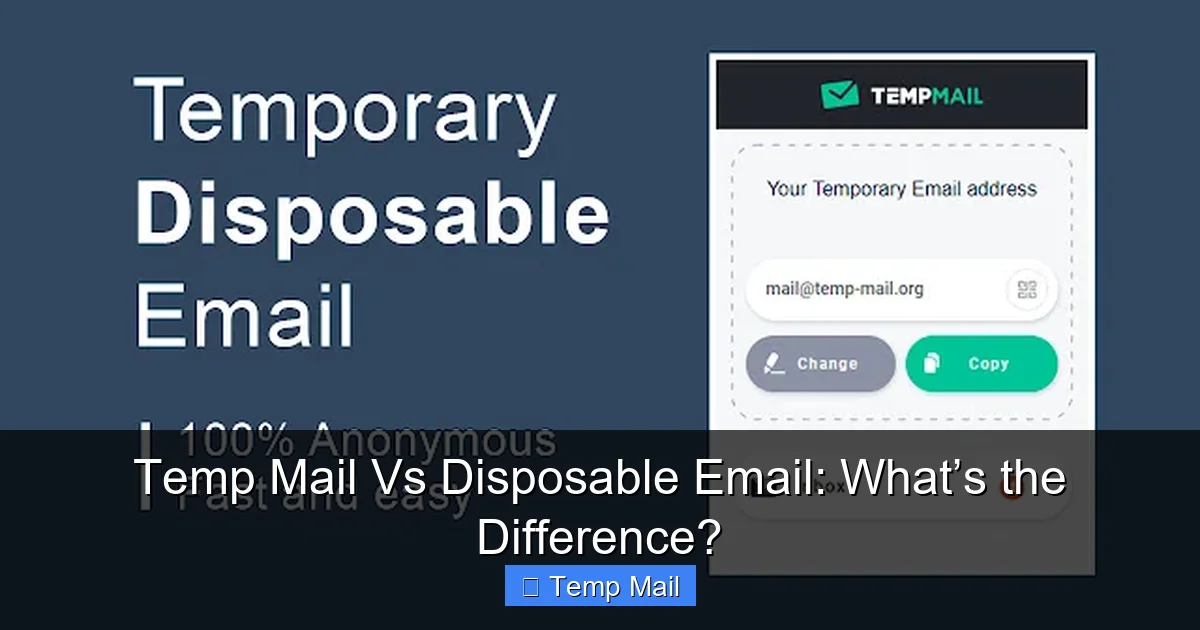
Temp mail and disposable email are often used interchangeably, but they have distinct differences in lifespan, primary purpose, and underlying technology. Temp mail typically refers to services that provide a temporary inbox for privacy-focused, short-term use without registration. Disposable email often implies a single-use address designed specifically to avoid spam when signing up for untrusted sites. Understanding these nuances helps you choose the right tool for protecting your primary inbox, maintaining anonymity, or bypassing registration walls safely and effectively.
Key Takeaways
- Understanding Temp Mail vs Disposable Email: What’s the Difference?: Provides essential knowledge
📑 Table of Contents
- Temp Mail vs Disposable Email: Unpacking the Confusion
- What is Temp Mail? The Privacy-Focused Powerhouse
- What is Disposable Email? The Spam-Fighting Specialist
- Key Differences: Lifespan, Purpose, and Practicality
- When to Use Which: A Practical Guide
- The Critical Caveats: What Neither Service Solves
- Conclusion: Choosing Your Temporary Email Strategy
Temp Mail vs Disposable Email: Unpacking the Confusion
You’re about to sign up for a new online forum, download a whitepaper, or access a gated article. You don’t want your primary inbox flooded with newsletters or potential spam. The solution? A temporary email address. But when you start searching, you see terms like “temp mail,” “disposable email,” “throwaway email,” and “10-minute mail.” Are they all the same thing?
In everyday conversation, these terms are used interchangeably, and for good reason—they serve the same fundamental goal: providing a short-lived email address to protect your real one. However, there are subtle but important differences in their typical implementation, intended lifespan, and primary use case. Understanding temp mail vs disposable email isn’t just semantics; it’s about choosing the right tool for the job to maximize your privacy and convenience without hitting frustrating roadblocks. This guide will clear up the confusion, diving deep into the mechanics, purposes, and practical applications of each.
What is Temp Mail? The Privacy-Focused Powerhouse
Defining the Temp Mail Experience
“Temp mail” is a broad category referring to services that provide a temporary, anonymous email inbox. The “temp” stands for temporary. The key characteristic is immediacy and anonymity. You visit a website like Temp-Mail.org, Guerrilla Mail, or 10MinuteMail, and a random email address is generated for you instantly. There’s no sign-up, no password, no personal information required. You use that address to receive a verification link or a file, check the inbox on the same tab, and then close it. The address and all its messages typically expire after a set period—often 1 hour, 10 minutes, or 1 day—or when you close the browser session.
Visual guide about Temp Mail Vs Disposable Email: What’s the Difference?
Image source: temp-mail.eu.com
The Primary Purpose: Anonymous Interaction
The driving force behind temp mail is privacy and anonymity. It’s designed for situations where you need to interact with a website or service but have zero desire to establish any lasting identity or relationship with them. You are not “creating an account” in the traditional sense; you are borrowing a digital mailbox for a few minutes. This makes it ideal for:
- Bypassing mandatory registration: Reading an article that demands an email sign-up.
- Anonymous forum posting: Participating in a discussion where you don’t want your real email tied to your username.
- Quick verification: Accessing a beta test, a limited-time offer, or a software download that requires email confirmation.
- Privacy-sensitive research: Looking into topics you don’t want associated with your identity, even by a data broker.
Because there is no account recovery, no password, and often no persistent data storage on the service provider’s side (many claim to delete everything upon expiration), the privacy promise is strong. You are a ghost in the machine.
What is Disposable Email? The Spam-Fighting Specialist
Defining Disposable Email
“Disposable email” is a subset of temporary email services, but with a slightly different connotation. It emphasizes the “use once and discard” philosophy. While many temp mail services work this way, disposable email is often associated with two specific models:
Visual guide about Temp Mail Vs Disposable Email: What’s the Difference?
Image source: atempmail.com
- Alias-based Services: Services like SimpleLogin, AnonAddy, or Firefox Relay. These are not truly “temporary” in the short-term sense. You create a permanent, free account with a reputable provider (often using your real email for login). Within that account, you can generate hundreds of unique, disposable aliases (e.g., newsletter-xyz@sl.email). Each alias forwards mail to your real inbox. You can delete the alias at any time with one click, instantly stopping all future mail from that sender. The alias itself is “disposable.”
- Single-Use Domain Services: Some providers offer domains specifically for one-time use (e.g., @mailinator.com has been famous for this). You pick a random address like abc123@mailinator.com. Anyone who knows that address can see the inbox. It’s public. You use it for a single sign-up, get your email, and never look back. The next person might use the same address an hour later.
The Primary Purpose: Spam Containment
The heart of disposable email is fighting spam and clutter. The alias-based model is particularly powerful for this. Instead of giving your real email to “OnlineDealsRUs,” you give them onlinedealsrus@youralias.com. When they sell your address or you no longer want their emails, you simply disable or delete that specific alias. Your main inbox remains pristine. The public domain model (like the classic Mailinator) is about getting a quick verification code without any expectation of privacy for that specific address, as it’s inherently public.
Key Differences: Lifespan, Purpose, and Practicality
1. Intended Lifespan & Control
This is the most significant differentiator.
- Temp Mail: Lifespan is controlled by the service and is usually very short (10 minutes to 24 hours). The clock starts ticking as soon as the address is generated. You have minimal control; you can’t extend it. It’s a burn-after-reading scenario.
- Disposable Email (Alias Model): The alias exists as long as you keep it. You have full control to delete it after one email or keep it for months for a recurring service. The “disposability” is at your discretion.
- Disposable Email (Public Domain): Lifespan is undefined but practically useless after the first use. The address is a public resource; anyone can check the inbox at any time.
2. Privacy vs. Spam-Fighting: The Core Intent
Think of it this way:
- Temp Mail asks: “How can I interact with this site without them knowing who I am?”
- Disposable Email (Alias) asks: “How can I give this site an email they can contact me at, but that I can completely sever later without affecting my other emails?”
The alias model brilliantly solves the “I need to receive a receipt or password reset from this one service, but I don’t want it forever” problem, which pure temp mail often fails at because the inbox vanishes before you might need a future email from that sender.
3. Security and Data Handling
Reputable temp mail services often have strict no-logs policies because they have no user accounts to log. However, the inbox is usually accessible to anyone who has the random URL, presenting a risk if you use it for anything sensitive. The public domain model is the least private.
Disposable alias services (like SimpleLogin) are more secure. They require a login to your main account to manage aliases. The alias inbox is not public; mail is forwarded securely to your real inbox. The provider has a business model based on trust and privacy, often being open-source and audited.
4. Reliability and Website Detection
This is a huge practical difference. Thousands of websites maintain blocklists of domains from popular temp mail services (like 10minutemail.com, temp-mail.org). If you try to sign up with one of these, the site will often reject it outright, saying “Please provide a valid email address.”
- Temp Mail domains are almost universally blocked because they are synonymous with fraud and spam.
- Disposable alias domains (e.g., @relay.firefox.com, @sl.email) are often not on these blocklists because they are tied to a legitimate forwarding service with a user base. This makes them far more reliable for actually completing a sign-up process.
When to Use Which: A Practical Guide
Scenario 1: “I just need to read this one article.”
Tool: A classic temp mail service (10-minute mail). You generate an address, paste it, refresh the inbox page, click the link, read the article, and close the tab. Perfect. No need for the address again.
Scenario 2: “I want to sign up for this forum but stay completely anonymous.”
Tool: A temp mail service with a longer lifespan (1-day temp mail). You create a username/password on the forum with the temp address. You can log in and post for a day. When the inbox expires, the account is dead. You have no recoverable link to your real identity.
Scenario 3: “I need to download this software manual and maybe get a newsletter update later.”
Tool: A disposable alias (from SimpleLogin, Firefox Relay, etc.). Create an alias like softwaremanual@youralias.com. Use it. You’ll receive the download link and any future newsletters in your main inbox. A month later, if the newsletter becomes spammy, you delete the alias. Done. Your main email is untouched.
Scenario 4: “This e-commerce site requires an email to see the discount code.”
Tool: A disposable alias is best. You want the code now, and you might want to receive the discount code email later if you forget it. An alias forwards it to you. Using a 10-minute temp mail might expire before you check out.
Scenario 5: “I’m testing a website’s sign-up flow for a client.”
Tool: A temp mail service. You need multiple, unique, anonymous addresses quickly to test registration, password resets, etc. You don’t need to keep the emails. Short-lived temp mail is efficient.
Scenario 6: “I’m concerned about data brokers and want to minimize my email footprint everywhere.”
Tool: A comprehensive disposable alias strategy. Use a unique alias for every single online account, newsletter, and shopping site. This is the gold standard for controlling your email-based identity and preventing cross-site tracking via your email address.
The Critical Caveats: What Neither Service Solves
It’s vital to understand the limitations of both temp mail and disposable email.
Account Recovery is Impossible
If you use either for an account you care about (even a little), and you forget your password, you are locked out forever. There is no “forgot password” link that will reach you because the mailbox is gone or the alias is deleted. Never use these for primary social media, banking, cloud storage, or any service where you might need to recover access.
They are Not Invisible to the Service You’re Using
The website you’re signing up for knows you used a temporary/disposable address. They see the domain. This can be a red flag for fraud detection systems. While it’s fine for benign uses, it might limit your ability to do certain actions (like make a high-value purchase) on some platforms.
Legal and Terms of Service Violations
Using a temp/disposable email often violates a website’s Terms of Service. They can ban the associated account without warning. It’s a gray area—you’re not breaking laws, but you’re breaking their rules. Use it accordingly.
They Don’t Make You “Hacker-Proof”
If you engage in risky behavior (downloading shady files, visiting malicious sites), a temporary email doesn’t protect your device or real identity from other vectors of attack. It only protects your email address from being harvested in a breach.
Conclusion: Choosing Your Temporary Email Strategy
The debate of temp mail vs disposable email really boils down to a spectrum of temporariness and control. On one end, you have the wild, public, ultra-short-lived temp mail address—perfect for a quick, anonymous, one-off task with no expectation of future communication. On the other end, you have the managed, private, user-controlled disposable alias—a sophisticated tool for managing your long-term email reputation and fighting spam without sacrificing the ability to receive necessary communications.
For the casual user just wanting to bypass a single sign-up form, a quick visit to a 10-minute temp mail site is perfectly adequate. For anyone seriously concerned about digital privacy, data minimization, and inbox hygiene, investing time in setting up a disposable alias service (many have generous free tiers) is the superior, more sustainable, and more reliable approach. The best practice? Use disposable aliases for any service you might reasonably want to hear from (even once), and reserve classic temp mail for truly anonymous, fire-and-forget interactions where you will never need the sent email again. By matching your tool to your specific need, you keep your primary inbox clean, your identity more private, and your online experience less cluttered.
Frequently Asked Questions
Is using temp mail or disposable email illegal?
No, using these services is not illegal. However, it often violates the Terms of Service of the website you are using it on, which can result in a banned account. It is a breach of contract with the site, not a law.
Can websites detect if I’m using a disposable email?
Yes, absolutely. Websites maintain blocklists of domains from known temp and disposable email providers. If you use an address from one of these blocked domains, the site will usually reject it during sign-up, stating the email is invalid.
What’s the safest option for privacy: temp mail or disposable aliases?
A reputable disposable alias service (like SimpleLogin or Firefox Relay) is generally safer for privacy. They use secure forwarding, require a login to manage aliases, and don’t make your inbox publicly accessible. Classic temp mail inboxes are often public via a shared URL, posing a privacy risk if someone else discovers the address.
Can I use a disposable alias for important accounts like banking?
Absolutely not. You should never use any temporary or disposable email for critical accounts where you need account recovery, security alerts, or official statements. If you lose access to the alias or it expires, you will be permanently locked out of your bank account.
Do disposable email services keep logs of my activity?
It depends on the provider’s privacy policy. Reputable disposable alias providers state they keep minimal logs and do not link aliases to your real identity in their systems. Classic temp mail services may keep logs for a very short period but typically purge everything quickly. Always check the privacy policy if anonymity is critical.
Will my emails get delivered if I use a disposable address?
Yes, delivery is usually reliable with disposable alias services because their domains are not typically on spam blocklists. With classic temp mail domains (like @10minutemail.com), delivery is also reliable, but the website you’re signing up for may reject the domain before you even submit it, preventing the email from being sent at all.
Leave a Reply