Category: Temp Mail

  • How Disposable Emails Work

    How Disposable Emails Work

    Disposable emails are temporary, anonymous email addresses designed for short-term use. They work by generating a random inbox that automatically deletes itself after a set time or use limit, shielding your primary email from spam, data breaches, and unwanted tracking. These services are perfect for signing up to websites, downloading files, or verifying accounts where you don’t want to share your real contact information. They provide a simple, effective layer of digital privacy for everyday online interactions.

    You’re about to download a fantastic, free e-book that promises to revolutionize your workflow. The landing page looks professional, the author is credible, and you really want the content. There’s just one tiny, frustrating hurdle: a form demanding your email address. You hesitate. Your primary inbox is already a chaotic battlefield of promotional blasts, newsletter overload, and the occasional phishing attempt. What if this is just another tactic to flood your space with unwanted mail? What if your email gets sold to a third-party list you never heard of? This is the universal modern dilemma: the cost of “free” is often your contact information. But what if you could say “yes” to the download and “no” to the spam? Enter the world of disposable email—a simple, powerful tool for reclaiming your digital privacy. This guide will unpack exactly how these temporary inboxes function, why they’re so effective, and how you can use them wisely.

    Think of a disposable email service as a digital burner phone. Just as you might get a cheap, prepaid phone for a temporary need and then discard it, a disposable email gives you a throwaway address for a specific online interaction. It’s not meant for long-term correspondence or accessing critical services. Its sole purpose is to act as a shield, intercepting the digital debris that comes with participating in the modern web. The magic lies in its simplicity and its automatic cleanup. You don’t have to remember to delete anything; the system handles the sanitization for you. In the following sections, we’ll peel back the layers on this technology, from the moment you request an address to the second it vanishes into the digital ether.

    Key Takeaways

    • Core Concept: A disposable email is a temporary, randomly generated inbox that self-destructs after a short period (e.g., 10 minutes to 24 hours) or a limited number of messages.
    • Mechanism: You visit a temp mail site, get a random address, use it publicly, and check the inbox on the provider’s site. No password or personal info is typically required.
    • Primary Benefit: It creates a protective barrier, preventing spam, marketing emails, and potential data leaks from reaching your permanent, personal email account.
    • Ideal Use Cases: Signing up for newsletters, forum registrations, downloading gated content (e-books, whitepapers), and verifying accounts for non-critical services.
    • Key Limitation: They are not for important accounts (banking, social media, primary cloud storage) as the inbox and its contents vanish permanently.
    • Privacy Trade-off: While they hide your real email, the disposable provider *can* see any emails sent to that temporary address, so don’t use them for highly sensitive information.
    • Best Practice: Use a reputable provider, never use them for password recovery on important accounts, and assume any data entered while using the temp email could be linked to that temporary address.

    What Exactly Is a Disposable Email?

    At its heart, a disposable email (also called a temp mail, throwaway email, or fake email) is a service that provides users with a temporary email address and associated inbox. The defining characteristics are anonymity and ephemeral nature. Unlike creating an account with Gmail, Outlook, or ProtonMail, you typically do not need to provide any personally identifiable information to get a disposable address. The email address itself is usually a long, random string of characters (like a7b9c3@domain.temp) generated by the service’s system.

    The “disposable” part is enforced automatically. These inboxes have a built-in expiration timer. Some services delete the inbox after 10 minutes of inactivity, others after 1 hour, and some offer a 24-hour window. Many will also destroy the inbox once it receives a certain number of messages (e.g., after 3 emails). Once the timer hits zero or the message limit is reached, the address and all its contents are permanently purged from the server. Attempting to access it later will result in a “not found” or “expired” message. This design philosophy ensures the address can’t be reused to target you later and that your temporary digital footprint is wiped clean.

    The Architecture of Anonymity

    The technical setup behind a disposable email service is surprisingly straightforward, which is part of why so many free providers exist. It relies on a few key components working in tandem:

    • Random Address Generator: The core engine creates unique email addresses on the fly. It combines random strings (letters, numbers) with the service’s domain name (e.g., @tempmail.demo, @10minutemail.com).
    • Catch-All Mail Server: The service’s mail server is configured to accept emails sent to *any* address at its domain. It doesn’t need to pre-create individual mailboxes. When an email arrives for xyz123@service.com, the server catches it.
    • Inbox Mapping Database: A temporary database links the randomly generated address (like xyz123) to the specific browser session or IP address that requested it. This is how the service knows which inbox to show you when you revisit the site.
    • Automatic Purge System: A cron job (scheduled task) constantly scans the database for expired inboxes based on time or message count and deletes their entries and associated emails from the server.

    Because no account is created, there’s no password reset, no profile, and no stored user data linking the address back to you personally. The connection exists only in your current browser session, often stored in a temporary cookie or local storage.

    The Step-by-Step Mechanics: From Click to Cleanup

    Understanding the user journey clarifies the entire process. Let’s walk through a typical scenario where you use a disposable email to sign up for a webinar.
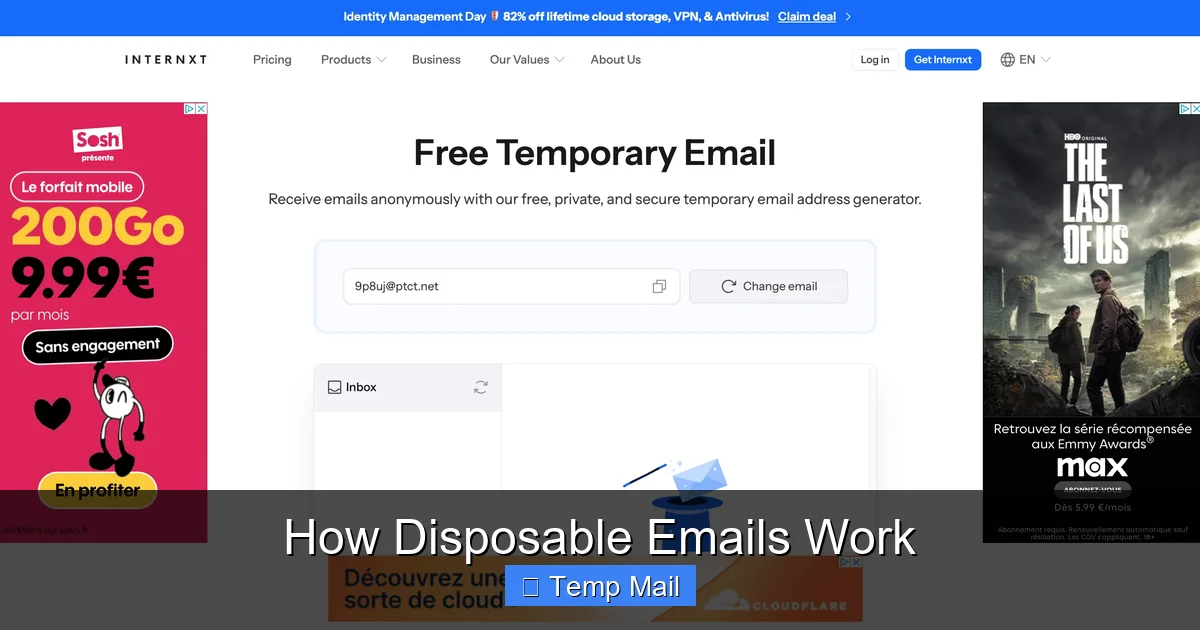
    How Disposable Emails Work

    Visual guide about How Disposable Emails Work

    Image source: funkyspacemonkey.com

    Step 1: Generation & Assignment

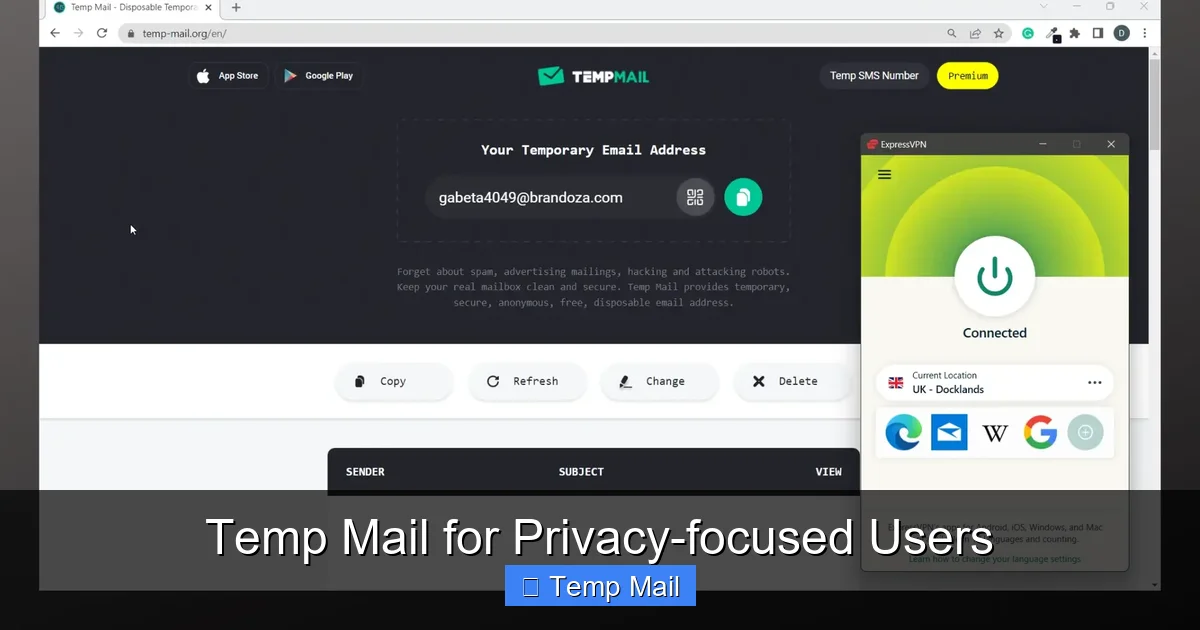
    You navigate to a site like Temp-Mail.org. The moment the page loads, the backend system springs into action. It generates a completely random email address, for example, w7k4p2@temp-mail.io. It then creates a unique session identifier and stores this pair (the address and the session ID) in its temporary database, along with a timestamp. This entire process takes milliseconds. The newly minted address is displayed prominently on your screen. You copy it.

    Step 2: Public Use

    You paste w7k4p2@temp-mail.io into the webinar registration form and submit it. The webinar platform sends a confirmation email to that address. That email travels through the standard internet mail routes and lands in the catch-all server of temp-mail.io. The server receives it, sees the recipient is w7k4p2, looks up the corresponding session in its database, and deposits the email into that specific inbox queue.

    Step 3: Retrieval

    You switch back to your temp mail browser tab (or refresh it). The site reads your session cookie, queries its database for the address linked to your session, and fetches all emails waiting in that inbox. The confirmation email from the webinar platform appears in your list. You can open it, read it, and click any links within it—all within the confines of the temp mail provider’s interface. The webinar platform has no idea you’re using a disposable address; from its perspective, it sent an email to a valid, active mailbox.

    Step 4: Automatic Expiration & Purge

    The clock is ticking. The temp mail service’s system noted the creation time of w7k4p2. If the service has a 1-hour policy, 60 minutes after generation, a scheduled cleanup task will find this address in the database. It will delete the database entry and all stored email data for w7k4p2 from the mail server. The address is now gone forever. If you try to access the inbox later, the service won’t find the session and will generate a *new* random address for you. The webinar’s confirmation email, and the fact you ever used that address, is erased from the service’s side.

    This entire lifecycle is automated, requires zero user maintenance, and leaves no persistent credentials behind. It’s privacy through transience.

    Core Benefits: Why Use a Disposable Email?

    The appeal of disposable emails isn’t just about avoiding a cluttered inbox; it’s a fundamental tool for digital hygiene and security. The benefits cascade from that single act of separating your primary identity from low-stakes online activities.
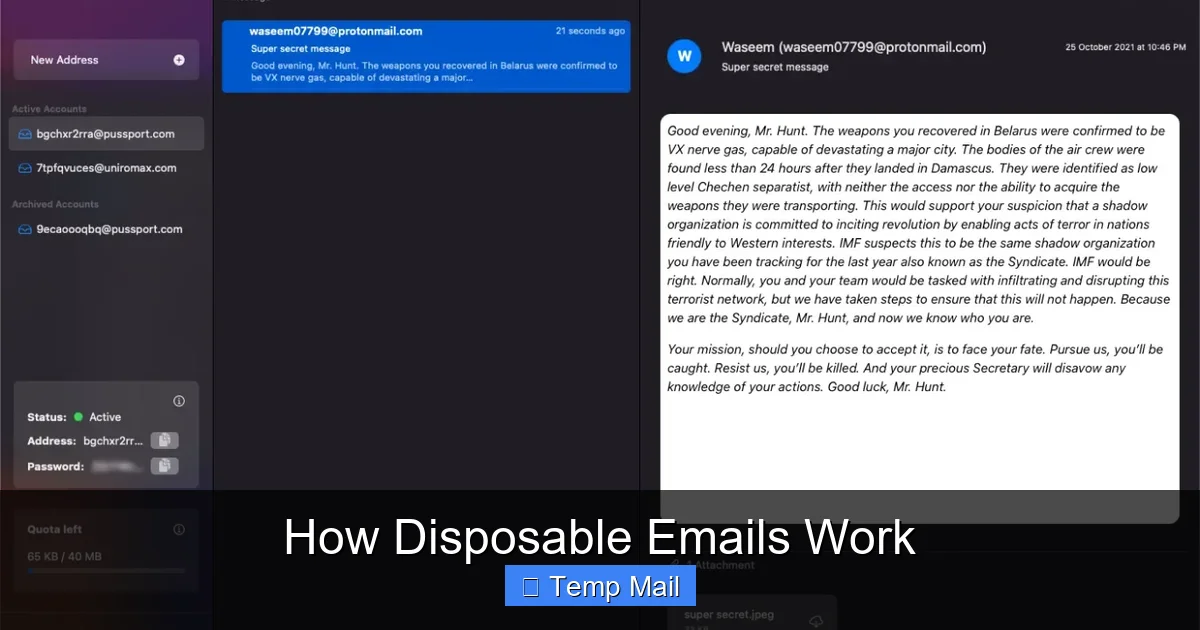
    How Disposable Emails Work

    Visual guide about How Disposable Emails Work

    Image source: funkyspacemonkey.com

    1. Spam and Junk Email Mitigation

    This is the most obvious and valuable benefit. When you use your permanent email for every free download, forum sign-up, or contest entry, you are effectively handing out your digital home address to anyone who asks. Many websites, even reputable ones, have weak data security or share email lists with advertising partners. Your address gets sold, traded, and harvested. Disposable emails intercept this flood. All the promotional newsletters, “special offers,” and unsolicited emails get sent to the temporary address, which self-destructs before the spam can even reach your primary inbox. Your important, personal, and work emails remain pristine and easy to manage.

    2. Enhanced Privacy and Anonymity

    Every website you register with collects data. Your email address is a primary key that can link your activity across different sites, building a profile of your interests, location (via IP logs), and behavior. Using a disposable email breaks this link chain. It’s much harder for a data broker to connect your activity on Site A (using temp mail) with your activity on Site B (using a different temp mail) or your real identity. It provides a layer of anonymity for browsing, research, or any activity where you don’t want to establish a persistent online identity.

    3. Protection from Data Breaches

    Data breaches are a matter of “when,” not “if.” When a company you signed up with suffers a breach, hackers often steal user databases, which include email addresses. These breached email lists are then used for phishing attacks, credential stuffing (trying common passwords on other sites), or sold on the dark web. If you used a disposable email for that breached service, the compromised address is already expired and useless to attackers. Your precious, permanent email—and the other accounts linked to it—remain safe from that particular breach’s fallout.

    4. Simplified Testing and Development

    For software testers, developers, and QA professionals, disposable emails are indispensable. They need to test email verification flows, password reset mechanisms, and notification systems. Creating hundreds of real email accounts is impractical. Temp mail services allow testers to generate a new, unique inbox for each test case, verify the system sends the correct email, and then discard the address. It streamlines the entire testing lifecycle.

    5. Bypassing Unnecessary Gatekeeping

    Many websites gate valuable content (research papers, software trials, design templates) behind an email form. Often, the content is freely available elsewhere or the site just wants to build its mailing list. Using a disposable email allows you to access the resource you need without committing to a long-term marketing relationship you don’t want. It’s a way to politely say “I’ll take the content, but not the newsletter” to websites that force the two to be linked.

    Common Use Cases: When to Reach for a Temp Mail

    Knowing the benefits is one thing; knowing exactly when to use them is the key to effective practice. Here are the most common and appropriate scenarios.

    Accessing Gated Content

    This is the #1 use case. You want an e-book, a webinar recording, a industry report, or a software trial. The form asks for an email. Use a disposable address. You get the download link, and you never hear from them again (because the address expires). It’s a clean, one-time transaction.

    Registering for One-Time Events or Forums

    Signing up for a single online event, a workshop, or a community forum you might only visit once? Use temp mail. You get the registration confirmation and any event details, but you won’t be subjected to a lifetime of forum digest emails or event promotions for similar, future webinars you have no interest in.

    Testing Online Services

    Want to try a new SaaS tool’s free tier without the sales team immediately calling you? Use a disposable email for the trial sign-up. You can test the product’s core features without your contact info entering their CRM pipeline. Similarly, if you’re testing an app that requires email verification, a temp inbox is perfect.

    Downloading from Less-Trusted Sources

    You’re on a blog or file-sharing site you’re unfamiliar with. It promises a useful plugin or template, but the site’s design is questionable, and you suspect the primary goal is harvesting emails. A disposable email lets you proceed cautiously. If the download link is legitimate, you get your file. If the site immediately starts spamming the inbox, you know to avoid it—and the inbox will die soon anyway.

    Creating Accounts for “Burner” Purposes

    Sometimes you need an account for a very specific, temporary purpose. Examples include: a social media account to follow a single event or trend, a gaming account to try a game before committing, or a profile on a classifieds site to make a single post. A disposable email facilitates this without tying the activity to your main identity.

    Critical Limitations and Risks: What Disposable Emails Can’t Do

    Disposable emails are powerful, but they are not a magic bullet for all privacy concerns. Understanding their limitations is crucial to using them safely and effectively. Misusing them can lead to real problems.

    1. Not for Important, Long-Term Accounts

    This is the golden rule. Never, ever use a disposable email for any service where account recovery is critical. This includes:

    • Banking, financial services (PayPal, Venmo, crypto exchanges)
    • Primary email accounts (Gmail, Outlook, iCloud)
    • Cloud storage (Dropbox, Google Drive, iCloud)
    • Social media profiles you want to keep (Facebook, Twitter, Instagram, LinkedIn)
    • Any subscription service with recurring billing (Netflix, Spotify, software licenses)
    • Government or healthcare portals

    Why? If you forget your password or need to reset it, the recovery email will be the disposable address—which is already gone. You will be permanently locked out of the account, often with no way to recover it. You could lose money, data, or access to essential services.

    2. The Provider Sees Your Emails

    While the *website you signed up with* doesn’t know your real email, the disposable email provider has full access to all emails sent to that temporary address. You are placing trust in that provider not to log, read, or misuse the content of those emails. For casual sign-ups and newsletters, this risk is minimal. But you should never use a disposable email to receive:

    • Password reset links for important accounts (see above).
    • Medical records, financial statements, or legal documents.
    • Any communication containing highly sensitive personal data (SSN, credit card numbers, confidential contracts).
    • Private communications you expect to be encrypted end-to-end.

    Assume anything sent to a temp mail inbox could be read by the service provider.

    3. Many Sites Actively Block Them

    Disposable email domains are well-known. Many websites, especially those dealing with finance, security, or high-value transactions, maintain real-time blocklists of known temp mail domains. They check the domain part of the email address during registration. If it matches a blocklist (e.g., @mailinator.com, @10minutemail.com), the sign-up is rejected. You’ll get an error like “Please use a valid corporate or personal email address.” This is a security measure for them, but it can be a hurdle for legitimate, low-stakes use. You may need to try a less common temp mail provider if your first choice is blocked.

    The inbox is temporary. If you receive an email with a crucial link or code and accidentally close the tab before copying it, that information is likely lost forever once the session expires or the inbox purges. There is no “search your archive” because there is no archive. You must be attentive and extract any needed information immediately upon receipt.

    5. Potential for Abuse and Blacklisting

    Because they are anonymous, disposable emails are frequently used for malicious purposes: creating spam accounts, signing up for services with fake identities, or bypassing bans. As a result, emails sent from some disposable domains can have poor sender reputation. If a website you’re trying to register with uses email verification, their system might flag the confirmation email as spam or reject it outright because it originates from a known “disposable” domain. While this usually affects the *sending* side (the website sending *to* you), it can occasionally cause delivery issues.

    Best Practices for Safe and Effective Use

    To get the most out of disposable emails while avoiding pitfalls, follow these practical guidelines.

    Choose Your Provider Wisely

    Not all temp mail services are created equal. Look for these features:

    • No Registration Required: The best ones work instantly from the homepage.
    • Clear Expiration Policy: The site should state clearly how long inboxes last (e.g., “Emails are stored for 1 hour”).
    • HTTPS Encryption: Ensure the site uses HTTPS to protect the session and the emails you view from eavesdropping.
    • Domain Variety: Some providers offer multiple domain choices (e.g., @tmpmail.org, @tmpmail.net). If one domain is blocked on a site, try another.
    • Ad Load: Free providers are ad-supported. Expect pop-ups and banners. Be careful not to click misleading ads that look like “download” or “continue” buttons. A reputable provider will have clear ad placements.

    Do a quick search for “best disposable email 2024” to see current community recommendations, as provider popularity and reliability can change.

    Use a Dedicated Browser or Profile

    For an extra layer of separation, use a different browser (e.g., Firefox if you normally use Chrome) or a dedicated browser profile/incognito window for your disposable email activities. This prevents any cookies or local storage from your temp mail session from mixing with your main browsing data. It’s a simple step that reinforces the “burner” concept.

    Never Mix and Match

    Do not use a disposable email to sign up for a service and then later try to log in with it using your main browser where you’re logged into personal accounts. The session might not carry over. If you need to access a service again, realize the disposable address may have expired. For any service you might return to, use your real email from the start, or accept that you may lose access when the temp address dies.

    Extract and Securely Store Critical Info Immediately

    As soon as you get a confirmation email with a link, a discount code, or a license key, copy it and paste it into a secure note (like a password manager or an encrypted document) before doing anything else. Do not rely on the temporary inbox to remain accessible for later reference. Treat the inbox as a real-time message stream, not storage.

    Know When to Abandon Ship

    If a website demands more verification than you’re comfortable with even with a temp email (e.g., phone number, ID scan), it’s a sign the service may not be appropriate for a disposable address strategy, or it may simply be too high-value for your needs. It’s okay to walk away. The goal is low-friction access, not jumping through hoops.

    Use Them Proactively, Not Reactively

    The best time to use a disposable email is before you enter your primary address on a form. Make it your default reflex for any non-essential sign-up. Don’t wait until after you’ve already received spam to your main account; prevention is the entire point.

    The Future of Temporary Inboxes and Digital Privacy

    The disposable email exists because of a fundamental imbalance in the digital economy: personal data, especially email addresses, is treated as a commodity. As privacy regulations like GDPR and CCPA have given users more rights, the pressure on companies to be transparent about data use has increased. However, the practice of email harvesting for marketing remains pervasive. This ensures that tools like disposable emails will remain relevant.

    We are also seeing evolution in the space. Some providers now offer slightly longer-term “alias” features (like Apple’s “Hide My Email” or Firefox’s “Relay” service) that create unique, forwardable addresses that can be disabled on demand. These are more integrated and user-friendly but often tied to a paid ecosystem. Truly anonymous, no-strings-attached disposable emails will likely always have a place for quick, anonymous, one-off interactions where even an alias service feels like overkill.

    The broader trend is toward privacy-by-default. As user awareness grows, we may see more browsers and operating systems building in temporary communication tools. The concept of a “digital shadow” is becoming widely understood, and disposable emails are a simple, effective first line of defense for anyone looking to shrink that shadow. They democratize privacy, requiring no technical skill and costing nothing.

    Conclusion: A Simple Tool for a Complex Problem

    Disposable emails work on a beautifully simple premise: create a digital address, let it receive messages for a short time, then erase all traces. This mechanism directly counters the modern web’s tendency to treat your primary email as a permanent, monetizable identifier. They are not a tool for secrecy in clandestine activities, but rather a mundane yet powerful instrument for intentional living in the digital age. They allow you to participate in the web’s offerings—its free content, its trials, its communities—without surrendering your core communication channel to the noise.

    By understanding their mechanics, respecting their limitations, and applying the best practices outlined here, you can seamlessly integrate disposable emails into your digital routine. Use them for the gated e-book, the one-off forum, the trial software. Keep your permanent email for your bank, your family, your real friends, and the services you truly trust. In doing so, you take back control. You transform your primary inbox from a spam-ridden wasteland back into a functional, trusted space. That’s not just convenience; that’s a fundamental act of digital self-care. The next time a website asks for your email, you’ll have a clear, confident answer—and a temporary address ready to give.

    Frequently Asked Questions

    Are disposable emails legal to use?

    Yes, using disposable email services is perfectly legal in most jurisdictions. They are a legitimate privacy tool. However, using them to commit fraud, evade legal obligations, or send malicious content is illegal. The tool itself is neutral; it’s the intent behind its use that determines legality.

    Are disposable emails secure?

    Security is relative. For basic privacy from spam, they are effective. The connection to the temp mail site is usually HTTPS-encrypted. However, the provider can see all emails sent to your temporary address, and the inboxes lack the robust security (like 2FA, encryption at rest) of major providers. Do not use them for sensitive data or account recovery.

    How long do disposable emails last?

    It varies by provider. Common expiration times are 10 minutes, 1 hour, 1 day, or until a certain number of messages (e.g., 3) are received. Always check the specific service’s policy. Once expired, the address and all its emails are permanently deleted from the server.

    Can I send emails from a disposable address?

    Most disposable email services are designed for receiving emails only. They typically do not have SMTP servers configured to allow you to send outgoing mail from the temporary address. Their primary function is to receive verification links and notifications from websites you register with.

    What happens if a website I signed up with emails me important info later?

    That information will be lost. Since the disposable inbox has expired, the email will bounce or be discarded. This is why the cardinal rule is to never use a disposable email for any account where future communication is important, such as password resets, billing statements, or service updates.

    Are there any free, reliable disposable email services?

    Yes, there are many reputable free providers. Popular and generally reliable options include Temp-Mail.org, 10MinuteMail.com, and Guerrilla Mail. Their longevity depends on staying off spam blocklists, which can change. If one is blocked on a site you’re trying to register with, try another provider or a different domain from the same service.
  • Temp Mail Tools for Online Privacy

    Temp Mail Tools for Online Privacy

    Temp mail tools are your first line of defense against inbox clutter and privacy invasion online. They generate disposable email addresses that keep your personal information safe when interacting with untrusted websites. By using these tools strategically, you can significantly reduce spam, avoid phishing scams, and maintain greater control over your digital identity.

    You’re online. You need to download a free guide, sign up for a webinar, or maybe just comment on a forum. The site asks for your email. You hesitate. That little text box feels like a gateway—not just to the content you want, but to a world of spam, phishing attempts, and data brokers selling your information. What if there was a way to say “yes” to that download without handing over the keys to your digital kingdom? Enter temp mail tools for online privacy—a simple, powerful shield for your inbox and your identity.

    In today’s hyper-connected world, your email address is more than a communication tool; it’s a master key. It unlocks accounts, verifies your identity, and, often, becomes the thread that ties your entire digital footprint together. But every time you share it, you’re also giving away a piece of yourself—piece by piece, site by site. Temp mail tools offer a way to opt-out of this relentless data collection, providing a disposable alternative that keeps your primary email pristine and private. This isn’t about hiding; it’s about choosing when and where to reveal yourself.

    Key Takeaways

    • Temp mail tools create temporary, disposable email addresses that shield your primary inbox from spam and unwanted contact.
    • These tools prevent websites from collecting your real email address, reducing targeted advertising and data harvesting.
    • Common use cases include signing up for forums, downloading gated content, and verifying accounts on low-trust platforms.
    • Not all temp mail services are equal; prioritize providers with clear privacy policies, encryption, and no-log guarantees.
    • Avoid using temp mail for critical accounts like banking, primary social media, or any service requiring long-term access.
    • Combine temp mail with other privacy measures like VPNs and password managers for comprehensive online protection.
    • Be aware that some websites actively block known temp mail domains to combat spam and fraud.

    The Inbox Invasion: Why Your Email Address Matters

    Think about your primary email address. It’s probably linked to your bank, your social media, your work, and maybe even your medical records. It’s the skeleton key to your online life. Yet, we freely give it away to websites we barely trust, all for a free PDF or a quick forum access. Why is this such a big deal?

    Every email address you hand over becomes a data point. Companies use it to build profiles about you—your interests, your browsing habits, your purchasing power. Data brokers then package and sell these profiles to advertisers, insurers, and even employers. Meanwhile, spam filters battle a daily war against phishing emails designed to steal your credentials or install malware. And it all starts with that innocent-looking email field.

    Consider this: a 2023 report found that over 80% of data breaches involved compromised email addresses. Once your email is out there, it’s nearly impossible to retrieve. It circulates in databases, gets scraped by bots, and fuels targeted attacks. Your inbox isn’t just a mailbox; it’s a battleground. Protecting it isn’t paranoia—it’s a necessity for anyone who values online privacy.

    The Domino Effect of a Compromised Inbox

    When your email is leaked or sold, the consequences cascade. Spam is just the tip of the iceberg. More sinister is credential stuffing—where hackers use your email (and previously leaked passwords) to try logging into your other accounts. Because people often reuse passwords, one breach can unlock multiple services. Then there’s social engineering: scammers use your email to craft convincing messages that trick you or your contacts into sending money or sharing sensitive info.

    Even if you’re careful, your email can be exposed through no fault of your own. Companies you trusted suffer breaches. Third-party apps you authorized get hacked. Your email becomes a permanent digital tattoo. That’s why minimizing its exposure is a core principle of digital hygiene—and temp mail tools are a straightforward way to do just that.

    Demystifying Temporary Email Services

    So what exactly is a temporary email? Simply put, it’s a disposable email address that exists for a short time—usually anywhere from 10 minutes to 24 hours—and then self-destructs. You don’t need to register or provide any personal information to get one. You visit a temp mail site, an address is generated for you, and you use it to receive emails (typically only receive; sending is often limited or unavailable). Once the timer runs out, the address and all its emails vanish into the void.

    Temp Mail Tools for Online Privacy

    Visual guide about Temp Mail Tools for Online Privacy

    Image source: toolszu.com

    These services have been around since the early 2000s, but they’ve gained mainstream traction as privacy concerns have escalated. They operate on a simple model: they provide a public inbox for a randomly assigned address. Anyone can send to that address, and only the person who visited the site (or has the exact address) can view the incoming messages. There’s no password, no account recovery—just a temporary window into an inbox.

    The Anatomy of a Temp Email Address

    A typical temp email looks something like x7k9p2@temp-mail.org. The username is a random string of characters, and the domain is the service provider’s (like temp-mail.org, guerrillamail.com, or 10minutemail.com). Because the address is random and not tied to you, there’s no way for a sender to link it back to your real identity unless you explicitly share that connection elsewhere. This anonymity is the core of its privacy benefit.

    Some services offer a bit more customization, like choosing a username or extending the lifespan, but the fundamental principle remains: temporary, anonymous, and ephemeral.

    Lifespan and Auto-Deletion

    The lifespan varies by provider. Some give you 10 minutes (10MinuteMail), others 1 hour (Temp-Mail), and some up to 24 hours (Mailinator’s free tier). After the time expires, the address is deleted along with all stored emails. This automatic cleanup means you don’t have to remember to close accounts or unsubscribe; the service handles it for you. It’s a “set it and forget it” privacy tool.

    However, this also means you must act quickly if you’re expecting a verification email. Most services have a countdown timer displayed prominently, so you know exactly how much time you have before the inbox disappears.

    The Privacy Shield: How Temp Mail Tools Fortify Your Privacy

    Now, let’s get to the heart of it: how do these tools actually protect your online privacy? It boils down to three key mechanisms: anonymity, data minimization, and spam interception.

    First, anonymity. Since you don’t provide any personal details to get a temp address, there’s no direct link between that address and your real identity. The service provider doesn’t know (or care) who you are. Even if they wanted to trace it, there’s no account linking back to you. This breaks the chain of data collection that starts with your email.

    Second, data minimization. By using a disposable address, you’re only giving away a throwaway identifier, not your primary email. Websites can still send emails to that temp address, but those emails don’t end up in your personal inbox. Once the temp address expires, any future marketing emails sent to it bounce, effectively stopping the spam at the source.

    Third, spam interception. Because temp mail addresses are public and shared among many users, they often become targets for spam themselves. But that spam is confined to the temporary inbox, which you’ll abandon after a short time. It’s like a sacrificial decoy that absorbs the spam impact, sparing your real inbox.

    Blocking Trackers and Data Brokers

    Many websites embed invisible trackers in their sign-up forms. These trackers capture not just your email, but also your IP address, browser fingerprint, and sometimes even cross-reference it with other data you’ve provided elsewhere. When you use a temp email, you’re feeding them a dead end. The email address itself is meaningless and can’t be tied to your other online activities. Over time, this reduces the accuracy of the profiles data brokers build about you, making their data less valuable and giving you a small but meaningful victory in the privacy war.

    Mitigating Phishing and Social Engineering

    Phishing emails often rely on familiarity—they appear to come from a service you use, using your real email as the target. If your primary email is flooded with phishing attempts, it’s easy to miss a legitimate security alert from your bank. By using temp mail for low-stakes sign-ups, you keep your primary inbox cleaner, making genuine security communications stand out. Additionally, if a temp address is used in a phishing campaign (e.g., a fake login page that emails credentials to a temp address), you’re not affected because you never check that inbox after it expires.

    Top Contenders in the Temp Mail Arena

    Not all temp mail services are created equal. Some prioritize speed, others privacy, and some offer extra features. Here’s a look at some popular options and what sets them apart.

    Guerrilla Mail

    One of the oldest and most recognized, Guerrilla Mail offers a simple interface with a random address that lasts for 1 hour. You can even choose your own username if the random one isn’t to your liking. It supports attachments (up to 10MB) and has a Chrome extension for quick access. However, it’s ad-supported and doesn’t use HTTPS by default on the free version (though you can enable it). For basic, quick tasks, it’s reliable.

    Temp-Mail.org

    Temp-Mail.org stands out with its user-friendly design and longer 1-hour lifespan. It offers a browser extension and mobile apps for iOS and Android. A key feature is the ability to generate multiple addresses simultaneously and a clear display of the countdown timer. It uses HTTPS and claims not to store emails after deletion. It’s a solid all-around choice for most users.

    10MinuteMail

    As the name suggests, this service gives you a 10-minute window. It’s bare-bones and fast—no frills, just an address and a timer. It’s ideal for when you need a verification email immediately and don’t want to linger. Because of the short lifespan, it’s less likely to be used for long-term spam accumulation. However, if the verification email takes more than 10 minutes to arrive, you’re out of luck.

    Mailinator

    Mailinator is a bit different. It’s a public inbox service—any address you think of at the @mailinator.com domain is publicly accessible by anyone who knows it. This makes it great for quick, non-private checks (like testing email delivery), but terrible for anything sensitive because anyone can view the inbox. It offers a paid tier with private inboxes and longer retention. Use Mailinator only for truly public, non-sensitive purposes.

    Dispostable / ThrowAwayMail

    These services focus on simplicity and speed. Dispostable lets you create an address by typing a desired name before the @, and it lasts for a few hours. ThrowAwayMail gives you a random address for 48 hours. They’re straightforward and ad-light, making them good for hassle-free usage.

    Free vs. Paid Services: Is Upgrading Worth It?

    Most temp mail tools are free, but some offer premium plans. Paid versions often provide: custom domains, longer lifespans (up to a month), ad-free interfaces, increased attachment limits, and sometimes even the ability to send emails (rare). For casual use, free is plenty. If you’re a developer testing email flows or need a more robust solution, a paid plan might be worth it. But for everyday privacy, the free tools are more than sufficient.

    Practical Applications for Everyday Users

    Knowing the theory is one thing; using temp mail in real life is where it shines. Here are common scenarios where a disposable email is not just helpful, but a smart privacy move.

    The Download Dilemma: Gated Content

    How many times have you wanted a free ebook, template, or software trial, only to be hit with a form demanding your email? Often, these leads are sold to marketing firms, and your inbox gets flooded. Use a temp mail instead. You get the download link (most sites email it instantly), and you avoid the subsequent spam. Pro tip: if the download doesn’t arrive within the temp inbox’s lifespan, try a service with a longer timer or use a different temp address.

    Forum and Community Registrations

    Want to ask a question on a niche forum or join a hobbyist group? Many forums require email verification. But not all forums have strong privacy policies. Using a temp mail keeps your real email out of their database, reducing the risk of that forum being hacked and your email leaking. It also prevents the forum from sending you newsletters or promotional emails you never wanted.

    App and Service Trials

    Signing up for a free trial of a SaaS tool? They’ll often ask for a credit card and an email. Use a temp mail for the email part. Just remember: if you actually want to continue the service after the trial, you’ll need to switch to a real email later. But for a quick test drive, temp mail is perfect. It also stops the trial-over email spam that says “Your trial is ending!” and tries to upsell you.

    Avoiding Newsletter Overload

    Sometimes you genuinely want to read a company’s newsletter, but you don’t want it cluttering your primary inbox. Use a temp mail. Subscribe with the disposable address. When you’re done reading, you don’t have to unsubscribe—just let the address expire. The newsletter will bounce next time they send. This is especially useful for one-time promotions or event sign-ups.

    Online Gaming and Beta Access

    Gaming companies often run beta tests that require email registration. These databases can be targets for hackers (gamers are a valuable demographic). Using a temp mail protects your main email from being swept up in a breach. Similarly, for early access to games or apps, a temp email keeps your gaming-related spam separate from your personal or professional emails.

    Temp mail tools are powerful, but they’re not a silver bullet. Understanding their limitations is crucial for using them safely and effectively.

    When Temp Mail Is a Bad Idea

    Never use a temp mail for:

    • Banking or financial accounts: You need reliable, long-term access to statements and alerts.
    • Primary social media profiles: Recovery emails are essential; if you lose access to the temp address, you could be locked out.
    • Job applications or professional communications: It looks unprofessional and may get your application discarded.
    • Any service where you need to reset passwords or receive critical updates.

    Temp mail is for low-stakes, one-time, or disposable interactions. If the service is important enough to keep long-term, use your real email (or a dedicated secondary email, not a temp one).

    Security Considerations: Not All Temp Mail Is Created Equal

    Because temp mail services are often free and ad-supported, some may have weaker security. Look for:

    • HTTPS encryption: Ensure the site uses SSL/TLS to protect data in transit.
    • No-log policy: Ideally, the service doesn’t store your IP address or usage data.
    • Transparent privacy policy: Read it. Do they share data with third parties? How long do they keep logs?

    Some shady temp mail sites might even intercept emails for their own gain. Stick to well-known, reputable providers like those mentioned earlier. Avoid obscure sites with lots of pop-up ads—they’re often monetizing your data.

    The “Blocked by Website” Problem

    Many websites actively block disposable email domains to prevent spam and abuse. If you try to sign up with a temp address and get an error like “Invalid email domain,” that’s why. In such cases, you have a few options: try a different temp mail provider (some domains are less commonly blocked), use a custom domain if your provider offers it, or bite the bullet and use a real secondary email. It’s a cat-and-mouse game, but most major temp mail domains are widely recognized and often blocked. Having a couple of different services in your toolkit helps.

    Best Practices for Maximum Privacy

    To get the most out of temp mail tools while staying safe, follow these best practices:

    • Use a reputable provider: Stick to the well-known ones listed above. They’re more likely to respect privacy and have reliable uptime.
    • Never use temp mail for critical accounts: This bears repeating. Your bank, primary email, and main social media should never be temp.
    • Combine with a VPN: When accessing temp mail sites, use a VPN to mask your IP address. This adds an extra layer of anonymity, especially if the temp service logs IPs (some do).
    • Clear cookies and browser data: After using a temp mail service, clear your browser cookies and cache. Some services use cookies to track sessions; clearing them severs any lingering connection.
    • Don’t reuse temp addresses: Each new sign-up should ideally use a fresh temp address. Reusing the same one defeats the purpose of compartmentalization.
    • Check the attachment policy: If you expect to receive files, ensure the temp service allows attachments and note the size limit.
    • Be mindful of the timer: Don’t use a 10-minute service if the verification email might take longer. Opt for at least 1-hour when unsure.

    The Future of Temp Mail and Online Privacy

    As data privacy regulations like GDPR and CCPA tighten, and as users become more savvy, temp mail tools are evolving. We’re seeing more integration with browsers (extensions that auto-generate temp emails), mobile apps with notifications, and even services that offer temporary phone numbers alongside emails. The line between disposable communication and comprehensive privacy suites is blurring.

    Meanwhile, websites are getting better at detecting and blocking temp emails, pushing providers to create more varied domains and smarter obfuscation techniques. It’s an ongoing arms race, but the demand for privacy-preserving tools is only growing. In the future, we might see temp mail built directly into browsers or operating systems as a standard privacy feature. For now, they remain a simple, effective tool in the privacy-conscious user’s arsenal.

    Temp mail tools for online privacy are more than just a convenience—they’re a practical defense against the relentless harvesting of your personal data. By providing a disposable shield for your primary email, they help you navigate the web with less spam, reduced tracking, and greater peace of mind. While they’re not suitable for every situation, using them wisely for low-stakes interactions can significantly shrink your digital footprint. Remember: your email address is a valuable piece of your identity. Guard it fiercely, and don’t be afraid to use a temporary stand-in when the risk isn’t worth the reward. In the battle for online privacy, every disposable inbox is a small victory.

    Frequently Asked Questions

    Is using a temporary email address legal?

    Yes, using temp mail is completely legal in most countries. These services operate within the law, providing a communication tool. However, using them to commit fraud, harassment, or illegal activities is obviously illegal. Some websites’ terms of service prohibit temp emails, so you might be banned from those sites if caught, but the act of using a disposable email itself isn’t a crime.

    Can temp mail services be traced back to me?

    Generally, no. Reputable temp mail services don’t require registration, so there’s no account linking your identity to the address. However, your IP address might be logged by the service when you visit their site. If law enforcement obtains a court order, they could request those logs. For everyday privacy against marketers and spammers, temp mail is effectively anonymous. But for high-stakes anonymity (like whistleblowing), you’d need additional tools like Tor and a VPN.

    Are temp mail tools secure against hackers?

    It depends on the provider. Look for services that use HTTPS encryption to protect data in transit. However, because temp inboxes are often public (anyone with the URL can access), they’re not designed for high-security communications. Never send sensitive data like passwords, financial info, or personal documents via a temp email. Use them only for receiving non-sensitive verifications or newsletters. For secure communication, use end-to-end encrypted email services instead.

    Why do some websites block disposable email addresses?

    Websites block temp mail domains to combat spam, fraud, and abuse. Disposable emails are often used to create fake accounts, post spam comments, or abuse free trials. By blocking known temp domains, sites aim to ensure users are real and accountable. It’s a defensive measure, but it can inconvenience privacy-conscious users. As a result, temp mail providers constantly rotate domains to stay ahead of these blocks.

    How long do temporary emails typically last?

    The lifespan varies by provider. Common durations are 10 minutes (10MinuteMail), 1 hour (Temp-Mail.org, Guerrilla Mail), 24 hours (Mailinator free tier), or even 48 hours (ThrowAwayMail). Some services let you extend the time manually, often for a fee. Always check the countdown timer on the inbox page so you know when it will expire.

    Can I send emails from a temporary address?

    Most temp mail services are receive-only; they don’t allow sending emails from the disposable address. This is by design—they’re meant for receiving verification links, not for correspondence. A few services, like Guerrilla Mail, offer limited sending capabilities (usually to the same domain or with restrictions), but it’s not a standard feature. If you need to send emails anonymously, consider using a different tool, like an anonymous webmail service with a fake name (though those often require sign-up).

  • Free Temporary Email for Fast Registrations

    Free Temporary Email for Fast Registrations

    Tired of spam clogging your main email? Free temporary email services provide a fast, private solution for one-time sign-ups. They generate disposable inboxes in seconds, letting you verify accounts on websites, apps, or forums without using your real contact info. This clever tool helps you bypass registration hurdles, avoid marketing emails, and keep your identity safe, all with zero commitment or cost.

    Ever clicked “Sign Up” for a free ebook, a game beta, or a forum discussion, only to be stopped cold by an email field? You hesitate, knowing that handing out your primary email address is like giving a stranger a key to your digital front door. The inevitable spam follows, cluttering your inbox for months. What if you could bypass that hesitation entirely? What if you could have a working email address, ready in 10 seconds, just for that one interaction, and then make it vanish? This is the powerful, simple reality of free temporary email for fast registrations. It’s not a hack; it’s a practical tool for reclaiming your online privacy and streamlining your digital life.

    In this deep dive, we’ll explore everything about disposable email services. We’ll move beyond the basic idea to examine exactly how they work, the concrete scenarios where they shine, how to pick the best provider, and the crucial best practices to use them safely and effectively. By the end, you’ll understand why this tool is becoming essential for savvy internet users and how to integrate it into your routine without a hitch.

    Key Takeaways

    • Instant Privacy Shield: A temporary email address acts as a barrier, preventing websites from accessing your primary email and personal information.
    • Spam Prevention: By using a disposable address for untrusted or one-time registrations, you keep promotional and phishing emails out of your permanent inbox forever.
    • Zero-Cost & Zero-Commitment: These services are completely free, require no sign-up, and the inbox self-destructs after a set time, leaving no trace.
    • Versatile Use Cases: Ideal for software trials, forum access, content gating (e.g., whitepapers), gaming accounts, and testing website forms.
    • Know the Limitations: Temporary emails are not for important accounts (banking, social media), password recovery, or services that explicitly block disposable email domains.
    • Choose Wisely: Not all temp mail providers are equal; consider inbox duration, domain reputation, and user interface when selecting a service.
    • Smart Practice is Key: Never use temp mail for critical communications. Always assume the inbox and its contents will vanish, and clear your browser cache after use.

    What Exactly Is a Temporary Email Service?

    At its core, a temporary email service is a platform that generates a random, public email address and a corresponding inbox for you to use, without requiring any personal information or account creation from you. Think of it as a public payphone for the digital age. Anyone can walk up, use it for a quick call, and walk away. The number (the email address) is temporary, and the next person can use a new one.

    The Anatomy of a Disposable Inbox

    When you visit a site like Temp-Mail.org, 10MinuteMail.com, or Guerrilla Mail, the service instantly creates an email address for you, often something like randomstring@domain.com. Simultaneously, it opens a web-based inbox interface on your screen. This inbox is accessible via a unique URL or by simply checking the “inbox” tab on the service’s site. Any email sent to that disposable address appears there in near real-time. There is no password. The entire system is designed for speed and ephemerality.

    Key characteristics define these services:

    • No Registration: You never create an account. The service does not ask for your name, your real email, or a password.
    • Auto-Deletion: Inboxes have a lifespan, typically ranging from 10 minutes to 48 hours. After that, the address and all contained emails are permanently deleted from the server.
    • Public Domains: They use their own pool of domains (e.g., @temp-mail.org, @guerrillamail.com). These domains are well-known to spam filters and, increasingly, to website blockers.
    • Web-Only Access: You access the inbox through the provider’s website. You generally cannot connect it to a desktop email client like Outlook or Thunderbird, though some offer browser extensions.

    The Inner Workings: How “Fast Registrations” Actually Happen

    The magic of “fast” isn’t just about the email arriving quickly. It’s about eliminating friction at every single step of the online registration process. Let’s break down the user journey with a temporary email versus a primary email.

    Free Temporary Email for Fast Registrations

    Visual guide about Free Temporary Email for Fast Registrations

    Image source: internxt.com

    The Traditional Registration Hurdle

    1. You find a resource. A “Download Now” button for a useful software trial.
    2. You click and face a form. Name, company, and crucially, email address.
    3. You hesitate. “Do I really want to give them my work email? My personal Gmail? This might spam me.”
    4. You decide. You enter your primary email, often making a mental note to create a filter later.
    5. You submit. You wait. You check your inbox. You hunt for the confirmation email, which might be in “Promotions” or “Spam.”
    6. You click the link. Finally, the resource is unlocked. But now your primary email is on their list.

    The Seamless Temporary Email Flow

    1. You find the same resource. Same “Download Now” button.
    2. You open a new browser tab. You go to your preferred temp mail site. An address is already generated. You copy it (Ctrl+C). Total time: 3 seconds.
    3. You paste it into the form. No hesitation. You submit.
    4. You switch back to the temp mail tab. You refresh the inbox. Within 5-20 seconds, the confirmation email appears. You click the verification link directly from the temp inbox.
    5. Resource unlocked. You close the temp mail tab. You forget about it. In 30 minutes, the inbox and address are gone. No spam. No trace.

    The difference is stark. The temporary email method removes the psychological barrier (“Is this worth the spam?”) and the practical friction of managing yet another subscription in your primary inbox. It turns a reluctant, cautious action into a swift, thoughtless one—hence, fast registrations.

    Top 5 Practical Use Cases Where Temp Mail Shines

    Knowing *that* you can use a temp email is one thing. Knowing *when* to use it is the key to maximizing its value. Here are the most common and effective scenarios.

    Free Temporary Email for Fast Registrations

    Visual guide about Free Temporary Email for Fast Registrations

    Image source: darksms.com

    1. Accessing Gated Content and Lead Magnets

    This is the #1 use case. Countless blogs and marketing sites offer a free PDF checklist, ebook, or webinar in exchange for your email address. Often, the content is useful, but the follow-up sales sequence is not. Using a temporary email allows you to be an ethical “free rider”—you get the content you want without entering the vendor’s marketing funnel. It’s a clean, consequence-free way to sample information.

    2. Creating Trial Accounts for Software & Services

    Want to test a premium project management tool, a design suite, or a streaming service for 14 days? They’ll require an email for the trial. Use a temp address. You get full access for the trial period. When the trial ends, you simply walk away. The service has no way to email you about the expiry or convert you to a paid plan because the address is dead. This is perfect for short-term evaluation without long-term obligation.

    3. Registering on Forums, Gaming Platforms, or Comment Sections

    Many online communities—from niche hobby forums to gaming platforms like Steam or Epic Games—require an email for account verification. Often, you just want to post once, download a mod, or join a single multiplayer session. Using your primary email for these low-trust, high-noise environments is a recipe for a compromised password (if the forum is hacked) or endless digest emails. A temp email is the perfect placeholder.

    4. Bypassing “Email Already Used” Errors on Free Services

    Ever tried to sign up for a free tier of a service (like a cloud storage plan or a productivity app) only to find the email you want is “already in use”? This often happens because you signed up years ago and forgot. Instead of recovering an ancient account or using a different primary email, a temporary address lets you instantly create a fresh, clean account with a new identity on the service.

    5. Testing Website Forms and Email Delivery

    For developers, QA testers, or website owners, temp mail is a godsend. Need to test if your site’s “Contact Us” or “Newsletter Signup” form is working? Does the confirmation email land in the inbox or spam? You can use a temporary inbox as a dummy recipient to verify the entire email delivery chain instantly and repeatedly without polluting real inboxes.

    How to Choose the Right Temporary Email Provider

    Not all temp mail services are created equal. While they all share the core disposable premise, differences in reliability, features, and usability can impact your experience. Here’s what to look for.

    Critical Features to Evaluate

    • Inbox Lifespan: How long does the inbox last? For most registrations, 30 minutes to 1 hour is sufficient. For longer trials or multi-day forum access, look for services offering 24-48 hours (e.g., MailDrop, Temp-Mail sometimes offers extensions).
    • Domain Reputation & Block Avoidance: Some websites actively block known disposable email domains. If you find a site rejecting your temp address, try a different provider. Having 2-3 go-to services (like Temp-Mail.org, 10MinuteMail.com, andmail.com) increases your chances of finding an unblocked domain.
    • User Interface & Speed: The best services show new emails arrive via auto-refresh or a clear manual refresh button. A clunky interface that requires constant reloading defeats the purpose of “fast.” Look for a clean, ad-minimal layout.
    • Customization (Optional):strong> Some services allow you to choose your own random username (e.g., john123@domain.com) instead of a completely random string. This can make copying/pasting easier, but be aware it slightly reduces anonymity.
    • Browser Extension: Providers like Temp-Mail offer browser extensions (Chrome/Firefox). These are game-changers, placing a small icon in your toolbar that generates a new address and opens the inbox with one click, without even visiting the main site.

    Based on reliability and user experience, here are top contenders:

    • Temp-Mail.org: The industry leader. Very reliable, offers multiple domain choices, a browser extension, and inbox durations from 10 minutes to 1 day. Its domain temp-mail.org is sometimes blocked, but they have many alternatives.
    • 10MinuteMail.com: The classic. As the name implies, it gives you a strict 10-minute inbox. Perfect for the fastest, most disposable tasks. Simple, no-frills, and very fast.
    • Guerrilla Mail: Offers more features, including the ability to send emails *from* the disposable address (rare), and a longer default lifespan (60 minutes). Has a slightly dated interface but is highly functional.
    • MailDrop.cc: Focuses on simplicity and longevity. Inboxes last up to 24 hours unless emptied. Very minimalist, great for when you need a slightly longer-lived address without complexity.

    Pro Tip: Don’t put all your eggs in one basket. Bookmark 2-3 services. If Site A blocks the @temp-mail.org domain, try the same address with @tempmailo.com from the same provider or switch to MailDrop.

    Essential Best Practices and Safety Protocols

    Using a temporary email is simple, but using it smartly is critical to avoid pitfalls. Treat this tool with the respect its power demands.

    The Golden Rule: One-Way Street Only

    Never, ever use a temporary email for any account where recovery, security, or long-term access matters. This includes:

    • Banking, PayPal, or financial services.
    • Primary social media accounts (Facebook, Twitter, Instagram).
    • Your main cloud storage (Google Drive, Dropbox, iCloud).
    • Any service where you might need to reset a password years later.
    • Official government or healthcare portals.

    If the service’s value is tied to your identity or long-term data, it deserves your real, recoverable email.

    Operational Hygiene: Clean Up After Yourself

    Even though the inbox deletes itself, your browser activity remains. After completing your registration:

    1. Close the tab with the temp mail inbox.
    2. Clear your browser’s recent history/cache for that site, or simply close the entire browser window if it was a private/incognito session.
    3. Do not save the password for the site you just registered on in your browser’s password manager. Treat the account as disposable.

    Assume Nothing is Private

    While temp mail protects you from the site you’re signing up for, the email *content* is not encrypted. The provider can theoretically read any email that passes through their system. Therefore:

    • Do not use temp mail for sensitive personal information, confidential documents, or private communications.
    • Never use it for two-factor authentication (2FA) recovery codes. You will lose access.
    • Understand that the “From” address in the email you receive is visible to the temp mail provider.

    Leverage the “Randomness”

    One benefit is that the address is unguessable. Use this to your advantage. If you’re signing up for a service that might leak data, the random string (e.g., a7f9k2@tempmailo.com) means hackers can’t easily associate that address with you or your other accounts, unlike a patterned address like john.smith@gmail.com.

    The Other Side of the Coin: Limitations and Pitfalls

    Temporary email is a powerful tool, but it has clear boundaries. Understanding these limitations prevents frustration and misuse.

    The “Blocked Domain” Problem

    This is the most common issue. As disposable email services grow in popularity, many legitimate websites (especially social media platforms, Google services, and reputable SaaS companies) have begun blocking entire lists of known temp mail domains during sign-up. If you encounter the error “Please use a valid email address,” your provider’s domain is on the naughty list. The solution is to switch providers and try a different domain from their pool. However, for major platforms like Facebook or Twitter, this block is almost always permanent and absolute. You cannot create an account with a temp email on these sites.

    No Inbox, No Recovery

    The fundamental trade-off: convenience for permanence. If you sign up for a service using a temp email and later forget your password, you are permanently locked out. There is no “Forgot Password?” option because the email no longer exists. You must create a new account. This is acceptable for throwaway accounts but catastrophic for important ones.

    Potential for Abuse and Reputation Damage

    Because they are anonymous and free, temp mail addresses are frequently used for spam, fraud, and creating fake accounts. This means that if you use a temp email to post in a forum or comment on a blog, your contribution may be viewed with suspicion or automatically flagged as potential spam by the site’s moderation system. The IP address of the temp mail server might also be on shared blacklists, potentially causing delivery issues for the site’s legitimate emails to other users.

    Limited Functionality

    You typically cannot:

    • Send emails from the address (with few exceptions like Guerrilla Mail).
    • Set up email forwarding.
    • Use it with email clients (Outlook, Apple Mail).
    • Attach large files (storage is minimal and temporary).
    • Guarantee 100% uptime. Free services can go down or be slow during high traffic.

    Conclusion: Empowerment Through Ephemerality

    Free temporary email for fast registrations is more than just a spam-fighting trick; it’s a fundamental tool for digital self-defense and efficiency. It empowers you to control your digital footprint by creating a strict firewall between your primary identity and the vast, often anonymous, corners of the web. The speed it provides—both in the literal seconds to generate an address and the psychological speed of not hesitating—removes friction from countless everyday online interactions.

    By adopting the practices outlined here—choosing a reliable provider, understanding the clear use cases, respecting the limitations, and maintaining operational hygiene—you transform this simple tool into a powerful part of your online strategy. You stop being a passive victim of data collection and spam, and become an active curator of your inbox and your privacy. The next time a website demands your email for a simple download, you won’t groan. You’ll smile, open your temp mail tab, and complete the task in seconds, knowing your primary inbox remains pristine and your personal information remains yours. That’s the true power of going temporary.

    Frequently Asked Questions

    Is using a temporary email legal?

    Yes, using a temporary email service is completely legal. These services operate within the law. The legality depends on how you use the address. Using it to sign up for a free trial or access a public resource is fine. Using it for fraud, harassment, or to circumvent a ban is illegal, as it would be with any communication tool.

    Are temporary emails safe and private?

    They are safe for privacy from the websites you sign up with, as they shield your real email. However, they are not private from the service provider itself. Assume anyone working for the temp mail company could potentially read emails passing through their system. Therefore, never use them for sensitive personal, financial, or confidential information. Their safety lies in anonymity from third parties, not in encryption.

    How long does a temporary email last?

    It varies by provider. Common lifespans are 10 minutes (10MinuteMail), 30-60 minutes (most common), 24 hours, or 48 hours (some like MailDrop). The inbox and its associated email address are permanently deleted from the server after this time, making recovery impossible. Always check the provider’s countdown timer.

    Can I recover a password or account if I used a temporary email?

    No. This is the most critical limitation. Since the email address and its inbox are permanently deleted after the set time, any “forgot password” or account verification emails sent later will bounce or vanish. You will be unable to recover the account. This is why temporary emails are only for disposable, non-critical accounts.

    Why would a website block a temporary email?

    Websites block temporary email domains to prevent spam, fake account creation, abuse of free trials, and fraudulent activity. Because these addresses are anonymous and short-lived, they are attractive to people looking to misuse a service without consequence. Reputable sites, especially those handling payments or real identities, increasingly block these domains at the sign-up form itself.

    Should I use a temporary email for my social media or banking?

    Absolutely not. Never use a temporary email for any service where long-term access, security, and identity are important. This includes social media, email, banking, cloud storage, government services, and primary communication tools. You would permanently lose access to these vital accounts the moment the inbox expires, causing significant disruption and potential security risks. Reserve temp mail for low-stakes, one-time interactions only.

  • How to Use Temp Mail for Online Accounts

    How to Use Temp Mail for Online Accounts

    Temporary email is your secret weapon for signing up to websites without cluttering your primary inbox. It creates a disposable, anonymous email address that vanishes after a short time, shielding you from spam, data harvesting, and potential security threats. This guide shows you exactly how to use these services effectively for any online account, from forums to free trials, while highlighting the crucial limitations and safety rules you must follow.

    Ever signed up for a free online tool, downloaded a promising ebook, or joined a forum, only to find your primary inbox flooded with unwanted newsletters and promotional spam a week later? You’re not alone. This is the digital downside of freely sharing your personal email address. But what if you had a secret, disposable alternative for these low-stakes sign-ups? Enter temp mail—a simple, powerful tool for reclaiming your privacy and your inbox. This isn’t about doing anything shady; it’s about smart, intentional browsing. In this complete guide, we’ll walk through exactly how to use temporary email for online accounts, when it’s the perfect solution, and the golden rules to keep you safe.

    Think of temp mail as a digital burner phone. You get a working, anonymous email address for a short period, use it for a specific purpose, and then it simply vanishes without a trace. There’s no long-term commitment, no password to remember, and no link back to your real identity. It’s the ultimate “use and discard” tool for the modern web. Whether you’re a student researching a topic, a marketer testing a competitor’s tool, or just someone tired of promotional clutter, learning to leverage temporary email is a fundamental digital hygiene skill. Let’s break it down from the ground up.

    Key Takeaways

    • Temp mail is for anonymity, not permanence: It’s designed for one-time sign-ups where you don’t need long-term access or account recovery.
    • Primary benefit is spam prevention: By using a throwaway address, your real email stays clean from marketing newsletters and data breach leaks.
    • It works instantly and requires no registration: You generate an address, use it, and forget it—no password or personal details needed from you.
    • Never use temp mail for critical accounts: Avoid it for banking, primary social media, work, or any service where account recovery is essential.
    • Check the inbox timer: Every temp email has a limited lifespan (often 10-60 minutes). Act quickly before the address and all emails self-destruct.
    • It blocks tracking but not all threats: While it hides your real email from the site, you must still use strong, unique passwords and avoid suspicious links.
    • Use it for gated content and free trials: Perfect for downloading PDFs, accessing “read more” articles, or testing a service without commitment.

    What Exactly Is Temp Mail? Understanding the Basics

    Before we dive into the “how,” let’s clarify the “what.” Temp mail, short for temporary mail, is a service that provides you with a random, working email address for a limited time—typically anywhere from 10 minutes to 48 hours. These addresses are generated on the fly from a pool of domains owned by the service. You don’t create an account; you simply visit the website, an address is assigned to you, and you start receiving emails there instantly.

    How It Differs from Your Regular Email

    Your Gmail, Outlook, or Yahoo account is persistent. It’s tied to your identity, stores years of history, and is the key to recovering other accounts. A temporary email address is the opposite. It has no history, no connection to you, and no recovery options. Its sole purpose is to act as a brief receptacle for verification emails or newsletters you expect to receive once or twice. Once the timer expires, the address is recycled and given to someone else, and all emails are permanently deleted from the server.

    The Core Technology: Why It Works

    Temp mail services operate public mailboxes. When you visit a site like Temp-Mail.org or 10MinuteMail.com, the service assigns you an inbox like abc123@domain.temp. Any email sent to that specific address lands in a public inbox that only you can see (because you have the unique URL to access it). The service doesn’t require a password because the secrecy comes from the unguessable, random address string and the short lifespan. After your session, that address is retired, ensuring your communications are isolated and ephemeral.

    Step-by-Step: How to Use Temp Mail for Any Online Account

    Using a temp mail service is remarkably simple, but the steps matter for security and success. Here is a detailed, practical walkthrough for your next sign-up.

    How to Use Temp Mail for Online Accounts

    Visual guide about How to Use Temp Mail for Online Accounts

    Image source: tmailor.com

    Step 1: Choose and Access a Reputable Service

    Start by navigating to a trusted temp mail provider. Popular, reliable options include Temp-Mail.org, 10MinuteMail.com, and Guerrilla Mail. Avoid obscure sites with lots of ads or suspicious pop-ups. A good service will have a clean interface, clearly show your assigned email address and the countdown timer, and provide a simple inbox view. For this guide, we’ll use the generic process common to most.

    Step 2: Copy Your Disposable Email Address

    Upon loading the site, a random email address will be generated for you automatically. It will look something like 7x8k9p@tmail.gg or user123@tempmail.demo. Immediately copy this full address. Most sites have a “Copy” button next to it. Do not close the browser tab yet, as this page is your key to the inbox.

    Step 3: Use It to Sign Up for the Target Service

    Go to the website or app where you need an email (e.g., a news site offering a free PDF report, a SaaS tool with a free trial, an online forum). In the email field, paste the temporary email address you just copied. Fill out any other required fields (like a username and password—use a unique password here, never your main one!) and complete the registration. The site will send a verification email to your disposable address.

    Step 4: Retrieve the Verification Email

    Switch back to your open temp mail browser tab. You should see the new email appear in the inbox list within seconds. Click on it to open the message. Look for a verification link or code. If it’s a link, click it directly from the temp mail inbox. If it’s a code, copy it and paste it into the sign-up page on the other site. This step confirms the account is active.

    Step 5: Complete the Action and Disengage

    Once you’ve verified the account and downloaded the resource or accessed the trial, your job is done. Log out of the new account if you created one. You can now close the temp mail tab. The address will expire, and the account on the other site will become inaccessible because you cannot reset the password (no access to the email). This is by design. The account essentially becomes a “ghost account”—it exists on their server but is orphaned from any real user.

    Practical Example: Downloading a Gated Ebook

    Let’s say you find a blog post with a valuable ebook, “The Ultimate SEO Checklist,” but you need to enter your email to get it. You open your temp mail service, copy finance_guru@tmail.com, paste it into the blog’s form, and click “Download.” You switch back, see the email with the download link, click it, and save the PDF. You never receive a follow-up newsletter from that blog because the email address is now dead. The blog’s list gets a dead email, and your primary inbox is blissfully untouched.

    Ideal Use Cases: When to Reach for Temp Mail

    Not every online account needs your real email. Knowing the right scenarios for temp mail maximizes its benefits and minimizes risk. Here are the prime use cases where it shines.

    How to Use Temp Mail for Online Accounts

    Visual guide about How to Use Temp Mail for Online Accounts

    Image source: dl.memuplay.com

    Accessing Gated Content and Lead Magnets

    This is the #1 use case. Countless blogs, course platforms, and marketing sites require an email to unlock a PDF, webinar replay, or toolkit. You want the content, not the lifelong newsletter subscription. Using temp mail lets you bypass the gate cleanly. You get the file, and they get an email that will bounce in an hour. It’s a fair, low-commitment exchange.

    Testing Free Trials and Freemium Tools

    Want to try a project management tool, design software, or analytics platform for a week without the sales team calling you? Sign up with a temporary email. You can explore the features without fear of being added to a nurture email sequence. Remember, once the trial ends, you won’t be able to log in again unless you upgrade with a real email, which is often the point—to test before you commit with your primary identity.

    Registering on Forums or Commenting Platforms

    Some online communities or news sites require an account to comment or view threads. If it’s a one-time discussion or a niche forum you’re just curious about, a temp mail address is perfect. It prevents your real email from being exposed to other users (in case of a data leak) or to the forum’s own promotional emails.

    Downloading Software from Third-Party Sites

    Be cautious here. Only use temp mail on reputable software download sites (like official open-source project pages) that require an email for a license key or newsletter. Never use it for pirated software sites, as those often distribute malware. The goal is to avoid spam from legitimate vendors, not to engage with shady distributors.

    Creating a “Burner” Account for Specific Tasks

    Need a separate account to post a classified ad, sell an item on a marketplace, or manage a one-off project? A temp mail-created account is ideal. It keeps that activity compartmentalized. If the account gets flagged or you’re done with it, there’s no personal email tied to it to cause fallout.

    The Critical Limitations: What Temp Mail CANNOT Do

    Understanding the boundaries of temp mail is non-negotiable for safe usage. Misusing it can lead to lost access, security issues, or being banned from services. Here’s what it cannot and should not do.

    No Account Recovery, Ever

    This is the most important rule. If you forget your password for the account you created with a temp mail address, you are permanently locked out. The “Forgot Password?” link will send a reset email to an address that no longer exists. The account is dead. Therefore, never use temp mail for any account you might need to access again in the future, especially if it holds valuable data, money, or personal connections.

    It Often Triggers Fraud Detection

    Many major platforms (like Google, Microsoft, Facebook, Twitter, major banks) have algorithms that detect and block known temp mail domains. If you try to sign up for a Gmail account or a Facebook profile with a disposable address, it will almost certainly be rejected during sign-up or suspended shortly after. These services view temp mail domains as high-risk for fraud and spam, and they block them preemptively.

    No Receiving Attachments (Sometimes)

    While many temp mail services do allow basic attachments (like PDFs, images), they often block executable files (.exe, .bat) or archives (.zip, .rar) for security reasons. If the verification email contains a blocked file type, you might not be able to access it. Always check the service’s limitations if you’re expecting an attachment.

    It’s Public and Insecure by Design

    The inbox for your temporary email is accessible to anyone who has the exact URL. While the address is random, if someone guesses or discovers the URL while the inbox is active, they could read your emails. This is why you should never use temp mail for sensitive personal information, confidential documents, or private communications. It’s for low-stakes, public-facing sign-ups only.

    Safety Best Practices: Using Temp Mail Responsibly

    To get the most out of temp mail while staying safe, follow these essential best practices. They form a simple checklist for every use.

    Rule 1: Never Use for Important Accounts

    Reiterate: no banking, no primary email, no work accounts, no main social media, no account with saved payment methods, no government services. The rule of thumb is: if you’d be upset if you lost access to it, don’t use a temp mail address. Stick to services where the account is a means to an end (like getting a file), not an end in itself.

    Rule 2: Use a Unique, Strong Password

    Even though the account is temporary, you still need a password. Do not reuse a password from another site. Use a password manager to generate a unique, strong password for this burner account. This protects you in the unlikely event the site suffers a breach; your other accounts remain safe because the password is one-time-use.

    Rule 3: Mind the Expiration Timer

    Always glance at the countdown timer on your temp mail service page. If it says “10 minutes remaining,” you must complete the verification within that window. Don’t start a sign-up process if you know you’ll be interrupted. A good practice is to have the temp mail tab open alongside the sign-up page from the beginning.

    Rule 4: Close the Tab After Use

    Once you’ve verified the account and gotten what you needed, close the temp mail browser tab. This is a psychological cue that the task is complete. It also prevents you from accidentally trying to use that expired address later. Consider clearing your browser cache after, though for most users, simply closing the tab is sufficient since the address itself is gone from the service.

    Rule 5: Assume the Account Is Public

    Never type any personal information (your real name, address, phone number, credit card details) into a profile or form associated with a temp mail-created account. Assume the account could be accessed by anyone at any time while the inbox is active. Use a pseudonym if a username is required. The goal is anonymity, not anonymity-with-a-trail-of-personal-data.

    Advanced Considerations and Alternatives

    As you get more comfortable with temp mail, you might encounter edge cases. Here’s how to think about them and what other tools exist.

    What If a Site Blocks My Temp Mail Domain?

    This happens frequently. If a site rejects your temporary email address during sign-up, you have two options: 1) Try a different temp mail service (they use different domains). Sometimes one domain is blocked but another isn’t. 2) Use a different privacy-focused email service like SimpleLogin or AnonAddy, which create aliases that forward to your real inbox. These are more persistent than temp mail but still shield your primary address. They are excellent for semi-permanent sign-ups where you want to control the flow of emails.

    The “Account Already Exists” Problem

    Because temp mail addresses are recycled, it’s possible that the random address you’re given was recently used by someone else to sign up for the same service you’re trying. If you get an error that the email is already registered, simply generate a new temp mail address (most services have a “Change” or “New Email” button) and try again with the fresh address.

    Temp Mail vs. Dedicated Disposable Email Services

    The terms are often used interchangeably. Some services, like Mailinator, offer both a public, anonymous inbox (true temp mail) and a private, password-protected “premium” disposable inbox. The public version is what we’ve described. The private version gives you a unique, persistent-for-a-while disposable inbox only you can access with a password. It’s a middle ground: more secure than public temp mail, but still not for important accounts. Know which type you’re using.

    Using temp mail is perfectly legal. You are not forging emails or impersonating anyone; you are simply using a publicly available service to receive emails at an address not tied to your identity. Ethically, it’s a tool for privacy. However, using it to circumvent bans on a forum, to create spam accounts, or to fraudulently claim multiple free trials of a paid service (against Terms of Service) is unethical and may have consequences. Use it with integrity for its intended purpose: reducing unwanted email clutter.

    Conclusion: Embracing Digital Minimalism with Temp Mail

    Your email address is a digital fingerprint and a key to your online identity. Guarding it jealously is one of the smartest things you can do for your privacy and security. Temp mail empowers you to do exactly that by providing a simple, no-fuss alternative for the countless minor online interactions that would otherwise pollute your primary inbox and expose you to data brokers.

    The process is straightforward: get a disposable address, use it for a low-stakes sign-up, verify, and walk away. But the power lies in the discipline of knowing when to use it and, more importantly, when not to. By following the guidelines in this article—prioritizing anonymity for non-critical accounts, using unique passwords, respecting expiration times, and never risking important accounts—you turn a simple tool into a cornerstone of your personal digital hygiene strategy.

    Start today. The next time a website asks for your email to download a whitepaper or start a 7-day trial, pause. Open a temp mail tab. Copy the address. Complete the task. Then close the tab and forget it. Experience the quiet satisfaction of an inbox that only contains emails you truly care about. That’s the real value of temporary email: not just avoiding spam, but curating a digital life with intention.

    Frequently Asked Questions

    Is using temp mail legal?

    Yes, using a temporary email service is completely legal. These are legitimate services that provide a means to receive email anonymously. The legality comes into question only if the service is used for illegal activities like fraud, harassment, or to circumvent legal agreements, which applies to any communication tool.

    Can temp mail be traced back to me?

    No, a reputable temp mail service does not require any personal information to generate an address. The service provider does not have your name, IP address (usually), or any identifying data linked to the disposable inbox. The anonymity is from the service to the outside world. However, the websites you sign up to with that address will have a record of that specific email being used from your IP address at that time.

    How long does a temp mail address last?

    It varies by service. Common lifespans are 10 minutes, 1 hour, or 24 hours. Some services allow you to extend the time manually. The countdown timer is always displayed clearly on the inbox page. Once the time expires, the address is permanently deleted and recycled.

    Should I use temp mail for my social media accounts?

    Absolutely not. Major social media platforms like Facebook, Instagram, and Twitter will likely block sign-ups from known temp mail domains. Even if you succeed initially, you will be locked out if you ever need to reset your password. Social media accounts are tied to your identity and social graph—they are critical accounts that must use your real, permanent email.

    Can I receive attachments with temp mail?

    Most temp mail services allow common, safe file attachments like PDFs, images (JPG, PNG), and text files. They almost universally block executable files (.exe, .js) and sometimes compressed archives (.zip) to prevent malware distribution. Always check the specific service’s FAQ for their attachment policy.

    What’s the difference between temp mail and a disposable email alias service?

    Temp mail typically refers to public, anonymous inboxes with short lifespans and no password. Disposable email alias services (like SimpleLogin or AnonAddy) create a unique, forwardable alias that sends mail to your real inbox. The alias can be deleted at any time, but it’s more persistent and secure than public temp mail, offering better control and longevity for semi-permanent use cases.

  • Best Temp Email Sites That Actually Work

    Best Temp Email Sites That Actually Work

    Temporary email services are your secret weapon for avoiding spam and protecting your primary inbox. This guide cuts through the hype to list only the most reliable disposable email providers that deliver consistent, hassle-free performance. We review top sites, explain their best use cases, and give crucial safety tips so you can sign up for that webinar, download, or forum account with confidence, without selling your real email address.

    You’re staring at a sign-up form. It asks for your email address to get that free ebook, access a discount, or simply read an article. You hesitate. You know that entering your real, carefully curated email address means it’s likely to be sold, traded, and bombarded with promotional newsletters you never asked for. Your primary inbox, the one for family and work, deserves better. What you need is a throwaway, a digital ghost address—a temporary email.

    But here’s the frustrating reality: not all temp email sites are created equal. Some are slow, littered with deceptive ads that mimic download buttons, or simply don’t receive the verification email you desperately need. You click “send verification,” wait a minute, refresh, and… nothing. The site is a ghost town. After testing dozens, we’ve separated the useful tools from the digital landfill. This is your definitive guide to the best temp email sites that actually work, meaning they are fast, reliable, and don’t make you jump through hoops.

    Key Takeaways

    • Disposable emails are for one-time sign-ups, not important accounts: Use them for gated content, forum access, or apps you might not trust. Never use them for banking, primary social media, or critical services where account recovery is essential.
    • Reliability varies wildly: Many temp mail sites are packed with ads, have broken inboxes, or don’t deliver verification emails. Our list focuses on services with proven uptime and functional inboxes.
    • No registration is the golden rule: The best sites generate your temporary address instantly on the homepage. Any site demanding a sign-up first is defeating the purpose of anonymity and speed.
    • Inbox lifespan is short: Most disposable emails and their contents expire after 10 minutes to 1 hour. Always complete your intended action (like clicking a verification link) immediately.
    • You don’t create the address: The service provides a random inbox. If you need a specific, memorable address, a temporary service won’t work; consider a separate alias from your main provider instead.
    • Security is a shared responsibility: While these services hide your real email, the content of your temporary inbox is not encrypted and is publicly viewable on some sites. Never send sensitive personal data via a temp email.
    • Ad-blockers are highly recommended: Many free temp mail sites survive on aggressive, sometimes malicious, advertising. Using a browser’s ad-blocker significantly improves the experience and safety.

    What Exactly Is a Temporary Email Service?

    Before we dive into the list, let’s get on the same page. A temporary email service (also called disposable email, throwaway email, or 10-minute mail) provides you with a random, functioning email address for a very short period of time—usually 10 minutes to 1 hour. The core idea is anonymity and protection.

    How They Work: The Simple Magic

    There’s no complex sign-up. You visit the website. The site instantly generates a random inbox address for you (e.g., abc123@mailinator.com). You copy that address, paste it into the website you’re signing up for, and then return to the temp mail site to check your inbox. Any emails sent to that address appear in a public, shared inbox linked to that specific alias. Once the time limit expires or you close the browser tab, the address and all its emails are gone forever. There’s no password, no recovery, no history.

    The Core Purpose: Spam Prevention & Privacy

    The primary job of a temp email is to act as a shield. It protects your primary email address from:

    • Spam Lists: Companies often sell email lists. A temp address is a dead end for them.
    • Data Breaches: If a website you distrust gets hacked, your temp address is the credential that’s compromised, not your real one.
    • Unwanted Newsletters: Forget the “unsubscribe” link marathon. Let the temp address die and the problem solves itself.

    Top 5+ Temp Email Sites That Actually Work in 2024

    We evaluated sites based on speed (how fast the inbox loads), reliability (does it actually receive emails?), ad intrusiveness, and ease of use. These are the winners.

    Best Temp Email Sites That Actually Work

    Visual guide about Best Temp Email Sites That Actually Work

    Image source: gcfabricbuildings.com

    1. TempMail.org: The Gold Standard for Simplicity

    If you want a no-fuss, incredibly fast, and clean experience, TempMail.org is often the top recommendation. It’s the model of what a disposable email service should be.

    • How It Works: Visit the site. You’re presented with your temporary address and a big, clear “Inbox” button. That’s it. No navigation, no choices. The inbox auto-refreshes every 10 seconds.
    • Why It Actually Works: The inbox is incredibly responsive. Emails from most major platforms (like social media verifications, newsletter services) arrive within seconds. The interface is minimal and free of the deceptive “fake download” ads that plague other sites.
    • Potential Drawbacks: The address is completely random. You cannot customize it. The default expiration is 2 hours, which is generous.
    • Best For: Anyone who wants the fastest, most straightforward experience. Perfect for quick verifications when you’re in a hurry.

    2. 10MinuteMail.com: The Original, Still a Contender

    One of the pioneers, 10MinuteMail.com lives up to its name with a strict 10-minute timer. Its strength is in its singular focus and ultra-short lifespan.

    • How It Works: You get a 10-minute countdown clock and your address immediately. You can extend the time by clicking a button (usually once or twice, adding 10 minutes each).
    • Why It Actually Works: It’s brutally simple and effective for its intended purpose: a hyper-temporary address for a single, immediate action. The inbox is clean and functional.
    • Potential Drawbacks: The 10-minute limit is tight. If the verification email is delayed or you get distracted, your address vanishes. The site has more ads than TempMail.org, but they are generally distinguishable.
    • Best For: Extremely quick, one-off sign-ups where you are sitting and waiting for the email. Ideal for testing if a service actually sends a verification email.

    3. Guerrilla Mail: Feature-Rich & Persistent

    Guerrilla Mail offers more control than most. While still temporary, it allows for a bit more flexibility and a slightly longer usable window.

    • How It Works: You get a random address from a list of domains (e.g., @guerrillamail.com, @sharklasers.com). You can even “claim” that address for a longer session (up to 1 hour) and use it multiple times within that window. It also has a basic “compose” function to reply to emails.
    • Why It Actually Works: The inbox is robust, often receiving emails that simpler services might miss. The ability to extend the session and reply is unique and useful for a two-way conversation within the temp window.
    • Potential Drawbacks: The interface is a bit more cluttered. The initial random address generation can sometimes give you an address that’s already in heavy use (though you can just refresh for a new one).
    • Best For: Situations where you might need to receive a follow-up email or reply once within the temporary period. Good for forums that send a reply confirmation.

    4. Maildrop.cc: Clean, No-Nonsense, and Public

    Maildrop.cc takes a slightly different, very public approach. It’s designed explicitly as a public drop box for any address at its domain.

    • How It Works: You don’t even get a unique, private inbox. Instead, you pick a random name (e.g., randomname123@maildrop.cc) and that’s your public inbox. Anyone in the world could, in theory, check that same inbox if they guessed the name. The randomness makes this unlikely.
    • Why It Actually Works: It’s absurdly simple and has virtually zero ads on the inbox page. It reliably receives emails. The public nature means there’s no “account” to expire; the inbox exists as long as the name isn’t actively used for a long time.
    • Potential Drawbacks: Lack of privacy is the big one. Since anyone can check the inbox if they know the full address, you should never use it for anything even remotely sensitive. The address is also very memorable and guessable.
    • Best For: The lowest-stakes sign-ups where absolute anonymity isn’t critical, but spam prevention is. Good for getting past a “email wall” on an article.

    5. Tempail.com: Fast with Multiple Domain Options

    Tempail.com is a strong, fast competitor that gives you a choice of several domain extensions (@tempail.com, @vomoto.com, etc.), which can help if a specific site is blocking common temp domains.

    • How It Works: Instant address generation with a clear countdown timer (default 1 hour). You can manually delete the inbox early. The inbox view is clean.
    • Why It Actually Works: It has excellent deliverability. The multiple domain option is a practical feature, as some websites have learned to block the most popular temp email domains. The inbox refresh is fast and reliable.
    • Potential Drawbacks: The site has a moderate amount of display ads around the edges, though they don’t interfere with the inbox itself.
    • Best For: When a site rejects your email from another temp service, switching to a different domain on Tempail often solves the problem.

    When & How to Use a Temp Email (Practical Scenarios)

    Knowing the best sites is only half the battle. Using them correctly is key to avoiding pitfalls.

    Best Temp Email Sites That Actually Work

    Visual guide about Best Temp Email Sites That Actually Work

    Image source: content.latest-hairstyles.com

    Perfect Use Cases: Where to Deploy Your Disposable Address

    • Gated Content & Ebooks: The #1 use. A blog wants your email for a PDF. Use a temp address, grab the download, and walk away.
    • One-Time Discounts & Coupons: Retailers offering a “10% off your first order” for email sign-ups. Get the code, use it, abandon the address.
    • Forum or Community Registration: Some forums require email verification but are known for spam or poor moderation. Protect yourself.
    • Testing & Development: Need to test an email sequence or sign-up flow without cluttering your real inbox? A temp address is perfect.
    • Suspicious Websites: A site feels “off,” has too many pop-ups, or you’ve never heard of it. Use the temp mail. If they sell your address, it’s a disposable one.

    Critical “DO NOTs”: Where a Temp Email Will Backfire

    • DO NOT use for any account you need to recover long-term (social media, banking, primary cloud storage). You will be locked out forever.
    • DO NOT use for any service that sends billing statements, legal documents, or official communications.
    • DO NOT use if you need to receive an email on a schedule (e.g., a weekly newsletter you actually want). The address will be gone.
    • DO NOT assume perfect anonymity. The temp mail provider can see all emails passing through. Do not send sensitive personal information (ID scans, private keys, confidential documents).

    The Underbelly: Ads, Security, and Site Longevity

    The free model of these sites often means they are ad-funded. This creates a Wild West environment you need to navigate safely.

    Why These Sites Are Covered in Ads (And How to Deal With It)

    Most reliable temp mail services are free. They make money through display ads. The problem is that to maximize revenue, some sites use deceptive ad placements—buttons that say “Download Now” that are actually ads, or pop-ups that mimic system warnings. This is not just annoying; it can be a security risk, leading to malware or phishing sites.

    Your Defense: Use a reputable ad-blocker like uBlock Origin. It will strip away most of the malicious-looking clutter, leaving you with the functional email interface. This is non-negotiable for safe browsing on these sites.

    Are Temp Emails Secure? Understanding the Real Risks

    The security model is simple: anonymity at the cost of privacy.

    • Risk 1: Public Inboxes: On many services, anyone who knows your exact temporary address can view the inbox. This is by design for simplicity. Never use these for anything confidential.
    • Risk 2: Provider Logging: The service provider can technically log IP addresses and see email content. While reputable services claim not to store data, you are trusting them. Assume anything sent via a temp email is public.
    • Risk 3: No Encryption: Emails are typically stored and transmitted without end-to-end encryption. A network snooper could potentially read them.

    The security trade-off is acceptable for low-stakes sign-ups but completely unacceptable for private communication. Think of it as a public bulletin board, not a locked safe.

    Why Your Favorite Temp Mail Site Might Disappear

    The temp mail ecosystem is volatile. Sites can vanish overnight because:

    • Domain Blacklisting: If too many spammers abuse a domain (like @mailinator.com), major email providers like Gmail or Outlook will block all emails from it, rendering the service useless. This is why services with multiple domains (like Tempail) have an advantage.
    • Legal Pressure: If the service is frequently used for illegal activities, law enforcement can pressure hosting providers to shut it down.
    • Abuse: Sending threats, spam, or fraud via a temp email is still illegal. Services that don’t moderate abuse can face consequences.

    This is why we recommend having 2-3 services bookmarked. If one goes down or starts having deliverability issues, you can switch instantly.

    Advanced Tips & Workarounds for the Power User

    Once you’ve mastered the basics, these tips will make you a temp email ninja.

    Combining Temp Mail with Browser Profiles

    For the ultimate in separation, use a dedicated browser profile (in Chrome, Firefox, Edge) solely for “junk sign-ups.” Install your ad-blocker there, and use your temp email service as the homepage. This keeps all cookies, trackers, and potential malware from those shady sites completely isolated from your main browsing profile where you log into real bank accounts.

    Using a Custom Domain Alias as a “Semi-Permanent” Temp

    If you find yourself needing a disposable address frequently but want a bit more control, consider this hack: if you own a domain (even a cheap one), use your domain registrar’s or email host’s “catch-all” or “alias” feature. Create an alias like temp1@yourdomain.com. You can check this alias in your main email client’s inbox. When you’re done with it, simply delete the alias. It’s not truly anonymous (it ties back to you), but it’s a great way to compartmentalize and later filter/delete all those temp emails in one go without exposing your primary yourname@gmail.com address.

    What to Do When a Verification Email *Never* Arrives

    This is the most common failure point. Before giving up:

    1. Wait 2-3 Minutes: Some services have deliberate delays.
    2. Check Spam/Junk Folders: On the temp mail site, some have a “Spam” filter or folder. Look there.
    3. Try a Different Temp Domain: The website you’re signing up for might be blocking the specific domain your temp service uses (e.g., they block @guerrillamail.com). Go back, refresh your temp address to get a different domain (if the service offers it), and try again.
    4. Switch Services: If Mailinator is blocked, try TempMail.org. Different services have different reputations with major email providers.
    5. The Website is Broken: Sometimes, the fault lies with the sign-up site’s email system, not the temp service. If it fails across multiple temp services, the website’s email delivery is likely broken.

    Conclusion: Your Inbox, Your Rules

    Your primary email address is a valuable asset. It’s the key to your digital identity, the hub for password resets, and the channel for important communications. Guarding it from the constant barrage of sign-up forms and data-hungry websites isn’t paranoia; it’s smart digital hygiene.

    Disposable email services are a simple, powerful tool in that defense. By sticking to the reliable sites we’ve outlined—TempMail.org for speed, 10MinuteMail for hyper-temporary needs, Guerrilla Mail for features, and Maildrop.cc for simplicity—you can navigate the web’s “email gates” without compromise. Remember the cardinal rules: use them only for low-stakes, one-time interactions, never for critical accounts, and always pair them with a good ad-blocker.

    The internet doesn’t have to be a place where you trade your contact details for every piece of content. Equip yourself with a working temporary email, use it wisely, and keep your real inbox pristine. That’s not just a trick; it’s a fundamental right to digital peace.

    Frequently Asked Questions

    Is using a temporary email legal?

    Yes, using a disposable email service is completely legal. It’s a tool for privacy, similar to using a pseudonym. However, using it for illegal activities like fraud, threats, or harassment is still a crime, and law enforcement can often trace the activity back to the user through other means like IP addresses.

    Can websites detect I’m using a temporary email?

    Yes, absolutely. Most websites maintain lists of known disposable email domains (like @mailinator.com, @guerrillamail.com). When you try to sign up with one of these addresses, the website’s system will often reject it outright, telling you to use a “real” email address. This is why services with multiple or less common domains can sometimes succeed where others fail.

    What happens to my temporary email after it expires?

    The address and all emails stored in that specific inbox are permanently deleted from the server. The address is then recycled and may be assigned to a completely different user in the future. There is no way to recover it or any emails sent to it after expiration.

    Are temporary emails completely anonymous?

    They offer a high degree of *pseudonymity*, but not perfect anonymity. The service provider can see the IP address of the device connecting to the inbox and the full content of all emails. While reputable services don’t actively log this data or cooperate with authorities without a subpoena, a determined party with legal power could potentially obtain connection logs. They also do not hide your IP address from the website you are signing up to.

    Why did my verification email not show up in the temp inbox?

    This is a common issue. First, wait 2-3 minutes. Second, check for a “Spam” folder within the temp mail interface. Third, the website you signed up for may be blocking the specific domain of your temp address. Try refreshing to get a new address from a different domain (e.g., from @guerrillamail.com to @sharklasers.com). Finally, the sending website’s email system may be broken or slow.

    Should I use a temp email for social media or gaming accounts?

    No, it’s a very bad idea. You will be permanently locked out of these accounts. Social media platforms and gaming services (like Steam, Xbox) often require email verification for password resets, security codes, and account recovery. If your temporary email expires after an hour, you will lose all access to the account forever. Always use a real, permanent, and secure email address for any account you intend to keep long-term.

  • Disposable Email for One-time Verification

    Disposable Email for One-time Verification

    Disposable email for one-time verification is a temporary, self-destructing inbox designed to shield your primary email from spam, data breaches, and unwanted marketing. It’s the perfect digital bodyguard for signing up to websites, downloading content, or accessing gated pages where you don’t trust the recipient with your permanent address. By using a throwaway address that expires after minutes or hours, you maintain your online privacy, keep your main inbox clean, and significantly reduce your digital footprint. It’s a simple, powerful tool for anyone looking to take control of their personal data in an increasingly intrusive internet landscape.

    Key Takeaways

    • Privacy Shield: A disposable email acts as a protective barrier, preventing websites and services from linking your real identity and primary email to their databases, thereby safeguarding your personal information.
    • Spam Prevention: By using a temporary address for one-time sign-ups or downloads, you effectively stop promotional emails and newsletters from ever reaching your main inbox, eliminating clutter and distraction.
    • Security Enhancer: It minimizes the risk of your primary email being involved in a data breach. If a service you used with a disposable address is hacked, your crucial accounts (like banking or main social media) remain unaffected.
    • No Commitment Required: These services require no personal details, no password creation, and no long-term setup. You generate an inbox, use it, and forget it, making it ideal for low-trust interactions.
    • Use Case Specific: Its power is best applied to single, transactional interactions—like getting a PDF, accessing a forum, or verifying an account you’ll rarely use—not for essential, long-term services.
    • Not for Critical Accounts: Never use a disposable email for important services like your main cloud storage, primary social media, banking, or any account where password recovery is vital, as you will lose access permanently.
    • Tool, Not a Cure-All: While excellent for privacy hygiene, it doesn’t make you anonymous online. Combine it with other practices like strong passwords, VPNs, and mindful data sharing for comprehensive protection.

    Your Inbox’s Best Friend: Understanding Disposable Email for One-Time Verification

    Let’s be honest: the internet can feel like a relentless data-collection machine. Every time you sign up for a new app, download a useful template, or comment on a blog, you’re often asked for your email address. That simple request sets off a chain reaction. Your address gets added to a marketing list, sold to data brokers, or—worst case—leaked in a security breach. The result? A primary inbox flooded with spam, a higher risk of phishing attacks, and a growing digital footprint you never asked for. This is where the genius concept of disposable email for one-time verification comes in. It’s not a shady hack; it’s a legitimate, privacy-first tool that gives you a temporary, throwaway email address for exactly those moments when you need to provide an email but don’t want to sacrifice your real one.

    Think of it like using a pseudonym at a coffee shop instead of your full legal name. You get the coffee (the download, the access), but the shop has no way to permanently track your real identity. A disposable email service generates a random inbox address that lives for a short, predefined period—usually 10 minutes to a few hours. You use it to receive a single verification link or download file, and then it simply vanishes into the digital ether. No passwords, no sign-up, no trace. In this guide, we’ll dive deep into how these services work, why they are essential for modern digital hygiene, the perfect scenarios to use them, the potential pitfalls to avoid, and how to choose a reliable service. By the end, you’ll be equipped to navigate the web with a new layer of confidence and control.

    How Does a Disposable Email Service Actually Work?

    The mechanics behind a disposable email for one-time verification are beautifully simple, which is part of their appeal. There’s no complex software to install. It’s a web-based utility that operates in your browser. Here’s a step-by-step breakdown of the typical user journey.

    Disposable Email for One-time Verification

    Visual guide about Disposable Email for One-time Verification

    Image source: devdude.com

    The Generation Process: Instant and Anonymous

    You navigate to a temp mail website like Temp-Mail.org, 10MinuteMail.com, or Guerrilla Mail. The moment the page loads, the service automatically generates a random email address for you. This address is usually a jumble of letters and numbers paired with the service’s domain (e.g., abc123@tempmail.demo). Crucially, this generation happens without asking for any personal information from you. No name, no phone number, nothing. You are now the proud, temporary owner of that inbox.

    Using the Address: Copy, Paste, Wait

    You copy this generated address and paste it into the website or service that’s requesting your email. You then proceed with whatever action you needed—clicking “Sign Up,” “Download,” or “Get Access.” The target service sends a verification email or a download link to your temporary address. Back on the disposable email site, you refresh the inbox view (which is often automatic), and within seconds, the incoming email appears. You open it, click the verification link, or copy the download URL. That’s the core transaction.

    The Self-Destruct Sequence: Automatic Cleanup

    This is the key feature. The service has a built-in timer. Once the inbox is created, a countdown begins—often 10, 30, or 60 minutes. After this time elapses, the inbox and all its contents are permanently deleted from the server. The email address is now invalid and will bounce any future emails. Some services also offer a manual “Delete” or “Refresh” button, giving you control to terminate the inbox early if you’re done. This automatic cleanup ensures no lingering data is left behind that could be harvested later.

    When and Why You Should Absolutely Use a Disposable Email

    Knowing how it works is one thing; knowing when to use it is where you unlock its full value. The golden rule is: use a disposable email for any online interaction that is transactional, non-essential, or from a source you don’t fully trust. It’s for protecting your primary email’s sanctity.

    Disposable Email for One-time Verification

    Visual guide about Disposable Email for One-time Verification

    Image source: assets-global.website-files.com

    Downloading Gated Content: eBooks, Templates, and Whitepapers

    This is the #1 use case. You see a fantastic “10 Free Social Media Templates” PDF or a valuable industry report. To get it, you must enter your email. The company will almost certainly add you to their promotional newsletter list. Using your main email means permanent marketing emails. Using a disposable email for one-time verification means you get the file instantly, and the company has no lasting way to contact you. You get the asset without the long-term commitment.

    Signing Up for Low-Trust or One-Off Services

    Need to create an account on a forum to ask a single question? Trying out a new, obscure utility tool? Accessing a Wi-Fi hotspot that requires email registration? These are perfect candidates. You gain the necessary access or functionality, but you avoid creating a permanent account that could be forgotten, hacked, or used to profile you. If you never use the service again, the disposable email vanishes without a trace.

    Bypassing “Email Walls” and Preventing Spam

    Many websites use “email walls” to force registration before showing content or even allowing you to read articles. While frustrating, using a temporary address lets you bypass this barrier. More importantly, it protects you from the inevitable spam. That site you signed up to three years ago for one article? It’s likely sold your email, and now you’re getting daily deals. A disposable address intercepts that spam, keeping your primary inbox pristine.

    Testing and Development

    For software developers, QA testers, or marketers setting up campaigns, disposable emails are invaluable. They allow you to test email workflows, sign-up flows, and password reset functions without cluttering real inboxes or risking personal data. You can generate hundreds of test addresses on the fly.

    Protecting Your Identity on Public Platforms

    When posting on public comment sections, classifieds sites like Craigslist, or community boards, using your primary email exposes you to potential harvesting by bots and data scrapers. A disposable address adds a layer of anonymity, making it harder for bad actors to connect your online activity to your real identity.

    The Clear Benefits: Why This Simple Tool is a Game-Changer

    Choosing to use a disposable email for one-time verification isn’t about being paranoid; it’s about being proactive. The advantages are tangible and impact both your daily digital experience and your long-term security posture.

    Unmatched Privacy and Anonymity

    The most significant benefit is the decoupling of your real identity from a transaction. The service you’re signing up with gets an email address, but it has no inherent link to you. They can’t cross-reference it with your other accounts, your name, or your location. You perform the action anonymously. This is crucial for users in sensitive situations, activists, journalists, or anyone simply wanting to reduce their data exposure.

    A Fort Knox for Your Primary Inbox

    Your primary email is the master key to your digital life. It’s used for password resets on almost every other service. Keeping it clean is paramount. Disposable emails act as a spam filter at the source. They intercept the 90% of promotional garbage that would otherwise land in your main inbox, ensuring you only see emails from people and services you truly care about. This dramatically improves productivity and reduces digital stress.

    Minimizing the Blast Radius of Data Breaches

    Data breaches are not a matter of if but when. Every company you give your email to is a potential breach point. If you used your main Gmail address to sign up for a small e-commerce store that gets hacked, hackers now have that email. They can then try that email (and common passwords) on high-value targets like your bank, PayPal, or Amazon. By using a unique, disposable address for the small store, you contain the damage. The breached email is useless to them for attacking your critical accounts.

    Zero Friction and Zero Commitment

    There’s no “Forgot Password?” dance with a disposable inbox because there is no password. You don’t create an account; you just use an address. This frictionless experience is perfect for quick, one-off tasks. The mental overhead of managing one more login is eliminated. You use it, you lose it, and you move on.

    Cost-Effective and Accessible

    The vast majority of disposable email services are completely free. They are supported by ads on their own sites. This makes them an incredibly accessible privacy tool for everyone, regardless of budget. You don’t need a premium VPN or expensive security suite to get this basic layer of protection.

    Important Limitations and Potential Downsides to Consider

    No tool is perfect, and disposable email for one-time verification has clear boundaries and risks. Understanding these limitations is critical to using it safely and effectively.

    They Are, By Design, Inaccessible

    This is the most important downside. If you need to access an account later—to reset a password, retrieve a receipt, or read an important notification—you cannot. The inbox is gone. This is why you must never use a disposable email for any service you intend to use long-term: your main social media, cloud storage, primary bank account, or subscription services like Netflix. The moment you need to log in again, you’re locked out forever, with no recovery option.

    Not All Services Accept Them

    Many reputable platforms, especially financial institutions, established SaaS companies (like Adobe, Microsoft), and government sites, actively block known disposable email domains. They check the domain against blacklists during sign-up. If you try to use a temp mail address there, you’ll get an error. This is a security measure for them, but it means you can’t use this tool universally.

    Potential for Abuse and Blacklisting

    Because they offer anonymity, disposable emails are frequently used for spam, fraud, and creating fake accounts. As a result, some websites may be inherently suspicious of any email from a temp domain. Your sign-up attempt might be flagged for manual review, or you might be denied service altogether. The service’s domain itself can get blacklisted by major email providers (like Gmail or Outlook), meaning emails sent from or to that domain might be marked as spam or blocked.

    Security of the Service Itself

    You are trusting a third-party, often ad-supported, service with the emails you receive. While the emails are temporary, they could contain sensitive information (a password reset link, a private document). A malicious or compromised disposable email provider could theoretically intercept and read that email. Therefore, you should never use them for receiving highly sensitive information like password reset links for critical accounts (which you shouldn’t be doing anyway, per our earlier advice) or confidential documents.

    Limited Features

    Don’t expect the rich interface of Gmail or Outlook. These are bare-bones inboxes. You typically can’t send emails (only receive), organize folders, search deeply, or use integrations. The functionality is strictly “receive and view.”

    Best Practices: How to Use Disposable Email Safely and Effectively

    Armed with knowledge, you can now wield this tool like a pro. Following these best practices will maximize your benefits and minimize any potential headaches.

    1. Establish a Clear Mental Rule: “One Transaction, One Address”

    Treat each disposable inbox like a single-use token. Use it for one specific sign-up or download. Once you’ve clicked the verification link or gotten the file, consider the address’s job done. Don’t try to reuse the same temp address for multiple sites, as this starts to create a pattern that defeats the anonymity purpose.

    2. Never, Ever Use for Essential Accounts

    This cannot be stressed enough. Your primary email, your work email, your banking email, your Apple ID/Google Account—these are sacred. They are your digital identity anchors. Always use your permanent, secure, password-protected email for these. The disposable address is for everything else.

    3. Check the Service’s Privacy Policy

    Before you regularly use a specific disposable email provider, glance at their privacy policy. Do they log IP addresses? Do they claim to not store emails after deletion? A reputable service will be transparent that they do not collect or sell user data. Avoid any service that seems vague or overly intrusive.

    4. Use a Reputable, Well-Known Provider

    Stick with established names in the space like Temp-Mail, 10MinuteMail, or Guerrilla Mail. These services have been around for years and have a reputation to uphold. Avoid obscure, newly launched sites that could be honeypots designed to collect the very data you’re trying to protect.

    5. Refresh or Delete Manually When Done

    Don’t just close the browser tab. If the service has a “Delete Inbox” or “Refresh” button, click it as soon as you’ve completed your task. This immediately terminates the address and clears the server cache, providing an extra layer of certainty that the data is gone.

    6. Combine with a VPN for Enhanced Anonymity

    Your IP address can be logged by the disposable email service when you visit their site. To further anonymize your activity, consider using a reputable VPN (Virtual Private Network). This masks your real IP address, making it even harder for any single service to connect a temporary email address to your real-world location or ISP.

    The Future of Privacy: Where Do Disposable Emails Fit In?

    The digital landscape is constantly evolving, and so are privacy tools. Disposable email for one-time verification is a foundational, low-tech solution to a high-tech problem. Its future is tied to two major trends: increasing regulation and advancing browser capabilities.

    A Response to Stricter Data Privacy Laws

    With regulations like GDPR in Europe and CCPA in California, users are gaining more rights over their data. The “right to be forgotten” is a powerful concept. Disposable email is, in a way, a user-enforced version of this right. You don’t have to request deletion; it happens automatically. As awareness grows, these tools will likely become even more mainstream as a standard part of everyone’s digital hygiene toolkit, much like using a password manager.

    Integration with Browsers and Password Managers

    We’re already seeing movement towards built-in privacy features. Browsers like Safari and Firefox have strong tracking protection. The next logical step could be native, browser-integrated disposable email generation. Imagine right-clicking an email field and selecting “Generate Temporary Address” directly from your browser. Furthermore, password managers like 1Password and Bitwarden have begun experimenting with or acquiring disposable email features, bundling it with their core security offerings for a seamless experience.

    Aliasing: The Smarter, More Persistent Cousin

    A more advanced evolution is the concept of “email aliasing.” Services like SimpleLogin, AnonAddy, or Firefox Relay create unique, forwardable email aliases (e.g., myalias@relay.firefox.com) that forward to your real inbox. Unlike a disposable email, these aliases are persistent—you can receive emails indefinitely. The key benefit is you can shut down an alias at any time if it starts getting spam, without changing your primary email. This is a more sophisticated solution for services you might use semi-regularly but still want to control. It represents a middle ground between full disposability and full exposure.

    Never a Replacement for Vigilance

    No matter how advanced these tools get, they remain just one layer in a multi-layered security strategy. The future will require a combination of: disposable/alias emails for sign-ups, a strong, unique password for every account (managed by a password manager), two-factor authentication (2FA) everywhere possible, and critical thinking about what data you share. The disposable email is your first line of defense in the battle for inbox peace and personal data sovereignty.

    Conclusion: Take Control of Your Digital Trail

    In an online world that constantly asks for your email address, saying “yes” with your primary, personal inbox is like giving out your house key to every shop you visit. You might trust the shop, but you have no control over who they later give a copy to, or if their security is breached. Disposable email for one-time verification hands that control back to you. It’s a simple, free, and profoundly effective tool for reclaiming your privacy, decluttering your mind, and fortifying your security. It’s not about hiding; it’s about choosing when and where to be visible. By adopting the practice of using a temporary address for every non-essential sign-up, download, or access request, you build a powerful habit that significantly reduces your digital footprint and exposure to spam and data risks. Start today. The next time a website asks for your email just to show you a blog post or give you a PDF, pull out a disposable address. Experience the quiet satisfaction of an inbox that stays clean, and the peace of mind that comes from knowing your primary email—the master key to your digital life—is safely locked away.

    Frequently Asked Questions

    Is using a disposable email address legal and safe?

    Yes, using a disposable email service is completely legal in virtually all jurisdictions. It is a safe practice for privacy protection when used correctly—specifically, for receiving non-sensitive, one-time communications. The primary risk is not from the tool itself, but from user error, like using it for an important account where you need to recover access later.

    Can a website know I’m using a disposable email?

    Yes, absolutely. The website you sign up with will see the email address you provide (e.g., xyz789@tempmail.demo). They can easily recognize it’s from a known disposable domain. Some sites may block these addresses outright during sign-up as an anti-fraud measure. However, they cannot typically trace that temporary address back to your real IP address or identity unless you reveal it through other means on their site.

    What’s the difference between a disposable email and an email alias?

    A disposable email is temporary and self-destructs; it’s for one-time use and cannot be accessed after its short lifespan. An email alias is a permanent, unique forwarding address that sends all mail to your real inbox. You can create multiple aliases and disable them individually if they start receiving spam. Aliases offer more long-term control for services you use occasionally, while disposables are for truly single-use scenarios.

    Will I miss important emails if I use a disposable address?

    By design, yes—and that’s the point. You should only use a disposable address for interactions where you expect a single, immediate outcome (like a verification link). If you need ongoing communication, receipts, or account access from a service, you must use your permanent email. Using a disposable for such cases will result in you being locked out and missing all future correspondence.

    Do disposable email services store my data or IP address?

    Policies vary by provider. Reputable services state they do not log IP addresses and automatically delete all emails and inboxes after the expiration timer. However, as with any free online service, you should assume some minimal logging might occur for operational or legal reasons. For the highest anonymity, combine using a disposable email with a VPN to mask your IP address from the temp mail service itself.

    Can I send emails from a disposable address?

    No, the vast majority of disposable email services are receive-only. They are designed as a simple inbox to capture incoming verification emails or downloads. They do not have SMTP servers configured for sending outgoing mail. Their function is strictly to be a passive recipient for the specific transaction you initiated on another website.

  • Temp Mail for Privacy-focused Users

    Temp Mail for Privacy-focused Users

    Temporary email services are a critical privacy tool for the modern internet user. They provide disposable, anonymous inboxes that prevent spam, protect your primary email from data brokers, and shield your identity during one-time sign-ups or app testing. By using a temp mail address, you sever the direct link between your online activity and your real identity, significantly reducing your digital footprint and the risk of your personal information being sold or breached.

    Key Takeaways

    • Understanding Temp Mail for Privacy-Focused Users: Provides essential knowledge

    What Is Temporary Email, Really?

    Let’s cut through the noise. Temporary email, often called “temp mail” or “disposable email,” is a service that provides you with a random, functional email address for a very limited time—usually 10 minutes to a few hours. Its sole purpose is to receive the single verification email you need to access a website, download a file, or create a trial account, and then vanish without a trace. It’s not meant for daily communication. Think of it as a digital burner phone, but for your email address.

    For privacy-focused users, this isn’t just about avoiding a few spam emails. It’s a fundamental act of data hygiene. Every time you use your real, personal email to sign up for a random forum, a discount coupon site, or a free utility tool, you are handing over a key piece of your digital identity. That email address becomes a hook. Data brokers scrape it, marketing networks link it to your browsing behavior, and if that site gets hacked (and many do), your email is now in a criminal database, ripe for “credential stuffing” attacks on your more important accounts.

    The Core Mechanism: How It Works

    When you visit a temp mail provider’s website (like Temp-Mail.org, 10MinuteMail, or Guerrilla Mail), the server instantly generates a random inbox address, such as abc123@domain.com. You copy this address and paste it wherever a site asks for an email. The site sends its verification or welcome email to that random address. You refresh the temp mail service’s webpage, and the email appears in the inbox, ready for you to click the link or retrieve a code. Once the timer runs out or you manually delete the inbox, everything—the address and all received emails—is purged from the server. No logs, no recovery option.

    The Privacy Imperative: Why Your Primary Email Is a Liability

    Your primary email address is the skeleton key to your online life. It’s used for password resets on countless sites, it’s often the username for important services, and it’s a unique identifier that ties all your disparate online activities together. Data brokers like Exactis and Acxiom build massive profiles by collecting email addresses from public data breaches, website forms, and purchase histories. Your email is the anchor point. Using it everywhere creates a single, monolithic profile of you that can be sold to advertisers, scanned by algorithms, or stolen by hackers.

    Temp Mail for Privacy-focused Users

    Visual guide about Temp Mail for Privacy-focused Users

    Image source: addons.mozilla.org

    Temp mail breaks this chain. By using a different, ephemeral address for every low-stakes interaction, you fragment your digital identity. The forum you joined last week has no way to connect that activity to your real name or to the banking app you use. The free PDF you downloaded doesn’t add your email to a spam list that will haunt you for years. This practice, sometimes called “email compartmentalization,” is a cornerstone of operational security (opsec) for journalists, activists, and everyday users who value their privacy.

    The Spam Funnel: Closing the Floodgates

    Have you ever signed up for something legitimate, only to be bombarded with “partner offers” and “special promotions” within days? That’s because you likely used your primary email. Companies often pre-check boxes to share your data with “affiliates” or sell your email to third-party advertisers. Using a temp mail address is like giving out a PO box that self-destructs after one delivery. The spam has nowhere to go. Over time, your primary inbox becomes infinitely cleaner, reserved only for people and services you explicitly trust with your contact information.

    Practical Use Cases: When to Reach for Temp Mail

    Knowing *how* to use temp mail is as important as knowing *why*. It’s a specific tool for specific jobs. Using it for your main email would be catastrophic. Here’s a practical guide to its most effective applications.

    Temp Mail for Privacy-focused Users

    Visual guide about Temp Mail for Privacy-focused Users

    Image source: imag.malavida.com

    One-Time Sign-Ups & “Freemium” Traps

    This is the #1 use case. You want to read an article behind a paywall, download a free ebook, or access a “free trial” that requires an email and a credit card for “verification.” Use temp mail. You get the content or the trial access without handing over your real email, and you avoid the inevitable barrage of “your trial is ending!” and “upgrade now!” emails. It lets you sample a service risk-free from a marketing perspective.

    Software & App Testing for Developers & Enthusiasts

    If you’re a developer testing a new app’s email flow, or a tech enthusiast trying out dozens of beta applications, temp mail is invaluable. You can generate a fresh inbox for each test build, verify the email logic works, and discard the address without cluttering your professional or personal inbox. It streamlines the QA process and keeps your primary accounts pristine.

    Accessing Geoblocked or Region-Specific Content

    Sometimes, a service or forum is only available to users with an email from a specific country. A temp mail service that offers domain choices from various countries can provide a local-looking address, allowing you to bypass this simple geoblock to access public information or community resources. (Note: This does not replace a VPN for true IP-based geolocation masking).

    Protecting Identity on Public or Shared Computers

    Using a library or hotel computer? Logging into any personal account is risky due to keyloggers or shoulder surfing. If you need to register for a site *from that machine*, using a temp mail address means you leave no persistent account behind that could be accessed by the next user. You simply close the browser, and the temporary identity dies with it.

    Limitations & Critical “Do Nots”: Where Temp Mail Fails

    Temp mail is powerful, but it’s not a magic bullet. Understanding its limitations is crucial to avoid self-sabotage or security nightmares.

    The Permanent Lockout Risk

    This is the most dangerous pitfall. If you use a temp mail address to create an account for a service you *actually want to keep*—like a social media profile, a cloud storage account, or a cryptocurrency exchange—you will lose access forever the moment the inbox expires. Password reset emails will vanish into the void. You cannot recover the account. The golden rule: If you need to remember the login or recover the account later, do NOT use temp mail.

    Delivery Issues & Blacklisting

    Some sophisticated websites and all major platforms (Google, Microsoft, Apple, Facebook, banks) actively block known disposable email domains. Their systems detect the domain and refuse to send verification emails. You’ll get an error message like “invalid email address.” This is a feature, not a bug, from their perspective—it prevents abuse and enforces real user accountability. If you encounter this, you must use a real address.

    Lack of Long-Term Features

    Temp mail inboxes are barren wastelands compared to Gmail or Outlook. There is no folder organization, no search across multiple messages (often just the current session), no calendar, and no contacts. The interface is typically a simple list of received emails. You are there for one thing: to grab a link or code and get out.

    Choosing a Provider: What to Look For in a Privacy-Centric Service

    Not all temp mail services are created equal. A privacy-focused user must evaluate the provider itself, as you are still trusting them with the content of the emails you receive (which could contain sensitive links or codes).

    Essential Privacy Policies & Data Handling

    Read the privacy policy. Does it explicitly state they do not log IP addresses, do not store emails after deletion, and do not sell or analyze user data? The best services treat your session as completely anonymous and discard all server-side data immediately upon inbox expiration or manual deletion. Avoid services that require you to create an account to use their temp mail—that defeats the purpose.

    Domain Variety and Longevity

    Some providers offer a wider range of domain names (e.g., @tempmail.com, @guerrillamail.com, @10minutemail.com). This is useful if a particular domain is blocked by a site you’re trying to access. Also, check the default timer. While 10 minutes is standard for “quick check” sites, some providers offer extendable sessions (e.g., up to 1 hour or 1 day) which is helpful if you need more time to navigate a complex sign-up process.

    Open Source & Transparency

    For the ultra-paranoid, consider services that are open source or have transparent operational reports. This allows the community to audit the code for any backdoors or data collection mechanisms. While less common, this represents the highest tier of trustworthiness in the temp mail ecosystem.

    Advanced Privacy Hygiene: Integrating Temp Mail into Your Digital Life

    Using temp mail effectively is part of a broader philosophy of data minimization. It’s not a standalone solution but a key component of a layered privacy strategy.

    The “Alias” Workflow with Custom Domains

    For users who need a bit more persistence than a 10-minute address but still want separation, consider using an email alias service (like SimpleLogin or AnonAddy) in conjunction with a custom domain. You create unique, forwardable aliases like forum-signup@yourdomain.com that all forward to your real inbox. You can disable any alias at any time if it starts getting spam. Temp mail is the extreme, disposable version of this alias concept.

    Combining with Other Privacy Tools

    Your temp mail address is one piece of the puzzle. Always use it in concert with a reputable VPN (to mask your IP from the temp mail provider itself), a strong, unique password manager (so you don’t reuse passwords across sites where you used temp mail), and browser extensions that block trackers and scripts. This creates a holistic shield: your location is hidden, your identity per-site is fragmented, and your browsing is not tracked.

    Regular “Inbox Hygiene” Audits

    Once a month, do a quick audit. What services are you using your primary email for? Are there any newsletters you signed up for on a whim that you never read? Unsubscribe ruthlessly. For any new, non-essential sign-up, default to your mental checklist: “Is this a service I’ll use long-term and need to recover?” If no, reach for the temp mail. Make this the automatic, subconscious habit.

    The Conclusion: Embracing Ephemeral Identity

    The digital world was built on the assumption of a permanent, traceable identity. Your email address became the lynchpin of that system, a single point of failure for your privacy. Temp mail services represent a powerful rebellion against this model. They reintroduce the concept of ephemerality—of interactions that don’t have to leave a permanent, commercialized record. For the privacy-focused user, adopting temp mail isn’t about being paranoid; it’s about being pragmatic. It’s about acknowledging that most websites do not need your real contact information and that withholding it is a simple, effective way to reclaim control. Start today. The next time a website asks for your email for a “free guide” or a “quick account,” pause. Open a new tab, generate a temp address, and complete the transaction. Experience the quiet satisfaction of knowing that interaction, and the potential spam and data profiling that came with it, has already been erased. That’s the true power of going temporary.

    Frequently Asked Questions

    Is using temporary email legal?

    Yes, using a temporary email service is completely legal. These services operate within the law by providing a communication tool. The legality concerns arise from how the *user* employs that address (e.g., for fraud or illegal activities), not from the act of creating or using the disposable address itself for legitimate purposes like privacy protection.

    Can temp mail services be trusted with the emails I receive?

    Trust depends on the provider’s policy. Reputable, privacy-focused services do not log or store your emails or IP addresses after the inbox expires. However, you are still trusting a third party with the content of verification emails, which may contain links or temporary codes. For highly sensitive information, never use any third-party email service. Always check the provider’s privacy policy for their data retention and logging practices.

    What happens if I need to reset a password for an account I created with temp mail?

    You will be permanently locked out. Since the email address no longer exists, you cannot receive the password reset link. This is why the cardinal rule is to never use temp mail for any account you intend to keep long-term or that has recovery mechanisms tied to email. For these, use a dedicated, secure alias or your primary email.

    Do temp mail services work with two-factor authentication (2FA)?

    No. 2FA codes are typically sent via SMS or generated by an authenticator app. Email-based 2FA is less common but, if used, would require you to have access to the inbox to retrieve the code. Since temp mail inboxes are transient and often lack persistent login, they are unsuitable for receiving 2FA codes for accounts you own. Use temp mail only for the initial sign-up verification, not for ongoing security credentials.

    Will websites know I’m using a temp mail address?

    Yes, easily. The domain name of the temp mail service (e.g., @guerrillamail.com) is visible. Many websites maintain lists of known disposable email domains and will block them during sign-up to prevent spam and abuse. If a site rejects your temp mail address, you will need to use a permanent email address.

    Is it better to use a separate “throwaway” real email account instead of temp mail?

    It depends on your threat model. A separate real email account (e.g., a new Gmail address used only for sign-ups) is more persistent and can be recovered, but it still creates a single point of association that can be linked back to you if not managed with extreme care (different usernames, no personal info, used with a VPN). Temp mail offers stronger anonymity because the address is destroyed and cannot be tied to you across multiple sites. For maximum privacy with no recovery need, temp mail is superior. For services you might need to log back into, a dedicated, well-protected alias account is the better compromise.

  • Top Temporary Mailboxes You Can Use Instantly

    Top Temporary Mailboxes You Can Use Instantly

    Tired of spam filling your real inbox? Temporary mailboxes are your instant solution. These free, disposable email addresses let you sign up for websites, download files, or verify accounts without ever using your personal email. They auto-delete after a short time, keeping your primary address clean and private. In this guide, we review the top services you can use immediately, explain how they work, and highlight the critical safety tips you need to know.

    Ever felt that pang of regret right after typing your email into a sketchy-looking website for a free ebook? You know the drill: you want the content, but you’re certain that one click will plunge your primary inbox into a bottomless pit of promotional newsletters and spam. What if I told you there’s a simple, instant, and completely free tool to avoid this forever? Enter the world of temporary mailboxes, your first line of defense in the battle for online privacy.

    These aren’t your grandfather’s email services. A temporary mailbox, also called disposable or temp mail, is a no-frills, anonymous email address generated for you on the spot. You don’t create an account. You don’t set a password. You simply visit a website, copy an address that’s already been created for you, and use it. Then, you walk away. The inbox lives for a short, predetermined time—often just 10 minutes to a few hours—and then vanishes into the digital ether, along with all its contained messages. It’s like using a burner phone, but for your email. In this deep-dive guide, we’re going to explore exactly how these handy tools work, review the top services you can use right this second, and give you the unvarnished truth about their strengths and, just as importantly, their limitations.

    Key Takeaways

    • Instant Setup: Top temporary mailbox services require no registration—you get a working email address the moment you visit their site.
    • Privacy Shield: They act as a buffer, preventing websites from collecting your real email address and sending you future spam.
    • Auto-Expiration: These inboxes and their emails automatically delete after a set period (usually 10 minutes to 24 hours), ensuring no long-term digital trail.
    • Use Case Specific: Ideal for one-time sign-ups, forum registrations, software trials, and accessing gated content—but never for important accounts.
    • Security Caveats: While great for privacy, temp mail is inherently public; anyone with the inbox URL can read your emails, so never use it for passwords or sensitive data.
    • Service Variance: Features like attachment support, domain choice, and inbox lifespan vary significantly between providers; choose based on your specific need.
    • Not for Recovery: Never use a temporary mailbox for account recovery options, as you will lose access to the address and be locked out permanently.

    What Exactly Are Temporary Mailboxes and How Do They Work?

    Let’s strip away the tech jargon. A temporary mailbox is a public, anonymous email inbox hosted on a specialized server. The magic lies in its simplicity and lack of personal association. Here’s the typical lifecycle:

    The Instant Generation Process

    You navigate to a temp mail provider’s website. Their system automatically generates a random email address for you, usually from a pool of their own domains (like @tempmail.demo or @10minutemail.com). This address is immediately active and ready to receive mail. The inbox for this address is also created and is accessible via a unique, random URL displayed on your screen. You don’t log in; you just hold that URL or bookmark it. That’s it. You have a working email in under 5 seconds.

    The Lifespan and Auto-Deletion

    This is the core feature. Each provider sets a timer. Some give you 10 minutes. Others offer 1 hour, 24 hours, or even until you close your browser tab. Once the timer expires, the server permanently deletes the inbox and all its contents. The email address is then recycled and given to the next user. There is no recovery, no password reset, and no way to get that specific inbox back. This ephemeral nature is what makes it “temporary.”

    How Emails Actually Reach You

    When a website sends a confirmation email to your temporary address, the temp mail server receives it. Because your inbox is tied to that unique URL, the email is displayed right there on the provider’s webpage in a simple list. You click on it to read the content, find the verification link or code, and use it on the original site. It’s a seamless, one-way transaction.

    Why You Need a Temporary Mailbox: The Core Benefits

    If you’re still on the fence, let’s talk concrete advantages. This isn’t just about avoiding a few extra spam emails; it’s about reclaiming control.

    Top Temporary Mailboxes You Can Use Instantly

    Visual guide about Top Temporary Mailboxes You Can Use Instantly

    Image source: mailboxes.com

    1. Spam and Newsletter Annihilation

    This is the numero uno reason. How many times have you signed up for something “free” only to be bombarded for months? By using a disposable address, you create a dead-end for that marketing pipeline. The confirmation email arrives, you use it, and the inbox dies. The company has nowhere to send follow-ups. Your primary inbox stays pristine.

    2. Enhanced Privacy and Anonymity

    Your email address is a powerful personal identifier. It can be used to track your activity across sites, build a profile of your interests, and even be part of a data breach that exposes other accounts if you reuse passwords. A temp mail severs this link. The website you sign up for gets an email that is utterly disconnected from your real identity. For casual browsing, forum sign-ups, or downloading assets from unknown blogs, this is a huge privacy win.

    3. Bypassing Mandatory Sign-Ups

    The internet is full of “gated content.” Want to read that whitepaper? View that article? Download that template? Often, you’re forced to give an email. A temp mailbox lets you comply with this outdated requirement without the long-term commitment. You get the content, and the site gets an email that will bounce in an hour. It’s a fair trade.

    4. Testing and Development

    For developers or QA testers, temp mails are gold. Need to test an email verification flow on a new app? Create 100 test accounts without managing 100 real inboxes. It’s fast, free, and cleans up after itself.

    The Top Contenders: Best Temporary Mailboxes for Instant Use

    Not all temp mail services are created equal. Some are faster, some offer more features, and some are more reliable. After extensive testing, these are the standout options you can use *right now*.

    Top Temporary Mailboxes You Can Use Instantly

    Visual guide about Top Temporary Mailboxes You Can Use Instantly

    Image source: bhg.com

    1. Temp-Mail.org: The Swiss Army Knife

    Temp-Mail is arguably the most popular and feature-rich option in the game. The moment you land on their site, you’re given a random address and a clear, ad-supported inbox. Key features include:

    • Multiple Domain Options: You can often choose from several available domains (e.g., @temp-mail.org, @tempmaildemo.com) if you don’t like the default.
    • Longer Lifespan: Inboxes typically last for a full 24 hours, which is generous for most use cases.
    • Attachment Support: A critical feature. Many temp mails strip attachments, but Temp-Mail often handles them, allowing you to download PDFs, images, or small files sent to your disposable address.
    • Browser Extension: They offer a Chrome/Firefox extension for one-click access without even visiting the main site.
    • Manual Refresh & Auto-Refresh: You can manually check for new mail or set it to auto-refresh every 10 seconds.

    Best for: Users who need attachment support, a longer window (24h), and a reliable, no-fuss experience.

    2. 10MinuteMail: The Original Speedster

    As the name implies, this service is built for pure speed and brevity. The address and inbox are generated instantly, with a stark, countdown timer (10 minutes) prominently displayed. It’s the epitome of “in and out.”

    • Extreme Simplicity: One click, you have an address. The UI is minimal and focused solely on the inbox.
    • Guaranteed Short Life: The 10-minute timer is perfect for the most fleeting tasks where you need a code *immediately* and want zero chance of later spam.
    • No Nonsense: Fewer features mean fewer things that can break. It just works.

    Best for: The fastest possible verification (e.g., a forum that sends a code instantly) and users who want the absolute minimum digital footprint.

    3. Guerrilla Mail: The Veteran Fighter

    One of the oldest names in the business, Guerrilla Mail has a reputation for reliability. It provides a random address and a straightforward inbox. What sets it apart is its slightly longer default duration (60 minutes) and its “Scramble Address” button, which lets you generate a completely new disposable address with one click while keeping your current inbox open.

    • Address Scrambling: This is a unique privacy feature. If you feel the address is compromised, just scramble for a new one instantly.
    • 60-Minute Default: A good middle ground between 10 minutes and 24 hours.
    • Simple, Ad-Supported Interface: Gets the job done without clutter.

    Best for: Users who might need to extend their session slightly beyond 10 minutes but don’t need a full day, and those who like the option to quickly change their disposable identity.

    4. Maildrop.cc: The Clean, No-Frills Option

    Maildrop.cc prides itself on being clean, fast, and free of the aggressive ads and pop-ups that plague some other services. You get a random address (e.g., randomstring@maildrop.cc) and a clean inbox view. It’s bare-bones but effective.

    • Minimalist Design: A refreshingly clean interface focused only on your emails.
    • Public Inboxes: A key point: Maildrop’s inboxes are publicly accessible by URL. If someone guesses or discovers your random inbox string, they can read your mail. This is true for many temp mails, but it’s a stark reminder here.
    • No Registration, No Ads in Inbox: The core service is clean.

    Best for: Users who are annoyed by ads and want a simple, fast interface for receiving non-sensitive verification emails.

    5. Tempail.com: The Feature-Packed Powerhouse

    Tempail goes beyond the basics. Alongside the instant, random address, it offers:

    • Custom Email Name: You can sometimes choose the first part of your address (the random string), which is handy if you need to remember it vaguely.
    • Multiple Domain Selection: Choose from a list of their supported domains.
    • Inbox Lifespan Choice: Select between 10 minutes, 1 hour, or 1 day when you generate the address.
    • Forwarding Option (Paid): They offer a premium service that can forward emails from your temp address to a real one, but this defeats the core privacy purpose for most.

    Best for: Users who want a bit more control over the lifespan and domain of their temporary address.

    How to Use a Temporary Mailbox: A Step-by-Step Guide

    Using these services is idiot-proof, but let’s walk through the exact process to ensure you get it right every time.

    Step 1: Choose and Visit Your Provider

    For this example, let’s use Temp-Mail.org. Open your browser and go to their website. You will immediately see a large, bold email address at the top of the page, like abc123@temp-mail.org. Below it, you’ll see an inbox window, likely empty.

    Step 2: Copy the Address

    Click the small “Copy” button next to the email address. This copies it to your clipboard. Alternatively, you can highlight and copy it manually. Paste this address into the sign-up or verification field on the website you’re trying to access.

    Step 3: Trigger the Email

    Click “Sign Up,” “Get Access,” or “Send Code” on the target website. They will send a verification email to your temporary address.

    Step 4: Check Your Temp Inbox

    Switch back to the Temp-Mail tab. You should see the new email appear in the inbox list within 10-30 seconds. Click on it to open and read the contents.

    Step 5: Extract and Use the Information

    Look for the verification link or code. Click the link (which may open a new tab) or copy/paste the code into the original website’s field. Complete your task.

    Step 6: Close the Tab and Forget It

    Once you’re done, simply close the browser tab with the temp mail inbox. You do not need to “delete” anything. The server will automatically purge the inbox and address after the set time. The email address is now dead and will be recycled.

    Pro Tip: If you need to use a temp mail on your phone, the process is identical. Just visit the mobile version of the provider’s site. Some, like Temp-Mail, also have dedicated apps on the Google Play Store.

    The Critical Limitations and Dangers You Must Know

    Rushing into using disposable email without understanding its boundaries can lead to real problems. This section is the most important one you’ll read.

    1. The Public Inbox Problem

    This is the biggest security risk. With most temp mail services, the inbox is accessible via a simple, guessable URL (like temp-mail.org/inbox/abc123). Anyone who has that exact URL can read all emails in that inbox. You are not the only one who knows it. The service provider knows it. Potentially, if the URL is logged anywhere (like in your browser history on a shared computer), others can see it. Therefore:

    • NEVER use a temporary mailbox for password resets, financial accounts, or any service where the email contains sensitive personal information (like a bank statement or medical record).
    • NEVER use it for primary account recovery. If you forget your password for a site you signed up with temp mail, you are permanently locked out.

    These are not Gmail or Outlook. You cannot archive emails, create folders, or search through old messages effectively. The inbox is a temporary holding cell. Once it’s gone, it’s gone forever.

    3. Attachment and Sender Restrictions

    Some providers block all attachments for security reasons. Others limit file size. Additionally, some websites actively detect and block known temp mail domains to prevent abuse. You might find the “Send Verification Email” button greyed out on certain sites.

    4. It’s a Privacy Tool, Not an Anonymity Tool

    While it hides your *email address* from the website you’re signing up for, your activity is still tracked by your ISP, the temp mail provider (who sees the emails you receive), and the target website via your IP address and browser fingerprint. For true anonymity, you’d need a VPN and Tor, not just a temp email.

    Smart Use Cases: When to Reach for the Temp Mail

    Armed with knowledge, let’s talk about the perfect scenarios for deploying your disposable email arsenal.

    The Classic: One-Time Content Access

    You see a brilliant blog post titled “The 10 Secret Marketing Hacks.” Click, and you’re hit with a pop-up: “Enter your email to read the full article.” Use your temp mail. Get the link, read the content, close the tab. The marketer gets a dead email, you get the knowledge. Win-win.

    Software Trials and Downloads

    That “Free 30-Day Trial” for a $500/month SaaS tool? They’ll require an email to send the download link and, inevitably, a drip campaign of upgrade emails. Use a temp address. Download the software, use the trial, and let the inbox expire before the sales team’s follow-up sequence even begins.

    Forum and Comment Section Registrations

    Want to join a niche forum to ask a single question or comment on an article? Many forums are spam magnets. Protect your main email by signing up with a disposable address. Just remember: if you want to become an active, long-term member, you’ll eventually need a real email to recover your account.

    Testing Email Flows (For Developers)

    As mentioned, this is a developer’s dream. Create 50 test user accounts for your new app’s email verification system in minutes. No need to manage 50 real Gmail accounts. Just cycle through temp mail addresses.

    Accessing Region-Locked or Gated Wi-Fi

    Some public Wi-Fi networks (like in airports or hotels) require you to enter an email address to get the password or accept terms. A temp mail is perfect for this transient connection.

    Final Verdict and Best Practices

    Temporary mailboxes are a simple, powerful tool for the modern internet user. They are not a magic bullet for all privacy concerns, but they are exceptionally effective at solving one specific, pervasive problem: the compulsory email address.

    Your best practice checklist should be:

    1. Have a Go-To Service: Bookmark 1-2 reliable providers like Temp-Mail.org or 10MinuteMail for instant access.
    2. Use It, Then Lose It: Never get attached to a disposable address. Its purpose is to be used and discarded.
    3. Never for Important Stuff: Drill this into your head: no banking, no primary social media, no account recovery, no sensitive communications.
    4. Check for Attachments: If you’re expecting a file, use a service known to support them (like Temp-Mail).
    5. Mind the Timer: If you’re in the middle of a 10-minute verification and get distracted, the inbox might expire before you use the code. Choose a service with a longer lifespan if you anticipate delays.
    6. Clear Your Browser History: For maximum privacy on a shared computer, clear your history after using a temp mail so the unique URL isn’t left behind.

    In a digital world where your email address is a commodity, taking back control starts with saying “no” to giving it away for trivial things. A temporary mailbox is your polite but firm “no.” It’s the ultimate tool for browsing freely, downloading eagerly, and signing up casually—all while keeping your real identity and your real inbox safely out of the spammer’s reach. Use it wisely, and it will serve you well for years to come.

    Frequently Asked Questions

    Is using a temporary mailbox legal?

    Yes, using temporary mail services is completely legal. They are simply a tool for receiving email anonymously. The legality depends on how you use the address; using it for fraud or illegal activities is, of course, illegal regardless of the email type.

    How long do temporary emails last?

    The lifespan varies by provider, typically ranging from 10 minutes to 24 hours. Some services allow you to choose the duration when you generate the address, while others have a fixed period. Always check the timer displayed on the inbox page.

    Are temporary mailboxes safe to use?

    They are safe for their intended purpose—receiving non-sensitive verification emails and newsletters. However, they are not secure for private communications. Because inboxes are public via URL, anyone with the link can read the emails. Never use them for passwords, financial info, or private documents.

    What’s the difference between temporary mail and disposable email?

    There is no technical difference. The terms “temporary mail,” “disposable email,” and “throwaway email” are used interchangeably to describe the same service: an anonymous, short-lived email address that requires no sign-up.

    Can I send emails from a temporary mailbox?

    Almost universally, no. Temporary mail services are designed solely for *receiving* emails to facilitate sign-ups and verifications. They do not provide an outgoing (SMTP) mail server, so you cannot use them to send emails to others.

    Which temporary mailbox is the best?

    The “best” depends on your need. For general use with attachment support, Temp-Mail.org is a top all-rounder. For the absolute fastest, shortest use, 10MinuteMail is perfect. For a clean interface, Maildrop.cc is excellent. Test a few to see which interface and feature set you prefer.

  • Temporary Email for Safe Online Trials

    Temporary Email for Safe Online Trials

    Tired of your main email getting buried in spam after a free trial? A temporary email service provides a disposable, burner address you can use for sign-ups, downloads, and trials without risking your personal or work inbox. It’s a simple, free tool that acts as a shield, keeping promotional emails and potential data leaks away from your primary accounts. By using a temporary address, you maintain your privacy, reduce digital clutter, and regain control over who can contact you.

    Key Takeaways

    • Primary Defense: Temporary email is your first line of defense against inbox spam and data aggregation from online trials and free offers.
    • Effortless & Instant: Generating a disposable email address takes seconds, requires no registration, and is completely free on most platforms.
    • Privacy, Not Anonymity: It protects your primary identity but is not a tool for illegal activity; providers can log IPs and may comply with legal requests.
    • Use It or Lose It: These inboxes are temporary, often lasting hours to days. Never use them for critical accounts like banking or primary services.
    • Smart Practice: Always check a provider’s privacy policy and consider using a reputable service for better security and clearer data handling practices.

    What Exactly is a Temporary Email Service?

    Imagine you’re at a crowded party and someone asks for your home address. You’d probably hesitate, right? That’s the feeling many of us get when a sketchy-looking website demands our email just to see a PDF or start a 7-day trial. This is where a temporary email service comes in. Think of it as a digital burner phone or a PO box for your online life. It creates a real, functional email address that lasts for a short, predefined period—usually anywhere from 10 minutes to 48 hours.

    These services are web-based. You don’t need to download software or create an account. You simply visit a website like Temp-Mail.org, Guerrilla Mail, or 10MinuteMail, and it instantly generates an email address for you, like randomstring123@tempmail.demo. That inbox is now live. You can use that address to sign up for that free trial, download a whitepaper, or access a gated article. Any confirmation or promotional emails sent to that address appear in the temporary inbox displayed on the service’s site. Once the time expires, the address and all its emails vanish into the digital void. Poof. No trace. Your primary email, the one tied to your bank, family, and real friends, remains blissfully untouched.

    The Core Mechanics: How It Works Under the Hood

    Behind the simple interface is a clever system. These services maintain a pool of domain names and generate random user prefixes. When you get an address like abc789@domain.com, the service sets up a catch-all inbox on their server for @domain.com. Any email sent to any address at that domain gets routed to a central, dynamically managed inbox system. When you visit the site with your unique random prefix, the system locates the inbox associated with that prefix and shows you the emails. It’s essentially a massive, automated mail sorting facility for disposable addresses.

    The Critical Importance for Safe Online Trials

    So why is this little trick so important? The “free trial” is one of the most pervasive and effective marketing tactics on the internet. From software suites to streaming services to beauty boxes, everyone offers a trial. But what happens after you enter your real email? You are almost immediately added to a marketing list. That company may sell your email address to data brokers. You might get 10 emails a day from them and their “partners” for the next five years. Your email provider’s spam filters might catch some, but many will slip through, cluttering your inbox and, more importantly, your mental space.

    Temporary Email for Safe Online Trials

    Visual guide about Temporary Email for Safe Online Trials

    Image source: atempmail.com

    Using a temporary email severs this chain at the source. The trial service gets an email, it works for the verification link, and then any future communication is sent to an inbox that will self-destruct. You get the product or content you wanted, and you get peace of mind. This practice is a fundamental aspect of modern digital hygiene. It’s about creating a moat around your primary digital identity. Your main email is a key to your online kingdom—it’s used for password resets, two-factor authentication, and communication with people you actually know. Guarding it jealously is not paranoia; it’s smart security.

    A Real-World Example: The Software Trial Trap

    Let’s say you want to try a premium graphic design tool for a month. You go to their site, enter your name and your temporary email. You get the activation link, use it, and enjoy the trial. The trial ends. You cancel (or forget). What happens next? Without a temporary email, that company now has your permanent address. They will email you with “We miss you! Here’s 50% off!” They’ll notify you of new features. They’ll eventually email you about their sister products. If they suffer a data breach (and it’s a matter of when, not if), your email is in that leak, exposed to spammers and phishers. With a temporary email, all those follow-up emails go to an inbox that no longer exists after 24 hours. The company’s emails bounce. You are completely off their radar. The only trace is a ghost address that no one can link back to you.

    Beyond Spam: The Privacy & Security Advantages

    While avoiding spam is the most obvious benefit, the privacy implications run much deeper. Every time you use your primary email to sign up for a service, you are creating a data point. That service now has a verified email address that is uniquely yours. They can (and often do) correlate this with other data they collect—your IP address, browser fingerprint, location, and usage patterns. This builds a profile. Data brokers then buy and sell these profiles, piecing together a surprisingly accurate picture of your demographics, interests, and behaviors.

    Temporary Email for Safe Online Trials

    Visual guide about Temporary Email for Safe Online Trials

    Image source: temporary-email.net

    A temporary email breaks this correlation. The email address is a random string with no connection to your identity. The service only sees an IP address (which can be masked by a VPN for extra layer) and a disposable mailbox. They cannot link that trial sign-up to your LinkedIn, your Amazon account, or your real name. You are engaging with the service as an anonymous user, which is a perfectly legitimate and legal way to interact with many public websites. It’s the online equivalent of browsing a store in a physical mall without wearing a name tag. You can look, try, and leave without leaving a persistent record tied to your personal identity.

    Protection Against Data Breaches and Credential Stuffing

    Data breaches are daily news. When a company you signed up with gets hacked, the stolen database often contains user emails, and sometimes passwords. If you used a unique, strong password for that trial (as you should for all accounts), the stolen password is useless elsewhere. But your email is still exposed. Hackers and spammers use these breached email lists for “credential stuffing” attacks—trying common passwords on popular sites like social media or banking. They also use them for highly targeted phishing campaigns. If your email in that breach is a temporary one that expired a week after you signed up, the attacker has a dead end. They can’t phish an inbox that doesn’t exist. You’ve effectively insulated yourself from the fallout of someone else’s security failure.

    Practical Use Cases: When to Reach for a Temp Mail

    Knowing *when* to use a disposable address is as important as knowing *how*. Here are the prime scenarios where a temporary email is not just helpful, but essential:

    • One-Time Content Access: Downloading a whitepaper, ebook, or template that requires an email. You get the file; you never hear from them again.
    • Free Trials & Freemium Sign-Ups: As discussed, for any service offering a limited-time free tier or trial period. This includes software, streaming services, and subscription boxes.
    • Forum or Comment Section Registration: Many forums or news sites force registration to comment. Use a temp mail to avoid being added to their mailing list or having your activity tracked to your main email.
    • Testing Website Sign-Up Flows: If you’re a developer or just curious, you can test how a website handles email verification without polluting your real inbox.
    • Accessing Public Wi-Fi or Guest Networks: Some captive portals (airport/hotel Wi-Fi) require an email address. Use a temporary one to get online without a trace.
    • Receiving a Single Verification Code: Some services send a one-time password via email instead of SMS. A temp mail works perfectly for this single transaction.

    The “Red Flag” Test: When NOT to Use a Temporary Email

    There is a clear line. Never use a temporary email for any service where ongoing access, security, or identity is critical. This includes: your primary bank or credit card accounts, your main cloud storage (Google Drive, iCloud, Dropbox), your primary social media profiles, your main password manager, any account linked to financial transactions (PayPal, Venmo), or your work/school login portals. For these, you need a permanent, secure, and recoverable email address that you control indefinitely. Using a temp mail here is a recipe for being locked out forever the moment the inbox expires.

    Choosing a Provider: Features and Considerations

    Not all temporary email services are created equal. While they all share the core function, differences in usability, privacy, and features exist. Here’s what to look for:

    • Inbox Lifespan: How long does the inbox stay active? 10 minutes? 1 hour? 1 day? For most trials, 1-3 days is sufficient to receive and click the verification link. Choose based on your expected need.
    • Domain Options: Some services offer multiple domain choices (e.g., @tempmail.org, @guerrillamail.com). This can be useful if one domain gets blocked by a particular website’s anti-spam filters.
    • Attachment Support: Can it receive emails with attachments? Some services block attachments for security, which might be a problem if the trial sends a license file or invoice.
    • Manual Address Creation: Can you choose your own random prefix (e.g., mytrial2024@service.com)? This makes it easier to remember and identify which service the address is for, especially if you have multiple active trials.
    • Privacy Policy & Logs: Does the provider state they do not log IP addresses or email content? Read the policy. A provider that claims not to log data is better for anonymity, though absolute guarantees are rare. Avoid providers that are riddled with aggressive ads or seem shady.
    • Browser Extensions & Apps: Some popular services offer browser extensions or mobile apps for quicker access, which can be a nice convenience.

    Reputable Names in the Space

    While the landscape changes, a few names have established trust through longevity and clear policies. Temp-Mail and Guerrilla Mail are among the most well-known, offering decent lifespans and multiple domains. 10MinuteMail is famous for its ultra-short, high-speed cycle. Maildrop is a minimalist, no-frills option. For a more feature-rich experience, SimpleLogin (now part of Proton) and AnonAddy are worth mentioning, though they operate on a slightly different model (email aliasing that can be permanent or disabled, often with a free tier). For a pure, quick, anonymous burn, the classic web-based services are your best bet.

    Limitations and Ethical Considerations

    Temporary email is a powerful tool, but it has boundaries and comes with responsibilities. Understanding these is key to using it effectively and ethically.

    The most obvious limitation is impermanence. If you need to reset a password for a service you signed up for with a temp mail, you’re out of luck. The reset email goes to a black hole. This is why the “Red Flag” test from the previous section is so crucial. Misuse leads to account loss.

    There is also the issue of blocking. Many websites and services actively monitor and block known disposable email domains to prevent abuse and fraud. You might find that when you try to sign up, the email validation fails because the domain is on a blacklist. This is a cat-and-mouse game; new disposable domains pop up, and blacklists update. If you encounter a block, you may need to try a different provider or, for a legitimate need, consider using a privacy-focused alias service instead.

    Ethically, temporary email should not be used for deception or fraud. Creating fake accounts to spam people, manipulate polls, or circumvent bans is a violation of most services’ Terms of Service and can be illegal. The tool is for privacy protection, not for identity concealment to cause harm. Use it to protect yourself from unwanted data collection, not to hide malicious intent.

    A common myth is that temporary email is completely anonymous and untraceable by law enforcement. This is false. Reputable providers operate servers in jurisdictions with laws. If presented with a valid court order or subpoena for a serious criminal investigation (e.g., threats, terrorism, fraud), a provider can be compelled to hand over server logs. These logs would contain the IP address used to generate and access the inbox at specific times. For the average user avoiding spam, this is a non-issue. But it’s important to understand that “temporary” does not mean “magically invisible to all authority.” It means “ephemeral and not persistently linked to your real-world identity through your own actions.”

    Best Practices for the Savvy User

    To integrate temporary email seamlessly and safely into your digital routine, follow these best practices:

    1. Use a Dedicated, Reputable Provider: Stick to well-known services. Avoid obscure sites loaded with pop-up ads, as they may be harvesting data themselves or injecting malware.
    2. Never Mix Personal and Disposable: Have a clear mental separation. Your primary email is for real life. Your temporary email is for the digital equivalent of trying on clothes you might not buy.
    3. Check the Inbox Promptly: Many trials send a verification link that expires in 15-30 minutes. If you generate a temp mail and then wait hours to check, the link may be dead. Open the temporary inbox immediately after signing up and click the link.
    4. Don’t Rely on It for Receipts: If you make a purchase during a trial (e.g., upgrading to a paid plan), use your main email for the receipt and account. The trial sign-up can be temp mail; the financial transaction cannot be.
    5. Use a VPN for Extra Layer (Optional):strong> For maximum privacy, consider using a trusted VPN service when generating and accessing your temporary email. This masks your real IP address from the temp mail provider’s logs, adding another small barrier between the activity and your location.
    6. Clear Your Browser: After using a temp mail service, especially on a shared computer, clear your browser history, cookies, and cache. This prevents the next user from potentially accessing that temporary inbox if it’s still active.
    7. Have a Fallback Plan: If a crucial service (like a free cloud storage offer you genuinely need) blocks all disposable domains, you may need to use a secondary, dedicated email address you create specifically for such purposes (e.g., a Gmail account used only for sign-ups). This is a step up from a temp mail but still isolates your primary account.

    By following these guidelines, you turn a simple trick into a robust component of your personal cybersecurity strategy. It’s a low-effort, high-reward habit that dramatically cleans up your digital footprint.

    Conclusion: Reclaiming Your Digital Peace of Mind

    The internet is built on a currency of attention and data. Every free service you sign up for is, in one way or another, trying to capture a piece of yours. Using a temporary email for online trials is a simple yet profoundly effective way to say “no” to that default arrangement. It’s a tool for asserting your right to browse, test, and explore without leaving a permanent, marketable trail. It stops spam at the source, protects you from the ripple effects of data breaches, and keeps your primary inbox a sanctuary for what truly matters: communication with people and services you trust.

    Start today. The next time you see a “Get Your Free Ebook!” or “Start Your 30-Day Trial!” form, pause. Open a new tab, generate a temporary email address, and use it. Experience the quiet satisfaction of knowing that in a week, that inbox will be gone, and so will the associated marketing emails. You’ve claimed a small but significant victory for your privacy and your sanity. In the modern digital world, that’s not just smart—it’s essential.

    Frequently Asked Questions

    Is using a temporary email address legal and safe?

    Yes, using a temporary email is completely legal in most countries. It is a safe practice for privacy protection when used for legitimate purposes like accessing free content or trials. However, it should not be used for fraudulent activities, signing up for critical accounts, or to circumvent bans, as this violates Terms of Service and can be illegal.

    Can a temporary email be traced back to me?

    Generally, no direct link exists between a disposable email address and your real identity, as they require no personal information to create. However, the service provider may log your IP address and timestamp when you access the inbox. For normal privacy use, this data is typically discarded quickly and not linked to you. Law enforcement could potentially obtain server logs with a legal request for serious investigations.

    How long does a temporary email inbox actually last?

    >The lifespan varies by provider. Common durations are 10 minutes, 1 hour, 1 day, or 48 hours. Some services allow you to extend the time manually while you are actively using the inbox. Always check the provider’s stated policy before relying on it for time-sensitive verifications.

    What’s the difference between a temporary email and a regular free email like Gmail?

    The core difference is permanence and purpose. A regular free email (Gmail, Outlook) is designed for long-term use, with robust storage, recovery options, and integration with other services. A temporary email is designed for single-use or short-term scenarios, with no login, no recovery, and automatic deletion. Regular email builds a persistent identity; temporary email provides a fleeting, anonymous layer.

    Will I miss important emails if I use a temporary address?

    Yes, absolutely. Any email sent to a temporary address after its expiration date is permanently deleted and cannot be recovered. This is why you must only use it for non-critical interactions. Never use it for account recovery, official notifications, bills, or any communication you might need to reference in the future.

    What are the best temporary email providers right now?

    Reputable options include Temp-Mail (multiple domains, good lifespan), Guerrilla Mail (feature-rich, allows address choice), and 10MinuteMail (for ultra-quick needs). For a more alias-based approach, consider SimpleLogin or AnonAddy. Always use a provider with a clear privacy policy and avoid sites heavy with misleading ads.

  • Temp Email for Social Media Signups

    Temp Email for Social Media Signups

    Tired of your main email getting bombarded with social media promotions and spam? Using a temporary email for social media signups is a smart, simple strategy to shield your primary identity. These disposable addresses let you create accounts on platforms like Facebook, Instagram, or Twitter without sacrificing your personal or professional contact information, effectively stopping unwanted emails at the source while keeping your digital footprint cleaner.

    Let’s be honest: signing up for a new social media account can feel like signing up for a lifetime of junk mail. You enter your trusted email address, create a password, and before you know it, your inbox is flooded with “Your friend commented!” notifications, promotional offers for products you’ll never buy, and “Update your preferences” emails from platforms you barely use. What if there was a way to bypass this digital clutter entirely? Enter the temporary email—your secret weapon for clean signups and fortified online privacy. This guide will walk you through everything you need to know about using a temp email for social media signups, from how it works to the best practices that keep you safe and spam-free.

    Key Takeaways

    • Core Purpose: A temp email acts as a protective shield, preventing spam and marketing emails from cluttering your permanent inbox when signing up for social media.
    • Privacy First: It significantly reduces the amount of personal data (your real email) linked to your social media activity, enhancing your overall online anonymity.
    • Account Creation: Most major social networks accept disposable emails during signup, but you must use a real, accessible email for critical account recovery actions later.
    • Provider Choice: Select a reputable temporary email service that offers sufficient inbox lifespan (e.g., 10-48 hours) and a simple, no-registration interface for best results.
    • Not for Everything: Reserve temp emails for initial signup and low-stakes browsing; always use your primary email for account recovery, verified badges, or financial integrations.
    • Risk Awareness: Understand that if you lose access to the temp inbox, you may lose access to the social media account, as password resets will be sent there.
    • Ethical Use: Temp emails are for privacy, not abuse. Avoid using them for fraud, harassment, or to circumvent platform bans, which violates Terms of Service.

    What Exactly is a Temporary Email?

    A temporary email, also called a disposable email or throwaway email, is a service that provides you with a random, functional email address for a short period. Unlike your permanent Gmail or Outlook account, these inboxes are designed to be used once or twice and then discarded. They are generated instantly on websites like Temp-Mail, 10MinuteMail, or Guerrilla Mail without requiring any personal information or account creation from you.

    The Mechanics of a Disposable Inbox

    When you visit a temp mail site, it automatically creates a unique email address for you, such as abc123@tempmail.demo. This address can receive emails just like a regular one. You use it to sign up for a service, check the inbox on the provider’s website for a verification link, and then you can abandon it. After a set time—often 10 minutes to 48 hours—the address and all its emails are permanently deleted from the server. There’s no password, no long-term storage, and no link to your real identity.

    Why Use a Temp Email for Social Media? The Top Benefits

    Social media platforms are voracious when it comes to data and user engagement. Your email address is the primary key they use to track your activity across their services and partner networks. Using a temporary address for the initial signup process offers several powerful advantages.

    Temp Email for Social Media Signups

    Visual guide about Temp Email for Social Media Signups

    Image source: medusamediagroup.com

    1. Combat Inbox Spam and Promotion Overload

    This is the most immediate and noticeable benefit. Social media companies are not shy about emailing you. You’ll get notifications for every like, comment, and follower, plus weekly digests, holiday promotions, and “we miss you” re-engagement campaigns. By using a temp email, you direct all this noise to an inbox that self-destructs. Your primary email remains pristine, reserved for work, family, and important financial communications. It’s like having a dedicated PO box for all the unwanted catalogs and flyers of the digital world.

    2. Enhance Your Digital Privacy and Anonymity

    Every piece of data you provide online creates a breadcrumb trail. Your email address is a unique identifier that can be (and often is) used to build a profile about you—your interests, your online habits, your approximate location. By not providing your real, permanent email to a social media platform at the signup stage, you immediately reduce the data points available for profiling. This is especially valuable for users who are privacy-conscious, journalists, activists, or anyone wanting to separate their social media persona from their professional or personal life.

    3. Simplify Account Management and Testing

    Are you a social media manager handling multiple client accounts? A marketer testing ad campaigns on different profiles? Or just someone who wants to explore a platform like TikTok or Parler without committing? A temp email lets you create “burner” accounts quickly and easily. You can test features, browse content, or manage auxiliary profiles without the hassle of creating and later deleting a permanent email address. It’s a low-commitment tool for exploration and management.

    How to Use a Temp Email for Social Media Signups: A Step-by-Step Guide

    The process is remarkably straightforward, but doing it correctly ensures you don’t lock yourself out of your new account. Here is a practical, safe methodology.

    Temp Email for Social Media Signups

    Visual guide about Temp Email for Social Media Signups

    Image source: 20294495.fs1.hubspotusercontent-na1.net

    Step 1: Choose and Open Your Temp Mail Provider

    Navigate to a trusted disposable email service. Look for ones that don’t require registration and clearly state their inbox retention time (e.g., “Inbox active for 24 hours”). Popular, reliable options include Temp-Mail.org, 10MinuteMail.com, and Guerrilla Mail. Avoid obscure sites with excessive ads or that ask for personal details.

    Step 2: Copy the Generated Email Address

    Upon loading the site, a random email address will be displayed prominently. Simply click the “Copy” button next to it. This address is now yours to use for the next hour or day.

    Step 3: Proceed with Social Media Signup

    Go to the social media platform’s signup page (e.g., Facebook, Instagram, Twitter/X, LinkedIn). Paste the disposable email address into the email field. Fill in the other required details like a username and password. Use a strong, unique password you can remember—this is still important for security.

    Step 4: Verify Your Email Immediately

    After submitting the signup form, the platform will send a verification email. Switch back to your temp mail provider’s browser tab. The inbox will automatically refresh, and you should see the verification email from the social network. Open it and click the verification link. This step is critical; do it while the temp inbox is still active.

    Step 5: Secure Your Account (The Most Important Step)

    Once your account is verified and active, you must add a recovery email and phone number that you control permanently. Go to the social media account’s Security or Login Settings immediately. Add your primary, permanent email address and your mobile phone number as recovery options. This ensures that if you ever get locked out, you can recover the account using these real contact methods, not the now-expired disposable one. This step is non-negotiable for account safety.

    Top Temporary Email Services for Social Media Signups

    Not all temp mail providers are created equal. Some are cluttered with malicious ads, while others offer a clean, fast experience. Here are three highly recommended options for social media signups.

    Temp-Mail.org: The User-Friendly Leader

    Temp-Mail is a favorite due to its clean interface, lack of mandatory registration, and flexible inbox lifespan. Your inbox typically lasts until you close the browser tab, but emails are stored for up to 24 hours. It also offers browser extensions for quick access. The domain names are varied (@temp-mail.org, @tmpmail.org), which can help avoid immediate detection by some platforms’ basic filters.

    10MinuteMail: The Classic Quick-Fix

    As the name implies, 10MinuteMail gives you a 10-minute window (extendable by clicking a button) and a simple, no-frills interface. It’s perfect for a rapid signup and verification. The address is extremely short-lived, which maximizes privacy if you act quickly. The main domain is @10minutemail.com, a well-known and widely accepted format for most social media signup forms.

    Guerrilla Mail: The Feature-Packed Option

    Guerrilla Mail offers more features than most, including the ability to choose from several domain options, a slightly longer default inbox life (60 minutes), and even a “reply” function (though use with caution). It’s a robust tool if you need a bit more flexibility. The address will look like random@guerrillamail.com or random@guerrillamail.info.

    Pro Tip: If a social media site rejects a specific temp mail domain (e.g., “@temp-mail.org is not allowed”), simply refresh your temp mail provider to get a new address with a different domain. Most providers cycle through multiple domains.

    Important Risks and Limitations You Must Know

    While incredibly useful, temp emails are not a magic bullet. Using them incorrectly can lead to lost accounts or other problems. Awareness is key.

    The Permanent Account Lockout Risk

    This is the single biggest danger. If you use a temp email for signup and fail to add a permanent recovery email/phone, the moment the disposable inbox expires, you have no way to reset your password. The social media platform has no other verified way to contact you. Your account is effectively lost forever. Always, always add your real recovery details immediately after verification.

    Platform Detection and Blocks

    Many large platforms, especially Facebook and Instagram, maintain lists of known disposable email domains. There is a chance your signup attempt will be blocked with a message like, “Please use a different email address.” In this case, you must get a new temp address from a different provider or domain. This cat-and-mouse game means no single temp service works forever.

    Limited Functionality for Core Features

    Some social media features are gated behind a “verified” status or require a real email for legal/compliance reasons. For example, you likely cannot receive a blue verified badge on Twitter/X or run certain types of Facebook ads with only a disposable email on file. For full functionality, a real email is eventually required.

    Security and Trust Considerations

    Remember, the temp mail provider can technically read any email sent to that address. Never use a disposable email for sensitive communications, password resets for critical accounts (like your bank), or to receive confidential documents. Use it only for the low-stakes purpose of initial social media verification.

    Best Practices for Safe and Effective Use

    Follow these guidelines to make temp email a seamless part of your social media toolkit.

    • Use a Dedicated Browser or Incognito Window: Open your temp mail site in a separate browser window or an incognito/private tab. This prevents cookie overlap and keeps your temp session isolated from your main logged-in sessions.
    • Verify and Recover in One Session: Complete the entire signup and verification process, including adding your permanent recovery details, in one sitting without closing the temp mail tab. Don’t walk away.
    • Never Use for Primary or Business Accounts: If the social media account is for your business, personal brand, or anything important, use your primary professional email from the start. Temp mail is for throwaway or highly private personal accounts.
    • Check for Domain Acceptance First: If you encounter a “blocked domain” error, don’t waste time troubleshooting. Simply go back to your temp mail provider, refresh to get a new address with a different domain (e.g., from @tm-mail.com to @mailinator.com), and try again.
    • Keep a Simple Record (If Needed): If you’re managing multiple temp accounts, write down the username and password for the social media account in a secure password manager. Do not write down the temp email itself, as it will expire. Your recovery details are what matter long-term.
    • Respect Platform Terms of Service: Using a temp email is generally not against the rules of major platforms. However, using it to create accounts for spam, fraud, or to evade a permanent ban is a direct violation. Use this tool responsibly to protect your privacy, not to abuse the platform.

    The Future of Temp Email and Social Media Signups

    The tension between user privacy and platform data collection is only growing. As social media companies face more regulatory pressure (like GDPR and CCPA) and user demand for privacy, the landscape may shift. We may see platforms become more aggressive in blocking disposable domains or, conversely, offer more built-in privacy features that make temp mail less necessary.

    For now, the temporary email for social media signups remains a highly effective, user-controlled privacy tool. It puts the power back in your hands, allowing you to engage with social networks on your terms—on your terms regarding what personal information you surrender at the door. As long as you follow the best practices outlined here, especially securing your account with permanent recovery options, you can enjoy a cleaner inbox and a more private online presence without sacrificing your ability to connect and share.

    Frequently Asked Questions

    Is using a temporary email for social media signups legal?

    Yes, using a disposable email address is completely legal. It is a legitimate privacy tool. However, using it to create accounts for illegal activities, to harass others, or to circumvent a platform’s ban violates the social media site’s Terms of Service and can have consequences.

    Can social media platforms like Facebook and Instagram detect a temporary email?

    Yes, many major platforms maintain lists of known disposable email domains and will block them during signup. If your chosen temp email is rejected, simply generate a new one from a different provider or domain. The effectiveness varies by provider and platform.

    What happens if I lose access to my temp email inbox?

    If you lose access to the disposable inbox and you did not add a permanent recovery email or phone number to your social media account, you will be permanently locked out. You will not be able to reset your password. This is why adding your real recovery details immediately after signup is absolutely critical.

    Should I use a temp email for every single social media account?

    It depends on the account’s purpose. It’s an excellent idea for anonymous browsing, testing, or accounts you may not use long-term. For professional accounts, business pages, or any account where you need full features like verification badges or payment systems, use your primary, permanent email from the start.

    Are temporary email services secure? Can they be hacked?

    Security varies by provider. Reputable services do not store your emails long-term, which reduces risk. However, the inbox is inherently less secure than a password-protected account because anyone with the random URL can access it. Never use a temp email for sensitive communications, financial transactions, or to receive confidential documents.

    What is the ideal lifespan for a temp email used for social media?

    The ideal lifespan is just long enough to complete the signup and verification process—typically 10 to 60 minutes. Services offering 10-24 hours provide a comfortable buffer. Avoid providers with extremely short lifespans (e.g., 1 minute) unless you are exceptionally fast, and be wary of services promising “lifetime” emails, as they are often not truly disposable.