Tired of spam clogging your primary inbox? A temporary email address is your instant solution for online sign-ups, downloads, and any situation where you don’t want to use your real email. Creating one takes less than 30 seconds, requires no registration, and automatically deletes after use. This guide shows you exactly how to generate a disposable email address right now, highlights the best free services, and reveals pro tips for maximizing your privacy and security online.
Have you ever hesitated to sign up for a free ebook, a forum, or a one-time online tool because it demanded your email address? You knew that offering your primary, personal email was like handing out a key to your digital front door—it would likely lead to a flood of promotional spam you’d never unsubscribe from. What if you could have a secret, throwaway email address at your fingertips, ready to use in the next 30 seconds, that automatically vanishes without a trace? That’s the power of a temporary email, and learning how to create a temp email instantly is one of the simplest yet most effective privacy skills you can master in today’s connected world.
This isn’t about doing anything shady. It’s about being a smart, defensive digital citizen. Think of your primary email address as your home address. You wouldn’t give it to every random street vendor or sketchy survey taker, would you? A temporary email is like using a P.O. box for those one-off interactions. It keeps your main inbox clean, your personal data out of marketing databases, and reduces your “digital footprint” on sites that don’t need to know who you really are. In this comprehensive guide, we will walk through everything you need to know, from the absolute basics of what a temp mail is to advanced strategies for using it effectively and safely. By the end, you’ll be able to generate a disposable inbox faster than you can say “unsubscribe.”
Key Takeaways
- Instant Setup: A temporary email address can be generated in under 30 seconds with no account creation or personal details required.
- Primary Purpose is Privacy: Temp mail shields your real email from spam, data harvesting, and potential security breaches on untrusted websites.
- It’s a One-Way Street: You can receive emails to a temp address, but you cannot send emails from it. It’s for receiving verification links and content only.
- Auto-Expiration is Key: Most disposable inboxes self-destruct after a set time (e.g., 10 minutes to 24 hours) or after a certain number of emails are received.
- Not for Important Accounts: Never use a temp email for critical services like banking, primary social media, or any account where account recovery is essential.
- Multiple Providers Exist: Popular services like Temp-Mail, 10MinuteMail, and Guerrilla Mail offer similar core functions with slight variations in lifespan and interface.
- It’s a Privacy Tool, Not a Hacker Tool: Use temp mail ethically to protect yourself, not to create fraudulent accounts or bypass legitimate bans.
[FEATURED_IMAGE_PLACEHOLDER]
📑 Table of Contents
- What Exactly Is a Temporary Email Address?
- Why Would You Need a Temporary Email? (The Benefits)
- How to Create a Temp Email Instantly: A Step-by-Step Guide
- Top 5 Temporary Email Services Compared
- Pro Tips and Advanced Usage Strategies
- Critical Limitations and Common Mistakes to Avoid
- Conclusion: Your Digital Shield is Ready
What Exactly Is a Temporary Email Address?
Before we dive into the “how,” let’s clarify the “what.” A temporary email address, also called a disposable email, throwaway email, or fake email, is a service that provides you with a random, functional email inbox for a short, predetermined period. The core mechanics are beautifully simple:
- No Registration: You visit the temp mail website. That’s it. No forms to fill out, no passwords to create, no CAPTCHAs to solve (usually).
- Random Inbox Generation: The site instantly assigns you a random email address (e.g., abc123@tempmail.demo) and displays a corresponding inbox on the same page.
- Receive-Only: These inboxes can only receive emails. You cannot send emails from a disposable address. This is a critical security and anti-spam feature.
- Auto-Destruction: After a set time (common durations are 10 minutes, 1 hour, or 24 hours) or after a certain number of emails have been received, the address and all its contents are permanently deleted from the server.
The technology behind it uses a pool of domain names and randomly generated local parts (the part before the @). When an email is sent to that address, the service’s server catches it and makes it viewable only in the browser window associated with that session. Once the timer expires or the browser is closed (depending on the service), that specific inbox is purged forever.
The Fundamental Difference: Temp Mail vs. Regular Email
Understanding this distinction is crucial. Your Gmail, Outlook, or Yahoo account is a persistent identity. It’s linked to you, your contacts, your calendar, and often your other online accounts. Losing access to it is a major problem. A temporary email is a single-use tool. It has no identity, no history, and no value after its short life. You use it, get what you need (usually a verification link), and then forget it ever existed. This lack of persistence is its greatest strength for privacy.
Why Would You Need a Temporary Email? (The Benefits)
Knowing how to create a temp email instantly is useful, but knowing *why* to use one is what makes it a powerful habit. The benefits cluster around three main pillars: privacy, cleanliness, and security.
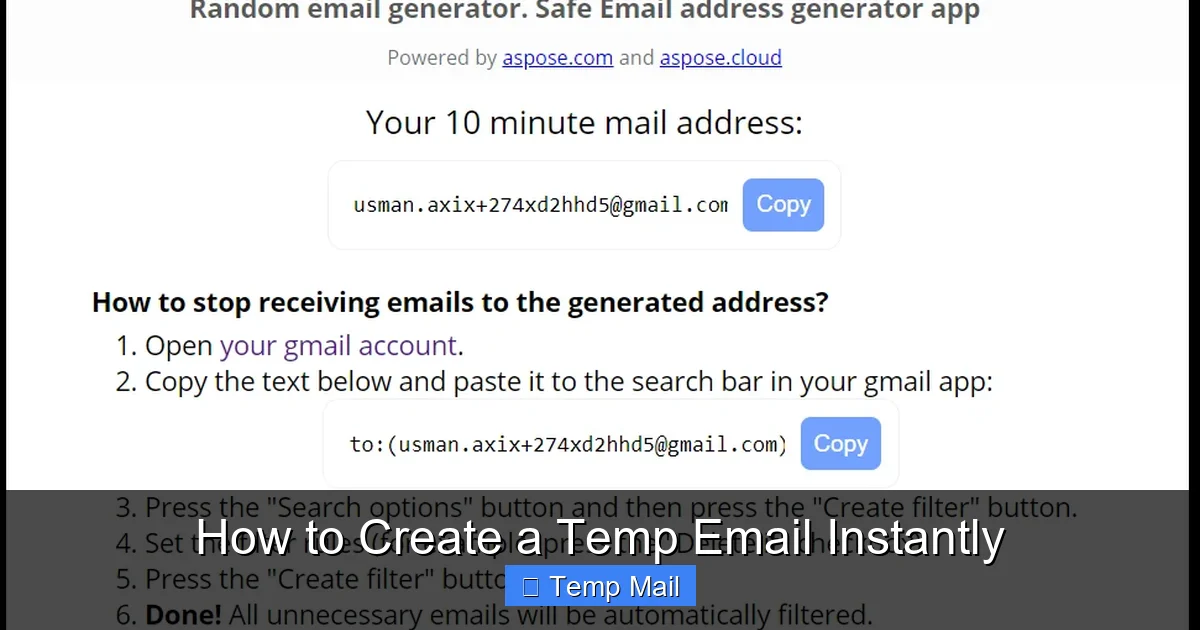
Visual guide about How to Create a Temp Email Instantly
Image source: blog.aspose.com
Benefit 1: Spam Prevention and Inbox Sanity
This is the #1 reason people use disposable emails. Every time you sign up for a newsletter you’re only mildly interested in, download a “free” template from a sketchy site, or register for a one-time discount, you’re taking a risk. That company might sell your email address to data brokers, or their own database might get hacked. Your primary inbox then gets bombarded with unwanted promotions, phishing attempts, and “special offers.” A temp email acts as a spam sponge. All that garbage goes to an address that will self-destruct in an hour, leaving your real inbox pristine.
Benefit 2: Enhanced Privacy and Data Minimization
In the age of data harvesting, every piece of information you provide online is valuable. Why should a random website offering a wallpaper pack know your real email and be able to link your activity to your identity? Using a temp mail minimizes the data you leak. You’re not providing a key that can be used to cross-reference your activity across the web. It’s a simple act of data minimization—giving a website only the absolute minimum information it needs to provide the service you want (in this case, just an email format to send a link to).
Benefit 3: Bypassing Unwanted Registration Walls
How many times have you wanted to read an article, view a PDF, or use a basic web tool, only to be stopped by a “Sign up for our newsletter to continue” wall? Often, these are low-value sites where creating a real account is overkill. A temp email lets you effortlessly bypass these gates. You get the content or tool you wanted immediately, and the site gets an email that bounces after an hour. It’s a win-win that respects your time and your inbox.
Benefit 4: Safe Testing and Development
For developers, QA testers, or even just tech-savvy users, temp mail is invaluable. Need to test an email verification flow on a new app? Want to see how a website behaves with a fresh, unassociated email? A disposable inbox lets you do this quickly and cleanly without polluting your real accounts with test notifications.
How to Create a Temp Email Instantly: A Step-by-Step Guide
Now for the main event. The process is deliberately simple, but let’s break it down into crystal-clear steps. You can do this on any device with a web browser—phone, tablet, or computer.
Visual guide about How to Create a Temp Email Instantly
Image source: slash1.startupheroes.io
Step 1: Choose a Reputable Temporary Email Service
This is the only step that requires any thought. While dozens of sites offer this service, they are not all created equal. You want a provider that is:
- Fast and No-Frills: The inbox should load immediately without annoying pop-ups or mandatory video ads.
- Reliable: It should actually receive the verification emails you need. Some services have poor deliverability and get blocked by major platforms like Google or Facebook.
- Clear on Lifespan: The countdown timer should be prominently displayed so you know exactly how long you have.
- No Registration Required: The whole point is instant access. If it asks for an email to “create an account,” run away.
Recommended Starting Services: For beginners, Temp-Mail.org and 10MinuteMail.com are excellent, user-friendly, and highly reliable choices. We will use Temp-Mail for our visual example below.
Step 2: Generate Your Disposable Address
1. Open your browser and navigate to your chosen service’s website (e.g., temp-mail.org).
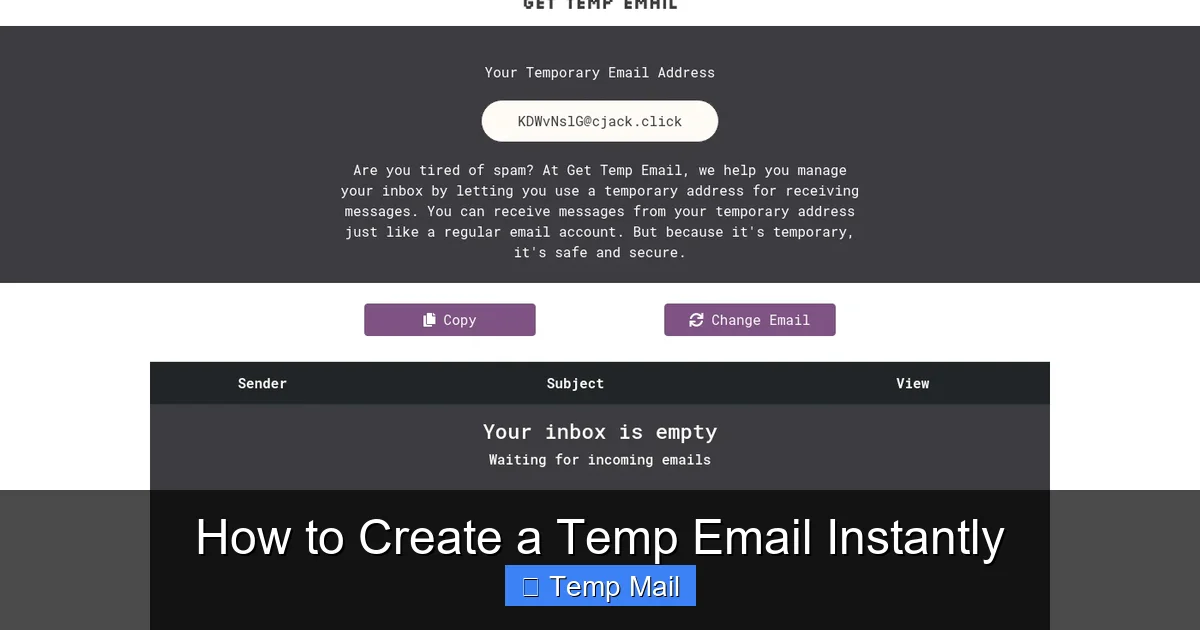
2. The page will load. Within one or two seconds, you will see a large, bolded email address at the top of the screen. It will look something like: e8c7d5f2@tempmail.demo.
3. Right next to it, you’ll see a countdown timer (e.g., “Time left: 59:59”). This is your inbox’s lifespan.
4. That’s it. You now have an active, receiving email inbox. The inbox window below will be empty at first, waiting for emails.
Step 3: Use the Temp Email Wherever Needed
Now, simply copy that generated email address (most sites have a handy “Copy” button next to it). Navigate to the website, app, or forum where you need an email. Paste it into the sign-up or verification field and proceed as normal. When that site sends a verification email or a download link, it will appear almost instantly in the inbox window on your temp mail site. Click the email to open it, and then click the link or copy the code inside. Job done.
Step 4: Let It Expire or Manually Delete
You don’t need to do anything to “close” your account. The service will automatically delete the inbox and all its contents the moment the timer hits zero. The email address will then be recycled and given to a future user. If you are done early and want to immediately free up the address (or just stop receiving emails), look for a “Delete” or “Change” button on the site. Clicking this immediately terminates your current inbox and generates a brand new random address for you, providing an extra layer of privacy.
Top 5 Temporary Email Services Compared
While the core function is the same, different services offer slight variations that can affect your experience. Here’s a comparison of five of the most reliable and user-friendly options available today.
1. Temp-Mail.org
Often considered the gold standard. It features a clean, modern interface, a browser extension for even quicker access, and a reliable 60-minute inbox lifespan. It supports multiple languages and has a good track record of emails getting through to most services. The domain list is extensive, reducing the chance of being blocked.
2. 10MinuteMail.com
The classic. As the name suggests, it provides a strict 10-minute inbox. This ultra-short lifespan is perfect for the fastest, most disposable interactions. The interface is retro but functional. Its simplicity is its strength—no distractions, just a timer and an inbox. Great for a quick verification and immediate forgetfulness.
3. Guerrilla Mail
Offers more features than most. You can actually choose your own random username from a list, and it provides a slightly longer 60-minute lifespan. It also has a “Send Mail” feature (use with caution—it’s still traceable to their servers) and a password protection option for the inbox if you need to leave the browser tab open briefly. A solid, feature-rich option.
4. Mailinator.com
One of the oldest and largest services. It’s incredibly fast and has a massive pool of domains. However, its public inboxes mean that if you pick a common name, someone else might theoretically see emails sent to it (though this is rare for random strings). It offers a 1-hour lifespan. Be aware that many major services actively block Mailinator domains, so it may not work for Gmail or Facebook sign-ups.
5. Tempail.com
A strong contender with a very user-friendly design. It offers a 60-minute timer and a clear, large inbox display. It often has fewer ads than some competitors, making for a smoother experience. The email generation is instant and reliable for a wide range of websites.
Pro Tips and Advanced Usage Strategies
Once you know the basics, you can optimize your use of temporary emails for better results and enhanced privacy.
Tip 1: The “One Site, One Address” Rule
For maximum privacy compartmentalization, don’t reuse the same temp email for multiple sites. If Site A and Site B both get your temp address, and they share data (or both get hacked), your activity on both is linked by that single disposable address. The easiest way to avoid this? Use the “Change” or “Delete” button after you’re done with a site. This gives you a fresh, unassociated address for the next website. It’s a small step that significantly reduces cross-site tracking.
Tip 2: Check the Lifespan Before You Start
If you’re signing up for a service that might take a while (like a multi-step account creation), a 10-minute timer might be too short. Always glance at the countdown before you copy the address. If it’s a 10-minute service like 10MinuteMail, but you need more time, switch to a 60-minute service like Temp-Mail first.
Tip 3: Use for Password Reset Links (Carefully!)
You can use a temp email to receive a password reset link for a *low-importance* account you already have (like a forum you rarely use). However, never set the primary recovery email for an important account to a temp address. If you lose access to your main account, you’ll be locked out forever because the recovery link goes to a dead inbox.
Tip 4: Browser vs. Private Window
For an extra layer of separation, open your temp mail site in a private/incognito browser window. This ensures that no cookies from your regular browsing can be associated with that temp session. Combine this with the “Change” button after each use, and you have a very strong privacy practice for one-off sign-ups.
Critical Limitations and Common Mistakes to Avoid
Temporary email is a fantastic tool, but it’s not a magic bullet. Understanding its limitations is crucial to using it safely and effectively.
Mistake 1: Using It for Essential Accounts
This is the cardinal sin. Do not use a disposable email for:
- Banking or financial services.
- Your primary email account (Gmail, Outlook, etc.).
- Major social media profiles (Facebook, Instagram, Twitter/X).
- Any account where you might need to recover access years later.
- Official government or healthcare portals.
The reason is simple: once the inbox expires, you are permanently locked out. There is no “forgot password” because the reset link goes nowhere.
Mistake 2: Assuming 100% Anonymity
While temp mail hides your email identity from the receiving website, it does not make you anonymous on the internet. The website you visit still sees your IP address (unless you use a VPN). Your ISP knows you visited the temp mail site. The temp mail provider itself logs access times and IPs (though they typically claim not to store email content after deletion). For true anonymity, you need Tor or a reputable VPN combined with other operational security practices.
Mistake 3: Expecting to Send Emails From It
Disposable inboxes are receive-only. You cannot use them to email a friend or a business. Attempting to do so will fail. They are a shield, not a sword.
Mistake 4: Trusting a Temp Email for Sensitive Data
Never use a temp email to receive sensitive documents like contracts, ID scans, or medical records. The inbox is public to anyone who has the URL (if you share your screen or leave the tab open), and it will disappear. Only use it for low-stakes verification links and content.
Conclusion: Your Digital Shield is Ready
Learning how to create a temp email instantly is a small action that yields massive returns for your digital hygiene. It takes 30 seconds, costs nothing, and immediately puts you in control of your inbox and your personal data. You now have the knowledge to surgically provide an email address only where it’s absolutely necessary, letting everything else bounce into the void. Remember the core philosophy: your primary email is your home. A temporary email is a P.O. box for strangers. Use it wisely for sign-ups, downloads, and verification links on sites you don’t fully trust. Let it handle the spam so your real inbox can be a place for communication that matters. Go ahead, open a new tab, generate that disposable address, and reclaim your online privacy today. Your future, less-spammed self will thank you.
Frequently Asked Questions
Is using a temporary email address safe?
Yes, using a reputable temp mail service is safe for its intended purpose of receiving verification emails. The main safety risk is if you use it for important accounts (which you shouldn’t) or if you leave the inbox window open where others can see it. The service provider itself typically does not store your emails after deletion.
How long does a temporary email last?
It varies by provider. Common lifespans are 10 minutes (10MinuteMail), 60 minutes (Temp-Mail, Guerrilla Mail), or 24 hours. The countdown timer is always displayed on the service’s page so you know exactly when your inbox will expire.
Can I send emails from a temporary address?
No. Disposable email services are designed as receive-only systems to prevent spam and abuse. You can only use them to receive emails, such as sign-up verification links or download content. You cannot use them to send messages to others.
Will a temporary email work for Facebook or Google sign-up?
Often, no. Major platforms like Google, Facebook, and Instagram actively maintain blocklists of known disposable email domains. You may find that when you try to sign up, the site will reject the temp email address. It’s best to use them for smaller websites, forums, and content downloads.
What happens to the emails after the timer expires?
The email address and all messages associated with that specific inbox session are permanently and automatically deleted from the service’s servers. That email address is then recycled and assigned to a new, random user in the future. No trace of your activity remains on their system.
Do I need to create an account to use a temp mail service?
Absolutely not. The entire point of a disposable email is instant, no-strings-attached access. You simply visit the website, and an inbox is generated for you immediately. Any service that asks you to “register” or provide another email to use its temp mail feature is not a true disposable email provider.
Leave a Reply