Tired of your main email getting flooded with spam after a single website signup? A free disposable email for one-time signups is your secret weapon. These temporary inboxes let you verify accounts, grab downloads, or access gated content without ever revealing your real address, keeping your primary inbox clean and your privacy intact. They’re fast, anonymous, and automatically delete themselves after use.
You’re excited to download that free ebook, snag a one-time discount code, or finally access that gated tutorial. You fill in the form, hit submit, and… enter your email. A little voice in your head whispers, “Do I really want to give them my main address? This is probably just going to spam me for years.” We’ve all been there. That moment of hesitation is exactly why the humble, powerful tool of a free disposable email for one-time signups exists. It’s the digital equivalent of using a burner phone—a temporary, anonymous identity for a single transaction, then it vanishes into thin air. This isn’t about being shady; it’s about being smart, protecting your primary inbox from the relentless tide of promotional emails, and taking control of your digital footprint.
In this deep dive, we’ll unpack everything you need to know about temporary email services. We’ll move beyond the basics to explore how they actually work, compare the top free providers, detail the perfect (and imperfect) use cases, and highlight the critical risks you must understand. Think of this as your complete owner’s manual for using disposable email addresses safely and effectively. By the end, you’ll know exactly when to reach for a temporary inbox and how to do it without a hitch, keeping your real email pristine and your privacy firmly in your hands.
Key Takeaways
- Purpose-Built for Privacy: Disposable emails are designed for single-use scenarios like forum signups or download gates, shielding your permanent email from spam and data harvesting.
- Automatic Cleanup: These inboxes and their contents self-destruct after a short time (usually 10 minutes to 24 hours), leaving no digital trace behind.
- No Registration Required: The best services generate a working email address instantly—no signup, no password, no personal details needed.
- Not for Important Accounts: Never use a disposable email for banking, primary social media, or any service where account recovery is critical. You will lose access permanently.
- Some Sites Block Them: Many platforms detect and block known disposable email domains to prevent abuse, so they aren’t a universal solution.
- Use Cases Are Specific: Ideal for testing services, accessing one-time discounts, or bypassing content walls, but unsuitable for long-term communication.
- Provider Variances Matter: Features differ—some offer browser extensions, custom inbox names, or longer expiration times. Choose based on your specific need.
📑 Table of Contents
- What Exactly is a Disposable Email? The Mechanics of a Temporary Inbox
- The Undeniable Benefits: Why You Need a Disposable Email
- Top Free Disposable Email Services Compared
- Perfect Use Cases: When to Absolutely Use a Disposable Email
- Critical Risks and Limitations: What Disposable Emails Can’t Do
- Best Practices: Using Disposable Email Like a Pro
- Conclusion: Your Digital Bouncer, at Your Service
What Exactly is a Disposable Email? The Mechanics of a Temporary Inbox
At its core, a disposable email address (also called a temporary email, throwaway email, or 10-minute mail) is a fully functional email address that exists for a very short, predefined period. It’s generated on-demand by a specialized web service. Unlike a standard Gmail or Outlook address that you own indefinitely, a disposable inbox is the digital property of the service provider, lent to you for a brief window of time.
The Lifecycle: From Generation to Vanishing Act
The process is beautifully simple. You visit a provider’s website like Temp-Mail or 10MinuteMail. Instantly, the page displays a random email address, such as abc123@tempmail.demo. That’s it. You copy that address and paste it into the website you’re signing up for. Any verification email or download link sent to that address will appear in the public, web-based inbox displayed on the provider’s site. You click the link or download the file, complete your task, and then… you walk away. There is no “delete account” button because the entire system is designed to be ephemeral. After 10 minutes, 1 hour, or 1 day (depending on the service), the inbox and all its emails are automatically purged from the server. The email address is then recycled and given to the next user. Your connection to it is completely severed.
How It Works Under the Hood: No Magic, Just Smart Tech
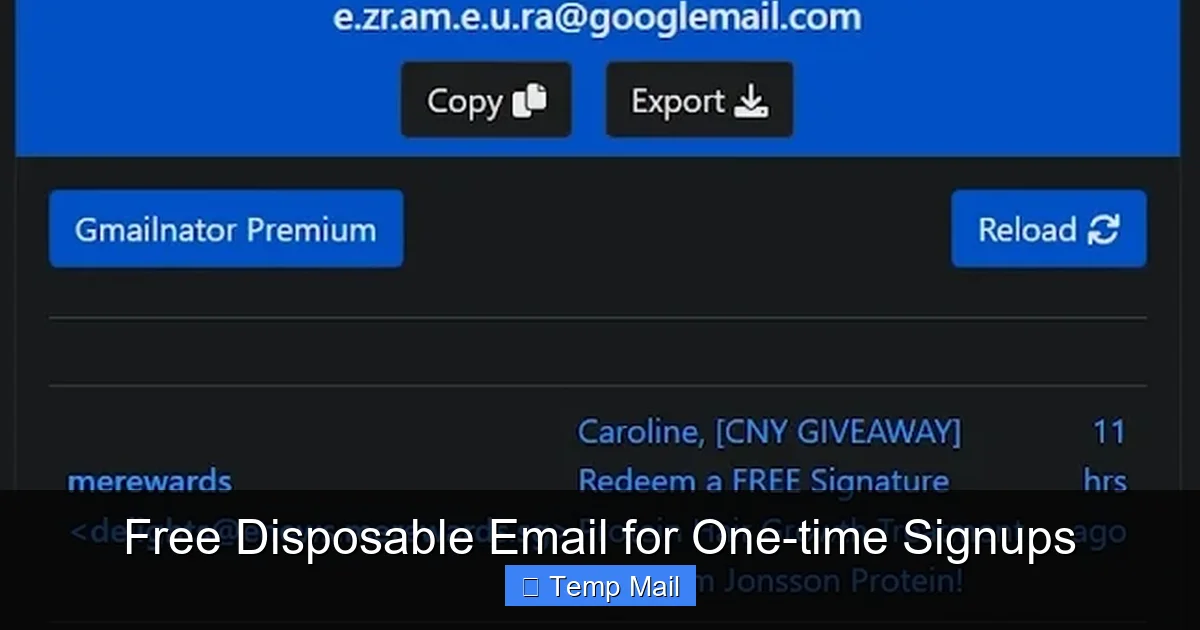
These services operate on a few key technical principles. First, they manage large pools of domain names specifically for this purpose (e.g., @guerrillamail.com, @tmpmail.org). When you request an address, their system picks an available one from the pool and creates a temporary mailbox record in their database linked to your session (often tracked via a cookie or a unique URL). When an email arrives for that address, their mail server accepts it, stores it temporarily in your session-specific mailbox, and makes it visible to you via the web interface. The “disposable” part comes from the automated cleanup scripts that run constantly, deleting old mailboxes and their data. Because there’s no persistent user account, there’s nothing to hack or recover. It’s a stateless, temporary service.
The Undeniable Benefits: Why You Need a Disposable Email
Using a free disposable email for one-time signups isn’t just a trick; it’s a core component of modern digital hygiene. The benefits directly address the pain points of living online.
Visual guide about Free Disposable Email for One-time Signups
Image source: images.squarespace-cdn.com
Benefit 1: Spam Prevention and Inbox Sanity
This is the number one reason people seek out temporary emails. Every time you use your primary email to sign up for a service, you trust that company with your address. Even if they have a “no spam” policy, data breaches happen, and your email can be sold to third-party advertisers. A disposable address acts as a perfect firewall. The spam goes to the temporary inbox, which dies in an hour. Your real inbox, used for family, friends, and work, remains pristine and manageable. You’re not just avoiding annoyance; you’re reducing the attack surface for phishing attempts that often originate from harvested email lists.
Benefit 2: Enhanced Privacy and Anonymity
When you create a standard email account, you typically provide a phone number, recovery email, and sometimes even a real name. A disposable email requires zero personal information. You don’t create an account; you just use an address. This prevents the signing-up website from immediately linking that activity to your core identity. For activities where you want to browse or access content without building a persistent profile, this is invaluable. It’s a small but significant act of digital anonymity.
Benefit 3: Bypassing Gated Content Without Commitment
How many times have you wanted to read an article, watch a video, or download a template, only to be stopped by an email gate? A disposable email lets you say “yes” to the gate, get the content immediately, and never hear from them again. You get the resource you needed without committing to a newsletter you’ll never read or a sales sequence you’ll just unsubscribe from later. It’s the ultimate “take the money and run” for content access.
Benefit 4: Testing and Development
For developers, QA testers, or marketers, disposable emails are a godsend. Need to test an email verification flow? Sign up with a temp address. Want to see how a new user onboarding sequence looks without cluttering your real inbox? Use a disposable address for each test signup. It allows for clean, repeatable, and isolated testing environments.
Top Free Disposable Email Services Compared
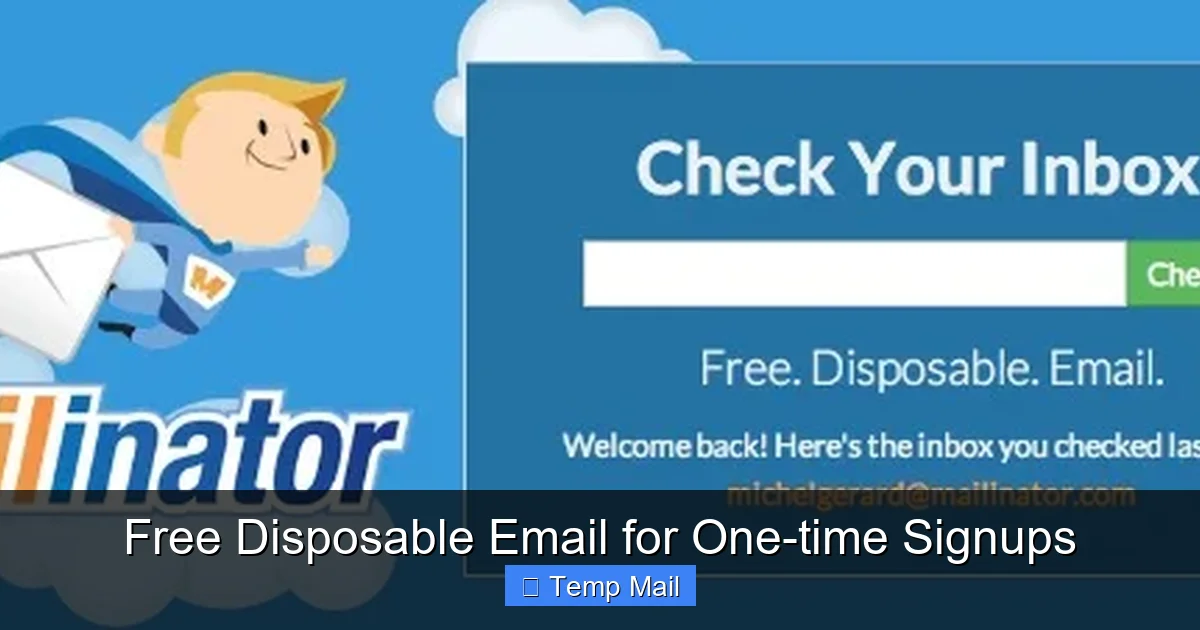
Not all temporary mail services are created equal. Here’s a look at some of the most reliable and user-friendly free options, each with its own strengths.
Visual guide about Free Disposable Email for One-time Signups
Image source: pantika.com
Temp-Mail: The Feature-Rich Powerhouse
Temp-Mail.org is arguably the most popular and feature-packed free service. It generates a random address instantly. Key features include: a custom inbox name option (so you can have a slightly more memorable address), multiple domain choices, a browser extension for Chrome and Firefox for one-click access, and an API for developers. The default inbox lifetime is variable but typically lasts until you close the browser tab or for a few hours. Its interface is clean, and it’s highly reliable for most one-time signups.
Guerrilla Mail: The Veteran Workhorse
One of the oldest names in the game, Guerrilla Mail ( guerrillamail.com) is famous for its simplicity and resilience. You get a random address, a basic inbox, and a 60-minute timer. You can even reply to emails from within the Guerrilla Mail interface—a rare and useful feature for a disposable service. It also allows you to choose your own inbox name from a list. Its no-frills, ad-supported interface gets the job done quickly and has been doing so for over a decade.
10MinuteMail: The Original Speedster
As the name implies, 10MinuteMail (10minutemail.com) gives you a 10-minute window. This is perfect for the fastest, most urgent signups where you just need to click a verification link and bounce. The address and inbox are displayed clearly on a single, stark page. After 10 minutes, poof. It’s the ultimate “in and out” tool. Some sites extend the time manually if you need it. Its extreme brevity is its main feature, forcing you to use it only for immediate tasks.
MailDrop: The Minimalist’s Choice
MailDrop (maildrop.cc) offers a super clean, minimal interface with no ads cluttering the main view. You get a random address with the @maildrop.cc domain. A key advantage is that it doesn’t require JavaScript to function, making it more accessible and slightly more private. The inbox persists as long as the browser tab is open, making it good for slightly longer sessions. It’s a great “set it and forget it” option while you browse a site.
Important Considerations When Choosing
- Inbox Lifespan: Is 10 minutes enough, or do you need a few hours for a delayed email?
- Domain Reputation: Some domains (like guerrillamail.com) are widely known and blocked by more aggressive websites. Having a service with multiple domain options can help bypass blocks.
- Extra Features: Do you need to reply? Want a browser extension? Need an API? Choose based on your workflow.
- Ad Experience: Most free services are ad-supported. Some (like MailDrop) are less intrusive than others.
Perfect Use Cases: When to Absolutely Use a Disposable Email
Knowing when to use a disposable email is just as important as knowing how. Here are the ideal scenarios where it’s the smart, correct choice.
1. Downloading Gated Content (Ebooks, Whitepapers, Templates)
This is the classic use case. A company offers a valuable PDF in exchange for your email. You want the content, but you don’t want to join their marketing list. Use a disposable email. You’ll get the download link instantly in the temporary inbox, and the relationship ends there. No follow-up newsletters cluttering your primary feed.
2. Signing Up for One-Time Discounts or Promotions
See a “Get 20% off your first order!” pop-up that requires an email? Use a disposable address. You’ll receive the discount code, use it for your purchase, and the promotional emails (like “Your cart is abandoned!”) will go to the dead inbox. This saves you from the chore of unsubscribing later.
3. Creating Test Accounts for Apps and Services
Want to try out a new project management tool, social media scheduler, or graphic design app without the sales team calling you? Sign up with a disposable email. You can explore the free tier, see if it fits your needs, and then abandon the account without consequence. This prevents you from being added to “product update” and “upgrade now” email sequences for a tool you decide not to use.
4. Accessing Wi-Fi or Public Network Logins
Some airports, hotels, or cafes require an email address to access their guest Wi-Fi network. Providing your real email here is a surefire way to get marketing emails from the venue or their partners. A disposable email lets you get online instantly with zero lingering repercussions.
5. Forum or Comment Section Registrations
You want to post a comment on a news article or join a discussion on a niche forum to ask a single question. Many forums are spam magnets and will sell your email or bombard you with notifications. A temporary address lets you participate in that one conversation and then disappear.
6. Avoiding Data Harvesting and Profile Building
Every signup is a data point that builds your digital profile. By using a different disposable email for various unrelated services, you make it significantly harder for data brokers and advertisers to create a unified, trackable profile of your interests and behaviors across the web. It fragments your digital identity.
Critical Risks and Limitations: What Disposable Emails Can’t Do
Despite their power, disposable emails are not a magic bullet. Understanding their limitations is crucial to avoid headaches.
Risk 1: Permanent Account Loss
This is the most serious risk. If you use a disposable email to sign up for a service where you might need to recover your account, you will be locked out forever. Forgot your password for that social media account you created with a temp email? Too bad. There is no way to reset it. The service cannot email a reset link to an inbox that no longer exists. Therefore, the absolute golden rule is: Never, ever use a disposable email for any account you care about long-term. This includes primary email accounts, banking, main cloud storage, essential social media profiles, or subscription services you plan to keep.
Risk 2: Being Blocked by Websites
Many websites, especially those handling money (e-commerce, fintech) or sensitive data (healthcare, government portals), actively maintain and block lists of disposable email domains. If you try to sign up with @tempmail.demo, the site may reject it outright. This is a security and anti-fraud measure. You cannot use a disposable email everywhere; it’s often blocked by design.
Risk 3: Lack of Advanced Features
Don’t expect folders, labels, powerful search, or large attachments. Disposable inboxes are bare-bones. You can typically only view, click links from, and sometimes reply to emails. There is no integration with Outlook or Apple Mail. You access it solely through the provider’s website.
Risk 4: Potential for Abuse and Blacklisting
Because they are anonymous, disposable emails are frequently used for malicious purposes: creating spam accounts, forum trolling, or fraud. This means some email providers might blacklist entire disposable email domains, causing even legitimate emails from those domains to be marked as spam or rejected by major providers like Gmail or Yahoo. If you’re expecting a legitimate business to email you, they might not be able to if they use a blacklisted domain.
Risk 5: No Real Ownership or Control
The email address isn’t yours. It’s a rental. The provider can shut down the domain, change their policies, or have technical issues at any time. You have no recourse. You are completely at the mercy of the service’s continued operation.
Best Practices: Using Disposable Email Like a Pro
To maximize the benefits and avoid the pitfalls, follow these practical guidelines.
The Non-Negotiable Rule: The Hierarchy of Email Importance
Adopt this mental model:
- Primary Email: For family, close friends, work, banking, main cloud storage, and critical subscriptions (Netflix, Amazon). Secure this with 2FA and a strong password. This is your identity.
- Secondary/Alternate Email: A semi-permanent address (e.g., a second Gmail or Outlook account) for less critical but recurring needs: online shopping accounts you use regularly, secondary social media, professional networking sites like LinkedIn. This can be cleaned periodically.
- Disposable Email: For everything else—one-time downloads, webinar signups, testing, public Wi-Fi, any interaction where you have no intention of a long-term relationship.
Never, under any circumstances, move an account up this hierarchy (i.e., use a disposable for something that belongs in level 1 or 2).
Pro Tip: Use a Dedicated Browser or Profile
If you’re signing up for multiple services in a session, use a separate browser (like a dedicated Firefox install) or a Chrome profile named “Temp Use.” This prevents the temporary email service’s cookies from interfering with your main browsing and makes it psychologically easier to “close the chapter” on that session by closing that browser entirely.
Always Verify the Expiration Time
Before you start a signup process, glance at the provider’s countdown timer. If you know the verification email might take 15 minutes to arrive (some automated systems are slow), don’t use a 10-minute mail service. Choose one with a 1-hour or 24-hour window (like Temp-Mail’s default). It’s frustrating to have your inbox vanish before the email even lands.
Clear Your Browser Data After Use
Once you’ve completed your task and the disposable inbox has served its purpose, get in the habit of clearing your browser’s cache and cookies for that session. This removes any lingering session data from the temporary email site itself, ensuring no one using your computer later can potentially access that now-expired inbox.
Have a Backup Plan for Critical One-Time Access
If you’re using a disposable email to access something you might need later (e.g., a receipt for a warranty, a digital ticket), download and save the file immediately from the temporary inbox. Do not rely on being able to log back in later. The inbox will be gone. Save the file to your permanent cloud storage or local drive.
Conclusion: Your Digital Bouncer, at Your Service
A free disposable email for one-time signups is more than just a convenience; it’s a fundamental tool for maintaining control in the digital age. It acts as your personal bouncer at the door of your primary inbox, deciding who gets in for a fleeting moment and who is turned away forever. The spam, the newsletters, the data-hungry trackers—they all get a temporary address that leads to a dead end. Your real email, the one tied to your identity and essential services, remains a private sanctuary.
The power of this tool lies in its simplicity and its specificity. It solves the exact problem of the “one-time transaction” with elegant efficiency. But with that power comes the absolute necessity of discipline. The cardinal rule—never use it for anything you need to keep—must be etched in your mind. When used wisely, within its intended scope, a disposable email is a masterpiece of digital minimalism. It lets you engage with the web on your terms, sample services without strings, and protect your attention and privacy without sacrificing access. So next time you hover over that email field, hesitate, and feel that familiar dread of future spam—stop hesitating. Open a new tab, generate a temporary address, and sign up with confidence. Your future, less-cluttered self will thank you.
Frequently Asked Questions
Are disposable emails safe and legal to use?
Yes, using disposable emails is completely legal and safe for the user. The services themselves operate legally. The “safety” concern is about misuse by others; as a recipient, you are simply protecting your privacy. However, using them to circumvent bans on forums or for fraudulent activities is illegal and against the terms of virtually every service.
Can I send emails from a disposable address?
Most free disposable email services are receive-only. They are designed to let you get emails (like verification links), not to send them. Some advanced services, like Guerrilla Mail, do offer a limited “reply” function to respond to emails sent to that address, but you generally cannot initiate new outgoing emails from a disposable address.
What’s the difference between a disposable email and a secondary permanent email?
A secondary permanent email (like a second Gmail account) is a long-term, recoverable account you own. You control the password, can set up forwarding, and use it for recurring services. A disposable email is temporary, anonymous, has no password, and self-destructs. Use a secondary email for services you use regularly but want separated from your primary (like online shopping). Use a disposable email for one-off interactions where you never want to hear from the sender again.
What happens if I need to recover an account I signed up with a disposable email?
You cannot recover it. Password reset links, account recovery emails, and important notifications will be sent to an inbox that no longer exists. The account is permanently locked. This is why the golden rule exists: never use a disposable email for any account where you might forget your password or need long-term access.
Why do some websites block disposable email addresses?
Websites block disposable email domains primarily to prevent spam, fraud, and abuse. Disposable emails make it easy for bad actors to create numerous fake accounts for posting spam, abusing free trials, or scamming people without any traceable identity. To protect their platform and legitimate users, sites maintain blocklists of known disposable domains.
Can I use a disposable email for important services like banking or social media?
Absolutely not. This is the most critical mistake to avoid. Banking, primary social media profiles, cloud storage, and any service with significant personal or financial data must be tied to your secure, permanent primary email address. You will be locked out of these essential services if you use a disposable email, leading to irreversible loss of access and data.
Leave a Reply