Temp email services provide disposable, anonymous email addresses for signing up to websites, downloading files, or accessing online content without using your real, permanent email. This creates a crucial barrier between your primary inbox and potential spam sources. By isolating your main account, you drastically reduce the risk of phishing attacks, marketing bombardment, and data breaches. It’s a simple, free, and powerful tool for anyone looking to take control of their digital privacy and inbox hygiene.
Key Takeaways
- Primary Defense: Temp email acts as a sacrificial shield, absorbing spam and marketing emails away from your real, important inbox.
- Enhanced Privacy: It prevents websites and online services from collecting and linking your primary email address to your personal identity.
- Phishing Mitigation: By not exposing your main email, you make it harder for scammers to target you with convincing, personalized phishing attempts.
- No Long-Term Commitment: These addresses are designed to expire, meaning you don’t have to manage or delete unwanted subscriptions manually.
- Ideal for Low-Stakes Activities: Perfect for one-time sign-ups, forum registrations, software trials, and accessing gated content.
- Not for Critical Accounts: Should never be used for banking, primary cloud storage, social media logins, or any service requiring account recovery.
- Provider Awareness: Not all temp mail services are equal; some offer better encryption, longer lifespans, and more reliable inbox access than others.
[FEATURED_IMAGE_PLACEHOLDER]
📑 Table of Contents
- The Inbox Invasion: Understanding the Spam Problem
- What Exactly is Temporary Email?
- The Spam Pipeline: How Your Email Gets Sold and Shared
- How to Use Temp Email Effectively: A Practical Guide
- The Benefits Beyond Spam: A Holistic Privacy Shield
- Limitations and Crucial Cautions: What Temp Email CAN’T Do
- Best Practices and Choosing a Service
- Conclusion: Reclaiming Your Inbox and Your Privacy
The Inbox Invasion: Understanding the Spam Problem
Open your email app right now. What do you see? If you’re like the vast majority of internet users, your primary inbox is a battleground. It’s a mix of crucial messages from family and colleagues, buried under an avalanche of promotional newsletters you never signed up for, “special offers” from retailers you browsed once, and the ever-present threat of phishing scams designed to steal your data. This isn’t just annoying; it’s a significant drain on your time, focus, and digital security. The root of this problem often traces back to a single, simple action we all perform dozens of times a week: handing over our primary email address.
Every time you create an account for a new app, download a free e-book, or comment on a blog, you’re asked for an email. That email becomes a key data point. Companies sell it to advertisers. Data brokers compile it into profiles. Hackers breach databases and leak it to the dark web. Your primary email address becomes a beacon, attracting a relentless stream of unsolicited communication. This is where the strategic use of a temporary email address, or “temp mail,” transforms from a convenience into a critical line of defense.
What Exactly is Temporary Email?
At its core, a temporary email service provides you with a random, disposable email address that exists for a short period—usually a few hours to a few days. You don’t need to register an account, provide a password, or link it to your identity to use it. You simply visit the service’s website (or use their browser extension/app), and a new inbox with a random address is generated for you instantly. You can then use that address to receive a single verification email or download link. Once you’re done, you close the tab. The address and all its emails typically vanish into the digital ether.
Visual guide about How Temp Email Helps Avoid Spam
Image source: gridinsoft.com
How It Works Technically
These services operate on a simple principle. They maintain a pool of domains and generate unique inboxes on their servers. When an email is sent to your temporary address, it’s routed to that specific inbox on their server, which you can access via a unique URL. No persistent account is tied to you. The system is designed for anonymity and impermanence. Reputable services use basic encryption for transmission (like TLS) but often do not offer end-to-end encryption, as the primary goal is receipt, not secure, long-term storage.
Common Features of Good Temp Mail Services
- Instant Generation: No sign-up, no CAPTCHA (sometimes), immediate inbox creation.
- Custom Address Option: Some allow you to choose a memorable prefix for the random address.
- Multiple Domain Support: Access to several different domain names (e.g., @tempmail.com, @10minutemail.com) to avoid being blocked.
- Inbox Auto-Refresh: Automatically checks for new emails without manual reloading.
- Attachment Support: Can receive emails with attachments (though size limits apply).
- Extended Lifespan: While many last 10-60 minutes, some offer addresses that last 24 hours or more for longer tasks.
The Spam Pipeline: How Your Email Gets Sold and Shared
To understand the power of temp mail, you need to see the journey your primary email takes the moment you enter it online. It’s not a passive process; it’s an active pipeline feeding the spam economy.
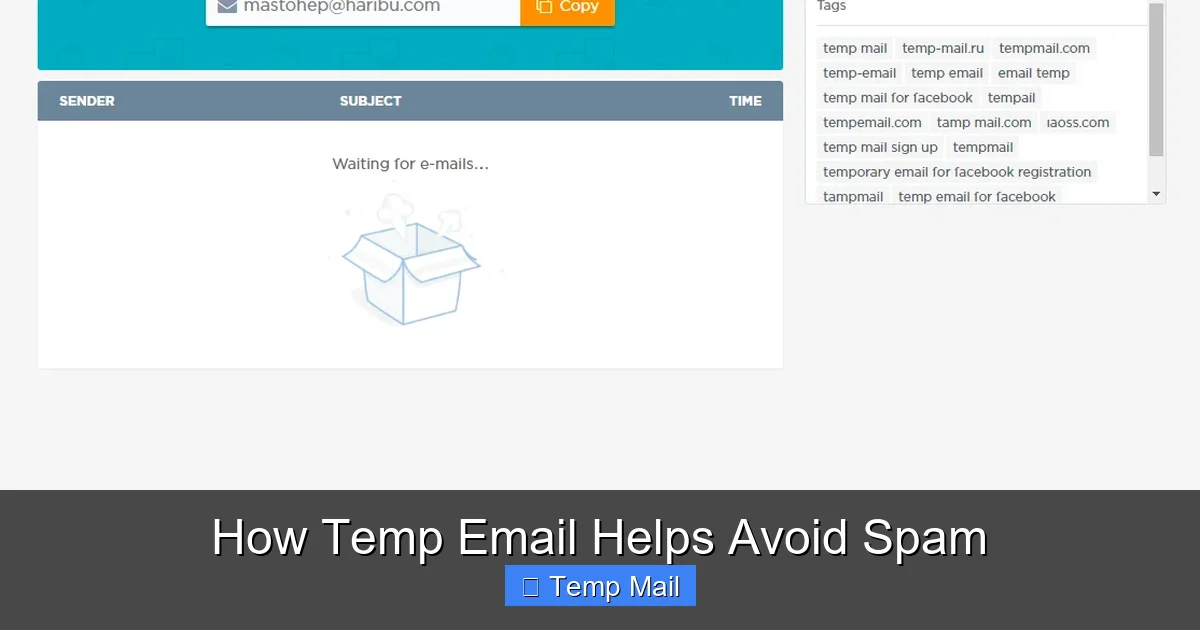
Visual guide about How Temp Email Helps Avoid Spam
Image source: tempail.com
The Initial Harvest
When you sign up for “FreePianoSamples.net” with your real Gmail address, that site now owns a verified, active email tied to an interest (music). Even if they have a privacy policy, that data is a valuable asset. Many smaller sites use “growth hacking” tactics that include selling their user email lists to third-party data aggregators. Your email is now in a database, tagged with the site’s category.
The Data Broker Ecosystem
Companies like Acxiom, Experian, and countless smaller data brokers compile these lists. They merge data from hundreds of sources—online purchases, survey sites, app downloads—to build intricate profiles. Your email becomes a node in a graph that includes your estimated income, location, interests, and buying habits. This profile is then sold to marketers, advertisers, and even political campaigns.
The Breach and The Dark Web
This is the most dangerous stage. When a company you trusted with your email (maybe even a major retailer or social media platform) suffers a data breach, your email address and often hashed passwords are leaked. Cybercriminals scrape these databases and sell them on dark web marketplaces. Now, your email is in the hands of professional spammers and phishing operators who use automated tools to send millions of scam emails, knowing at least some will be opened because the address is real and active.
The Result: Your Inbox Under Siege
The spam you see is the final, visible product of this entire pipeline. It’s not random; it’s targeted based on the digital footprint your primary email has accumulated over years. By using a temp mail address for the initial sign-up at “FreePianoSamples.net,” you break the pipeline at the very first step. That disposable address gets harvested, sold, and breached instead. Your primary email remains off those marketing lists and out of those breach databases, staying clean.
How to Use Temp Email Effectively: A Practical Guide
Knowing *why* temp mail works is only half the battle. Using it correctly is key. Here’s a step-by-step guide and best practices.
Step 1: Identify When to Use It (The “Should I?” Checklist)
Adopt a simple rule: if the website or service is not critical to your daily life, financial security, or long-term identity, use a temp email. Ask yourself:
- Am I just downloading a free PDF, template, or wallpaper?
- Is this a forum I might visit once or twice?
- Is it a “get a discount” pop-up on an e-commerce site I’m browsing?
- Am I signing up for a webinar or online event I’m unsure about?
- Is it a news site asking me to “register to read 3 free articles”?
If you answered “yes” to any, fire up your temp mail.
Step 2: Generating and Using the Address
Go to a trusted temp mail site (e.g., Temp-Mail.org, 10MinuteMail.com, or built-in browser features like Firefox Relay). A new address will appear. Copy it. Paste it into the sign-up form. Proceed. Check the inbox on the temp mail site for the verification email. Click the link or copy the code. Complete your task on the original site.
Step 3: Knowing When to Abandon Ship
Once you’ve received the necessary email (verification code, download link), your job is done. Do not use this address for ongoing communication. Do not add it to your contacts. Simply leave it. The service will automatically delete the inbox after its time limit (e.g., 10 minutes, 1 hour, 1 day). If you need a longer window for a multi-day trial, choose a service that offers a 24-hour or 7-day option.
Pro-Tips for Power Users
- Use Browser Extensions: Extensions like “Temp Mail” for Chrome or Firefox let you generate an address with one click and often auto-fill forms.
- Bookmark Your Provider: Keep your go-to temp mail site bookmarked for instant access.
- Check Attachment Limits: If you’re expecting a file, ensure the temp service supports attachments and note the size limit.
- Don’t Get Attached: Never use a temp email for anything where losing access would be a disaster. No account recoveries, no important subscriptions.
The Benefits Beyond Spam: A Holistic Privacy Shield
While spam reduction is the most obvious benefit, the strategic use of temporary email creates a ripple effect of digital privacy advantages.
1. Severing the Data Link
Your email address is often the master key to your online identity. It’s used for login, for password resets, and as a unique identifier across platforms. By never providing your primary email to unimportant services, you prevent them from building a profile around *you*. They might have an email in their system, but it’s a dead-end alias with no connection to your real name, other accounts, or long-term behavior. You become a ghost in their data.
2. Dodging the “Social Media” Trap
Many blogs and comment sections now require login via Facebook, Google, or Twitter. Using a temp email for these third-party registrations means the new service still gets your email (from the social platform’s side), but it’s a secondary layer. More importantly, you avoid linking your real email to a random forum that might have questionable moderation or security practices, reducing cross-site tracking.
3. Safely Testing Services and Trials
Want to try a SaaS tool’s 14-day trial without committing to their marketing drip campaign? Use a temp email. You get the full access, but when the trial ends, the “you” that signed up vanishes. No cancellation emails to your primary inbox, no “we miss you” campaigns. It’s a clean, consequence-free test.
4. Reducing Phishing Surface Area
Phishing emails are more convincing when they use your real email address and reference a service you actually use. If your primary email is only ever given to your bank, employer, and family, a phishing email claiming to be from “Netflix” is an immediate red flag because you’ve never given that email to Netflix. Temp mail drastically narrows the list of legitimate services that should be emailing you, making scams easier to spot.
Limitations and Crucial Cautions: What Temp Email CAN’T Do
Temp email is a powerful tool, but it is not a magic bullet. Understanding its limitations is essential for using it safely and effectively.
It is NOT for Security-Critical Accounts
This is the golden rule. Never, under any circumstances, use a temporary email for:
- Online Banking or Financial Services: You will be locked out permanently if you lose access to the temp inbox.
- Primary Cloud Storage (Google Drive, iCloud, Dropbox): Account recovery is impossible.
- Your Main Social Media Profiles: You cannot recover a Facebook or Twitter account without access to the confirmed email.
- Government or Healthcare Portals: These require verified, persistent contact information.
- Any Service with Long-Term Value: Gaming accounts, subscription logins you use daily, professional tool accounts.
They Can Be Blocked
Many websites and platforms actively maintain and update blocklists of known temporary email domains. If you try to sign up with an address from a blocked domain, the site will reject it. This is why using a service with multiple domain options or a less common provider can be helpful. However, for major platforms (Google, Microsoft, Facebook), temp email is almost always blocked at the point of account creation.
No True “Deletion” or Control
You cannot delete a specific email from a temp inbox. You cannot recall a sent message. The entire inbox is a temporary holding zone. Once it expires, everything is gone. This is by design, but it means you have no control over the data once it’s there.
Potential for Abuse and Reputation
Because they are anonymous, temp emails are frequently used for malicious purposes: creating spam accounts, posting abusive comments, signing up for fraud. Therefore, some services may view all traffic from a temp mail domain with suspicion. Using one on a professional or community-oriented site might get your account flagged or manually reviewed.
Best Practices and Choosing a Service
To integrate temp email into your digital life seamlessly and safely, follow these best practices and know how to choose a provider.
Best Practice Protocol
- Designate a Primary Email: Have one central, secure email (with 2FA enabled!) for everything truly important: finance, main cloud, primary social media, official correspondence.
- Use a Secondary Email for “Medium” Stuff: Consider having a secondary, free email (like a dedicated Gmail) for newsletters, online shopping accounts, and less-critical services you want to keep but separate from your main inbox. Temp mail is for the “lowest” tier.
- Never Use for Recovery: Double-check that you are not setting a temp email as a password recovery or 2FA backup option for any important account.
- Assume it’s Public: Do not send any sensitive information to or from a temp email address. Treat it like a public postcard.
- Use Reputable Providers: Stick with well-known, established temp mail services that have clear privacy policies (even if minimal) and do not require you to enable JavaScript unnecessarily. Avoid obscure sites that might be malware traps.
What to Look for in a Temp Mail Service
- Uptime & Reliability: Does the inbox actually load and refresh? Some free services are ad-heavy and buggy.
- Domain Variety: Does it offer multiple @domain options? This helps if one gets blocked.
- Inbox Lifespan Options: Can you choose between 10-minute, 1-hour, and 24-hour addresses?
- Ad Intrusiveness: A few ads are expected for a free service, but aggressive pop-ups and misleading download buttons are a red flag for poor quality or malicious intent.
- No Installation Required: Web-based is safest. Avoid downloadable “temp mail clients” from unknown sources.
Conclusion: Reclaiming Your Inbox and Your Privacy
The relentless spam in our inboxes is not an accident; it’s the inevitable outcome of a data economy built on the collection and sale of our email addresses. We have been conditioned to give away this critical piece of our digital identity for trivial gains—a PDF, a discount code, a single article. It’s a bad trade. Temporary email services flip this dynamic. They give you a tool to say “no” to that trade. They allow you to participate in the modern web without sacrificing your primary communication channel to the spam machine.
By adopting the habit of using a disposable address for every non-essential sign-up, you perform a small but powerful act of digital self-defense. You clean your inbox, you reduce your exposure to phishing, and you take the first step toward owning your data trail again. It requires a slight change in workflow—copying a different address instead of your usual one—but the payoff is immense: a quieter, safer, and more manageable primary inbox. Start today. Your future self, free from the tyranny of spam, will thank you.
Frequently Asked Questions
Is using a temporary email address safe and legal?
Yes, using reputable temp mail services is completely legal and safe for the user, provided you use it for its intended purpose (receiving verification emails). The service itself operates within legal frameworks. However, using it for fraudulent activities, illegal purchases, or to bypass bans is illegal. The safety risk is minimal if you avoid downloading suspicious attachments from unknown senders.
How long do temporary emails last?
It varies by provider. Common lifespans are 10 minutes, 1 hour, or 1 day. Some services offer a 7-day option. The inbox and its address are permanently deleted once the time expires. Always check the specific timer on the service you are using.
Can I send emails from a temporary address?
Most temporary email services are designed for **receiving** only. They typically do not have an outgoing mail (SMTP) function. Their purpose is to receive a single verification or download link, not to facilitate two-way communication. If you need to send emails, use a proper email service.
Will websites block my temporary email address?
Yes, many popular websites and platforms (like Google, Facebook, major banks) maintain blocklists of known temporary email domains and will not allow you to sign up with them. Additionally, some smaller sites may block them to prevent spam account creation. If your temp email is rejected, try a different provider or domain.
What happens if I don’t check my temporary email in time?
If you don’t access the inbox to retrieve the verification code or link before the email expires (or before the inbox itself is deleted), the email is gone permanently. You will not be able to complete the sign-up or download process and will need to generate a new temporary address and start over.
Should I use a temporary email for my social media accounts?
Absolutely not. Social media accounts are critical to your online identity. They are used for login, friend connections, and often as a recovery method for other services. Using a temp email means you will be permanently locked out if you ever lose access to the temp inbox (which is guaranteed). Always use a permanent, secure email address with two-factor authentication enabled for social media and any important accounts.
Leave a Reply