Disposable email for one-time verification is a temporary, self-destructing inbox designed to shield your primary email from spam, data breaches, and unwanted marketing. It’s the perfect digital bodyguard for signing up to websites, downloading content, or accessing gated pages where you don’t trust the recipient with your permanent address. By using a throwaway address that expires after minutes or hours, you maintain your online privacy, keep your main inbox clean, and significantly reduce your digital footprint. It’s a simple, powerful tool for anyone looking to take control of their personal data in an increasingly intrusive internet landscape.
Key Takeaways
- Privacy Shield: A disposable email acts as a protective barrier, preventing websites and services from linking your real identity and primary email to their databases, thereby safeguarding your personal information.
- Spam Prevention: By using a temporary address for one-time sign-ups or downloads, you effectively stop promotional emails and newsletters from ever reaching your main inbox, eliminating clutter and distraction.
- Security Enhancer: It minimizes the risk of your primary email being involved in a data breach. If a service you used with a disposable address is hacked, your crucial accounts (like banking or main social media) remain unaffected.
- No Commitment Required: These services require no personal details, no password creation, and no long-term setup. You generate an inbox, use it, and forget it, making it ideal for low-trust interactions.
- Use Case Specific: Its power is best applied to single, transactional interactions—like getting a PDF, accessing a forum, or verifying an account you’ll rarely use—not for essential, long-term services.
- Not for Critical Accounts: Never use a disposable email for important services like your main cloud storage, primary social media, banking, or any account where password recovery is vital, as you will lose access permanently.
- Tool, Not a Cure-All: While excellent for privacy hygiene, it doesn’t make you anonymous online. Combine it with other practices like strong passwords, VPNs, and mindful data sharing for comprehensive protection.
📑 Table of Contents
- Your Inbox’s Best Friend: Understanding Disposable Email for One-Time Verification
- How Does a Disposable Email Service Actually Work?
- When and Why You Should Absolutely Use a Disposable Email
- The Clear Benefits: Why This Simple Tool is a Game-Changer
- Important Limitations and Potential Downsides to Consider
- Best Practices: How to Use Disposable Email Safely and Effectively
- The Future of Privacy: Where Do Disposable Emails Fit In?
- Conclusion: Take Control of Your Digital Trail
Your Inbox’s Best Friend: Understanding Disposable Email for One-Time Verification
Let’s be honest: the internet can feel like a relentless data-collection machine. Every time you sign up for a new app, download a useful template, or comment on a blog, you’re often asked for your email address. That simple request sets off a chain reaction. Your address gets added to a marketing list, sold to data brokers, or—worst case—leaked in a security breach. The result? A primary inbox flooded with spam, a higher risk of phishing attacks, and a growing digital footprint you never asked for. This is where the genius concept of disposable email for one-time verification comes in. It’s not a shady hack; it’s a legitimate, privacy-first tool that gives you a temporary, throwaway email address for exactly those moments when you need to provide an email but don’t want to sacrifice your real one.
Think of it like using a pseudonym at a coffee shop instead of your full legal name. You get the coffee (the download, the access), but the shop has no way to permanently track your real identity. A disposable email service generates a random inbox address that lives for a short, predefined period—usually 10 minutes to a few hours. You use it to receive a single verification link or download file, and then it simply vanishes into the digital ether. No passwords, no sign-up, no trace. In this guide, we’ll dive deep into how these services work, why they are essential for modern digital hygiene, the perfect scenarios to use them, the potential pitfalls to avoid, and how to choose a reliable service. By the end, you’ll be equipped to navigate the web with a new layer of confidence and control.
How Does a Disposable Email Service Actually Work?
The mechanics behind a disposable email for one-time verification are beautifully simple, which is part of their appeal. There’s no complex software to install. It’s a web-based utility that operates in your browser. Here’s a step-by-step breakdown of the typical user journey.
Visual guide about Disposable Email for One-time Verification
Image source: devdude.com
The Generation Process: Instant and Anonymous
You navigate to a temp mail website like Temp-Mail.org, 10MinuteMail.com, or Guerrilla Mail. The moment the page loads, the service automatically generates a random email address for you. This address is usually a jumble of letters and numbers paired with the service’s domain (e.g., abc123@tempmail.demo). Crucially, this generation happens without asking for any personal information from you. No name, no phone number, nothing. You are now the proud, temporary owner of that inbox.
Using the Address: Copy, Paste, Wait
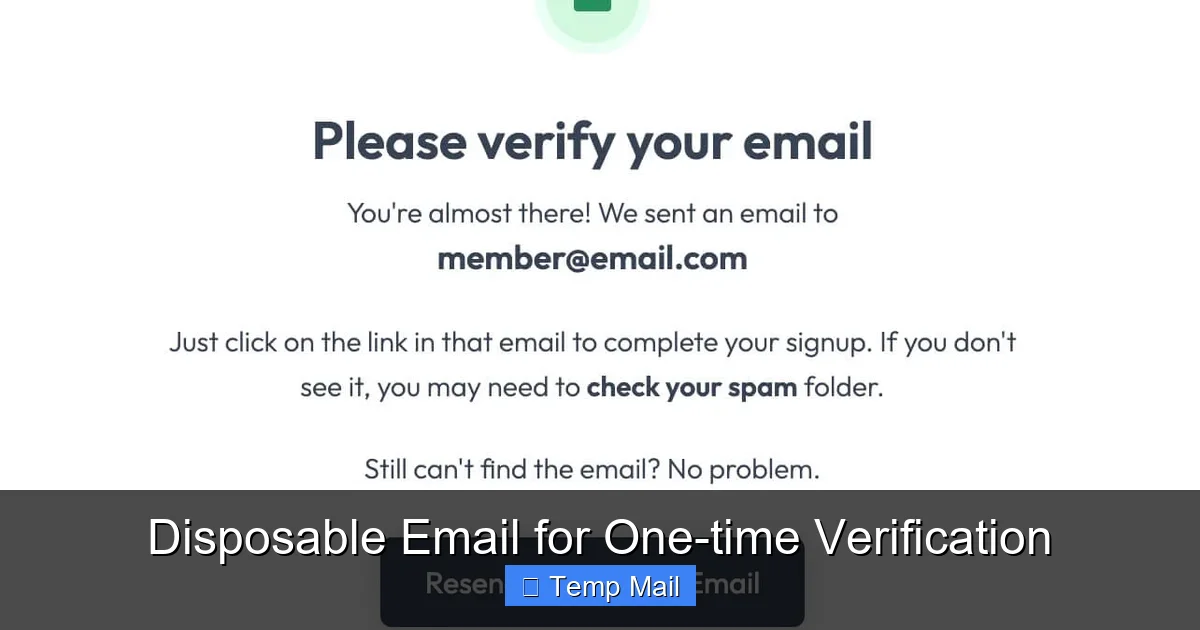
You copy this generated address and paste it into the website or service that’s requesting your email. You then proceed with whatever action you needed—clicking “Sign Up,” “Download,” or “Get Access.” The target service sends a verification email or a download link to your temporary address. Back on the disposable email site, you refresh the inbox view (which is often automatic), and within seconds, the incoming email appears. You open it, click the verification link, or copy the download URL. That’s the core transaction.
The Self-Destruct Sequence: Automatic Cleanup
This is the key feature. The service has a built-in timer. Once the inbox is created, a countdown begins—often 10, 30, or 60 minutes. After this time elapses, the inbox and all its contents are permanently deleted from the server. The email address is now invalid and will bounce any future emails. Some services also offer a manual “Delete” or “Refresh” button, giving you control to terminate the inbox early if you’re done. This automatic cleanup ensures no lingering data is left behind that could be harvested later.
When and Why You Should Absolutely Use a Disposable Email
Knowing how it works is one thing; knowing when to use it is where you unlock its full value. The golden rule is: use a disposable email for any online interaction that is transactional, non-essential, or from a source you don’t fully trust. It’s for protecting your primary email’s sanctity.
Visual guide about Disposable Email for One-time Verification
Image source: assets-global.website-files.com
Downloading Gated Content: eBooks, Templates, and Whitepapers
This is the #1 use case. You see a fantastic “10 Free Social Media Templates” PDF or a valuable industry report. To get it, you must enter your email. The company will almost certainly add you to their promotional newsletter list. Using your main email means permanent marketing emails. Using a disposable email for one-time verification means you get the file instantly, and the company has no lasting way to contact you. You get the asset without the long-term commitment.
Signing Up for Low-Trust or One-Off Services
Need to create an account on a forum to ask a single question? Trying out a new, obscure utility tool? Accessing a Wi-Fi hotspot that requires email registration? These are perfect candidates. You gain the necessary access or functionality, but you avoid creating a permanent account that could be forgotten, hacked, or used to profile you. If you never use the service again, the disposable email vanishes without a trace.
Bypassing “Email Walls” and Preventing Spam
Many websites use “email walls” to force registration before showing content or even allowing you to read articles. While frustrating, using a temporary address lets you bypass this barrier. More importantly, it protects you from the inevitable spam. That site you signed up to three years ago for one article? It’s likely sold your email, and now you’re getting daily deals. A disposable address intercepts that spam, keeping your primary inbox pristine.
Testing and Development
For software developers, QA testers, or marketers setting up campaigns, disposable emails are invaluable. They allow you to test email workflows, sign-up flows, and password reset functions without cluttering real inboxes or risking personal data. You can generate hundreds of test addresses on the fly.
Protecting Your Identity on Public Platforms
When posting on public comment sections, classifieds sites like Craigslist, or community boards, using your primary email exposes you to potential harvesting by bots and data scrapers. A disposable address adds a layer of anonymity, making it harder for bad actors to connect your online activity to your real identity.
The Clear Benefits: Why This Simple Tool is a Game-Changer
Choosing to use a disposable email for one-time verification isn’t about being paranoid; it’s about being proactive. The advantages are tangible and impact both your daily digital experience and your long-term security posture.
Unmatched Privacy and Anonymity
The most significant benefit is the decoupling of your real identity from a transaction. The service you’re signing up with gets an email address, but it has no inherent link to you. They can’t cross-reference it with your other accounts, your name, or your location. You perform the action anonymously. This is crucial for users in sensitive situations, activists, journalists, or anyone simply wanting to reduce their data exposure.
A Fort Knox for Your Primary Inbox
Your primary email is the master key to your digital life. It’s used for password resets on almost every other service. Keeping it clean is paramount. Disposable emails act as a spam filter at the source. They intercept the 90% of promotional garbage that would otherwise land in your main inbox, ensuring you only see emails from people and services you truly care about. This dramatically improves productivity and reduces digital stress.
Minimizing the Blast Radius of Data Breaches
Data breaches are not a matter of if but when. Every company you give your email to is a potential breach point. If you used your main Gmail address to sign up for a small e-commerce store that gets hacked, hackers now have that email. They can then try that email (and common passwords) on high-value targets like your bank, PayPal, or Amazon. By using a unique, disposable address for the small store, you contain the damage. The breached email is useless to them for attacking your critical accounts.
Zero Friction and Zero Commitment
There’s no “Forgot Password?” dance with a disposable inbox because there is no password. You don’t create an account; you just use an address. This frictionless experience is perfect for quick, one-off tasks. The mental overhead of managing one more login is eliminated. You use it, you lose it, and you move on.
Cost-Effective and Accessible
The vast majority of disposable email services are completely free. They are supported by ads on their own sites. This makes them an incredibly accessible privacy tool for everyone, regardless of budget. You don’t need a premium VPN or expensive security suite to get this basic layer of protection.
Important Limitations and Potential Downsides to Consider
No tool is perfect, and disposable email for one-time verification has clear boundaries and risks. Understanding these limitations is critical to using it safely and effectively.
They Are, By Design, Inaccessible
This is the most important downside. If you need to access an account later—to reset a password, retrieve a receipt, or read an important notification—you cannot. The inbox is gone. This is why you must never use a disposable email for any service you intend to use long-term: your main social media, cloud storage, primary bank account, or subscription services like Netflix. The moment you need to log in again, you’re locked out forever, with no recovery option.
Not All Services Accept Them
Many reputable platforms, especially financial institutions, established SaaS companies (like Adobe, Microsoft), and government sites, actively block known disposable email domains. They check the domain against blacklists during sign-up. If you try to use a temp mail address there, you’ll get an error. This is a security measure for them, but it means you can’t use this tool universally.
Potential for Abuse and Blacklisting
Because they offer anonymity, disposable emails are frequently used for spam, fraud, and creating fake accounts. As a result, some websites may be inherently suspicious of any email from a temp domain. Your sign-up attempt might be flagged for manual review, or you might be denied service altogether. The service’s domain itself can get blacklisted by major email providers (like Gmail or Outlook), meaning emails sent from or to that domain might be marked as spam or blocked.
Security of the Service Itself
You are trusting a third-party, often ad-supported, service with the emails you receive. While the emails are temporary, they could contain sensitive information (a password reset link, a private document). A malicious or compromised disposable email provider could theoretically intercept and read that email. Therefore, you should never use them for receiving highly sensitive information like password reset links for critical accounts (which you shouldn’t be doing anyway, per our earlier advice) or confidential documents.
Limited Features
Don’t expect the rich interface of Gmail or Outlook. These are bare-bones inboxes. You typically can’t send emails (only receive), organize folders, search deeply, or use integrations. The functionality is strictly “receive and view.”
Best Practices: How to Use Disposable Email Safely and Effectively
Armed with knowledge, you can now wield this tool like a pro. Following these best practices will maximize your benefits and minimize any potential headaches.
1. Establish a Clear Mental Rule: “One Transaction, One Address”
Treat each disposable inbox like a single-use token. Use it for one specific sign-up or download. Once you’ve clicked the verification link or gotten the file, consider the address’s job done. Don’t try to reuse the same temp address for multiple sites, as this starts to create a pattern that defeats the anonymity purpose.
2. Never, Ever Use for Essential Accounts
This cannot be stressed enough. Your primary email, your work email, your banking email, your Apple ID/Google Account—these are sacred. They are your digital identity anchors. Always use your permanent, secure, password-protected email for these. The disposable address is for everything else.
3. Check the Service’s Privacy Policy
Before you regularly use a specific disposable email provider, glance at their privacy policy. Do they log IP addresses? Do they claim to not store emails after deletion? A reputable service will be transparent that they do not collect or sell user data. Avoid any service that seems vague or overly intrusive.
4. Use a Reputable, Well-Known Provider
Stick with established names in the space like Temp-Mail, 10MinuteMail, or Guerrilla Mail. These services have been around for years and have a reputation to uphold. Avoid obscure, newly launched sites that could be honeypots designed to collect the very data you’re trying to protect.
5. Refresh or Delete Manually When Done
Don’t just close the browser tab. If the service has a “Delete Inbox” or “Refresh” button, click it as soon as you’ve completed your task. This immediately terminates the address and clears the server cache, providing an extra layer of certainty that the data is gone.
6. Combine with a VPN for Enhanced Anonymity
Your IP address can be logged by the disposable email service when you visit their site. To further anonymize your activity, consider using a reputable VPN (Virtual Private Network). This masks your real IP address, making it even harder for any single service to connect a temporary email address to your real-world location or ISP.
The Future of Privacy: Where Do Disposable Emails Fit In?
The digital landscape is constantly evolving, and so are privacy tools. Disposable email for one-time verification is a foundational, low-tech solution to a high-tech problem. Its future is tied to two major trends: increasing regulation and advancing browser capabilities.
A Response to Stricter Data Privacy Laws
With regulations like GDPR in Europe and CCPA in California, users are gaining more rights over their data. The “right to be forgotten” is a powerful concept. Disposable email is, in a way, a user-enforced version of this right. You don’t have to request deletion; it happens automatically. As awareness grows, these tools will likely become even more mainstream as a standard part of everyone’s digital hygiene toolkit, much like using a password manager.
Integration with Browsers and Password Managers
We’re already seeing movement towards built-in privacy features. Browsers like Safari and Firefox have strong tracking protection. The next logical step could be native, browser-integrated disposable email generation. Imagine right-clicking an email field and selecting “Generate Temporary Address” directly from your browser. Furthermore, password managers like 1Password and Bitwarden have begun experimenting with or acquiring disposable email features, bundling it with their core security offerings for a seamless experience.
Aliasing: The Smarter, More Persistent Cousin
A more advanced evolution is the concept of “email aliasing.” Services like SimpleLogin, AnonAddy, or Firefox Relay create unique, forwardable email aliases (e.g., myalias@relay.firefox.com) that forward to your real inbox. Unlike a disposable email, these aliases are persistent—you can receive emails indefinitely. The key benefit is you can shut down an alias at any time if it starts getting spam, without changing your primary email. This is a more sophisticated solution for services you might use semi-regularly but still want to control. It represents a middle ground between full disposability and full exposure.
Never a Replacement for Vigilance
No matter how advanced these tools get, they remain just one layer in a multi-layered security strategy. The future will require a combination of: disposable/alias emails for sign-ups, a strong, unique password for every account (managed by a password manager), two-factor authentication (2FA) everywhere possible, and critical thinking about what data you share. The disposable email is your first line of defense in the battle for inbox peace and personal data sovereignty.
Conclusion: Take Control of Your Digital Trail
In an online world that constantly asks for your email address, saying “yes” with your primary, personal inbox is like giving out your house key to every shop you visit. You might trust the shop, but you have no control over who they later give a copy to, or if their security is breached. Disposable email for one-time verification hands that control back to you. It’s a simple, free, and profoundly effective tool for reclaiming your privacy, decluttering your mind, and fortifying your security. It’s not about hiding; it’s about choosing when and where to be visible. By adopting the practice of using a temporary address for every non-essential sign-up, download, or access request, you build a powerful habit that significantly reduces your digital footprint and exposure to spam and data risks. Start today. The next time a website asks for your email just to show you a blog post or give you a PDF, pull out a disposable address. Experience the quiet satisfaction of an inbox that stays clean, and the peace of mind that comes from knowing your primary email—the master key to your digital life—is safely locked away.
Frequently Asked Questions
Is using a disposable email address legal and safe?
Yes, using a disposable email service is completely legal in virtually all jurisdictions. It is a safe practice for privacy protection when used correctly—specifically, for receiving non-sensitive, one-time communications. The primary risk is not from the tool itself, but from user error, like using it for an important account where you need to recover access later.
Can a website know I’m using a disposable email?
Yes, absolutely. The website you sign up with will see the email address you provide (e.g., xyz789@tempmail.demo). They can easily recognize it’s from a known disposable domain. Some sites may block these addresses outright during sign-up as an anti-fraud measure. However, they cannot typically trace that temporary address back to your real IP address or identity unless you reveal it through other means on their site.
What’s the difference between a disposable email and an email alias?
A disposable email is temporary and self-destructs; it’s for one-time use and cannot be accessed after its short lifespan. An email alias is a permanent, unique forwarding address that sends all mail to your real inbox. You can create multiple aliases and disable them individually if they start receiving spam. Aliases offer more long-term control for services you use occasionally, while disposables are for truly single-use scenarios.
Will I miss important emails if I use a disposable address?
By design, yes—and that’s the point. You should only use a disposable address for interactions where you expect a single, immediate outcome (like a verification link). If you need ongoing communication, receipts, or account access from a service, you must use your permanent email. Using a disposable for such cases will result in you being locked out and missing all future correspondence.
Do disposable email services store my data or IP address?
Policies vary by provider. Reputable services state they do not log IP addresses and automatically delete all emails and inboxes after the expiration timer. However, as with any free online service, you should assume some minimal logging might occur for operational or legal reasons. For the highest anonymity, combine using a disposable email with a VPN to mask your IP address from the temp mail service itself.
Can I send emails from a disposable address?
No, the vast majority of disposable email services are receive-only. They are designed as a simple inbox to capture incoming verification emails or downloads. They do not have SMTP servers configured for sending outgoing mail. Their function is strictly to be a passive recipient for the specific transaction you initiated on another website.
Leave a Reply