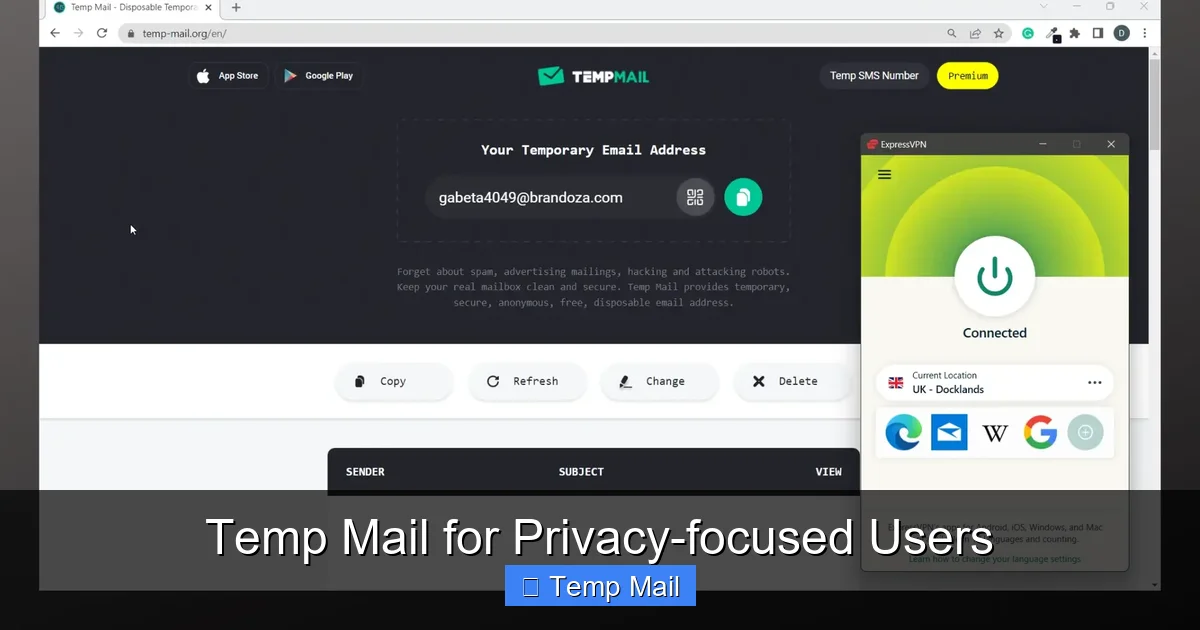
Temporary email services are a critical privacy tool for the modern internet user. They provide disposable, anonymous inboxes that prevent spam, protect your primary email from data brokers, and shield your identity during one-time sign-ups or app testing. By using a temp mail address, you sever the direct link between your online activity and your real identity, significantly reducing your digital footprint and the risk of your personal information being sold or breached.
Key Takeaways
- Understanding Temp Mail for Privacy-Focused Users: Provides essential knowledge
📑 Table of Contents
- What Is Temporary Email, Really?
- The Privacy Imperative: Why Your Primary Email Is a Liability
- Practical Use Cases: When to Reach for Temp Mail
- Limitations & Critical “Do Nots”: Where Temp Mail Fails
- Choosing a Provider: What to Look For in a Privacy-Centric Service
- Advanced Privacy Hygiene: Integrating Temp Mail into Your Digital Life
- The Conclusion: Embracing Ephemeral Identity
What Is Temporary Email, Really?
Let’s cut through the noise. Temporary email, often called “temp mail” or “disposable email,” is a service that provides you with a random, functional email address for a very limited time—usually 10 minutes to a few hours. Its sole purpose is to receive the single verification email you need to access a website, download a file, or create a trial account, and then vanish without a trace. It’s not meant for daily communication. Think of it as a digital burner phone, but for your email address.
For privacy-focused users, this isn’t just about avoiding a few spam emails. It’s a fundamental act of data hygiene. Every time you use your real, personal email to sign up for a random forum, a discount coupon site, or a free utility tool, you are handing over a key piece of your digital identity. That email address becomes a hook. Data brokers scrape it, marketing networks link it to your browsing behavior, and if that site gets hacked (and many do), your email is now in a criminal database, ripe for “credential stuffing” attacks on your more important accounts.
The Core Mechanism: How It Works
When you visit a temp mail provider’s website (like Temp-Mail.org, 10MinuteMail, or Guerrilla Mail), the server instantly generates a random inbox address, such as abc123@domain.com. You copy this address and paste it wherever a site asks for an email. The site sends its verification or welcome email to that random address. You refresh the temp mail service’s webpage, and the email appears in the inbox, ready for you to click the link or retrieve a code. Once the timer runs out or you manually delete the inbox, everything—the address and all received emails—is purged from the server. No logs, no recovery option.
The Privacy Imperative: Why Your Primary Email Is a Liability
Your primary email address is the skeleton key to your online life. It’s used for password resets on countless sites, it’s often the username for important services, and it’s a unique identifier that ties all your disparate online activities together. Data brokers like Exactis and Acxiom build massive profiles by collecting email addresses from public data breaches, website forms, and purchase histories. Your email is the anchor point. Using it everywhere creates a single, monolithic profile of you that can be sold to advertisers, scanned by algorithms, or stolen by hackers.
Visual guide about Temp Mail for Privacy-focused Users
Image source: addons.mozilla.org
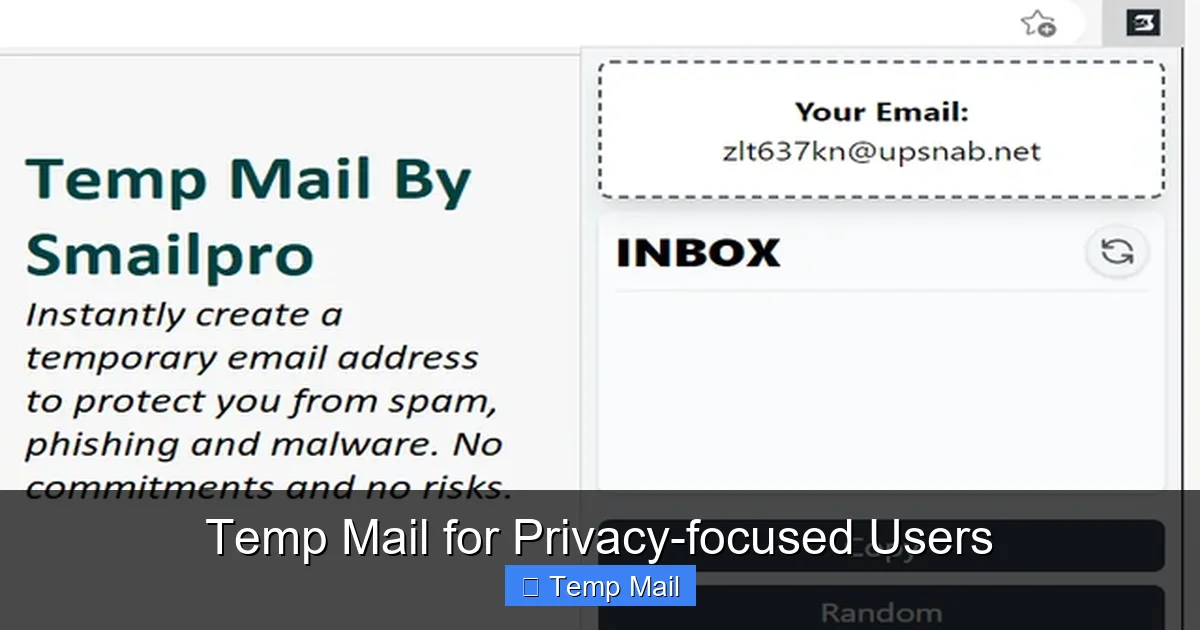
Temp mail breaks this chain. By using a different, ephemeral address for every low-stakes interaction, you fragment your digital identity. The forum you joined last week has no way to connect that activity to your real name or to the banking app you use. The free PDF you downloaded doesn’t add your email to a spam list that will haunt you for years. This practice, sometimes called “email compartmentalization,” is a cornerstone of operational security (opsec) for journalists, activists, and everyday users who value their privacy.
The Spam Funnel: Closing the Floodgates
Have you ever signed up for something legitimate, only to be bombarded with “partner offers” and “special promotions” within days? That’s because you likely used your primary email. Companies often pre-check boxes to share your data with “affiliates” or sell your email to third-party advertisers. Using a temp mail address is like giving out a PO box that self-destructs after one delivery. The spam has nowhere to go. Over time, your primary inbox becomes infinitely cleaner, reserved only for people and services you explicitly trust with your contact information.
Practical Use Cases: When to Reach for Temp Mail
Knowing *how* to use temp mail is as important as knowing *why*. It’s a specific tool for specific jobs. Using it for your main email would be catastrophic. Here’s a practical guide to its most effective applications.
Visual guide about Temp Mail for Privacy-focused Users
Image source: imag.malavida.com
One-Time Sign-Ups & “Freemium” Traps
This is the #1 use case. You want to read an article behind a paywall, download a free ebook, or access a “free trial” that requires an email and a credit card for “verification.” Use temp mail. You get the content or the trial access without handing over your real email, and you avoid the inevitable barrage of “your trial is ending!” and “upgrade now!” emails. It lets you sample a service risk-free from a marketing perspective.
Software & App Testing for Developers & Enthusiasts
If you’re a developer testing a new app’s email flow, or a tech enthusiast trying out dozens of beta applications, temp mail is invaluable. You can generate a fresh inbox for each test build, verify the email logic works, and discard the address without cluttering your professional or personal inbox. It streamlines the QA process and keeps your primary accounts pristine.
Accessing Geoblocked or Region-Specific Content
Sometimes, a service or forum is only available to users with an email from a specific country. A temp mail service that offers domain choices from various countries can provide a local-looking address, allowing you to bypass this simple geoblock to access public information or community resources. (Note: This does not replace a VPN for true IP-based geolocation masking).
Protecting Identity on Public or Shared Computers
Using a library or hotel computer? Logging into any personal account is risky due to keyloggers or shoulder surfing. If you need to register for a site *from that machine*, using a temp mail address means you leave no persistent account behind that could be accessed by the next user. You simply close the browser, and the temporary identity dies with it.
Limitations & Critical “Do Nots”: Where Temp Mail Fails
Temp mail is powerful, but it’s not a magic bullet. Understanding its limitations is crucial to avoid self-sabotage or security nightmares.
The Permanent Lockout Risk
This is the most dangerous pitfall. If you use a temp mail address to create an account for a service you *actually want to keep*—like a social media profile, a cloud storage account, or a cryptocurrency exchange—you will lose access forever the moment the inbox expires. Password reset emails will vanish into the void. You cannot recover the account. The golden rule: If you need to remember the login or recover the account later, do NOT use temp mail.
Delivery Issues & Blacklisting
Some sophisticated websites and all major platforms (Google, Microsoft, Apple, Facebook, banks) actively block known disposable email domains. Their systems detect the domain and refuse to send verification emails. You’ll get an error message like “invalid email address.” This is a feature, not a bug, from their perspective—it prevents abuse and enforces real user accountability. If you encounter this, you must use a real address.
Lack of Long-Term Features
Temp mail inboxes are barren wastelands compared to Gmail or Outlook. There is no folder organization, no search across multiple messages (often just the current session), no calendar, and no contacts. The interface is typically a simple list of received emails. You are there for one thing: to grab a link or code and get out.
Choosing a Provider: What to Look For in a Privacy-Centric Service
Not all temp mail services are created equal. A privacy-focused user must evaluate the provider itself, as you are still trusting them with the content of the emails you receive (which could contain sensitive links or codes).
Essential Privacy Policies & Data Handling
Read the privacy policy. Does it explicitly state they do not log IP addresses, do not store emails after deletion, and do not sell or analyze user data? The best services treat your session as completely anonymous and discard all server-side data immediately upon inbox expiration or manual deletion. Avoid services that require you to create an account to use their temp mail—that defeats the purpose.
Domain Variety and Longevity
Some providers offer a wider range of domain names (e.g., @tempmail.com, @guerrillamail.com, @10minutemail.com). This is useful if a particular domain is blocked by a site you’re trying to access. Also, check the default timer. While 10 minutes is standard for “quick check” sites, some providers offer extendable sessions (e.g., up to 1 hour or 1 day) which is helpful if you need more time to navigate a complex sign-up process.
Open Source & Transparency
For the ultra-paranoid, consider services that are open source or have transparent operational reports. This allows the community to audit the code for any backdoors or data collection mechanisms. While less common, this represents the highest tier of trustworthiness in the temp mail ecosystem.
Advanced Privacy Hygiene: Integrating Temp Mail into Your Digital Life
Using temp mail effectively is part of a broader philosophy of data minimization. It’s not a standalone solution but a key component of a layered privacy strategy.
The “Alias” Workflow with Custom Domains
For users who need a bit more persistence than a 10-minute address but still want separation, consider using an email alias service (like SimpleLogin or AnonAddy) in conjunction with a custom domain. You create unique, forwardable aliases like forum-signup@yourdomain.com that all forward to your real inbox. You can disable any alias at any time if it starts getting spam. Temp mail is the extreme, disposable version of this alias concept.
Combining with Other Privacy Tools
Your temp mail address is one piece of the puzzle. Always use it in concert with a reputable VPN (to mask your IP from the temp mail provider itself), a strong, unique password manager (so you don’t reuse passwords across sites where you used temp mail), and browser extensions that block trackers and scripts. This creates a holistic shield: your location is hidden, your identity per-site is fragmented, and your browsing is not tracked.
Regular “Inbox Hygiene” Audits
Once a month, do a quick audit. What services are you using your primary email for? Are there any newsletters you signed up for on a whim that you never read? Unsubscribe ruthlessly. For any new, non-essential sign-up, default to your mental checklist: “Is this a service I’ll use long-term and need to recover?” If no, reach for the temp mail. Make this the automatic, subconscious habit.
The Conclusion: Embracing Ephemeral Identity
The digital world was built on the assumption of a permanent, traceable identity. Your email address became the lynchpin of that system, a single point of failure for your privacy. Temp mail services represent a powerful rebellion against this model. They reintroduce the concept of ephemerality—of interactions that don’t have to leave a permanent, commercialized record. For the privacy-focused user, adopting temp mail isn’t about being paranoid; it’s about being pragmatic. It’s about acknowledging that most websites do not need your real contact information and that withholding it is a simple, effective way to reclaim control. Start today. The next time a website asks for your email for a “free guide” or a “quick account,” pause. Open a new tab, generate a temp address, and complete the transaction. Experience the quiet satisfaction of knowing that interaction, and the potential spam and data profiling that came with it, has already been erased. That’s the true power of going temporary.
Frequently Asked Questions
Is using temporary email legal?
Yes, using a temporary email service is completely legal. These services operate within the law by providing a communication tool. The legality concerns arise from how the *user* employs that address (e.g., for fraud or illegal activities), not from the act of creating or using the disposable address itself for legitimate purposes like privacy protection.
Can temp mail services be trusted with the emails I receive?
Trust depends on the provider’s policy. Reputable, privacy-focused services do not log or store your emails or IP addresses after the inbox expires. However, you are still trusting a third party with the content of verification emails, which may contain links or temporary codes. For highly sensitive information, never use any third-party email service. Always check the provider’s privacy policy for their data retention and logging practices.
What happens if I need to reset a password for an account I created with temp mail?
You will be permanently locked out. Since the email address no longer exists, you cannot receive the password reset link. This is why the cardinal rule is to never use temp mail for any account you intend to keep long-term or that has recovery mechanisms tied to email. For these, use a dedicated, secure alias or your primary email.
Do temp mail services work with two-factor authentication (2FA)?
No. 2FA codes are typically sent via SMS or generated by an authenticator app. Email-based 2FA is less common but, if used, would require you to have access to the inbox to retrieve the code. Since temp mail inboxes are transient and often lack persistent login, they are unsuitable for receiving 2FA codes for accounts you own. Use temp mail only for the initial sign-up verification, not for ongoing security credentials.
Will websites know I’m using a temp mail address?
Yes, easily. The domain name of the temp mail service (e.g., @guerrillamail.com) is visible. Many websites maintain lists of known disposable email domains and will block them during sign-up to prevent spam and abuse. If a site rejects your temp mail address, you will need to use a permanent email address.
Is it better to use a separate “throwaway” real email account instead of temp mail?
It depends on your threat model. A separate real email account (e.g., a new Gmail address used only for sign-ups) is more persistent and can be recovered, but it still creates a single point of association that can be linked back to you if not managed with extreme care (different usernames, no personal info, used with a VPN). Temp mail offers stronger anonymity because the address is destroyed and cannot be tied to you across multiple sites. For maximum privacy with no recovery need, temp mail is superior. For services you might need to log back into, a dedicated, well-protected alias account is the better compromise.
Leave a Reply