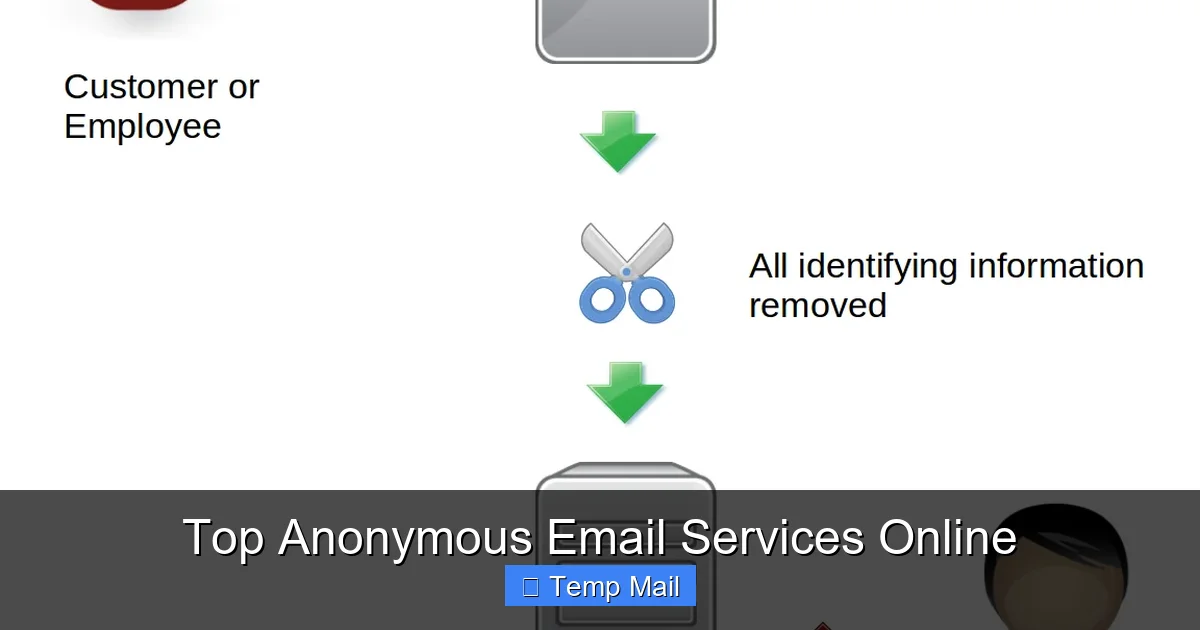
Navigating the web without leaving a digital footprint requires the right tools. Anonymous email services, including disposable “temp mail” and encrypted providers, offer a critical layer of privacy for signing up to websites, verifying accounts, and communicating without using your primary identity. This guide cuts through the noise to compare the top services, explaining their strengths, weaknesses, and perfect use cases so you can choose the safest option for your needs.
You’re about to sign up for a new streaming service, download a whitepaper, or join an online forum. The form asks for your email address. Do you use your primary Gmail or Outlook account, handing over another piece of your digital identity to yet another corporation? Or do you feel a pang of privacy anxiety, knowing that email is often the master key to a person’s online life? This is the moment where anonymous email services become your digital shield. But with terms like “disposable,” “temp mail,” “encrypted,” and “secure” flying around, what do they really mean? Which one is right for you? This isn’t just about avoiding spam—it’s about reclaiming your privacy in an era of constant data harvesting. We’re diving deep into the world of anonymous email, breaking down the top services, their technologies, and exactly how to use them without getting burned.
Key Takeaways
- Disposable vs. Encrypted: Understand the core difference. “Temp mail” or disposable emails create a temporary, throwaway inbox for one-time sign-ups. Encrypted anonymous email services (like ProtonMail) offer a permanent, secure mailbox with robust privacy but require more setup.
- True Anonymity Has Limits: No service can guarantee 100% anonymity if you log in from your home IP or use personal details. True anonymity requires pairing the right tool with cautious behavior, like using a VPN and avoiding personal info.
- Use Case Dictates Choice: Use a disposable service for a forum sign-up you’ll never use again. Use a full-featured encrypted service for sensitive journalistic work, whistleblowing, or long-term private communication.
- Security Features Vary Widely: Look beyond “anonymous” claims. Check for open-source code, independent audits, zero-access encryption, jurisdiction (Switzerland/Germany vs. US/UK), and clear privacy policies that forbid data logging.
- Free Tiers Have Constraints: Most reputable anonymous email services offer functional free plans with limits on storage, sending limits, or features. These are excellent for testing, but heavy users will need paid plans.
- They Block Spam & Tracking: A primary benefit is preventing spam from cluttering your main inbox and stopping companies from linking your real email to your online activity across sites.
- Legality & Ethics Matter: These tools are legal and ethical for privacy protection. They become problematic if used for fraud, harassment, or illegal activities. Always use them responsibly.
📑 Table of Contents
- Why Your Email Address Is the Ultimate Tracking ID
- Top Disposable & Temp Mail Services: For the One-Time Sign-Up
- Top Encrypted & Secure Anonymous Email Providers: For Long-Term Privacy
- How to Choose the Right Service: A Practical Decision Tree
- Practical Use Cases & Advanced Tips
- Security Best Practices: Your Behavior Matters Most
- The Bottom Line: Privacy as a Habit, Not a Tool
Why Your Email Address Is the Ultimate Tracking ID
Before we talk solutions, let’s be brutally clear about the problem. Your email address is not just a communication tool; it’s a persistent identifier. Companies like Google and Facebook use it to track your behavior across the web, building elaborate profiles to sell to advertisers. Data brokers buy and sell email-linked data. A single data breach at a company you trusted with your email can expose that address, leading to phishing attacks, credential stuffing, and identity theft. Once your primary email is out there, it’s nearly impossible to retract. This is why using a separate, anonymous layer for non-essential online interactions is a fundamental privacy best practice. It compartmentalizes your digital life, ensuring a breach or a shady data practice at “Website X” doesn’t poison your main identity.
The Two Main Camps: Disposable vs. Encrypted
Anonymous email services generally fall into two distinct categories, each solving a different problem. Disposable or “temp mail” services are the sprinters. They give you a random, temporary inbox that lives for 10 minutes to a few hours. You use it once to get a verification link, then you forget it. It’s perfect for low-stakes, one-time sign-ups where you’ll never log in again. Encrypted, secure email providers are the marathon runners. They offer a permanent inbox (like Gmail) with military-grade encryption, strict privacy policies, and often a focus on anonymity during sign-up. They are built for ongoing private communication, not just a single verification. Choosing between them is the first and most critical step.
Top Disposable & Temp Mail Services: For the One-Time Sign-Up
Let’s start with the quick, dirty, and incredibly effective world of disposable email. These services generate a random inbox address instantly, no registration required. You copy the address, use it on a website, then check the temp inbox for the confirmation email. Once the timer runs out (usually 24-48 hours max), the inbox and all its contents vanish into the ether.
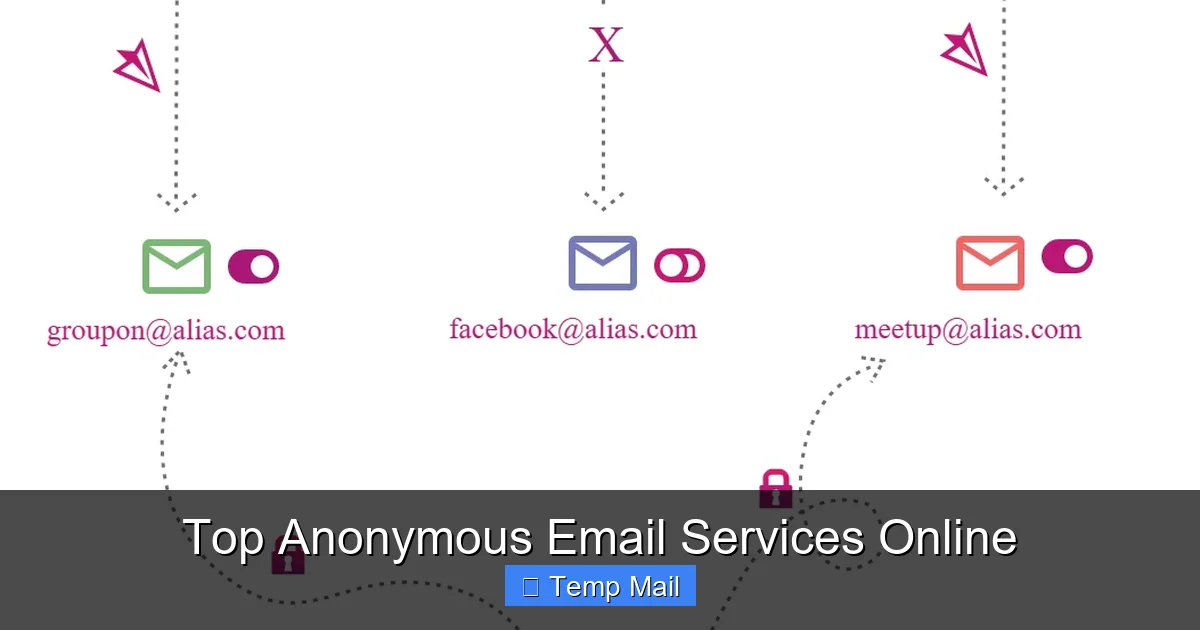
Visual guide about Top Anonymous Email Services Online
Image source: sp-ao.shortpixel.ai
1. Temp-Mail: The User-Friendly Leader
Temp-Mail is arguably the most popular and polished disposable service. Its interface is clean, it offers a browser extension for one-click copy/paste, and you can even choose from a list of available domains (like @temp-mail.org or @tempmail.com). A key feature is the ability to “refresh” the inbox if the initial address gets blocked by a website. It also provides a slightly longer lifespan (up to 48 hours) and a mobile app. Best for: Users who want a reliable, easy-to-use temp mail service with a bit more control and a nicer UI than the bare-bones options.
2. Guerrilla Mail: The Old Guard
Guerrilla Mail has been around for ages and is famously simple. You land on the site, get your random address (e.g., @guerrillamail.com), and that’s it. It also includes a basic password-protected “vault” feature if you need to keep an email for a bit longer than the standard 60-minute session. Its strength is its simplicity and reliability. It does one job and does it well. Best for: Anyone who wants zero fuss, zero sign-up, and a proven track record. It’s the classic “just get the job done” tool.
3. 10 Minute Mail: The Purest Concept
As the name implies, 10 Minute Mail gives you an inbox that self-destructs in 10 minutes. The timer is prominently displayed, creating a sense of urgency. It’s the most minimalist of the bunch. If you need an email address for a process you know will take less than 10 minutes (like a quick download link), this is the purest expression of the disposable email concept. Best for: Ultra-fast, single-purpose tasks where you don’t even need to remember the address for long.
Critical Warning: The Dark Side of Temp Mail
While fantastic for privacy, disposable emails have a major flaw: they are publicly known and often blocked. Many legitimate services (especially financial institutions, social media platforms, and government sites) actively blacklist domains from major temp mail providers. You might simply get a “invalid email” error. Furthermore, because anyone can use them, they are associated with spam and fraudulent activity. Never use a temp mail address for anything important—bank accounts, primary social media, job applications, or any service where you might need to recover access later. The inbox is gone, and so is your access.
Top Encrypted & Secure Anonymous Email Providers: For Long-Term Privacy
When you need a real, lasting email address that prioritizes security and anonymity, you turn to these providers. They are not disposable; they are replacements for Gmail. They typically require a sign-up (often without personal info), use end-to-end encryption, and are based in privacy-friendly jurisdictions.
Visual guide about Top Anonymous Email Services Online
Image source: techlazy.com
1. ProtonMail: The Gold Standard
Based in Switzerland, ProtonMail is the most well-known secure email service. Its free plan offers 1 GB of storage, 150 messages per day, and a @protonmail.com address. Sign-up requires neither a phone number nor a recovery email (though you can add one for convenience). It uses zero-access encryption, meaning even ProtonMail cannot read your emails. The interface is modern and Gmail-like, easing the transition. Paid plans unlock custom domains, more storage, and higher sending limits. Best for: Everyone from privacy-conscious individuals to journalists and activists. It’s the most balanced blend of usability, security, and generous free tier.
2. Tutanota: The Privacy Purist’s Choice
Tutanota, based in Germany, is a fierce competitor to ProtonMail with a slightly different philosophy. Its free plan offers 1 GB of storage and a @tutanota.com address. It also uses zero-access encryption and open-sources its code. A key differentiator is its automatic encryption of all emails *within* its network and an option to send encrypted emails to external recipients via a password. Its interface is clean but less familiar than Gmail’s. Best for: Users who prioritize German/EU privacy laws and appreciate the automatic encryption of all internal mail.
3. Mailfence: The Suite Approach
Mailfence, also based in Belgium (EU), is more than just email. Its free plan includes a calendar, contacts, and documents, all encrypted and privacy-focused. It offers 500 MB of email storage. Sign-up can be done anonymously with a cryptocurrency payment for paid plans. It’s a solid, all-in-one privacy suite. Best for: Users who want an integrated, encrypted productivity suite (email + calendar + docs) rather than just an email inbox.
The Anonymous Sign-Up Hurdle
Here’s the catch: most “anonymous” providers still require some form of verification to prevent abuse. This often means a CAPTCHA. Some, like ProtonMail, may occasionally ask for a phone number if they detect suspicious activity (like a Tor network sign-up). Truly anonymous sign-up without any friction is rare. Be prepared for this. If a service asks for a phone number during sign-up, that’s a potential de-anonymization vector you should consider.
How to Choose the Right Service: A Practical Decision Tree
With all these options, how do you pick? Stop thinking about “the best” and start thinking about “the best for your specific purpose.” Ask yourself this simple question:
“Is this a one-time, low-stakes verification where I will never need to access this account again, or is this for ongoing private communication or a service I may need to log into later?”
- If YES (One-time): Use a disposable/temp mail service like Temp-Mail or Guerrilla Mail. Check if the website accepts the domain first. If it fails, you might need to try a different provider’s domain or resort to your secondary, less-used real email.
- If NO (Ongoing): Use an encrypted secure provider like ProtonMail or Tutanota. This is for social media, newsletter subscriptions you care about, online banking, or any account with long-term value. Treat this anonymous inbox as your “public persona” email.
Additional Filters: Consider storage needs (1 GB free is fine for text, not for large attachments), sending limits (150/day is plenty for personal use), and mobile app availability. Always read the latest privacy policy and terms of service. Look for phrases like “zero-access encryption,” “no data logging,” and “based in a privacy-friendly jurisdiction.”
Practical Use Cases & Advanced Tips
Knowing the theory is one thing; using these tools effectively is another.
Use Case 1: Drowning in Newsletter Spam
You want to read a great article but the site demands an email for a weekly newsletter you don’t want. Solution: Use a disposable email. Get the link, read the article, and forget the inbox. The spam goes to a dead address. For newsletters you actually want to receive long-term, sign up with your ProtonMail address. This keeps your primary inbox clean.
Use Case 2: Testing a Service or App
You’re a developer or just a curious user wanting to test a new app’s sign-up flow without committing your real email. Solution: Disposable email is perfect. You can create and discard accounts at will.
Use Case 3: Whistleblowing or Sensitive Communication
This is the highest-risk scenario. Solution: This requires a layered approach. Use a Tor Browser to mask your IP address. Then, sign up for a ProtonMail or Tutanota account *through Tor*. Do not log into this account from your normal browser or home IP. Use it only for this purpose. Consider using a PGP key for an extra layer of encryption with trusted recipients.
Pro-Tip: The “Plus Addressing” Trick
Many email providers (including Gmail and ProtonMail) support “plus addressing.” If your address is myname@protonmail.com, you can use myname+websitex@protonmail.com. The emails still go to your main inbox, but you can filter them and instantly see which service sold or leaked your address. It’s a simple way to track spam sources without needing a new disposable address every single time.
Security Best Practices: Your Behavior Matters Most
An anonymous email service is a tool. A chainsaw in the hands of a novice is dangerous. Here’s how to wield this tool safely:
- Never Mix Identities: Do not log into your anonymous email from a browser where you are logged into your personal Facebook or Google account. Use a separate browser profile or, better yet, a separate browser (like Firefox for anonymous, Chrome for personal).
- Mind the IP Address: If you use your home internet, your ISP’s IP is logged. For serious anonymity, use a trusted VPN or the Tor network before accessing your anonymous inbox.
- Don’t Use Personal Details: When signing up for a secure provider, use a pseudonym. Do not use your real name, birthdate, or recovery phone number/email that links back to you.
- Beware of Metadata: Even if the content of your email is encrypted, the subject line, sender/recipient addresses, and timestamps are often not. Be mindful of what you put in a subject line.
- Assume Nothing Is Perfect: Software can have vulnerabilities. Jurisdictions can change laws. Stay informed about your chosen provider’s security audits and news.
The Bottom Line: Privacy as a Habit, Not a Tool
Anonymous email services are a powerful and essential part of a modern digital hygiene routine. They are not magic invisibility cloaks, but they are highly effective compartmentalization tools. For the everyday user, the rule is simple: use a disposable email for anything that feels like a “one-night stand” with a website, and use a secure provider like ProtonMail for anything you’d consider a “relationship.” This two-tier strategy dramatically reduces your spam, limits data profiling, and insulates your core identity from the myriad of minor data breaches that happen daily. Start today. Create a ProtonMail account, bookmark a reliable temp mail site, and make using the right email for the right job a unconscious habit. Your future self, with a cleaner inbox and a more segmented digital identity, will thank you.
Frequently Asked Questions
Are disposable/temp mail services legal to use?
Yes, they are completely legal. They are legitimate tools for privacy protection. Their legality only becomes an issue if they are used for fraudulent purposes like creating fake accounts for scams or harassment, which violates the terms of service of most websites and can be illegal in specific contexts.
Can anonymous email services be traced back to me?
It depends on your behavior. The service itself may not log your IP or personal data (check their policy!). However, if you access your anonymous inbox from your home internet without a VPN, your ISP’s IP is visible to the service. For true anonymity, always use a VPN or Tor when accessing these accounts, and never log in from a device or browser tied to your real identity.
What’s the real difference between a temp mail and an encrypted email like ProtonMail?
The core difference is permanence and purpose. Temp mail is disposable: a random, temporary inbox for a single verification, then it’s gone. Encrypted email like ProtonMail is permanent: a real, secure mailbox you own, with storage, sending capabilities, and the ability to log in anytime, designed for ongoing communication and account management.
Do I need to pay for a good anonymous email service?
Not necessarily. The free tiers of ProtonMail (1 GB) and Tutanota (1 GB) are excellent for most personal, private communication needs. Paid plans are for those needing more storage, custom domains, or higher sending limits. Disposable temp mail services are almost always free, as they are funded by ads.
Will these services block spam and phishing emails?
Yes, generally. Both disposable and secure providers have spam filters. However, the nature of disposable mail means you simply discard the entire inbox after use, so spam is irrelevant. For secure providers, their filters are typically very good, but no filter is 100%. The key protection is that your *primary* email address never gets exposed in the first place.
How long do emails last on a disposable/temp mail service?
It varies by provider. Most keep the inbox active for 24-48 hours after the last email is received. Some, like 10 Minute Mail, use a strict countdown timer (e.g., 10 minutes). After the expiration time, the inbox and all its emails are permanently deleted from their servers. You cannot recover it.
Leave a Reply