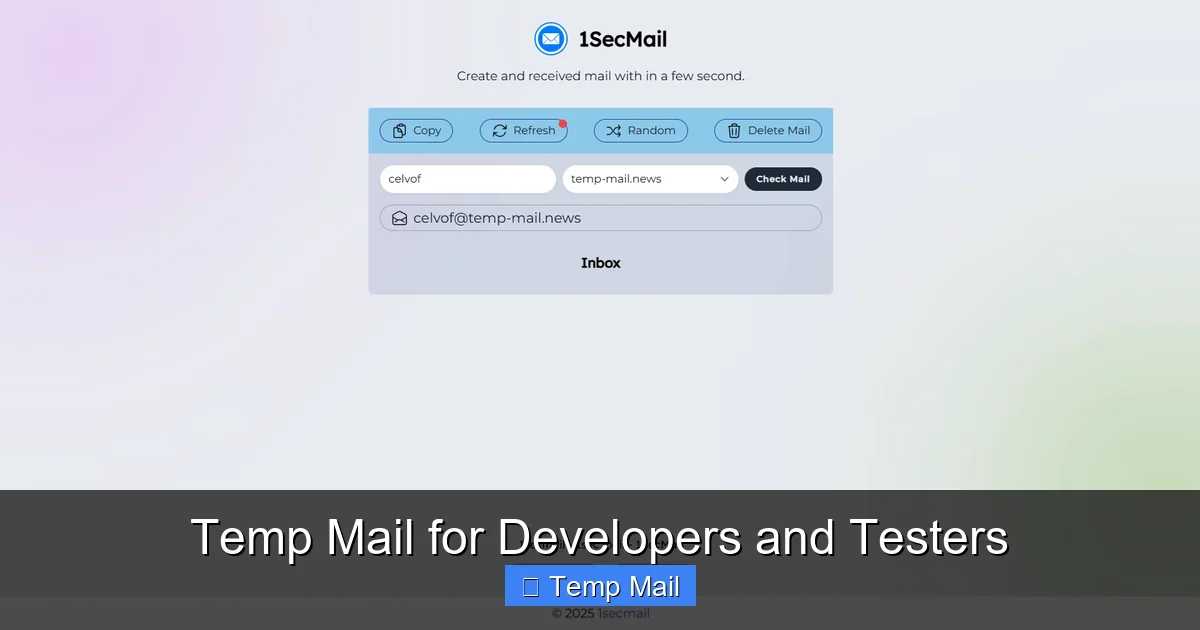
Temporary email services are a secret weapon for developers and QA testers. They provide disposable inboxes to automate user registration tests, receive OTPs without cluttering primary accounts, and validate email functionality in staging environments. By leveraging temp mail APIs and strategic workflows, teams can significantly reduce noise, enhance security, and streamline the entire testing lifecycle for email-dependent features.
Let’s paint a familiar picture: you’re building a new feature that requires user email verification. To test it, you need to sign up, check your inbox for the magic link, click it, and confirm everything works. But doing this with your real Gmail or Outlook account is a mess. The confirmation email lands in your primary inbox, mixing with work chats and family photos. If you’re testing a “forgot password” flow, you might accidentally lock your own account. And what about when you need to test OTP (One-Time Password) delivery for SMS or email? Using your personal number or email is inefficient and insecure. This is where the humble, powerful temporary email service transforms from a tool for privacy-conscious individuals into an indispensable utility in a developer’s or tester’s toolkit.
For professionals building and validating software, disposable email isn’t about avoiding spam for personal gain—it’s about workflow efficiency, test automation, and security hygiene. It’s the clean, disposable canvas you need to paint your test scenarios on without worrying about the mess afterward. In this guide, we’ll dive deep into how developers and QA engineers can leverage temporary email to streamline testing, automate repetitive tasks, and build more robust applications. We’ll move beyond the basic “get a random inbox” concept and explore API integrations, specific use cases, tool comparisons, and best practices that separate novice usage from professional-grade implementation.
Key Takeaways
- Eliminate Primary Account Pollution: Temp mail prevents test sign-ups, OTPs, and newsletters from contaminating your personal or work inbox, keeping critical communications separate and organized.
- Enable Full Automation: Integrate disposable email APIs directly into CI/CD pipelines and automated test suites (like Selenium or Playwright) to programmatically create inboxes, fetch verification links, and assert email content.
- Test Email-Dependent Flows Safely: Validate “forgot password,” email verification, and notification systems in a controlled, repeatable environment without risking real user data or triggering anti-spam filters.
- Boost Security & Privacy: Shield your primary email from data breaches and unsolicited tracking during third-party service trials or when testing applications that require an email for access.
- Choose the Right Tool for the Job: Select between simple browser-based services for manual testing and robust, API-first platforms (like Mailinator or MailSlurp) for scalable, programmatic automation needs.
- Follow Best Practices: Always use unique prefixes for tracking, clean up test data, understand provider limitations (like email retention), and never use temp mail for production or critical account recovery.
📑 Table of Contents
- What Exactly is “Temp Mail” in a Dev Context?
- Why Developers & Testers Absolutely Need This Tool
- Practical Use Cases: From Simple to Complex
- Top Tools & Platforms: A Developer’s Guide
- Best Practices: Writing Clean, Reliable Temp-Mail-Dependent Tests
- The Future: Where Temp Mail in Dev/Test Is Heading
- Conclusion: Embrace Disposable Inboxes as a Strategic Asset
What Exactly is “Temp Mail” in a Dev Context?
At its core, a temporary email service provides you with a random, public, or private inbox address that exists for a short, predefined period—often just 10 minutes to a few hours. For a developer, this translates to an on-demand, programmatically accessible email endpoint. But the landscape has evolved far beyond simple websites like 10minutemail.com. Modern platforms offer:
- Public Inboxes: Shared, random addresses anyone can view. Useful for quick manual checks but not private.
- Private Disposable Inboxes: Unique addresses only you can access, often with a custom alias. This is the gold standard for testing.
- Full-Featured APIs: RESTful APIs that allow you to create inboxes, list messages, fetch bodies and attachments, and even receive webhooks—all from your test code.
- SMTP/IMAP Support: Some enterprise-grade services support standard email protocols, allowing integration with existing email clients or scripts.
The key differentiator for professional use is API control and persistence. You’re not just opening a browser tab; you’re writing code that says: “Create a new inbox, use this address to register the test user, wait for the email, extract the verification link, and assert it contains the correct token.” This level of automation is what makes temp mail a cornerstone of modern testing strategies.
The Core Mechanics: How It Works Under the Hood
Understanding the mechanics helps you debug and choose tools wisely. When you request a new inbox via an API:
- The service generates a unique email address (e.g.,
testuser_abc123@mailinator.comor a custom domain likeabc123@yourdomain.mailslurp.com). - It provisions a storage bucket for that address on their mail servers.
- The address starts receiving emails sent to it. These emails are stored and indexed.
- Your test code polls the API (or waits for a webhook) to list messages for that specific inbox.
- You fetch the message content, parse HTML or text, and extract the data you need (links, codes, etc.).
- After a set time or upon manual deletion, the inbox and all its data are purged from the system.
This entire lifecycle can be managed in milliseconds via code, making it perfect for fast, isolated test runs.
Why Developers & Testers Absolutely Need This Tool
You might be thinking, “Can’t I just use a test Gmail account?” Sure, but that approach has severe scalability, hygiene, and reliability drawbacks. Let’s break down the compelling reasons to adopt a dedicated temp mail strategy.

Visual guide about Temp Mail for Developers and Testers
Image source: shakebugs.com
1. Achieving True Test Isolation and Repeatability
Imagine a test suite that runs nightly. If it uses a single shared test Gmail account, tests can interfere with each other. Test A might delete the verification email before Test B can read it. Or, the inbox might be cluttered with hundreds of old test emails, making it hard to find the one you need. With a unique disposable inbox per test run or per test case, you get a pristine, isolated environment. The test creates its inbox, performs actions, validates the received email, and the data dies with the inbox. No state leakage. No interference. This is fundamental for reliable, repeatable automated testing.
2. Automating thePreviously “Manual” Email Check
Before temp mail APIs, automating an email verification flow was a huge pain. You’d have to use IMAP libraries with a real account, handle 2FA if enabled, manage folder states, and clean up afterward. It was brittle. Now, with a simple API call, your script can:
POST /inboxes→ get a new email address.- Use that address in your application’s signup form (via Selenium, REST API call, etc.).
GET /inboxes/{id}/messages(poll or wait for webhook).- Parse the
textContentorhtmlContentof the received message to grab the verification URL. - Navigate to that URL to complete the flow.
This entire sequence can be wrapped in a function and reused across hundreds of test scenarios, turning a 5-minute manual chore into a 5-second automated step.
3. Testing OTPs and 2FA Flows Without Real Phones/Emails
Multi-factor authentication (MFA/2FA) is standard. Testing it shouldn’t require a tester to have a physical phone on hand or to use their personal SMS/email. Temp mail services that support SMS (some do) or, more commonly, email-based OTPs allow you to fully automate the second factor. Your test triggers the “send code” action, fetches the code from the disposable inbox, and inputs it into the application. This is crucial for continuous testing of security flows.
4. Protecting Personal and Corporate Privacy
When you’re testing a third-party integration—say, a new CRM or marketing tool that insists on an email to create a trial account—you don’t want to use your real corporate email. That exposes you to sales calls and data harvesting. Using a disposable address creates a firewall between your identity and the service under evaluation. It’s a simple but powerful privacy practice that prevents your primary email from being added to countless marketing lists.
5. Validating Email Formatting and Content in Staging
You need to know if your “Welcome” email looks right, if the unsubscribe link works, or if the password reset template renders correctly in Outlook. By pointing your staging application’s email configuration to a temp mail SMTP server or by using a catch-all domain, all outgoing emails land in a test inbox you control. You can then visually inspect HTML emails or programmatically check for the presence of specific links, text, and dynamic variables. This is far safer than accidentally sending a test “Your invoice is ready” email to a real customer.
Practical Use Cases: From Simple to Complex
Let’s get concrete. Here’s how temp mail integrates into real developer and tester workflows.

Visual guide about Temp Mail for Developers and Testers
Image source: tempmailmaster.io
Use Case 1: Automated User Registration & Onboarding
Scenario: Your app has a multi-step signup: email → verification link → profile completion → first project creation.
Temp Mail Integration:
- Test script generates a new private inbox via API.
- Script submits the signup form with the disposable address.
- Script polls the inbox API for a new message with subject “Verify your email.”
- Script extracts the verification link from the email body and navigates to it.
- Script continues with profile setup and project creation, asserting success at each step.
- Inbox auto-deletes after TTL (time-to-live).
Benefit: Full E2E (end-to-end) test of the critical first user journey, fully automated.
Use Case 2: API Testing of “Forgot Password” & Reset Tokens
Scenario: You have an API endpoint POST /auth/forgot-password that sends a reset link with a 15-minute token.
Temp Mail Integration:
- Create a test user in the database with a known email.
- Configure that user’s email to be a newly generated disposable address (or use a catch-all domain).
- Call the
forgot-passwordAPI. - Poll the inbox API for the reset email.
- Extract the reset URL and parse the token query parameter.
- Assert the token is valid (e.g., by calling a
validate-tokenendpoint) and has the correct 15-minute expiry. - Optionally, complete the reset flow by POSTing a new password using the token.
Benefit: Tests the security logic of token generation and expiry without risking a real user’s account or relying on a monitored inbox.
Use Case 3: Load & Performance Testing with Unique Identifiers
Scenario: You need to simulate 1000 users signing up simultaneously to test your registration service’s scalability.
Temp Mail Integration:
- Your load testing tool (e.g., k6, Gatling) is configured with a pre-test script that, for each virtual user (VU), makes an API call to your temp mail provider to generate a unique inbox.
- The VU uses that unique address in its signup request.
- After signup, the VU (or a separate validation script) fetches the email from its assigned inbox to complete verification.
- This ensures every VU has a dedicated, non-conflicting email address, which is impossible with a single shared inbox.
Benefit: Enables realistic, large-scale performance testing of email-dependent user journeys.
Use Case 4: Manual QA & Exploratory Testing on the Fly
Scenario: A tester needs to quickly check a new “invite a friend” feature that sends an email invitation.
Temp Mail Integration:
- Tester opens their preferred temp mail web interface (or browser extension).
- Generates a new private inbox with one click.
- Copies the address and uses it to sign up as a new user in the test environment.
- Uses the app’s “invite” feature, sending an invite to another disposable address (generated in a second tab).
- Switches to the second inbox tab and clicks the invite link to accept.
- Verifies the entire flow works without ever touching a real email account.
Benefit: Drastically reduces setup time for ad-hoc test scenarios and keeps the tester’s personal inbox clean.
Top Tools & Platforms: A Developer’s Guide
Not all temp mail services are created equal. Here’s a breakdown of the main categories and leading players for technical teams.
API-First, Developer-Centric Platforms
These are built for programmatic access and are the top choice for automated testing.
- MailSlurp: A leader in this space. Offers a comprehensive REST API, SDKs for major languages (JavaScript, Python, Java, C#), SMTP/IMAP support, and even allows you to use your own domain. Features like wait-for-email helpers, email content assertions, and attachment handling make it extremely powerful for complex test suites. Pricing is based on inbox count and API calls.
- Mailinator (by Titan): The most well-known public inbox service. They offer a paid “Private Inboxes” tier with API access, allowing you to create non-public addresses. Their API is robust and their infrastructure is reliable. The public inboxes are a security risk if used for anything sensitive, but the private tier is excellent for testing.
- Temp-Mail.org API: A more budget-friendly API option. Provides the core functionality: create inbox, list messages, get message. It’s less feature-rich than MailSlurp but perfectly capable for basic signup/verification automation.
- Guerrilla Mail / 10 Minute Mail: Primarily consumer-focused web interfaces. Their APIs (if available) are often unofficial and unstable. Not recommended for serious development or CI/CD use due to unreliability and lack of support.
Self-Hosted & Open Source Options
For teams with strict data privacy requirements (e.g., testing internal corporate apps), self-hosting is an option.
- MailCatcher / MailHog: These are not “temp mail” services in the traditional sense. They are local SMTP servers that catch all emails sent from your development machine or local network and display them in a web UI. They are fantastic for local development and testing, as they prevent any email from actually leaving your machine. However, they don’t provide public internet-accessible addresses for testing cloud-hosted apps.
- FakeSMTP: Similar to MailHog, a simple Java-based SMTP server for testing that stores emails to files.
Key Insight: Use MailHog for local dev, and a cloud-based API service (like MailSlurp) for testing your deployed staging/QA environments.
Choosing the Right Tool: A Quick Decision Matrix
| Need | Recommended Tool |
|---|---|
| Fully automated CI/CD test suites | MailSlurp, Mailinator Private |
| Manual QA, quick one-off tests | Browser-based services with private inboxes (e.g., Temp-Mail.org web UI) |
| Local development on laptop | MailHog or MailCatcher |
| Strict data sovereignty / air-gapped env | Self-hosted MailHog in isolated network |
| Testing SMS-based OTPs | Specialized services like SMS-Activate or Twilio sandbox (temp mail won’t work for SMS) |
Best Practices: Writing Clean, Reliable Temp-Mail-Dependent Tests
Just having the tool isn’t enough. How you use it determines whether your tests are robust or flaky.
1. Manage Inbox Lifecycle Explicitly
Never assume an inbox exists. In your test setup/teardown:
- Setup: Create a new inbox via API and store its ID/address in a test context variable.
- Test: Use that specific inbox ID for all email-related actions.
- Teardown: Explicitly delete the inbox via API if the service supports it, or let it expire. This prevents hitting provider limits and keeps your account clean. In a CI environment, this is critical.
2. Use Unique, Trackable Prefixes
When generating disposable addresses, don’t use totally random strings. Use a prefix that identifies the test run or environment.
- Bad:
a8f3s@mailslurp.com - Good:
ci-jenkins-pr-123-feature-login@mailslurp.com
This makes debugging infinitely easier. If an email goes missing in the provider’s logs, you can search for your prefix. It also helps when manually checking a shared provider’s public inbox (though avoid public inboxes for private data).
3. Implement Smart Polling with Timeouts
Don’t write a tight loop that polls the inbox every 100ms. It’s wasteful and can get you rate-limited. Implement a backoff strategy:
- Poll every 1 second for the first 5 seconds.
- Then every 2 seconds for the next 10 seconds.
- Then every 5 seconds.
- Fail the test after a total timeout (e.g., 60 seconds) with a clear message: “Verification email not received within 60s for inbox [address].”
Many APIs (like MailSlurp’s) offer a “wait for email” endpoint that handles this polling server-side, which is even better—use it if available.
4. Parse Emails Robustly
Email HTML is notoriously messy. Don’t rely on fragile string matching.
- Use an HTML parser (like BeautifulSoup in Python, Cheerio in Node.js) to extract links and text.
- Look for the verification link by its common patterns: it often contains
/verify/,/confirm/, or a long token. - Check the “from” address to ensure it’s your application’s no-reply address, not a spam message that coincidentally arrived.
- If the email has attachments (e.g., a PDF invoice), verify the attachment count and filename via the API.
5. Handle Edge Cases and Provider Quirks
- Email Delays: Some providers have a 1-2 second delay before emails appear in the API. Factor this into your timeout.
- Rate Limits: Free tiers have strict limits (e.g., 10 inboxes/month). Monitor your usage. In CI, consider caching inbox creation or using a pool of pre-generated addresses if your tests are parallelized.
- Spam Filtering: Your test emails might be flagged as spam by the provider and placed in a “spam” folder. Ensure your API call lists messages from all folders or specifically checks the inbox folder.
- HTML vs. Text: Your app might send a multipart email. Check both the
textandhtmlbody fields in the API response.
The Future: Where Temp Mail in Dev/Test Is Heading
The role of disposable email in development is expanding beyond simple verification testing.
Integration with AI-Powered Testing
Imagine an AI test generation tool that, given a user story like “As a user, I want to reset my password,” automatically writes a test script that provisions a temp inbox, executes the flow, and validates the email content—all without human intervention. Temp mail APIs are the perfect structured data source for these systems.
Unified Communication Testing Platforms
The next step is platforms that handle email, SMS, and even push notifications from a single API. Tools like Twilio Verify for SMS and MailSlurp for email are converging in their offerings. Future testing stacks will have a single “communication inbox” abstraction layer, letting you test any channel with the same code patterns.
Shift-Left Security Testing
Temp mail is already used for testing OTPs. Its next security frontier is testing for email header injection vulnerabilities or ensuring that password reset tokens are single-use and properly invalidated. By having programmatic control over the destination inbox, security testers can craft attacks and observe the outcomes in a safe, isolated environment.
Conclusion: Embrace Disposable Inboxes as a Strategic Asset
Temporary email services have evolved from a privacy hack into a foundational component of modern development and quality assurance workflows. They solve the age-old problem of “how do we test email without using real email?” with elegance and scalability. By moving from manual, ad-hoc use to strategic, API-driven integration, teams can achieve faster test execution, cleaner data, and higher confidence in their email-dependent features.
The key is to treat your temp mail provider not as a casual website to visit, but as a critical piece of test infrastructure—like your CI server or staging database. Choose a reliable, API-first tool. Write tests that manage inbox lifecycles explicitly. Parse emails with care. And always, always clean up after your tests. When you do, you’ll find that what was once a tedious, manual bottleneck becomes a seamless, automated, and even invisible part of your development pipeline. Your future self, with a clean inbox and a green test suite, will thank you.
Frequently Asked Questions
Is using temporary email for testing legal and ethical?
Yes, absolutely. Using disposable addresses for testing your own applications or for QA purposes is a standard industry practice. The ethical boundary is using them to create fraudulent accounts, bypass paywalls, or spam real systems. For development and testing, it’s both legal and responsible, as it prevents pollution of real user systems.
Can I use temp mail APIs in my CI/CD pipeline (e.g., Jenkins, GitHub Actions)?
Yes, and this is one of the most powerful use cases. API-first services like MailSlurp are designed for this. You’ll need to store the service’s API key as a secure secret in your CI environment (e.g., GitHub Secrets). Your test scripts can then call the API to create inboxes and fetch emails as part of automated test jobs.
What’s the biggest pitfall to avoid when automating with temp mail?
The biggest pitfall is not managing the inbox lifecycle. If your tests create new inboxes but never delete them, you’ll quickly exhaust your plan’s limits or clutter your account, causing subsequent tests to fail. Always pair inbox creation with explicit deletion in a teardown step or rely on the provider’s auto-delete TTL (and understand what that TTL is).
Do temp mail services work with two-factor authentication (2FA) apps like Google Authenticator?
No, temp mail services only handle email-based communication. They cannot receive SMS messages or TOTP codes from authenticator apps. For testing SMS-based 2FA, you need a service that provides virtual phone numbers (e.g., Twilio, SMS-Activate). For email-based 2FA codes, temp mail works perfectly.
Are emails from temp mail services deliverable? Will they be marked as spam?
Emails sent to disposable addresses are deliverable by definition—they arrive in the temp inbox. However, some receiving mail servers (like corporate Exchange) may flag emails sent *to* disposable domains as potential spam or block them entirely. This is usually not a problem for testing your own app’s sending functionality, but it’s something to be aware of if you’re testing email deliverability to major providers (Gmail, Outlook typically accept them fine).
How do I handle email links that contain one-time tokens that expire quickly?
This requires fast, reliable automation. Use the provider’s “wait for email” webhook or polling feature with a short interval. Structure your test to trigger the action (e.g., “send reset link”) and immediately start waiting for the email. Don’t perform other long operations in between. Also, ensure your test environment’s clock is synchronized, as token expiry is time-sensitive.
Leave a Reply