Blog

  • Temporary Email for Secure Internet Access

    Temporary Email for Secure Internet Access

    Temporary email services offer a powerful tool for enhancing online privacy and security by providing disposable, anonymous email addresses. These addresses act as a protective barrier between your primary email and the countless online services, forums, and downloads that often lead to spam, data harvesting, and potential security breaches. By using a temporary email for non-critical sign-ups and verifications, you significantly reduce your digital footprint, minimize phishing risks, and maintain control over your personal information, all without any long-term commitment.

    Key Takeaways

    • Primary Defense Against Spam: Temporary emails effectively shield your permanent email address from spam, promotional newsletters, and data broker lists by isolating online interactions to a disposable inbox.
    • Enhanced Anonymity & Privacy: They allow you to interact with websites and services without revealing your true identity or primary email, limiting data collection and profiling by third parties.
    • Mitigates Data Breach Risks: If a service using your temporary email suffers a breach, your primary email and linked accounts (like banking or social media) remain safe and unaffected.
    • Simple & Cost-Effective: Most temporary email services are free, instant to generate, and require no personal information to create, offering immediate privacy protection with zero setup.
    • Not for Critical Accounts: Temporary emails are designed for one-time or low-stakes use; they should never be used for essential accounts (banking, primary cloud storage, main social media) due to their transient nature.
    • Provider Trust is Crucial: The security of your temporary email depends heavily on the provider’s privacy policy; some may log IPs or content, so choosing a reputable, no-log service is key.
    • Part of a Broader Privacy Toolkit: Using temporary email is one effective layer of a comprehensive digital hygiene strategy, best combined with a password manager, VPN, and 2FA.

    What Is a Temporary Email and Why Does It Matter?

    Imagine you’re walking through a crowded city. Every store, every vendor, wants your home address to send you brochures, samples, or “exclusive offers.” Soon, your real mailbox is overflowing with junk you never asked for. The internet works much the same way. Every website, app, or forum that asks for your email address is essentially asking for a key to your digital front door. That “key” often leads to a flood of spam, relentless tracking, and a tangled web of your personal data scattered across countless servers. This is where the brilliant simplicity of a temporary email—often called a disposable or burner email—enters the picture.

    A temporary email is a service that provides you with a random, functional email address for a short period, typically ranging from a few minutes to several days. You use this address to sign up for a new service, download a file, or access gated content. Once you’re done, you simply abandon it. There’s no password to remember, no inbox to clean, and no long-term linkage to your real identity. It’s like using a public payphone or a rental car—perfect for a specific, temporary need, after which you walk away with no lingering obligations or traces. In an era where data is a commodity and your email address is a primary vector for both marketing and attacks, this tool is not just convenient; it’s a fundamental component of secure internet access.

    The Core Principle: Isolation

    The genius of the temporary email lies in the principle of isolation. Your primary email address is your digital identity hub. It’s the username for your bank, the recovery email for your social media, and the contact point for your cloud storage. Compromise that one address, and you risk a cascade of security failures. Temporary emails create a sterile, isolated environment for each new online interaction. Think of it as using a different, throwaway glove for every potentially messy task. You use it, you get the job done, and you discard it without ever risking contamination of your main tools.

    The Tangible Benefits: More Than Just Spam Filtering

    While avoiding spam is the most obvious perk, the benefits of integrating temporary email into your daily browsing are multifaceted and deeply tied to robust security hygiene.
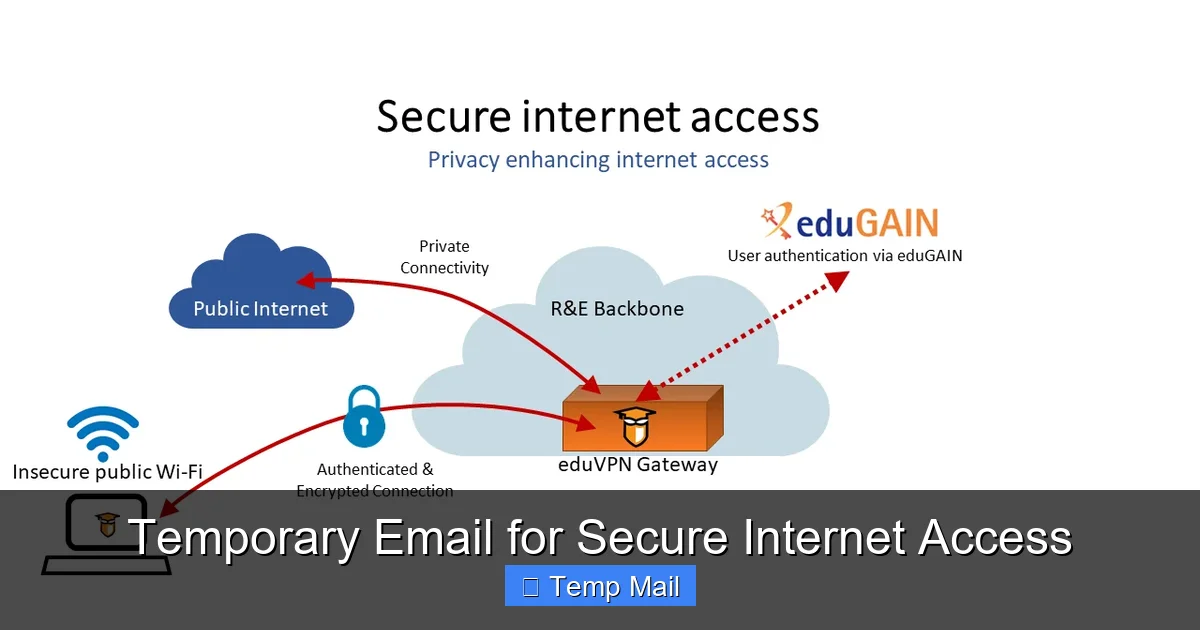
    Temporary Email for Secure Internet Access

    Visual guide about Temporary Email for Secure Internet Access

    Image source: learn.microsoft.com

    1. A Fort Knox for Your Primary Inbox

    Every time you use your real email to sign up for a newsletter, a discount offer, or a one-time tool, you’re adding your address to yet another marketing database. These databases are frequently sold, shared, or leaked. Even if you unsubscribe, your email may remain on the list. A temporary email acts as a sacrificial buffer. The promotional emails, the “important updates” that are really just ads, and the inevitable data breach notifications all go to an address that will self-destruct. Your primary inbox remains a pristine space for communications with family, colleagues, and services you truly trust and need long-term access to.

    2. Slashing Your Digital Footprint

    Your email address is a unique fingerprint. Data brokers and advertisers use it to stitch together your activity across the web, building a detailed profile of your interests, location, and habits. By consistently using a new, anonymous temporary address for non-essential activities, you break this chain of association. You make it exponentially harder for any single entity to build a comprehensive picture of “you” online. This is a direct, actionable step towards reclaiming your privacy.

    3. Phishing and Social Engineering Armor

    Phishing emails are designed to look legitimate and often target your primary accounts. They might pretend to be your bank, your cloud service, or your employer. If you only ever give out your temporary email to sketchy or unfamiliar sites, any “security alert” or “account verification” email that arrives at your primary inbox is immediately suspect because that primary address was never used with that service. This cognitive shortcut is a powerful defense against falling for cleverly crafted scams.

    4. Bypassing “Email Wall” Restrictions

    Many websites, especially those hosting user-generated content, forums, or file-sharing services, require an email to proceed. Some users simply don’t want the hassle or privacy intrusion of using their main email. A temporary email provides an instant, no-fuss solution to access the content or tool they need immediately, respecting their choice to keep their primary identity separate.

    How It Works: The Simple, Secure Lifecycle

    The process is intentionally straightforward to maximize accessibility and minimize friction.
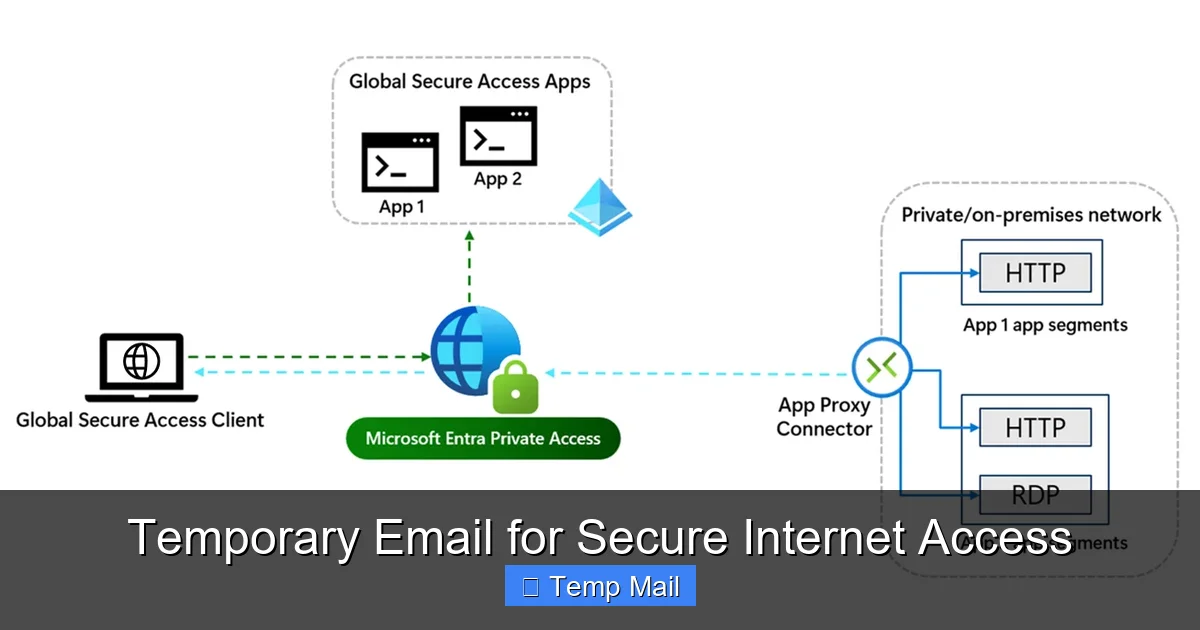
    Temporary Email for Secure Internet Access

    Visual guide about Temporary Email for Secure Internet Access

    Image source: thumbs.dreamstime.com

    Step 1: Generation. You visit a reputable temporary email provider website (e.g., Temp-Mail, 10MinuteMail, Guerrilla Mail). The service instantly generates a random email address for you, often with its own dedicated, temporary inbox page already open. No registration, no CAPTCHA, no personal details required.

    Step 2: Utilization. You copy that generated address and paste it into the website or service you’re accessing. You proceed with the sign-up, download, or verification as usual. Any confirmation emails or links are sent to the temporary inbox you have open in another tab.

    Step 3: Retrieval & Action. You refresh the temporary inbox page to see incoming mail. You click the verification link or copy a code, completing your immediate goal on the original site.

    Step 4: Abandonment. Once you have what you need, you close the tab. After a predetermined time—which could be 10 minutes, 1 hour, or 1 day—the email address and all its messages are permanently purged from the provider’s servers. The address is then recycled and given to a new user. Your interaction is gone, leaving no trace linked to you.

    What About Security During Use?

    It’s critical to understand the security model. The connection between you and the temporary email provider’s website is typically encrypted via HTTPS, just like any major web service. However, the email traffic between the provider and the receiving service (like Gmail or Outlook) is not necessarily encrypted end-to-end. Therefore, you should never send sensitive information like passwords, financial data, or private documents through a temporary email. Its purpose is anonymity and isolation, not secure transmission of secrets. Think of it as a public bulletin board, not a sealed diplomatic pouch.

    Ideal Use Cases: When to Reach for the Disposable

    Knowing *when* to use a temporary email is as important as knowing how. Here are the prime scenarios where it’s a smart, secure choice.

    For One-Time Downloads & Access

    You want to download a free ebook, a software trial, or a template from a site that insists on an email. You have zero intention of maintaining a relationship with that vendor. Use a temporary email, get the download link, and move on. No newsletter spam, no follow-up sales calls.

    Signing Up on New or Questionable Platforms

    You’re trying out a new social network, forum, or app that you’re not sure you’ll stick with. You don’t want to pollute your primary inbox with their notifications or give them a direct line to your established identity. A temporary email lets you test the waters risk-free.

    Bypassing “Read More” or “Comment” Gates

    Many blogs and news sites use “email walls” to limit free article views or to require an email to comment. If you just want to read one article or leave a quick comment, a temporary email is the perfect key. It respects your desire for access without forcing a long-term subscription.

    Creating Test Accounts for Development

    Developers and QA testers often need to create numerous test accounts on platforms. Using a primary email for this is messy and can trigger spam filters. Temporary emails allow for clean, isolated, and automated account generation for testing purposes.

    Protecting Identity on Marketplaces & Classifieds

    When posting an ad on Craigslist, Facebook Marketplace, or similar sites, using your primary email exposes your identity and can lead to unwanted contact. A temporary email provides a layer of anonymity for these public-facing transactions.

    Critical Limitations and Warnings: What You Must Not Do

    Temporary email is a powerful tool, but it has clear boundaries. Misusing it can lead to real problems.

    Never Use for Primary, Long-Term Accounts

    This is the golden rule. Do not use a temporary email for your primary cloud storage (Google Drive, iCloud), main social media profiles (Facebook, Twitter, LinkedIn), online banking, investment accounts, or primary email service itself. These are accounts you need permanent, reliable access to. A temporary email will vanish, locking you out forever. Password recovery would be impossible.

    Inability to Recover Access

    If you forget a password for a site where you used a temporary email, the “forgot password” link will send a reset email to an inbox that no longer exists. You will lose access to that account permanently. There is no customer support that can help you if you’ve used a disposable address.

    Potential for Blacklisting

    Because temporary email domains are widely used for spam and abuse, some legitimate services and platforms actively block them. You might find that a particular website simply will not accept an address from a known temporary provider. This is a common anti-abuse measure.

    No Expectation of Privacy from the Provider

    This is the most significant security caveat. You are trusting the temporary email provider. While reputable ones claim no-log policies and purge data quickly, a malicious or compromised provider could log every email you receive and the IP address you accessed it from. You are placing trust in that specific service. For highly sensitive anonymity, you might need more robust tools like Tor and encrypted email services, but for general spam avoidance, established providers are generally safe.

    Choosing a Provider: What to Look For

    Not all temporary email services are created equal. When selecting one, consider these factors.

    No-Log and Privacy Policy

    Read the provider’s privacy policy (if they have one). Look for clear statements that they do not log, store, or share your communications or IP addresses. The best services state that emails are deleted from servers immediately after the expiration time or upon your manual deletion.

    Inbox Lifespan Options

    Do you need 10 minutes, 1 hour, or 1 day? Some providers offer configurable expiration times. Choose a service that matches your typical use case. For quick verifications, 10-15 minutes is plenty. For a forum you might check later, a 24-hour inbox is better.

    User Interface & Reliability

    A clean, fast-loading interface that automatically refreshes the inbox is a huge usability plus. You don’t want to be manually refreshing every 30 seconds while waiting for a verification email. Also, check if the service has a history of downtime; you need it to be reliable when you need it.

    Domain Variety

    Some providers offer multiple domain options (e.g., @tempmail.com, @dispostable.com). This can be useful if one domain gets blacklisted by a particular site you’re trying to access.

    Ad Intrusiveness

    Many free services are ad-supported. While ads are expected, avoid providers with aggressive pop-ups, misleading download buttons, or adult content ads. These can be security risks in themselves (malvertising). A clean, non-intrusive ad experience is a sign of a more professional operation.

    Integrating Temporary Email into Your Security Routine

    Think of temporary email not as a standalone solution, but as a vital component in a layered defense strategy for secure internet access.

    Combine it with a reputable password manager. Your primary email password should be strong, unique, and stored only in your password manager. When you use a temporary email for a site, you can still generate a unique, strong password for *that* site via your password manager, even if the login email is disposable. This protects the account itself if the site is breached.

    Use a Virtual Private Network (VPN) alongside your temporary email activity. The VPN encrypts your internet traffic and masks your IP address from the temporary email provider itself, adding an extra layer of anonymity. The provider sees the VPN server’s IP, not yours.

    Always enable Two-Factor Authentication (2FA) on your *primary* email and other critical accounts. This is your ultimate fallback. Even if a malicious actor somehow discovers and compromises your primary email password, 2FA with an authenticator app or hardware key will stop them cold.

    Finally, practice mindful email hygiene. Once a month, audit the accounts linked to your primary email. Unsubscribe from newsletters you no longer read. For services you no longer use, delete the account if possible. This reduces your attack surface. Use your temporary email for everything else, keeping your primary inbox and its linked accounts as a clean, secure fortress.

    Conclusion: Embracing Controlled Anonymity

    The internet’s original promise was one of open access and anonymity. Over time, that promise has been eroded by pervasive tracking, data harvesting, and the relentless monetization of personal information. Your email address sits at the center of this ecosystem as both a login and a tracking vector. A temporary email service hands back a piece of that lost control. It’s a simple, free, and profoundly effective tool that allows you to engage with the digital world on your own terms—to access what you need without leaving a permanent, traceable record.

    Using a temporary email is not about being paranoid; it’s about being prudent. It’s the digital equivalent of using a coaster for your drink, a bag for your groceries, or a lock on your front door. It’s a small, habitual action that prevents a larger, messier problem down the line. By consciously choosing when to use your permanent identity and when to deploy a disposable shield, you take an active role in securing your internet access. You reduce spam, limit profiling, and insulate your most critical accounts from the collateral damage of data breaches. In the complex landscape of online privacy, the temporary email is a beautifully simple solution—a first line of defense that anyone can and should deploy.

    Frequently Asked Questions

    Is using a temporary email safe and legal?

    Yes, using temporary email services is completely legal in most jurisdictions. It is a legitimate tool for privacy protection. Safety, however, depends on the provider’s practices. Reputable services use HTTPS and have clear no-log policies, making them safe for their intended purpose of avoiding spam and non-critical sign-ups. You should never use them to send sensitive personal data.

    How is a temporary email different from a regular email?

    The core difference is longevity and personal connection. A regular email (like Gmail or Outlook) is permanent, tied to your identity, and requires a password for access. It’s designed for long-term communication. A temporary email is created instantly without personal information, has a very short lifespan (minutes to days), and requires no login. It’s designed for one-time, anonymous use and is deleted after use.

    Can I use a temporary email for important accounts like banking or social media?

    Absolutely not. This is the most critical rule. Important accounts require permanent, reliable access. If you use a temporary email for your Facebook account or bank, you will be permanently locked out the moment the address expires, as all recovery and login communications will go to a non-existent inbox. Always use a secure, permanent email for these essential services.

    How long does a temporary email last?

    It varies by provider. Some inboxes last for just 10 minutes (perfect for a quick verification code), others for 1 hour, and many for 24 hours or even up to a week. The address and all its emails are permanently deleted after this time, and the address is recycled for another user.

    Are temporary emails encrypted? Can the provider read my emails?

    The connection to the temporary email provider’s website is usually encrypted with HTTPS. However, the emails themselves are generally not end-to-end encrypted between the provider and the final destination (like Gmail). This means the provider can technically read the content of emails passing through their system. This is why you must never send passwords, financial info, or private messages via a temporary address. Its purpose is anonymity from the *recipient*, not secrecy from the *provider*.

    Why would a website block a temporary email address?

    Websites block temporary email domains to prevent abuse. Spammers, bots, and people creating fake accounts for fraud or trolling heavily rely on disposable emails. By blocking known temporary domains, a website can reduce the amount of spam, fake accounts, and malicious activity on its platform, improving the experience for legitimate users. It’s a common anti-abuse measure.
  • Temp Mail for Anonymous Internet Use

    Temp Mail for Anonymous Internet Use

    Temp mail services provide disposable, anonymous email addresses that shield your real identity online. They are perfect for signing up to websites, forums, or trials without risking spam or data breaches to your primary inbox. By using a temporary address that self-destructs, you maintain privacy and control over your digital footprint, making it an essential tool for cautious internet users.

    Key Takeaways

    • Core Purpose: Temp mail creates short-lived, anonymous email addresses to protect your primary identity and inbox from spam, tracking, and data breaches.
    • How It Works: You generate a random address on a provider’s site, use it for a specific purpose, and the address (and all its emails) auto-deletes after a set time or upon inbox closure.
    • Primary Benefit – Spam Prevention: It acts as a physical “burner phone” for the internet, containing all unwanted promotional emails and potential data leaks to a dead-end address.
    • Not for Critical Accounts: Never use temp mail for banking, primary social media, or any account where password recovery and long-term access are absolutely essential.
    • Anonymity vs. Security: While excellent for anonymity from marketers, temp mail is not encrypted secure messaging; sensitive data should never be sent to or from a disposable address.
    • Legal and Ethical Use: Using temp mail is legal for privacy protection. It becomes problematic only if used for fraud, harassment, or to circumvent legitimate website bans.
    • Smart Practice: Use a dedicated, reputable temp mail provider and develop a personal rule: “If it’s important, it doesn’t get a temp address.”

    What Exactly is Temp Mail? The Digital Burner Phone

    Imagine you need to give a phone number to a store clerk for a one-time receipt, but you don’t want them having your real cell number forever. So, you hand over a number from a cheap, prepaid “burner” phone you’ll toss after the call. Temp mail is the email equivalent of that burner phone. It’s a service that provides you with a temporary, disposable email address—completely separate from your personal or work accounts—that exists for a short period, usually minutes or hours, before self-destructing along with all its contents.

    This concept isn’t about hiding illicit activity; it’s about reclaiming agency. Every day, we’re asked to “create an account” or “subscribe for a discount” to access content, download a file, or try a software trial. Each of those forms is a potential gateway for spam, data harvesting, and a permanent link between your primary email and a website you may never visit again. Temp mail breaks that link. It gives you a shield. You get the access you need, and the website gets an email address that leads to a black hole, protecting your real identity and your long-term inbox peace.

    The Anatomy of a Temp Mail Address

    When you visit a temp mail website like Temp-Mail.org, 10MinuteMail.com, or Guerrilla Mail, you are instantly assigned a random email address. It typically looks something like xyz7f3b2@domain.com. You don’t create a password. There’s no login. You simply copy that address and paste it wherever required. The provider’s website then shows you an inbox interface for that specific address. Any email sent to that address appears in that browser tab in real-time.

    Key characteristics of this address:

    • No Account Creation: No username, no password, no personal details required.
    • Randomly Generated: The address is algorithmically created, not tied to you.
    • Ephemeral Lifespan: The clock starts ticking immediately. Some last 10 minutes, others 1 hour, some 24 hours. After that, the address and all emails vanish into the digital ether.
    • Shared Inboxes (Usually): Many free services use the same domain for thousands of users. While you only see emails sent to *your* random string, the domain is public. This is why using a unique, randomized address is crucial.

    The Driving Force: Why People Seek Anonymous Email

    The motivation for using temp mail is almost universally rooted in a desire for privacy and control. It’s a direct response to the modern web’s “email-for-access” economy. Let’s break down the core reasons.

    Temp Mail for Anonymous Internet Use

    Visual guide about Temp Mail for Anonymous Internet Use

    Image source: is1-ssl.mzstatic.com

    Combatting the Spam Tsunami

    This is the number one, most practical reason. You sign up for a “free ebook” from a marketing site. Unbeknownst to you, that action adds your email to a dozen mailing lists. Within days, your primary inbox is flooded with promotions, newsletters you never read, and “special offers.” Using a temp mail address for this ebook download contains the spam. It goes to an address that will expire before the first marketing email even arrives. Your real inbox remains pristine. It’s a preemptive spam filter with a 100% success rate for those disposable sign-ups.

    Shielding Your Identity from Data Brokers and Trackers

    When you use your real email to sign up for a forum, a game, or a survey, you are creating a data point. That website now has a verified, working email address linked to your activity on their platform. They may sell this “verified user” data to advertisers. Data brokers aggregate these points to build profiles about you. A temp mail address is a dead-end data point. It provides no long-term value to a data broker because it cannot be used to reliably contact or profile a real person over time. It anonymizes you at the point of entry.

    Bypassing Regional Restrictions and Basic Blocks

    Some websites or content platforms restrict access based on geography or require an account to view content. A temp mail can help you create a minimal account to bypass that initial barrier. It’s also a tool for accessing trial software or services that require an email, allowing you to evaluate them without committing your primary identity. This is about frictionless access, not malicious circumvention.

    Testing and Development

    For software developers, QA testers, and security researchers, temp mail is invaluable. They can test email verification flows, sign-up processes, or newsletter deliverability without polluting real inboxes or risking company domains. It’s a clean, disposable testing environment.

    How Temp Mail Actually Works: A Step-by-Step Breakdown

    Understanding the mechanics removes the mystery and helps you use the tool more effectively. The process is intentionally simple.

    Temp Mail for Anonymous Internet Use

    Visual guide about Temp Mail for Anonymous Internet Use

    Image source: cdn.projects.co.id

    Step 1: Visit the Provider and Get Your Address

    You navigate to a temp mail service website. Upon loading, the backend system instantly generates a random username and pairs it with the service’s domain (e.g., @tempmail.demo). This combination is your temporary email address. It’s displayed prominently on the page. No action, no click, no information from you is required.

    Step 2: Use the Address Where Needed

    You copy the provided address (usually with one click) and paste it into the “email” field on the website you’re accessing. You then proceed to sign up, request a download link, or verify a phone number as required by that site. The website sends a confirmation email or a link to your *temporary* address.

    Step 3: Receive and View the Email

    Within seconds, that email appears in the inbox interface on the temp mail provider’s site. You refresh the page (or it auto-refreshes), and the email is there. You can open it, click links, or copy verification codes. The provider acts as a passive middleman, simply routing the email from the sender’s server to your temporary inbox view.

    Step 4: The Inevitable Expiration

    This is the critical step. A countdown timer is almost always visible. Once the time limit (e.g., 10 minutes, 1 hour) expires, the entire system purges that specific email address and all its associated data from their servers. The address becomes invalid. Any future emails sent to it bounce. The digital trail is erased. In some cases, the inbox may also clear if you close the browser tab before expiration, depending on the service’s model.

    The Critical Limitations and Risks You Must Know

    Temp mail is a powerful tool, but it is not a magic bullet for all privacy concerns. Using it without understanding its limitations can lead to real problems.

    It’s Not for Account Recovery or Important Services

    This cannot be stressed enough. If you use a temp mail to sign up for Facebook, your bank, a cloud storage service, or your main email provider, you will lose access forever the moment the address expires. You cannot reset a password you cannot receive. You will be permanently locked out. These services require a permanent, accessible email for account integrity and security. Temp mail is for disposable interactions only.

    Security and Encryption Are Not Guaranteed

    Most free temp mail services do not offer end-to-end encryption. The emails are stored in plain text on their servers during their short lifespan. While the risk is low due to the brief existence, you should never send sensitive personal information—passwords, financial data, Social Security numbers, confidential documents—via a temp mail address. Assume anything sent through it could be read by the provider during its active window. Its anonymity protects you from the *recipient*, not necessarily from the *service*.

    Reliability and Delivery Issues

    Some websites and email systems actively blacklist known temp mail domains to prevent abuse and fake account creation. You might find that a confirmation email simply never arrives because the sender’s server rejected the disposable domain. This is a common frustration. In these cases, you have no choice but to use a real email or try a different, less-blacklisted temp mail provider.

    No Long-Term Archival or Search

    Once the inbox expires, it’s gone. You cannot search for an old verification code from a week ago because it doesn’t exist. You must use the email immediately upon receipt. This makes it unsuitable for any communication that needs to be referenced later.

    The legality of temp mail is clear in most jurisdictions: the tool itself is perfectly legal. Privacy is a fundamental right. However, the use of the tool determines its legality.

    When Use is Legitimate and Ethical

    • Protecting your primary email from spam when downloading a whitepaper.
    • Signing up for a one-time forum discussion to ask a question.
    • Testing a website’s sign-up flow as a developer.
    • Accessing a paywalled article that requires a free account.
    • Any scenario where you are not misrepresenting your identity for fraudulent gain.

    When Use Crosses the Line

    Using temp mail becomes illegal or a violation of Terms of Service when it is employed for:

    • Fraud: Creating fake accounts to manipulate reviews, run scams, or abuse “new user” promotions.
    • Harassment or Threats: Sending abusive or threatening messages while hiding behind anonymity.
    • Circumventing Bans: If you are permanently banned from a service for violating rules, creating a new account with a temp mail to evade that ban is typically a direct breach of their Terms of Service.
    • Illegal Transactions: Purchasing illegal goods or services.

    Remember, while the temp mail address is anonymous to the website you’re signing up for, the temp mail provider itself may keep logs (IP addresses, timestamps) for a period, which could be subpoenaed in a criminal investigation. The anonymity is against the *website*, not against all possible legal discovery.

    Best Practices: How to Use Temp Mail Wisely and Effectively

    To integrate temp mail into your digital hygiene routine safely, follow these practical guidelines.

    1. Establish a Clear Personal Rule

    Adopt a simple, firm mental rule: “If the account or service is important for long-term use, identity, or recovery, it gets my permanent email. Everything else gets temp mail.” Your bank, primary email, main social media, cloud storage, and password manager are permanent. The cooking forum, the discount newsletter, the free trial of a graphic design tool you’re trying—these are disposable. This binary rule removes decision fatigue.

    2. Choose a Reputable Provider

    Not all temp mail services are equal. Look for providers that:

    • Clearly state their data retention and deletion policies.
    • Have a straightforward, ad-supported (or premium) model without hidden malware.
    • Offer a domain that isn’t universally blacklisted (sometimes a less common domain works better).
    • Allow you to manually “refresh” or extend the inbox time if needed.
    • Popular, long-standing options like Temp-Mail.org, 10MinuteMail.com, and Guerrilla Mail have established trust, but always check their current privacy policy.

    3. Use It and Forget It

    Do not become attached to a temp mail address. Once you’ve received the verification email or the download link, you can close the tab. Do not bookmark it. Do not try to go back later. The value is in its impermanence. If you need to receive something more substantial, use your permanent email from the start.

    4. Combine with Other Privacy Tools

    Temp mail is one layer. For maximum anonymity on a sensitive task, consider using it in conjunction with:

    • A reputable VPN or Tor browser to mask your IP address from the temp mail provider and the website you’re visiting.
    • A privacy-focused browser in incognito/private mode to avoid cookie tracking from the temp mail site itself.
    • This creates a more robust anonymity chain: your real IP is hidden, your real email is not used, and tracking cookies are minimized.

    The Future of Disposable Communication

    The demand for temp mail is a symptom of a larger issue: the broken relationship between users and the ad-driven internet. As data privacy regulations like GDPR and CCPA give users more rights, and as awareness of data harvesting grows, tools that offer “minimal viable identity” will become more mainstream. We may see:

    • Integration with Password Managers: Services like Bitwarden or 1Password could include built-in, secure alias generation for emails (similar to Apple’s “Hide My Email” feature).
    • More Sophisticated Aliasing: Services like SimpleLogin or AnonAddy (which are more advanced than basic temp mail) may become standard, allowing you to create unique, forwardable aliases that can be disabled at any time, blending the convenience of a permanent address with the control of disposability.
    • Increased Blacklisting: As websites fight fake accounts, they will get better at blocking disposable domains, potentially creating a cat-and-mouse game that favors more sophisticated, less obvious aliasing services over simple temp mail.

    The core principle will remain: your email address is a key to your identity. Guard it fiercely. Use disposable tools for the noisy, transactional parts of the web, and reserve your permanent address for the people and services you trust.

    Conclusion: Reclaiming Your Digital Peace

    Temp mail is not about being secretive; it’s about being selective. It’s a simple, powerful tool in the privacy-conscious user’s toolkit that directly counters the relentless data-collection economy of the web. By providing a sacrificial email address for the countless low-stakes interactions we have online daily, it prevents your primary identity from being endlessly traded, sold, and targeted. It contains spam to a dead-end, shields your identity from trackers, and gives you back a sense of control.

    However, its power comes with clear boundaries. Its strength—impermanence—is also its greatest weakness. It is useless for anything requiring longevity, recovery, or trust. The key is mindful application. Use it wisely for what it’s designed for: the disposable, the promotional, the one-time-access points of the internet. For everything that matters—your finances, your core social connections, your critical accounts—cling to your permanent, secure email. In doing so, you build a smarter, more resilient digital life, one temporary address at a time.

    Frequently Asked Questions

    Is using temp mail legal?

    Yes, using temp mail services is completely legal in most countries. It is a legitimate tool for protecting your privacy. It only becomes illegal if you use it specifically to commit fraud, harassment, or other criminal activities.

    Can websites detect that I’m using a temp mail address?

    Yes, many websites can and do detect temp mail domains. They often maintain lists of known disposable email providers and will block sign-ups from those domains. This is why you might sometimes find a confirmation email never arrives.

    Is temp mail secure for sending private information?

    No, it is not secure for sensitive data. Most temp mail services do not use end-to-end encryption. Emails are stored in plain text on their servers during the inbox’s short lifespan. You should never send passwords, financial details, or confidential documents via a disposable address.

    What happens to my emails after the temp address expires?

    They are permanently and irreversibly deleted from the temp mail provider’s servers. The email address is then recycled and given to a new user. Any future emails sent to that expired address will bounce.

    Can I extend the life of my temp mail inbox?

    Some providers offer a “refresh” button that adds more time (e.g., another 10 minutes) to the countdown timer. However, this is not unlimited and varies by service. The core design is for short-term use.

    Should I use temp mail for social media or gaming accounts?

    No. You should always use your permanent, accessible email for any account where you might need password recovery, long-term access, or where the account represents your identity (like Facebook, Instagram, Steam, or Xbox). Using temp mail for these will lead to a permanent lockout.

  • Disposable Email for Temporary Use

    Disposable Email for Temporary Use

    A disposable email for temporary use is a free, short-lived inbox designed to protect your primary email from spam, data breaches, and unwanted marketing. It’s the perfect tool for signing up to websites, downloading files, or verifying accounts where you don’t want to share your real contact information. These services generate a random email address that self-destructs after a set time or number of uses, offering a simple layer of online anonymity.

    Key Takeaways

    • Core Purpose: A disposable email provides a temporary, throwaway inbox to shield your permanent email address from spam, phishing, and data collection when registering on low-trust websites.
    • How It Works: You visit a temp mail website, a random address is generated for you instantly, you use it for a single sign-up or download, and the inbox (and its contents) vanishes after minutes or hours.
    • Primary Benefit – Spam Prevention: By using a disposable email, you prevent promotional emails and potential malware links from ever reaching your main, personal, or work inbox.
    • Key Limitation – Not for Important Accounts: Never use a disposable email for critical services like banking, primary social media, password recovery for important accounts, or any service requiring long-term access.
    • Legal and Acceptable Use: These services are perfectly legal tools for privacy protection. The ethical consideration lies in their use—they should protect *you* from spam, not be used to create fraudulent accounts or evade legitimate bans.
    • Provider Variability: Features, lifespan, and security differ between providers. Some offer custom usernames, longer durations, or browser extensions, while others are extremely basic.
    • No Real Security: A disposable email offers anonymity, not security. The provider can see all emails sent to that address. It does not encrypt your communications or protect you from sophisticated targeted attacks.

    What Exactly is a Disposable Email?

    Imagine you’re at a crowded street fair, and a vendor asks for your home address to enter you into a prize draw. You’re pretty sure you’ll never hear from them again, and you don’t want them sending catalogs to your doorstep for the next decade. What do you do? You might give them a friend’s address, or perhaps a PO box. In the digital world, a disposable email is your digital PO box for exactly this scenario. It’s a temporary, anonymous email address that you can use for a specific, short-term purpose and then discard without any consequence to your real identity or primary inbox.

    These services, often called “temp mail,” “throwaway email,” or “10-minute mail,” have become essential tools in the modern internet user’s privacy toolkit. They sit between you and the countless websites, forums, blogs, and download portals that insist on an email address for basic access. The fundamental promise is simple: get the content or access you need, keep your primary email clean, and walk away without a trace. But how did this concept come about, and what makes it tick?

    The Genesis of Throwaway Inboxes

    The disposable email concept emerged in the early 2000s as a direct response to the escalating war on spam. As email became ubiquitous, so did unsolicited commercial email. Companies began using “free” offers—like an e-book or software trial—as bait to collect email addresses, which were then sold to third-party marketers or used for their own relentless promotions. The “ unsubscribe” link often led nowhere, trapping users in a cycle of spam. Disposable email services provided an escape hatch, allowing users to satisfy a website’s requirement without handing over their valuable, personal contact information.

    Early pioneers like Mailinator (launched in 2004) popularized the idea of completely public, no-login-required inboxes. You simply went to the site, a random address was assigned, and anyone could view that inbox. This was incredibly convenient but raised obvious privacy concerns, as emails were visible to anyone who knew the address. Modern services have evolved, offering private, password-protected temporary inboxes for the duration of their lifespan, striking a better balance between convenience and user privacy.

    How Disposable Email Services Actually Work

    The mechanics behind a disposable email for temporary use are deceptively simple, which is part of their appeal. There’s no complex software to install or lengthy sign-up process. The entire system is designed for instant gratification and immediate disposal.

    Disposable Email for Temporary Use

    Visual guide about Disposable Email for Temporary Use

    Image source: profitable-business.net

    The Step-by-Step Process

    Using a disposable email service typically follows these four effortless steps:

    • 1. Visit the Service Website: You navigate to a provider like Temp-Mail.org, 10MinuteMail.com, or Guerrilla Mail. No account creation is needed.
    • 2. Automatic Address Generation: The website instantly generates a random email address for you, often something like xyz789@tempmail.net. It might also provide a corresponding inbox view right on the page.
    • 3. Use the Address: You copy this temporary address and paste it into the website or service that is requesting your email. You then proceed to download the file, read the article, or complete the registration.
    • 4. Check the Inbox & Forget: If you need a verification code or download link, you check the temporary inbox displayed on the provider’s site. Once you’ve retrieved what you need, you simply close the browser tab. After a predetermined time (often 10 minutes to 1 hour) or if the inbox is inactive, the address and all its emails are permanently deleted from the server.

    Some advanced services offer browser extensions or mobile apps that streamline this process even further, automatically suggesting a disposable email when you encounter a sign-up form.

    Behind the Scenes: Server & Domain Management

    What powers this magic? Service providers own or lease large pools of domain names (like @dropmail.me, @tmpmail.org) and set up mail servers configured to accept mail for any address at those domains without requiring prior account creation. When you visit the site, the server assigns you a unique local part (the part before the @) and associates it with a temporary session in their database. All incoming mail for that address during your session is routed to your private, session-specific inbox view. The “disposable” part comes from aggressive database cleanup policies—old sessions and their associated email data are purged automatically and frequently.

    The Undeniable Benefits: Why Use a Disposable Email?

    Choosing to use a disposable email isn’t about being paranoid; it’s about being prudent. The benefits extend far beyond just avoiding a few spam newsletters.

    Disposable Email for Temporary Use

    Visual guide about Disposable Email for Temporary Use

    Image source: image.winudf.com

    1. Spam and Junk Email Annihilation

    This is the number one reason people seek out temp mail. Every time you use your primary email to sign up for a forum, a discount site, or a free app, you’re adding your address to another marketing list. Even if you unsubscribe later, your address has already been shared and sold. A disposable email acts as a sacrificial buffer. Any follow-up spam, promotional blasts, or “special offers” are sent to an address that will vanish in an hour, leaving your main inbox pristine and under your control.

    2. Enhanced Privacy and Anonymity

    Your email address is a key piece of your digital identity. It can be used to look up your social media profiles, track your activity across sites (through login services like “Sign in with Google”), and build a profile of your interests for targeted advertising. By using a temporary address for low-stakes interactions, you minimize the linkages between your real identity and your browsing activity. It’s a simple but effective step towards reducing your overall digital footprint.

    3. Bypassing Content Gates and Paywalls

    Many reputable websites and publishers use a common tactic: you want to read an article or download a whitepaper, but you must provide an email address first. While some users are happy to subscribe, many just want the single piece of content. A disposable email allows you to respect the site’s gate (you did provide an email) while avoiding the long-term commitment of a newsletter subscription you’ll never read.

    4. Avoiding Data Breach Fallout

    Data breaches are a weekly occurrence. When a company you’ve signed up with gets hacked, your email address is one of the first pieces of data exposed. Hackers then use that email to launch phishing attacks against you or try to crack passwords on your other accounts (a technique called “credential stuffing”). If the breached email was a disposable one, the attack vector is completely cut off. Your real, important accounts remain safe because the compromised address no longer exists.

    5. Safe Testing and Development

    For developers, QA testers, or anyone building automated scripts (bots), disposable emails are invaluable. They can be used to test email verification flows, sign-up processes, or notification systems without polluting real user databases or risking personal accounts. It’s a clean, repeatable way to simulate user actions.

    Practical Example: The Download Dilemma

    Let’s say you find a useful, free software tool on a blog. To download it, the site requires you to enter your email to receive a link. You suspect this is a lead-generation tactic. Here’s the ideal workflow with a disposable email:

    1. Open a new tab and go to your preferred temp mail service.
    2. Copy the generated email address (e.g., a8f3c@tempmail.net).
    3. Paste it into the download form on the blog and submit.
    4. Switch back to the temp mail tab. Within seconds, the download link arrives.
    5. Click the link, download the software, and close the tab.
    6. The temporary email address and the download link email are gone forever in 10 minutes. No follow-up from the blog. No spam.

    Common and Smart Use Cases for Temporary Inboxes

    Knowing that you can use a disposable email is one thing; knowing when and how to use it effectively is another. Let’s explore the practical scenarios where these services shine.

    Signing Up for New Online Services & Apps

    This is the bread and butter of disposable email use. Before you commit to a new social platform, messaging app, or cloud service, you might want to test it out. Using your primary email means you’re on their mailing list forever, even if you delete the account. Using a temp mail lets you explore the service risk-free. If you love it and decide to keep it, you can always go back later and add your real email to your account settings for recovery and notifications.

    Accessing Gated Content

    As mentioned, bloggers, journalists, and marketers often gate high-value content (research reports, in-depth guides) behind an email form. A disposable email is the perfect key. You get the content you need immediately, and you don’t have to feel guilty about unsubscribing later from a newsletter you never intended to receive. It respects your time and attention.

    Forum Registrations and Commenting

    Many online forums, especially older or tech-focused ones, require registration to post or view certain threads. These forums can be hotspots for spam, and your email might be visible to other users. A temporary address lets you participate in a discussion or ask a question without exposing your identity or risking your main inbox.

    One-Time Promotions and Coupons

    See a great deal that requires an email sign-up for a coupon code? Use a disposable address. You get the discount code, use it, and the promotional emails that follow are sent to a dead end. This is especially useful for retail sites you’ll likely never shop at again.

    Creating Test Accounts for Software

    If you’re a developer or even a power user testing a new feature that requires multiple accounts (e.g., a multi-user collaboration tool), disposable emails allow you to spin up as many test accounts as you need quickly and cleanly, without managing a zoo of real email aliases.

    Protecting Your Identity on Public Wi-Fi

    When you’re on an unsecured public network (at a cafe, airport), your data is more vulnerable. If you need to sign up for a service while out and about, using a temporary email from a secure HTTPS-enabled temp mail site adds a small layer of operational security. The site you’re signing up for won’t have your real email, and your session is transient.

    The Critical Risks and Limitations You Must Know

    While powerful, a disposable email is not a magic bullet for all your privacy problems. Understanding its limitations is crucial to using it safely and effectively.

    1. Zero Long-Term Access or Recovery

    This is the most important rule. Once the inbox expires, everything is gone. If a website you signed up with later sends a password reset link, an important account notification, or a receipt, you will never see it. There is no “forgot password” for a disposable address. This is why you must never, under any circumstances, use one for:

    • Banking, financial services (PayPal, Venmo), or cryptocurrency exchanges.
    • Your primary email account (Gmail, Outlook, etc.) or any account used for password recovery.
    • Important cloud storage (Dropbox, Google Drive) or document signing services.
    • Social media accounts you wish to keep long-term (Facebook, Twitter, LinkedIn).
    • Any service that is critical to your daily life, career, or finances.

    2. The Provider is a Middleman You Must Trust

    When you use a disposable email service, you are trusting that provider with all the emails sent to that temporary address. While most reputable services delete data aggressively, a malicious or compromised provider could read, log, or even modify the emails you receive. You have no control over their security practices. Therefore, never use a disposable email for:

    • Sending or receiving sensitive personal information (SSN, ID numbers).
    • Confidential business communications.
    • Any communication where legal privilege might apply.

    3. Many Websites Actively Block Them

    The popularity of disposable emails has not gone unnoticed. Major platforms like Google, Facebook, Twitter, and many banking or SaaS (Software-as-a-Service) companies maintain lists of known disposable email domains and actively block sign-ups from them. They see them as a fraud and spam risk. If you try to use one on these sites, you’ll likely get an error message: “This email domain is not supported.” You’ll need your real email for these services anyway.

    4. No Encryption or Advanced Security Features

    Your standard Gmail or ProtonMail account offers two-factor authentication (2FA), end-to-end encryption (in some cases), and robust login alerts. Disposable email services are designed for speed and anonymity, not high security. They typically offer no 2FA. The inbox view is often just a simple web page. If someone gained access to your computer while the temp mail tab was open, they could see your temporary inbox. The security model is based on the ephemeral nature of the address, not strong access controls.

    5. Potential for Abuse and Blacklisting

    Because they are anonymous, disposable emails are sometimes used for abusive purposes: creating fake accounts to spam, post hate speech, or launch automated attacks. This can lead to the entire domain of a disposable email provider being blacklisted by other email services. If you use a temp mail from a blacklisted domain, your emails might not be delivered at all, or they might land straight in the recipient’s spam folder. This is a constant cat-and-mouse game for providers.

    How to Choose a Disposable Email Service: A Practical Guide

    Not all temp mail services are created equal. When selecting one, consider these factors based on your specific needs.

    Core Criteria for Evaluation

    • Inbox Lifespan: How long does the inbox last? 10 minutes? 1 hour? 1 day? For a quick download link, 10 minutes is fine. For a forum registration where you might need to click a confirmation link later, you need at least a few hours. Look for services that let you extend the time (often by clicking a refresh button).
    • Domain Options: Some services offer multiple domain choices (e.g., you can get an address ending in @dropmail.net or @tmpmail.org). If one domain is blocked on a site you’re trying to sign up for, switching to a different domain from the same provider might work.
    • Customization: Can you choose your own username, or is it completely random? A random string is more anonymous, but a custom one (within the service’s rules) is easier to remember if you need to check the inbox a few times.
    • Security & Privacy Policy: Does the provider state they do not log IP addresses? Do they use HTTPS? Read their privacy policy briefly. A clear statement about not storing data after expiration is a good sign.
    • Ad Load & User Experience: Many free services are supported by ads. Some are aggressively cluttered with pop-ups and misleading download buttons. Choose a provider with a clean, functional interface so you can actually find your inbox and the emails you need.
    • Additional Features: Look for useful extras like:
      • Browser Extensions: Auto-fill disposable emails on sign-up forms.
      • API Access: For developers to integrate temp mail into their testing workflows.
      • Password Protection: Some services allow you to set a simple password for your temporary inbox, adding a tiny layer of privacy if you’re on a shared computer.
      • Multiple Inboxes: The ability to open several temporary addresses at once from the same session.

    While I cannot endorse specific companies, here are archetypes you’ll find:

    • The Minimalist (e.g., 10MinuteMail): Extremely simple, fast, and focused on the shortest possible lifespan. Perfect for a single, immediate action. The address and inbox are gone in 10 minutes.
    • The Extended-Use Provider (e.g., Temp-Mail): Offers longer default lifespans (often 1-2 days), multiple domain choices, and sometimes the ability to extend time. Better for activities that might span a few hours.
    • The Privacy-Focused Service: Some providers are based in privacy-friendly jurisdictions, have stricter no-logs policies, and may offer slightly longer durations with a focus on being a privacy tool rather than just a convenience tool.
    • The Developer/API Tool: Services like Mailinator have robust APIs that developers use to programmatically create and check disposable inboxes for automated testing. These are less for casual user use and more for technical workflows.

    Tip: Keep 2-3 different providers bookmarked. If a site blocks the domain from one, try another. This simple trick bypasses many basic blocks.

    Best Practices: Using Disposable Email Safely and Ethically

    To get the most out of a disposable email for temporary use while staying safe and on the right side of netiquette, follow these guidelines.

    The Golden Rules

    1. Never Use for Critical Accounts: Repeat after me: no banking, no primary email recovery, no essential SaaS subscriptions. This is non-negotiable. The moment you need long-term access, you’ve made a mistake.
    2. Assume Zero Privacy from the Provider: Do not send sensitive data. Treat the temporary inbox as a public bulletin board. The provider can see everything.
    3. Check the Inbox Promptly: If you need a verification code, check the temp mail inbox immediately. Some services auto-refresh, but it’s good practice to manually refresh. Don’t wait 30 minutes; the inbox might be gone.
    4. Use a Different Address for Different Purposes: Don’t reuse the same disposable address for multiple unrelated sites. The purpose is compartmentalization. If one address gets spam-listed (from the site you used it on), it doesn’t matter because it’s already dead. Reusing it defeats the purpose.
    5. Clear Your Browser History: For an extra layer of cleanliness, close the temp mail browser tab and clear your recent browsing history, especially if you’re on a shared or public computer.

    Ethical Considerations

    Disposable emails are tools for privacy protection, not for deception. Using one to:

    • Create multiple accounts to circumvent a website’s “one account per person” rule.
    • Evade a legitimate ban from a forum or community.
    • Sign up for a free trial with the intent to never pay, using a new temp email each time to avoid detection.

    …is unethical and often violates a service’s Terms of Use. Use these tools to protect yourself from unwanted contact, not to engage in unwanted behavior yourself. The line is clear: protecting your inbox from spam is good; fraudulently obtaining services is not.

    When to Avoid Them Altogether

    Even for non-critical sign-ups, sometimes a disposable email is the wrong tool:

    • For Professional or Client Communication: If you’re signing up for a freelancing platform, a business tool, or any service where you’ll have a professional relationship, use your real, professional email. It builds trust.
    • When an Account is a Gateway: If the service you’re signing up for is itself a gateway to other important things (e.g., a project management tool where you’ll invite your team, a cloud storage service where you’ll keep files), use your real email from the start.
    • If the Service is Highly Reputable and You Trust It: For a company you know and respect with a clear, easy-to-manage unsubscribe policy, using your main email might be acceptable. The spam risk is low.

    The Future of Disposable Email and Digital Privacy

    The cat-and-mouse game between privacy tools and data collectors is perpetual. Where is the humble disposable email headed?

    An Arms Race with Blocklists

    As long as websites try to harvest emails for marketing, and users try to avoid spam, disposable email services will exist. However, the blocking will get more sophisticated. We may see services that use dynamic, constantly changing domain names or more advanced techniques to evade simple blocklist checks. Conversely, AI-powered email validation services will get better at detecting patterns typical of temporary email domains.

    Integration with Broader Privacy Suites

    We’re already seeing disposable email features baked into broader privacy tools. Password managers like Bitwarden and browser-focused privacy suites are starting to offer built-in alias generation (which is a more sophisticated, forwardable version of a disposable email). These “email aliasing” services (like SimpleLogin or AnonAddy) create a unique, forwardable address for each site, but mail is ultimately delivered to your real inbox. This offers better usability for long-term sign-ups while still protecting your primary address. Disposable emails (which are not forwardable) will likely remain the tool for the most ephemeral, one-off interactions, while aliasing solves the “I want to sign up but keep my real email hidden” problem for services I actually use.

    Regulatory Shadows

    Laws like GDPR (in Europe) and CCPA (in California) give users more control over their personal data, including email addresses. Theoretically, these laws could make it harder for companies to use data collected via disposable emails, as they cannot easily link it to a real person for marketing profiling. However, enforcement is tricky. The more likely impact is that companies will double down on requiring verified, real emails for any service that involves payments or legal agreements, pushing disposable emails further into the realm of “content gating” only.

    The User’s Evolving Mindset

    The ultimate shift is in user behavior. The average internet user is now more aware of data collection practices. The question is no longer “Should I use a disposable email?” but rather “Which privacy tool is right for this specific interaction?” The informed user will have a spectrum of tools: a robust, secure primary email; an email aliasing service for regular sign-ups; and a disposable email service for the truly transient, one-time-only interactions. Understanding the distinct role of each is the key to mastering digital privacy in the 2020s and beyond.

    Conclusion: Embracing Smart, Ephemeral Interactions

    The disposable email for temporary use is a deceptively simple yet profoundly effective tool in the ongoing battle for online privacy and inbox sanity. It represents a philosophy of “minimum necessary exposure”—you give a website only the information it absolutely requires for the specific task at hand, and nothing more. In an ecosystem designed to harvest and monetize your email address, this act of temporary anonymity is a small but significant form of digital self-defense.

    Its power lies in its simplicity and its finality. There is no account to delete, no subscription to manage. The address exists, serves its purpose, and vanishes. This makes it perfect for the vast number of online interactions that are, by nature, transactional and fleeting: the download, the quick forum post, the gated article, the trial sign-up. For these moments, a disposable email is not just convenient; it’s the smart, responsible choice.

    However, its limitations are its defining features. The lack of persistence means you cannot rely on it for anything important. The anonymity means you cannot trust it with sensitive data. The key is discernment. By understanding exactly when and how to use these services—and, just as importantly, when not to—you can dramatically reduce spam, minimize your data breach exposure, and take concrete control over your digital footprint. In the grand scheme of your online life, your primary email address is your home. A disposable email is a perfectly good, anonymous motel room for a night. Use the motel room for the quick stopover, and keep your home address safe and private.

    Frequently Asked Questions

    Is using a disposable email legal?

    Yes, using a disposable email service is completely legal in virtually all jurisdictions. These are legitimate businesses providing a communication service. The legality question arises from how the service is used; using it to commit fraud, evade legal obligations, or harass others is illegal, regardless of the email type used.

    Can disposable emails be traced back to me?

    Generally, no. The email address itself is randomly generated and not linked to your identity. However, your activity can be traced by your IP address by the disposable email provider (unless they have a strict no-logs policy) and, more obviously, by the website you are signing up with using that temporary address. The site you visit will see the disposable email, not your real one.

    What happens if I need to reset a password for an account I signed up with a disposable email?

    You will be unable to reset the password. The reset link will be sent to the disposable inbox, which no longer exists. This is why it is critical to never use a disposable email for any account where you need long-term access or recovery options. You would lose access to that account permanently.

    Are disposable emails secure?

    They offer anonymity, not strong security. The inbox is typically accessible to anyone who knows the random URL or address during its short lifespan. They lack features like two-factor authentication. Their “security” comes from the fact that the address and its contents are quickly destroyed, limiting the window of exposure. Do not use them for sensitive communications.

    Why do some websites block disposable email addresses?

    Websites block them primarily to combat spam, fraud, and abuse. Disposable emails make it easy for bad actors to create numerous fake accounts for posting spam, scraping content, or launching attacks. They also indicate a user who may be less engaged (and more likely to unsubscribe), which hurts the site’s sender reputation with email providers like Gmail.

    What is the difference between a disposable email and an email alias?

    A disposable email is a standalone, temporary inbox that receives mail and then is deleted. You cannot access it after it expires, and mail is not forwarded. An email alias (from services like SimpleLogin or DuckDuckGo’s Email Protection) is a unique forwarding address. Mail sent to the alias is automatically forwarded to your real, permanent inbox. You can still send from the alias. Aliases are for long-term use on sites you trust but don’t want to share your main address with; disposable emails are for one-off, low-trust interactions.

  • Best Temp Mail Options for 2026

    Best Temp Mail Options for 2026

    In 2026, temporary email services are essential tools for digital privacy and hygiene. They shield your primary inbox from spam, phishing, and data harvesting while allowing safe sign-ups for downloads, forums, and app testing. Our guide highlights the top 5 services poised to lead the market, focusing on security, longevity, and ease of use. Choosing the right temp mail provider depends on your specific needs, from quick verification to extended project testing. Ultimately, integrating a reputable disposable email into your routine is a simple, powerful step toward reclaiming control over your online presence.

    Remember that sinking feeling? You signed up for a seemingly harmless free webinar or a discount code for a new game, and within hours, your primary email inbox transformed into a digital landfill. It’s not just annoying; it’s a privacy invasion. Every new sign-up is a potential data point sold, a breach waiting to happen, or a phishing attack aimed directly at you. In 2026, this problem has only magnified. But what if you could simply… vanish? Enter the world of temporary email, or temp mail. It’s no longer a niche tool for tech-savvy users; it’s a fundamental layer of personal cybersecurity for everyone.

    This isn’t about being paranoid. It’s about being practical. The average person has over 100 online accounts. Each one is a thread connecting your real identity to the chaotic web. Temp mail cuts those threads cleanly. But with so many services popping up, which ones are actually trustworthy, fast, and built for the threats of tomorrow? We’ve done the deep dive, testing usability, security protocols, and reliability to bring you the definitive guide to the best temp mail options for 2026. We’ll cut through the hype, explain exactly how to use these tools effectively, and help you build a smarter, safer digital life.

    Key Takeaways

    • Temp mail is a privacy shield: It creates a disposable barrier between your real identity and the vast, often predatory, digital world, preventing your primary email from being sold or breached.
    • No registration is the golden rule: The best services require zero personal information to generate an address, ensuring anonymity from the moment you click “generate.”
    • Disposable by design: These inboxes are self-destructing, automatically deleting all messages and the address itself after a set period (minutes to days), leaving no digital footprint.
    • It’s the ultimate spam-combat tool: Use a temp address for any website, forum, or download that feels “sketchy” or where you only need a one-time access code, keeping your main inbox pristine.
    • Legal and ethical use is key: Temp mail is perfectly legal for protecting privacy, but it cannot be used for fraud, illegal activities, or to circumvent terms of service maliciously.
    • Future-proofing matters: Look for services in 2026 that offer advanced features like end-to-end encryption, resistance to AI-powered tracking, and clear, transparent privacy policies.
    • Part of a holistic digital hygiene routine: Temp mail works best alongside a password manager, a reputable VPN, and two-factor authentication to form a complete personal security stack.

    Why Temp Mail Is Non-Negotiable Digital Hygiene in 2026

    Let’s be clear: temp mail in 2026 is not just for avoiding newsletter spam. The digital landscape has evolved, and so have the threats. Data brokers harvest email addresses at an industrial scale. Breaches at major companies leak millions of credentials daily. Sophisticated AI-powered phishing campaigns use personal details to craft terrifyingly accurate fake emails. Your email address is the master key to your digital identity. Protecting it is step one.

    The Spam Tsunami and Data Harvesting Epidemic

    Think about the last app you downloaded. Did you really need to give your email? Probably not. But you did, because the “Sign Up with Email” button was the path of least resistance. That email is now in a database, likely to be shared with third-party advertisers or, worse, leaked. A study from late 2025 estimated that the average email address is traded or sold on the dark web within 18 months of its first public use on a low-security site. Temp mail stops this at the source. By using a disposable address for non-essential sign-ups, you ensure your permanent email never enters those toxic data pipelines.

    Security Beyond the Inbox: Shielding Your Identity

    The danger isn’t just clutter. It’s correlation. If a data breach at a small forum you joined with your real email contains your username and password, hackers now have a key that might work on your banking or social media accounts (many people reuse passwords). Using a unique, disposable email for each low-stakes site breaks this chain of correlation. Even if that temp mail service is breached, the address is already dead, and it leads back to no real identity. It’s a simple form of security through obscurity that is incredibly effective.

    The Regulatory Landscape: Why Anonymity Tools Are Gaining Ground

    Laws like GDPR and CCPA gave users more rights, but enforcement is patchy. Meanwhile, new regulations in 2025 and 2026, such as the proposed US Federal Data Privacy Law, are putting pressure on companies to be more transparent about data sharing. However, the onus is still on the individual. Using temp mail is a proactive, user-controlled method of compliance with your own personal privacy standards. It’s a way to say, “I do not consent to have my permanent identity tracked and sold,” without having to read 50 pages of terms of service.

    The Top 5 Temp Mail Services for 2026: A Detailed Comparison

    Not all temp mail services are created equal. Some are slow, some bombard you with ads, and some have questionable privacy policies themselves. After extensive testing for speed, inbox reliability, security features, and user experience, these are the five services standing out for 2026. We’ve considered how they are adapting to emerging threats like AI scraping and quantum computing concerns.

    Best Temp Mail Options for 2026

    Visual guide about Best Temp Mail Options for 2026

    Image source: temp-mail.io

    1. Temp-Mail.org: The All-Rounder Champion

    Best for: Most users, quick verifications, and general-purpose privacy.

    Temp-Mail.org has consistently refined its platform and remains the benchmark. In 2026, it boasts a sleek, ad-minimal interface and a massive pool of domains, making it highly unlikely your generated address will be blocked. The inbox updates in real-time without refreshing, a critical feature for receiving time-sensitive verification codes.

    • Key Features: 10-minute to 1-week email lifespan options, browser extensions, mobile apps, and a browser-based API for developers.
    • Security: Uses SSL/TLS encryption in transit. It does not require any personal info and claims a strict no-logs policy for active inboxes, which are purged permanently.
    • Pros: Incredibly reliable, fast, minimal ads in the free version, and a wide variety of domain names (e.g., @tmail.com, @tempmail.com, and many country-specific ones).
    • Cons: The longest free inbox duration is one week. For longer projects, you need a paid plan.
    • Why it’s top for 2026: Its simplicity and reliability are timeless. It has successfully integrated basic anti-bot measures without frustrating human users, a major challenge for the industry.

    Practical Tip: Use Temp-Mail.org for anything requiring a quick code: social media sign-ups, forum registration to read a thread, or downloading a whitepaper. Keep the tab open until you get your code, then close it and forget it.

    2. Guerrilla Mail: The Veteran with Staying Power

    Best for: Users who need a bit more control and a nostalgic, no-frills experience.

    One of the original temp mail services, Guerrilla Mail hasn’t rest on its laurels. It’s updated its infrastructure for speed and introduced a “Secure” mode that adds password protection to your temporary inbox, a rare and valuable feature. You set a password when you generate the email, and anyone without it sees a blank screen.

    • Key Features: Customizable email address prefix (e.g., you can try “john123” if available), password-protected inboxes, and a built-in notepad for copying codes.
    • Security: The Secure Mode is its standout. All data is encrypted on the server side. Standard mode is less private, as inboxes are theoretically accessible if you know the random address.
    • Pros: The password protection is a game-changer for shared computers or when you need a temp mailbox that isn’t totally open. The custom prefix helps with organization.
    • Cons: The interface can feel dated. The free version has more prominent ads than Temp-Mail.org.
    • Why it’s top for 2026: In an era of automated scraping, the ability to add a simple, user-controlled layer of security (a password) without an account is forward-thinking. It addresses the “someone else might guess my random temp address” concern.

    Practical Example: You’re at a library computer and need to access a document sent to a temp email. Use Guerrilla Mail’s Secure Mode. You set the password, get the code, access the document, and the password-protected inbox vanishes. No one using the computer after you can stumble upon it.

    3. 10MinuteMail: The Specialist for Lightning-Fast Tasks

    Best for: Ultra-quick, one-and-done verifications where you don’t even need to leave the tab.

    As the name implies, 10MinuteMail is built for speed and extreme disposability. It’s the surgical tool of the temp mail world. The address is generated instantly, the countdown timer is prominently displayed, and the inbox is refreshingly simple. It’s perfect for those “enter email to see the content” walls on blogs or for getting a single-use download link.

    • Key Features: A strict 10-minute timer (extendable in 10-minute increments), absolutely no registration, and a famously clean, single-purpose interface.
    • Security: Since the lifespan is so short and the address is random, the attack window is minimal. It uses HTTPS. The privacy policy is straightforward: no collection, immediate deletion.
    • Pros: Unbeatable for speed. The pressure of the timer ensures you don’t forget and leave a valuable account exposed. It’s the least likely to be blocked by aggressive anti-bot systems because its use case is so clearly transient.
    • Cons: The 10-minute limit is too short for many processes, like waiting for a support reply. Not suitable for anything requiring a delayed response.
    • Why it’s top for 2026: In a world of instant gratification and AI that can fill out forms, a tool that enforces rapid, mindful use is valuable. It trains you to only use temp mail for immediate needs, reducing the chance of accidentally using it for something important.

    Pro Tip: Have 10MinuteMail open in a pinned tab *before* you click the “Get Code” button on a website. The moment you submit your temp address, switch to the tab. You’ll see the email arrive within seconds, long before the timer hits 9:59.

    4. Maildrop.cc: The Privacy-First, No-Javascript Option

    Best for: The paranoid privacy advocate, users on restrictive networks, and those avoiding JavaScript-based trackers.

    Maildrop.cc stands apart by operating a fundamentally different architecture. It does not use JavaScript on its main inbox page. This is a massive privacy win, as it prevents a whole class of browser-based fingerprinting and tracking scripts from running. The interface is plain text and images, reminiscent of the early web, but it works incredibly reliably even on slow connections or with script blockers enabled.

    • Key Features: No JavaScript, no cookies for tracking, public inboxes (so you can see emails sent to random addresses, but not access them), and a focus on core functionality.
    • Security: The lack of client-side scripts eliminates browser-based attack vectors. Emails are stored encrypted at rest. It does not scan emails for content.
    • Pros: Maximum resistance to web-based surveillance. Works flawlessly with Tor Browser or strict privacy extensions. It’s transparent about its simplicity.
    • Cons: The UI is basic, even ugly by modern standards. No mobile app. The public inbox list, while a privacy feature (it shows you’re not alone), can be confusing for new users.
    • Why it’s top for 2026: As tracking becomes more sophisticated, a service that strips away all non-essential web technology is a bastion of simplicity and security. It’s future-proof against client-side exploits.

    Use Case: You are a journalist or activist using a public computer in a high-risk region. You need a temp email to receive a document. Maildrop.cc, used with the Tor Browser, provides a low-fingerprint, high-assurance method to receive that file without leaving traces on the machine.

    5. Tempail.com: The Developer & API-Friendly Powerhouse

    Best for: Software testers, QA engineers, developers automating sign-up flows, and power users needing bulk addresses.

    Tempail.com has aggressively targeted the professional market. Its killer feature is a robust, well-documented, and free API that allows developers to programmatically generate and access disposable email inboxes. This is invaluable for automated testing of email verification systems, user onboarding flows, or marketing campaigns that require email triggers.

    • Key Features: RESTful API (with API keys), ability to generate multiple addresses at once, custom domain usage on paid plans, and webhook support for instant email notifications.
    • Security: API communications are secured with HTTPS. It offers dedicated, isolated inboxes for paid API users, preventing cross-contamination. Data retention policies are clear and configurable via API.
    • Pros: Unmatched for automation and integration into CI/CD pipelines. The documentation is excellent. It scales from a single user to enterprise testing suites.
    • Cons: Overkill for casual, one-off use. The free web interface is functional but less polished than Temp-Mail.org’s.
    • Why it’s top for 2026: As software development accelerates, the need for reliable, scriptable tools to test user journeys grows. Tempail.com has positioned itself as the industry standard for this specific, high-value use case.

    Developer Scenario: Your team is building a new feature that requires users to verify their email. You need to test 100 different scenarios: valid codes, expired codes, malformed inputs. Write a script that uses the Tempail API to generate 100 unique inboxes, trigger the verification emails, and automatically check if they were received and parsed correctly. This saves hundreds of manual hours.

    How to Choose the Right Temp Mail Service for Your Needs

    With these top contenders, how do you pick? It’s not about which is “best” in a vacuum, but which is best for you. Ask yourself these key questions.

    Best Temp Mail Options for 2026

    Visual guide about Best Temp Mail Options for 2026

    Image source: temp-mail.io

    Critical Evaluation Criteria: Beyond the Hype

    • Lifespan & Flexibility: Do you need 10 minutes (10MinuteMail) or 7 days (Temp-Mail.org)? For testing a multi-day workflow, a longer lifespan is non-negotiable.
    • Domain Diversity: Some sites block known temp mail domains. Services with hundreds of rotating or custom domains (like Temp-Mail.org’s premium plans) have a much higher success rate.
    • Security & Privacy Policy: Read it. Does the service log IP addresses? Do they scan email content for advertising? The gold standard is no logs, no content scanning, and clear data deletion timelines. Maildrop.cc’s no-JS approach is a unique security plus.
    • Usability & Interface: A cluttered, ad-heavy interface can make you miss that crucial verification code. Test the free version. Is the inbox clearly visible? Is the copy button easy to find?
    • API & Automation Access: If you’re a developer or power user, an API is worth its weight in gold. Tempail.com is the leader here.
    • Ad Intolerance: Free services need revenue. Some use intrusive pop-ups or banners that mimic site buttons (a dark pattern). Avoid these. The best free services use non-intrusive display ads.

    Matching Service to Scenario: A Quick Guide

    For the Casual User (Avoiding Newsletter Spam): Start with Temp-Mail.org. It’s the easiest, most reliable general-purpose tool.

    For Shared or Public Computer Use: Use Guerrilla Mail’s Secure Mode. The password adds a vital second layer.

    For Instant, One-Time Codes: 10MinuteMail is your go-to. Its enforced brevity is a feature, not a bug.

    For Maximum Privacy on a Restricted Network: Maildrop.cc with a privacy-focused browser is your shield.

    For Automated Testing & Development: Invest time in learning the Tempail.com API. It will pay for itself in productivity.

    Beyond Spam Prevention: Advanced and Ethical Uses for Temp Mail

    Once you master the basics, temp mail opens up a world of clever, ethical applications. It’s a Swiss Army knife for digital autonomy.

    Software & QA Testing: The Developer’s Secret Weapon

    We touched on this, but it bears repeating. Any app or website with an email-based sign-up, password reset, or notification system must be tested. Using real email addresses for this is messy—you clutter real inboxes, and tests can interfere with each other. A dedicated temp mail service with an API allows for clean, repeatable, and isolated test environments. You can simulate hundreds of user journeys in parallel without any cross-talk.

    Bypassing “Email Walls” for Content Access (Ethically)

    Many reputable sites (like academic journals or industry reports) gate valuable content behind an email form. You might want to read the article without committing to their marketing list. Using a temp mail is a perfectly ethical way to access content you’re entitled to view, without giving away your contact information. You get the information; they get a metric indicating interest, but no permanent data. It’s a fair transaction in the attention economy.

    Anonymous Feedback and Whistleblowing (With Caution)

    In a professional context, you might need to provide candid, anonymous feedback on a company policy or a product. Using a temp mail to send that feedback from a different angle can protect your identity. Similarly, for low-risk whistleblowing on non-critical issues (e.g., reporting a minor safety hazard to a local authority via a web form), a temp email can be a first line of defense. Critical Note: For serious legal whistleblowing, consult a lawyer first. Temp mail is not a tool for high-stakes anonymity against powerful adversaries; it’s for everyday privacy.

    Geolocation and Rate-Limit Testing

    Ever wonder if a website’s “US-only offer” is just a front-end check? Use a temp mail and a VPN set to a different country to test if the sign-up and email delivery actually work. Developers also use temp mail services with different geographic server locations to test email deliverability and latency for their own apps across regions.

    The temp mail industry is in a quiet arms race. As websites get smarter at blocking disposable addresses, the services evolve. Here’s what’s shaping the future.

    AI vs. AI: The Detection Arms Race

    Websites now use machine learning to detect temp mail domains by analyzing patterns in email address generation, domain age, and sending IP reputation. In turn, leading temp mail services are employing AI to generate more human-like, unpredictable address prefixes and to rotate their receiving IPs more dynamically. The future will see a constant back-and-forth, with services that can mimic the behavior of legitimate email providers gaining an edge.

    The “Privacy Suite” Integration

    Standalone temp mail is becoming a feature within broader privacy ecosystems. We’re seeing browser extensions (like those from privacy-focused browsers) that offer one-click temp email generation integrated directly into form fields. Expect your password manager (e.g., Bitwarden, 1Password) to either acquire or deeply integrate with a temp mail provider, offering it as a seamless option alongside password generation.

    Quantum-Resistant Hype (and Reality)

    With quantum computing advances, the cryptographic standards protecting email in transit (TLS) are potentially vulnerable in the future. Forward-thinking temp mail services are starting to experiment with or announce plans for post-quantum cryptography (PQC) algorithms. While full-scale quantum attacks are likely years away, early adoption of PQC will become a marketing point for the most security-obsessed providers. For the average user, this is less urgent than current encryption strength, but it’s a trend to note.

    Regulatory Push and the “Right to Be Forgotten”

    Laws like GDPR enshrine the “right to be forgotten.” Temp mail services are the ultimate expression of this right—they forget you automatically. Regulators may start to view access to disposable email as a positive privacy outcome, potentially even encouraging or mandating that services offering sensitive online interactions provide a temp email option. This could lead to more legitimate businesses partnering with or whitelisting specific temp mail providers.

    Final Verdict: Making Temp Mail a Habit, Not a Hack

    The best temp mail service for 2026 is the one you will actually use, consistently. Start with Temp-Mail.org for its unbeatable balance of ease and reliability. Keep Guerrilla Mail in your back pocket for situations needing a password. If you code, learn the Tempail API. The goal is to make using a disposable email as automatic as using a strong password.

    Incorporate this habit into your digital routine: before you enter your primary email anywhere that isn’t your bank, your core cloud storage, or a critical utility, pause. Ask: “Do I need a permanent record of this interaction?” If the answer is no, reach for your temp mail. This small, 5-second decision compounds over years into a dramatically cleaner, safer, and more private digital existence. In 2026, your email address is a target. Armor it with disposability.

    Frequently Asked Questions

    Is using temp mail safe and legal?

    Yes, using reputable temp mail services is both safe and legal. It’s safe when you choose a provider that uses HTTPS, doesn’t log your IP or email content, and auto-deletes inboxes. It’s legal for protecting your privacy and avoiding spam. However, it is illegal to use it for fraudulent activities, to create fake accounts for malicious purposes, or to circumvent bans maliciously.

    What’s the difference between temp mail and a “fake email” generator?

    The core difference is intent and transparency. A temp mail service provides a real, functioning, temporary inbox that receives emails. It’s a legitimate privacy tool. A “fake email” generator often creates a *false* sender address for *outgoing* mail, which is almost always used for spoofing, phishing, or fraud—and is illegal. Temp mail is for *receiving* mail anonymously; fake email generators are for *sending* mail deceptively.

    How long do temp mail addresses last?

    It varies by service and your selection. Common lifespans range from 10 minutes (10MinuteMail) to 1 hour, 6 hours, 24 hours, or up to 1 week (Temp-Mail.org’s max free tier). Some services allow you to extend the life manually. Always check the countdown timer on your generated inbox. Never use a temp email for anything that needs long-term access, like account recovery for an important service.

    Can websites detect and block temp mail addresses?

    Yes, many websites actively block known domains from popular temp mail services. This is why services with a large, frequently rotating pool of domains (like premium Temp-Mail.org) have higher success rates. Using a less common or custom-domain option can often bypass these blocks. However, if a site is dead-set on blocking disposable emails, there’s little you can do.

    Can businesses or developers use temp mail?

    Absolutely. In fact, it’s a critical tool for businesses. Developers and QA teams use temp mail APIs (like Tempail.com’s) to automate testing of email-dependent features. Marketing teams use them to test email campaign deliverability without cluttering real inboxes. It’s a standard part of modern software development and testing workflows.

    What are the best practices for using temp mail responsibly?

    First, never use it for critical accounts (banking, main cloud storage, primary social media). Second, always check the service’s privacy policy—stick to no-logs providers. Third, use a unique temp address for each separate sign-up to avoid cross-site correlation. Fourth, clear your browser cache and close the tab after you’re done. Finally, understand that using temp mail to abuse a service’s free trial or to evade a legitimate ban can violate their Terms of Service and have consequences.

  • Temporary Email for Private Registrations

    Temporary Email for Private Registrations

    Using a temporary email for private registrations is a simple yet powerful way to safeguard your primary inbox and personal data. It acts as a disposable shield, preventing spam, marketing emails, and potential data breaches from cluttering your main account. This tool is perfect for signing up to untrusted websites, accessing gated content, or testing services without commitment. By understanding its proper use and limitations, you can significantly enhance your online privacy and security with minimal effort.

    You’re about to download that tempting ebook, sign up for a forum discussion, or grab a discount code from a new website. The registration form stares back at you, demanding an email address. A little voice in your head whispers: “What will they do with my email? Will this lead to a lifetime of spam?” If that voice sounds familiar, you’re not alone. The anxiety over handing over your primary email address is a universal digital experience. This is where the humble, powerful, and often misunderstood temporary email service becomes your best friend. Specifically, using a temporary email for private registrations is a cornerstone practice for anyone serious about managing their digital footprint and reclaiming inbox peace.

    Think of your permanent email address as your digital home address. You wouldn’t give it to every random street vendor who asks for it to enter a draw for a free mug. Similarly, you shouldn’t hand it over to every website that asks. A temporary email is like a PO box that self-destructs after a set time. It receives the verification email or the download link, does its job, and then vanishes without a trace. This simple act is a frontline defense in a world where personal data is a commodity. In this comprehensive guide, we’ll explore everything you need to know about leveraging disposable email addresses for private sign-ups, from the underlying mechanics to the nuanced best practices that make them truly effective.

    Key Takeaways

    • Primary Purpose: Temporary emails are designed for one-time or short-term use to protect your permanent email address from spam and unwanted contact during sign-ups.
    • Privacy Shield: They prevent websites and services from linking your real identity and primary email to their database, reducing targeted advertising and data profiling.
    • Spam Prevention: Any promotional or unsolicited emails sent to the disposable address expire with it, keeping your main inbox completely clean.
    • No Long-Term Commitment: They allow you to test services, download resources, or access content without providing your real contact details or worrying about unsubscribing later.
    • Limited Security: Do NOT use temporary emails for critical accounts (banking, main social media, work) as you cannot recover them if lost and they offer no long-term security.
    • Service Variability: Features like inbox duration, attachment support, and browser extensions vary greatly between providers; choose based on your specific need.
    • Ethical Use: They are a privacy tool, not a means to evade legitimate accountability. Avoid using them for fraudulent activities or to circumvent terms of service maliciously.

    What Exactly is a Temporary Email Service?

    At its core, a temporary email service provides you with a randomly generated, fully functional email address that exists for a very short, predefined period—typically anywhere from 10 minutes to 48 hours. These services require no registration, no personal information, and often no password to access the inbox. The inbox is usually publicly accessible via a unique URL or a simple refresh button, allowing you to check for incoming messages instantly.

    The Architecture of Disposability

    Unlike traditional email providers (Gmail, Outlook, Yahoo) that store your emails indefinitely on secure servers tied to your account, temporary mail services operate on a different model. They manage a large pool of domains and generate inboxes on-demand. When you visit a site like Temp-Mail.org or 10MinuteMail.com, the server assigns you an address like abc123@tempmail.demo. All incoming emails for that address are routed to a generic, shared server queue that you can access via your browser session. Once the timer expires—say, after 10 minutes—the inbox is purged from the system. The email address is then recycled and made available for the next user. There is no persistent storage, no password recovery, and no long-term data retention.

    Key Features to Expect

    While services differ, most reputable temporary email platforms share common features:

    • Instant Generation: An email address is created the moment you land on the site.
    • Auto-Refresh Inbox: The inbox page often updates automatically or with a manual refresh to show new mail.
    • Copy-to-Clipboard: A one-click button to copy the generated address for pasting into a sign-up form.
    • Timer Display: A clear countdown showing how much time remains before the inbox expires.
    • Basic Email Viewing: Ability to read plain text emails and often view simple HTML. Attachment support is less common and usually limited.
    • Multiple Domain Options: Some services offer a choice of domains (e.g., @guerrillamail.com, @mailinator.com) to avoid specific blocks.

    Why Use a Temporary Email for Private Registrations?

    The “why” is the most compelling part. Using your primary email for everything is like using your social security number as a library card—it’s an unnecessary risk that creates a single point of failure. Here’s how a disposable address directly combats the problems of modern web sign-ups.

    Temporary Email for Private Registrations

    Visual guide about Temporary Email for Private Registrations

    Image source: dvlaregistrations.dvla.gov.uk

    Combatting the Spam Deluge

    This is the most obvious and immediate benefit. That “free webinar” or “special offer” you signed up for? The company’s default assumption is that you want to hear from them. Often, the fine print includes an opt-out clause buried in a paragraph of legalese. Even when you diligently unsubscribe, your email address has already been sold to or shared with partner networks, seeding future spam campaigns. A temporary email intercepts this entire pipeline. The promotional newsletters, the “exclusive” sale alerts, the “we miss you” reactivation emails—they all go to an address that will cease to exist in an hour. Your primary inbox remains a pristine sanctuary for emails from family, friends, and essential services.

    Protecting Your Personal Identity & Data

    Every website you register with becomes a potential data breach point. We’ve seen countless hacks where millions of user email addresses are stolen from company databases. If you used your main email for a sketchy forum or a one-time tool, that address is now in a hacker’s hands, linked to that specific service. This is the first step in “doxxing” or targeted phishing attacks. By using a temporary email, you create a sterile, non-identifiable barrier. If that service is breached, the compromised email address is useless to anyone trying to connect it to your real identity, your bank accounts, or your other online profiles. It’s a form of digital quarantine.

    Bypassing “Email-Gated” Content Without Commitment

    The internet is full of valuable content locked behind an email wall: research papers, whitepapers, template downloads, and software trials. Often, the perceived value of the content doesn’t match the perceived risk of giving away your email. A temporary email is the perfect key. You get the download link sent to your disposable inbox, retrieve the file, and the “relationship” with that marketer ends permanently. There’s no nurture sequence, no sales calls, and no lingering subscription to cancel. It’s a clean, one-way transaction.

    Testing Services and Avoiding “Confirmation Bias”

    Are you trying out a new app, SaaS tool, or social platform? Using your primary email can subtly bias the experience. The service now has your real address and may start tailoring content or sending notifications before you’ve even decided if you like it. Worse, if you decide the service isn’t for you, you might forget to delete your account, leaving your data lingering. Starting with a temporary email allows for a truly neutral, no-strings-attached trial period. You can evaluate the core functionality without the pressure of an existing account or the fear of forgetting to cancel a subscription later.

    How to Use a Temporary Email: A Step-by-Step Guide

    Using this tool is remarkably simple, but doing it correctly ensures it actually works. Here is a practical, foolproof workflow.

    Temporary Email for Private Registrations

    Visual guide about Temporary Email for Private Registrations

    Image source: dvlaregistrations.dvla.gov.uk

    Step 1: Choose and Open Your Service

    Before you even visit the site you want to register for, open a new browser tab and navigate to a trusted temporary email provider. Popular, reliable options include Temp-Mail.org, 10MinuteMail.com, and Guerrilla Mail. Avoid obscure sites with excessive ads or that ask for any personal info to start. For this example, we’ll use Temp-Mail.org.

    Step 2: Copy the Generated Address

    Upon loading the site, you’ll immediately see a randomly generated email address in a large font. There will be a “Copy” button next to it. Click it. The address is now on your clipboard. Do not close this browser tab yet.

    Step 3: Paste and Register on the Target Site

    Go to the website where you need to register. Paste the temporary email address into the “email” field. Fill out any other required details (often a username and password—use a password manager!). Complete the CAPTCHA if present and submit the registration form.

    Step 4: Switch Back and Check for Verification

    Most sites will immediately redirect you to a “check your email to verify” page. Switch back to your temporary email tab. You should see the new email appear in the inbox list within seconds. Click on it to open it. Look for a verification link or code. Click the link or copy the code back into the registration site to complete the process.

    Step 5: Complete Your Task and Close the Tab

    Once you’ve verified the account and accessed the content or tool you needed, your job is done. You can now safely close the temporary email tab. The inbox will expire according to the service’s timer (e.g., 10 minutes, 1 hour). Any future emails from that site (newsletters, password resets) will bounce. **Crucially, you will NOT be able to log in to that account again using that email address unless you happen to check the inbox within its very short lifespan.** This is by design.

    Pro Tip: The “Refresh” Strategy

    Some services have a very short lifespan (e.g., 10 minutes). If you need a bit more time to complete a multi-step process, look for a “Refresh” or “Extend” button on the temporary email site. Clicking it will often reset the timer and give you more time to receive that crucial verification email. Use this feature wisely to avoid losing access mid-registration.

    Choosing the Right Temporary Email Service

    Not all disposable email providers are created equal. Your choice depends on your specific use case. Here’s what to consider when selecting your tool.

    Inbox Lifespan: The Critical Factor

    This is the most important differentiator. The lifespan dictates your window of opportunity.

    • Ultra-Short (5-15 minutes): Services like 10MinuteMail.com. Ideal for instant, single-click verifications where you are actively waiting on the same page. Risk: if the target site’s email is delayed by a minute, you could miss it.
    • Standard (1-24 hours): The most common and versatile range (e.g., Temp-Mail.org defaults to ~1 hour, but can be extended). Perfect for most registrations where you might need to switch between tabs or step away briefly.
    • “Long-Term” Disposable (Days): Some services offer inboxes that last for several days. This is useful for projects where you need to receive a few emails over a longer period but still don’t want to use your main address. Use these sparingly, as they edge closer to being a secondary email account, which defeats the core “disposable” privacy benefit.

    Domain Diversity and Block Avoidance

    Some savvy websites have begun blocking known disposable email domains to force “real” sign-ups. If you encounter a block, you need a service that offers multiple domain options. Providers like Guerrilla Mail and Temp-Mail.org often have a dropdown menu or a “Change” button that lets you pick a different domain (e.g., switching from @tempmail.demo to @guerrillamail.com). Having this flexibility is key for accessing sites with basic anti-spam measures.

    User Interface and Reliability

    A cluttered, ad-heavy site with pop-ups is not only annoying but can lead to accidental clicks that compromise your privacy. Look for services with a clean, minimal interface. Reliability is paramount—you need the inbox to load and refresh instantly. Test a service with a non-critical registration first to see if emails arrive promptly and are displayed clearly. Avoid any service that requires you to solve multiple CAPTCHAs just to view an email.

    Best Practices and Critical Limitations

    To use temporary email effectively and safely, you must operate within its designed constraints. Ignoring these leads to frustration and security risks.

    The Golden Rule: Never for Critical Accounts

    This cannot be stressed enough. Do not use a temporary email for any account you need to recover, access long-term, or that contains sensitive personal or financial information. This includes:

    • Banking, PayPal, Stripe, or any payment processor.
    • Your primary email account itself (password recovery would be impossible).
    • Work or school accounts.
    • Main social media profiles (Facebook, Instagram, Twitter/X).
    • Government services (tax, healthcare portals).
    • Any subscription service you intend to use for more than a few days.

    The moment you need a “forgot password” email, you will be locked out forever. The temporary inbox will be gone.

    Assume Zero Privacy from the Service Itself

    While the temporary email protects you from the *target site*, you must trust the *temporary email provider*. Reputable services have a “no-logs” policy, meaning they don’t store the emails after the inbox expires. However, you are sending your data through their servers. Do not use temporary email for transmitting highly sensitive information (private documents, confidential messages, passwords for other sites). Assume that the content of the emails could be logged temporarily. Use it for what it’s intended for: receiving verification links and low-stakes content.

    Use a Unique Password Every Time

    Since you will never log into this account again, you might be tempted to use a simple password. Resist this. Use your password manager to generate a strong, unique password for every registration, even with a temporary email. If the target site suffers a data breach (which is common), your strong, unique password means this compromised credential cannot be used to attack your other accounts. This is a fundamental rule of password hygiene, amplified when using a disposable address.

    Keep a Record (If Necessary)

    For services you might need to reference later (e.g., a downloaded contract, a specific discount code received via email), save that information *immediately* to a secure note in your password manager or a local file. Once the temporary inbox expires, that data is gone forever. Don’t rely on being able to go back later.

    Advanced Considerations and Ethical Use

    As with any tool, context matters. Understanding the broader landscape helps you navigate edge cases and use temporary email responsibly.

    Using a temporary email is perfectly legal in virtually all jurisdictions. However, it may violate the Terms of Service of the website you are signing up for. Many sites explicitly require a “valid, personal, and regularly monitored” email address. By using a disposable one, you are technically breaching that contract. For a casual forum or a content download, the risk of enforcement is virtually zero. For a paid service, a financial platform, or a site with a strict KYC (Know Your Customer) process, they will likely detect and block the disposable domain during sign-up or upon first suspicious activity (like a failed password reset). The ethical line is clear: use it for privacy from marketing and spam, not to fraudulently access paid services, evade bans, or hide malicious intent.

    The “Recovery Email” Paradox

    Some websites now ask for a “recovery email” separate from your login email. Using a temporary email for your primary login is already risky. Using another temporary email as the recovery email compounds that risk exponentially. If you get locked out, you have no path back. For any account you care about, your recovery email should be a different, secure, permanent address (like a secondary email from a major provider you also protect with a strong password and 2FA).

    Impact on the Ecosystem

    There is an ongoing cat-and-mouse game between disposable email providers and anti-spam/anti-fraud systems. The more these services are used for legitimate privacy, the more they are also used for abuse (creating fake accounts for spam, fraud, etc.). This leads to more aggressive blocking by legitimate businesses, which can sometimes penalize genuine users who just want privacy. This tension means the landscape is always shifting. A domain that works today might be blocked tomorrow. This reinforces the importance of choosing a provider with a large, rotating set of domains.

    Conclusion: Embracing Proactive Privacy

    The temporary email is not a magic bullet for all your online privacy woes, but it is an incredibly effective, low-effort tool for a specific and very common problem: the mandatory email field. By adopting the habit of using a disposable address for private registrations—for newsletters, forum sign-ups, content downloads, and app trials—you proactively sever a key data link between your real identity and the vast, often shadowy, ecosystem of online marketing and data brokers. You take control of your inbox, declutter your digital life, and build a crucial buffer against spam and data breaches.

    The power of this approach lies in its simplicity and its discipline. It’s the digital equivalent of using a throwaway phone number for a Craigslist ad or a pseudonym for a casual blog comment. It’s a smart, pragmatic layer in a comprehensive personal security strategy. Start today: open a new tab, generate a temporary email, and use it the next time a website asks for your email. Experience the quiet satisfaction of knowing that address will vanish, taking its potential for spam and data linkage with it. In the ongoing quest for digital privacy, sometimes the most powerful tools are the simplest ones, used consistently.

    Frequently Asked Questions

    Is using a temporary email legal?

    Yes, using a temporary email service is legal in most countries. However, it may violate the Terms of Service of the specific website you are registering with, which could result in that account being suspended. It should be used for privacy, not for fraudulent activities.

    Can I receive attachments with a temporary email?

    Most temporary email services have very limited or no support for attachments due to security risks and storage constraints. They are primarily designed for text-based verification emails and links. Do not rely on them to receive important files.

    How long do temporary emails last?

    Lifespans vary by provider, typically ranging from 10 minutes to 48 hours. Common durations are 10 minutes, 1 hour, or 24 hours. Always check the countdown timer on your chosen service to know exactly when your inbox will expire.

    Can I use a temporary email for Gmail or Facebook sign-up?

    Technically, you can try, but major platforms like Google and Facebook actively block known disposable email domains during registration. Even if you succeed initially, you will be unable to recover the account if you forget your password, as the recovery email will be inaccessible. It is strongly advised against.

    What happens to emails sent after the inbox expires?

    Emails sent to a temporary address after its expiration time are permanently deleted and never delivered. The email address is then recycled and reassigned to a new, random user. There is no way to retrieve those messages.

    Are temporary emails secure and anonymous?

    They offer anonymity from the website you sign up with, as they don’t link to your identity. However, the temporary email provider itself can potentially see the emails passing through their servers. For highly sensitive communications, do not use them. Their security is focused on ephemerality, not encrypted, long-term storage.

  • Temp Mail for Safe Online Experiments

    Temp Mail for Safe Online Experiments

    Tired of using your personal email to test sketchy websites or new apps? Temp mail—also called disposable or throwaway email—is your secret weapon for safe online experimentation. It gives you a real, working email address that self-destructs, shielding your primary inbox from spam, data harvesters, and potential security breaches. Perfect for signing up to questionable forums, testing app registrations, or bypassing paywalls without a trace, it’s the ultimate privacy tool for the curious digital citizen.

    Let’s paint a familiar picture. You stumble upon a fascinating new online tool, a forum with insider tips, or a website promising a free ebook. There’s a catch, of course—you need to “register with your email” to get access. Your brain immediately goes into defense mode. Is this site legit? Will this lead to a lifetime of spam? What if my data gets sold? You hesitate, maybe even abandon the page, all because you don’t want to sacrifice your precious, hard-earned personal email address. What if I told you there’s a simple, clever, and perfectly legitimate way around this digital dilemma? Enter the world of temporary email, or as it’s popularly known, temp mail. It’s not just for shady activities; it’s a fundamental tool for safe, smart, and stress-free online experimentation.

    Think of your primary email address as your home address. You wouldn’t give it out to every random street vendor or survey taker, right? You’d use a P.O. box or a trusted intermediary for that. Temp mail is your digital P.O. box. It’s a fully functional, randomly generated email inbox that exists for a short time—usually 10 minutes to a few hours—and then poof, it’s gone. No trace, no lingering data, no spammy repercussions. In this deep dive, we’ll explore exactly how temp mail for safe online experiments works, why it’s a cornerstone of digital hygiene, and how you can use it every single day to browse, test, and explore the web with confidence and anonymity.

    Key Takeaways

    • Privacy Shield: Temp mail creates a protective barrier between your real identity and untrusted online services, preventing your personal email from being added to spam lists or data broker databases.
    • Spam Prevention: By using a disposable address for sign-ups, you keep promotional and malicious emails out of your primary inbox entirely.
    • Risk-Free Testing: It allows you to explore new platforms, download trial software, or access gated content without committing your real contact information.
    • Simple & Instant: No registration is needed; you generate a temporary inbox in seconds, receive emails in a browser-based interface, and discard it when done.
    • Not for Critical Accounts: Never use temp mail for banking, primary social media, or any service where account recovery is essential, as the address vanishes.
    • Awareness of Limits: Some websites actively block known temp mail domains, and you cannot send emails from these addresses.

    How Does Temporary Email Actually Work? The Simple Mechanics

    At its core, a temp mail service is beautifully simple. There’s no complex sign-up process, no password to remember, and certainly no subscription fee for the basic service. Here’s the step-by-step magic:

    The Instant Inbox Generation

    You visit a temp mail website like Temp-Mail.org, 10MinuteMail.com, or Guerrilla Mail. The moment the page loads, the system automatically generates a unique, random email address for you. It typically looks something like a7b3c9@domain.com. That’s it. That’s your new, temporary identity. The corresponding inbox is already open and waiting in your browser tab, often with a countdown timer showing how long the address will remain active.

    Receiving and Viewing Emails

    You take that generated address and use it wherever a site asks for an email—to download a file, verify a trial account, or unlock content. When that service sends a confirmation email or a download link, it arrives in your temp mail inbox within seconds. The interface is usually a clean, simple list of received messages. You click on one, and the content loads right there, often with clickable links that work perfectly. No forwarding to your real inbox is involved. It’s a closed loop.

    The Self-Destruct Sequence

    This is the key feature. Once the timer runs out—say, after 10 minutes or 1 hour—the email address and all its contents are permanently deleted from the server. The address is then recycled and given to someone else in the future. If you need more time, many services offer a simple “extend” button to add another 10 or 60 minutes. But once you close the browser tab or the timer expires, that digital footprint is erased. There’s no way to recover that inbox or any emails in it.

    This entire process requires zero personal information from you. The service doesn’t ask for your name, your real email, or a phone number. You are a ghost user, and that’s precisely the point. The service provider may log IP addresses for abuse prevention, but they have no data linking that temporary address back to you as an individual. This architecture is what makes temp mail for safe online experiments so effective for privacy.

    Why You Need Temp Mail: The Core Use Cases for Safe Experimentation

    Knowing how it works is one thing; knowing when to use it is where the real value lies. Temp mail isn’t for everything, but for a specific set of online activities, it’s indispensable. Let’s categorize the scenarios where it shines.

    1. Testing New Services and Apps with Skeptical Legitimacy

    You found a cool-looking new productivity app, a social media aggregator, or a niche online calculator. It looks great, but the company behind it is unknown, the privacy policy is vague, or it’s hosted on a domain that’s only a few months old. Do you trust it with your email? Using a temp address lets you become an instant beta tester. You can sign up, explore all features, see what emails they send (and how often), and judge their trustworthiness without risking your main inbox. If they spam you within an hour, you simply delete the temp address. No harm, no foul.

    2. Bypassing “Email-Gated” Content and Paywalls

    This is one of the most common and legitimate uses. A blog post, research paper, or industry report is locked behind a form that demands your email. You want the information, but you don’t want to join another newsletter list. Temp mail is your key. Use the disposable address, get the download link or content in your temp inbox, and access the material. The publisher gets a “valid” email (for their metrics), and you get what you need without subscription spam. It’s a clean, ethical workaround for information access.

    3. Creating burner accounts for forums or comment sections

    Want to ask a controversial question on a public forum, leave a critical review on a product site, or participate in a politically charged discussion without your real identity being tied to it? A temp mail account lets you create a burner profile. You can engage, debate, or vent freely, knowing the account—and the email linked to it—will vanish, taking your pseudonym with it. This protects you from potential harassment, doxxing, or professional repercussions down the line.

    4. Downloading trial software or digital goods safely

    Many software vendors require an email for a trial download, often to feed you upgrade offers indefinitely. Use a temp address, get your download link, install and test the software. You can even use a fake name and company during installation. When the trial period ends, you simply discard the email. The vendor has no way to persistently market to you, and you’ve tested the software risk-free.

    5. Avoiding Data Harvesting and “Email Append” Services

    Here’s a darker, more technical use case. Many lesser-known websites don’t just collect emails for their own use; they sell that data to third-party data brokers in a process called “email appending.” Your single sign-up can flood your inbox with offers from completely unrelated companies you’ve never heard of. By using temp mail, you pollute the data stream. You give them a dead-end address, wasting their resources and protecting your real email from being added to these massive, lucrative, and notoriously difficult-to-opt-out-of databases.

    Choosing the Right Temp Mail Service: What to Look For

    Not all temp mail providers are created equal. While the core function is similar, features, reliability, and user experience vary. Here’s your checklist for selecting a service that won’t let you down during an experiment.

    Domain Diversity and Blockage Resistance

    Some websites are wise to temp mail and actively block emails from known disposable domains (e.g., @mailinator.com, @10minutemail.com). A good provider offers multiple, less-common domains. If one domain gets blocked, you can simply refresh the page to get a new address from a different domain. Look for services that offer a choice of domains or frequently rotate their available domains to stay ahead of blacklists.

    Inbox Refresh Speed and UI Simplicity

    When you’re waiting for a confirmation email, every second counts. A service with a slow inbox refresh (manual refresh only) can make you miss a time-sensitive link. Opt for providers with auto-refreshing inboxes every 5-10 seconds. The user interface should be starkly simple: a large inbox area, a clear list of received messages, and a prominent “copy address” button. Fancy features are less important than raw, fast functionality.

    Duration and Extendability

    Standard is 10 minutes, but some experiments might need an hour. Services like Temp Mail (the website) offer selectable durations (10 min, 1 hour, 1 day). The ability to extend the session with one click is a major plus. If you’re testing a service that sends a “welcome” email and then a “daily digest,” you might need more than 10 minutes to see the full pattern.

    No Captcha or Interference

    The last thing you need during a quick sign-up is a captcha on the temp mail site itself. Choose a provider that doesn’t make you solve puzzles to view your inbox. The goal is frictionless access. Also, avoid services that bombard you with ads that mimic inbox messages or trick you into clicking them.

    HTTPS and Basic Security

    While temp mail is inherently not for secure communications, the connection to the provider’s site should be encrypted (look for the padlock icon and “https://”). This prevents local network snoopers from seeing the emails you’re receiving, which might contain links or content you’d prefer private.

    Based on these criteria, services like Temp-Mail.org, 10MinuteMail.com, and Guerrilla Mail consistently rank well for reliability and simplicity. I recommend keeping 2-3 bookmarked. If one is down or slow, you have a backup.

    Best Practices: How to Use Temp Mail Effectively and Ethically

    Having the tool is one thing; using it correctly is another. Follow these guidelines to maximize benefits and avoid pitfalls.

    The Golden Rule: Never for Important, Permanent Accounts

    This cannot be stressed enough. Do not use temp mail for: banking, primary email accounts, social media profiles you care about (Facebook, Instagram, Twitter/X), cloud storage (Google Drive, Dropbox), job application portals, or any service where you’ll need to recover a password or receive critical notifications. If the inbox disappears, so does your access. Use your strong, permanent, secure primary email for these.

    Manage Your Expectations About “Reply” Functionality

    Most temp mail services allow you to receive emails but not send them from the temporary address. You cannot use it to correspond with someone. It’s a one-way street: in. If a website’s “forgot password” flow requires sending an email from your registered address, temp mail will fail. Stick to sign-up/verification flows where you only need to receive a link or code.

    Copy-Paste is Your Friend

    Never type the temp address manually. Always use the provider’s “Copy” button to avoid typos. A single wrong character means the verification email goes into the void. Also, copy the verification code or link from the temp inbox immediately and paste it into the target site. Don’t rely on the link working perfectly if you click it from within the temp inbox, as some sites detect the referrer and block it.

    Use a Private or Incognito Browser Window

    For an extra layer of anonymity, open your temp mail service in a private browsing window (Incognito in Chrome, Private in Firefox). This ensures no cookies from your normal browsing session are shared. It also means when you close that window, the session is wiped clean. Just be sure to copy the email address and any codes before closing the window!

    Know When to Abandon Ship

    If a website asks for more than just an email during sign-up—like a phone number for SMS verification—a temp mail address is useless. That’s a signal the service has a higher verification bar, likely for security or anti-fraud purposes. Don’t try to circumvent this; it’s a clear indicator the platform is serious about user identity, and using a temp email might even violate their Terms of Service. Move on.

    The Limitations and Caveats: What Temp Mail Can’t Do

    To be a responsible user, you must understand the boundaries of this tool. Temp mail is powerful, but it’s not magic.

    The “Blocked Domain” Arms Race

    As mentioned, many popular platforms (Google services, Facebook, major banking apps, some streaming sites) have sophisticated filters that instantly reject emails from disposable domains. If your temp address gets rejected during sign-up, there’s no workaround. The site has decided it won’t accept that domain. Your options are to try a less common temp provider (with a rarer domain) or accept that you need to use a real email for that particular service. This is a feature, not a bug—it’s these sites protecting themselves from spam and abuse.

    No Sending, No Long-Term Storage

    Reiterating: you are a receiver only. You cannot use it to send an email to a friend or a business. The inbox is also temporary. If you need to reference an email a week later, you’re out of luck. Download or copy important information (like a license key or a document) immediately upon receipt.

    Potential for Abuse and Reputation

    Because they are anonymous and ephemeral, temp mail addresses are sometimes used for malicious purposes: signing up for harassment campaigns, creating fake accounts for spam, or bypassing bans. This is why some services are quick to block entire domains. As an ethical user, you’re contributing to the “pollution” of the data stream, which is fine for privacy, but be aware that this is the reason some sites are so aggressive in blocking them. Your legitimate use case is caught in the crossfire of this broader battle.

    Not a Security Tool for Encrypted Comms

    Do not mistake a temp inbox for a secure email service like ProtonMail or Tutanota. Emails are stored in plain text on the provider’s servers (until deletion). The provider could, in theory, read them. The security comes from the lack of link to your identity and the short lifespan, not from encryption. Never send sensitive personal data (SSN, credit card numbers, private documents) via a temp mail address, even to a seemingly legitimate recipient.

    The Future of Disposable Email and Digital Privacy

    The temp mail industry is evolving. As data privacy regulations like GDPR and CCPA tighten, and as consumers become more aware of digital footprints, the demand for easy anonymity tools grows. We’re seeing trends like:

    • Browser Integration: Some privacy-focused browsers and extensions are experimenting with built-in email alias or forwarding services that offer more control than pure temp mail but similar disposable benefits.
    • API Services for Developers: Companies are offering temp mail APIs so developers can test email-dependent workflows in their apps without spamming real users.
    • Enhanced Features: Expect to see more providers offering selectable domains, longer durations (24-48 hours), and even basic reply functionality for a premium fee.

    The fundamental need—to interact online without permanent identity baggage—isn’t going away. Temp mail, in its various forms, will remain a critical, lightweight tool in the privacy toolkit. It represents a small but significant act of reclaiming control in an ecosystem designed to collect and monetize every click and sign-up.

    Conclusion: Your Digital Doormat for the Modern Web

    Using temp mail for safe online experiments is not about being paranoid; it’s about being prudent. It’s the digital equivalent of using a separate, cheap phone for unknown calls or a P.O. box for catalog subscriptions. It compartmentalizes risk. The web is built on a currency of data, and your email address is one of the most valuable coins you possess. Guarding it jealously for your most important relationships—family, friends, critical services—while using a disposable stand-in for everything else is a smart, modern strategy.

    Incorporate this habit today. The next time you see that “Enter your email to continue” box on a site you’re mildly curious about, don’t hesitate. Open a new tab, grab a temp address, and experiment with abandon. You’ll be amazed at how much more freely you can explore the internet when you know your primary inbox is safe from the inevitable spam and data harvesting that comes with casual browsing. It’s a simple hack with an enormous impact on your online peace of mind. Stay safe, experiment wisely, and keep your real email address out of the hands of those who don’t need it.

    Frequently Asked Questions

    Is using temp mail legal and safe?

    Yes, using temp mail is completely legal in virtually all jurisdictions. It is safe in the sense that it protects your real identity and inbox from spam and data harvesting. However, it is not secure for sending sensitive information, as the emails are not encrypted and the provider could potentially view them.

    How long does a temporary email address last?

    It varies by provider, but standard durations are 10 minutes, 1 hour, or 1 day. Many services allow you to extend the time with a click. The address and all its emails are permanently deleted when the timer expires.

    Can I use temp mail for Gmail or Facebook sign-up?

    Almost certainly not. Major platforms like Google and Facebook actively block known disposable email domains. If you try, you’ll likely get an error message saying the email is invalid or not allowed.

    Will websites know I’m using a temp mail address?

    Yes, the domain name (e.g., @mailinator.com) is a clear giveaway. Reputable sites may block it, as discussed. Others may accept it but could flag the account for lower trust or additional verification later if suspicious activity occurs.

    Can I recover a temp mail account if I lose the verification code?

    No. Recovery is impossible. If you close the browser tab or the inbox expires, the address and all its contents are gone forever. You must copy any codes or links immediately while the inbox is active.

    What’s the difference between temp mail and an email alias/forwarding service?

    Temp mail is truly disposable, with no link to your real inbox and a short lifespan. An email alias (like from SimpleLogin or Firefox Relay) forwards mail to your primary inbox and can be disabled or deleted later, offering more control and permanence while still masking your real address. Aliases are better for longer-term use with specific senders.

  • Disposable Email for Avoiding Spam

    Disposable Email for Avoiding Spam

    Tired of your primary inbox being flooded with spam? A disposable email address is a temporary, self-destructing inbox you can use for any online sign-up or download without revealing your real email. It’s a powerful, free tool for avoiding spam, protecting your privacy, and keeping your main email clean. Used correctly, it’s a simple hack for regaining control over your digital footprint.

    Key Takeaways

    • Disposable emails are temporary inboxes: They exist for a short time (minutes to hours) and auto-delete, leaving no trace in your primary inbox.
    • Primary purpose is spam prevention: They act as a shield, catching promotional emails and potential scams before they reach your important accounts.
    • They enhance privacy and security: By not linking your real identity to low-trust websites, you reduce data breach risks and profiling.
    • They have significant limitations: You cannot use them for critical accounts (banking, social media), password recovery, or any service requiring long-term access.
    • Not all services accept disposable emails: Many reputable platforms (Google, Apple, major banks) actively block known disposable email domains.
    • Choosing a reputable provider matters: Some temp mail services may log data or show ads; opt for providers with clear privacy policies and no registration.
    • They are a tool, not a complete solution: Use them strategically for non-essential sign-ups, but maintain a separate, secure primary email for important matters.

    What Exactly Is a Disposable Email?

    Imagine you need to download a free ebook, enter an online contest, or sign up for a one-time discount at a store you’re not sure you’ll ever shop at again. The website asks for your email address. You know deep down that giving out your primary Gmail, Outlook, or Yahoo address is a rookie mistake. It’s a guaranteed ticket to future spam, promotional nightmares, and possibly even your email ending up on a data broker’s list.

    This is where the concept of a disposable email—often called temp mail, throwaway email, or fake email—enters the picture. At its core, a disposable email is a temporary, anonymous email address that you can use for a very specific, short-term purpose. It’s generated instantly by a specialized web service, receives emails into a public inbox you can access, and then, after a set period (usually 10 minutes to 48 hours), the address and all its contents vanish into the digital ether. No sign-up, no password, no long-term commitment.

    The Anatomy of a Disposable Email Address

    Unlike your permanent email, which is tied to your identity and credentials, a disposable address is purely functional. When you visit a service like Temp-Mail.org, 10MinuteMail.com, or Guerrilla Mail, the site automatically creates a random email address for you, such as abc123@domain.com. This address is active immediately. You copy it, paste it into the website you’re signing up for, and then return to the temp mail service’s webpage to check for the confirmation email or download link.

    The “inbox” for this address is publicly accessible via a unique URL on the provider’s site, meaning anyone with that URL could, in theory, see your emails. This public nature is a key feature for anonymity but also a critical security consideration we’ll explore later. The entire system is designed for one thing: receiving a single, specific email and then disappearing.

    How Does Using a Disposable Email Actually Work? A Step-by-Step Guide

    The process is intentionally simple, requiring no technical knowledge. Let’s walk through a common scenario: you want to download a whitepaper from a marketing site.

    Disposable Email for Avoiding Spam

    Visual guide about Disposable Email for Avoiding Spam

    Image source: optimizever.com

    Step 1: You navigate to a disposable email provider’s website. No account creation is needed. The site instantly displays a new, random email address in your browser.

    Step 2: You highlight and copy this address (e.g., xyz789@tempmail.net).

    Step 3: You go to the whitepaper download page, paste the disposable address into the “email” field, and submit the form.

    Step 4: The marketing site sends a confirmation email with the download link to your temporary address.

    Step 5: You switch back to the temp mail provider’s tab. The new email is already listed in the public inbox. You click it, view the contents, and click the download link.

    Step 6: You get your file. The temporary email address will either expire after a set time (the timer on the provider’s site is counting down) or you can manually delete it. Once expired, that address is recycled and given to another user, and all emails are purged.

    The Technology Behind the Curtain

    These services operate vast pools of domains and generate countless random usernames. They run mail servers that accept emails for any address at their domains without requiring authentication. The inbox you see is simply a database query for emails addressed to the random string you were given. The auto-deletion is a simple scheduled task that wipes the database entries after the time limit. It’s a brilliantly simple system built for impermanence.

    The Undeniable Benefits: Why You Should Use Disposable Email for Avoiding Spam

    If you’ve ever been hesitant to use a temp mail service, understanding the concrete benefits might change your mind. This isn’t about being paranoid; it’s about being pragmatic in an era of relentless data collection.

    Disposable Email for Avoiding Spam

    Visual guide about Disposable Email for Avoiding Spam

    Image source: cms.softailed.com

    1. A Fort Knox for Your Primary Inbox

    The most obvious and powerful benefit is spam elimination. Every time you use a disposable address for a forum sign-up, a free trial, or a coupon, you create a dead-end for marketing emails. Those promotional newsletters and “special offers” go to an address that will self-destruct. Your primary email remains a pristine channel for communication with friends, family, and essential business. You’ll notice the difference almost immediately—your important emails won’t get buried under a mountain of “You won!” or “Limited time offer!” nonsense.

    2. Supercharged Privacy and Anonymity

    When you use your real email, you’re handing over a piece of your digital identity. That address can be cross-referenced with data brokers, sold to advertisers, and used to build a profile of your interests and habits. A disposable email severs that link. You can interact with a website, download its resource, and walk away without leaving a traceable email breadcrumb. This is invaluable for whistleblowers, journalists, activists, or anyone researching a sensitive topic online without wanting a paper trail.

    3. A Critical Layer of Security

    Consider the cascade effect of a data breach. You sign up for a small e-commerce site with your Gmail address and a unique password. Months later, that site is hacked, and its entire user database—emails and passwords—is posted online. Hackers now have your email and a password you might (unwisely) reuse elsewhere. With a disposable email, the breach is contained. The compromised address is already dead. The hacker gains nothing of value about you. This practice, known as using an “email alias,” is a cornerstone of good digital hygiene.

    4. Bypassing “Email Gating” Without the Guilt

    So many useful resources—industry reports, software betas, template libraries—are hidden behind an email gate. You might genuinely want the content but have zero interest in being added to the vendor’s marketing list. A disposable email lets you access the gate’s content honestly (you provide an email) but ethically (you don’t subject yourself to unwanted follow-up). It’s a way to consume free internet resources without becoming a product yourself.

    The Flip Side: Risks, Limitations, and When NOT to Use a Disposable Email

    While powerful, disposable email is not a magic bullet. Understanding its limitations is crucial to using it safely and effectively.

    1. The “No Recovery” Problem

    This is the biggest pitfall. Because the inbox is temporary and anonymous, there is no password recovery. If you use a disposable email to sign up for an account you later need to access (like a social media profile or cloud storage), you will be permanently locked out the moment the email expires. You cannot reset the password. The account is gone. This makes disposable emails completely unsuitable for any service you need to log into repeatedly.

    2>Blocked by Design

    Many major platforms actively fight against disposable emails. Google, Apple, Microsoft, most banks, and payment processors (PayPal, Stripe) maintain and constantly update lists of known disposable email domains. If you try to sign up with one, you’ll get an error message like “Please enter a valid email address.” They do this for security and to ensure user accountability. So, you can’t use a temp mail for a Gmail account, an Apple ID, or your online banking—and you shouldn’t even try.

    3. Public Inbox Security Concerns

    The inbox for a disposable address is public. The URL is the only “key.” If someone else discovers or guesses that URL (which is often just a random string of characters), they can see every email sent to that address. This means never use a disposable email for anything containing personal data, login credentials (other than for the disposable service itself), financial information, or private documents. The email confirming your new password for a low-stakes forum is fine; the email with your bank statement is an absolute no-go.

    4. Deliverability and Reputation Issues

    Some email providers and corporate firewalls may flag or block all emails coming from known disposable email domains. The confirmation email you’re waiting for might never arrive because the recipient’s server rejected it outright. This is why you should always check if a service accepts your chosen temp mail domain before relying on it for something important.

    Best Practices: How to Use Disposable Email Safely and Effectively

    Armed with knowledge of the pros and cons, here is a practical guide to incorporating disposable emails into your routine without falling into common traps.

    The Golden Rule: The “One-and-Done” Principle

    Only use a disposable email for a single, non-recurring interaction. The rule of thumb: if you wouldn’t write the website’s URL on a sticky note and put it on your fridge, don’t use your primary email. Use a temp mail for:

    • Downloading a gated PDF, ebook, or template.
    • Signing up for a webinar or online event you’ll attend once.
    • Getting a one-time discount code from a retailer.
    • Registering for a forum or comment section you’ll rarely use.
    • Testing a service’s sign-up flow as a developer or reviewer.

    Never use it for anything requiring account longevity, password recovery, or legal/financial agreement.

    Choosing a Reputable Provider

    Not all temp mail services are created equal. Look for these traits:

    • No Registration Required: The best ones generate an address instantly upon visit.
    • Clear Expiry Timer: You should see exactly how much time is left on your inbox.
    • Simple Interface: Avoid providers overloaded with aggressive ads or misleading download buttons.
    • Domain Variety: Services that offer multiple domain options (e.g., @tempmail.net, @tmpmail.org) are more likely to have an address that isn’t blocked by a specific site.
    • Privacy Policy: Check if they state they do not log IP addresses or email contents. Transparency is a good sign.

    Popular, long-standing options include Temp-Mail, 10MinuteMail, and Guerrilla Mail. Use a few to see which interface and domain set you prefer.

    Pro Tips for Power Users

    Want to level up? Here’s how:

    • Use a Browser Extension: Some providers offer browser extensions that generate a disposable address with one click and auto-fill it into web forms.
    • Create a “Spam Catcher” Primary Email: If you find yourself needing a middle ground, create a dedicated secondary email address (e.g., a new Gmail account) that you use only for newsletters and low-priority sign-ups. This keeps spam out of your main personal/business email but provides a recoverable account.
    • Combine with a Password Manager: If you must create an account on a slightly more trusted site but still want to protect your main email, use your disposable address and generate a strong, unique password stored in your manager. Accept that you will lose access if the email dies.

    Alternatives to Disposable Email: A Balanced Toolkit

    Disposable email is one tool in a larger privacy and inbox-management toolkit. Depending on your needs, these alternatives might be a better fit.

    1. Dedicated “Sign-Up” Email Address

    This is the most common alternative. Create a free email account (on Gmail, Outlook, ProtonMail, etc.) that you use exclusively for online sign-ups, newsletters, and commercial interactions. This contains all spam to one place. The advantage over disposable email is that it’s a real, recoverable account with a stable address that most websites will accept. The downside is you have to manually manage this inbox and eventually delete it if it gets too clogged.

    2. Email Aliasing Services (The Premium Option)

    Services like SimpleLogin (now part of Proton), AnonAddy, and Firefox Relay offer a sophisticated middle ground. They create unique, forwardable email aliases (e.g., amazon@youralias.simplelogin.co) that deliver to your real inbox. You can disable an alias at any time, stopping all future emails from that sender. Unlike disposable email, the alias forwards to your main inbox, so you don’t have to check a separate site. This is excellent for managing subscriptions and tracking data leaks, but it often requires a paid subscription for heavy use and may not be accepted by all sites.

    3. Robust Native Filtering and Unsubscribing

    Don’t underestimate the power of your email provider’s built-in tools. Gmail’s “Unsubscribe” button and powerful spam filters, Outlook’s “Sweep” rules, and the category tabs (Promotions, Social) can automatically sort and bulk-delete low-priority emails. Combined with a conscious effort to click legitimate unsubscribe links, this is a free, low-effort baseline defense.

    The Future of Disposable Email and the Fight Against Spam

    The cat-and-mouse game between spam operations and inbox defenders is eternal. Disposable email services are a direct response to the commodification of email addresses. As data privacy regulations like GDPR and CCPA strengthen, the value of a “clean” email address increases. We may see disposable email concepts integrated more deeply into privacy-focused browsers and operating systems.

    Meanwhile, spammers and data harvesters constantly develop counter-tactics, from using AI to detect temporary address patterns to employing CAPTCHAs and phone verification to block them. This creates an arms race where disposable providers must constantly rotate domains and innovate to stay ahead. For the end-user, the takeaway is clear: disposable email is a timeless, effective tactic because it attacks the fundamental problem—the unwanted linkage of your identity to a commercial database. As long as websites require an email for basic access, the need for a throwaway address will persist.

    Conclusion: A Simple Tool for a Healthier Digital Life

    Your email address is more than just a communication channel; it’s a key to your digital identity. Guarding it jealously is one of the most effective things you can do for your online privacy and sanity. A disposable email for avoiding spam is not a tool for secrecy or malicious activity; it is a pragmatic filter for the modern web. It allows you to participate in the ecosystem—downloading resources, claiming offers, testing services—without paying the hidden tax of a cluttered inbox and a sold identity.

    Start small. Next time a website asks for your email for a PDF you want, open a new tab, go to a temp mail site, copy the generated address, and complete your transaction. Experience the quiet satisfaction of never seeing that “Welcome!” email appear in your primary inbox. By making disposable email a default habit for non-essential interactions, you take back control. You move from being a passive recipient of spam to an active manager of your digital footprint. In the battle for a clean inbox, it’s one of the easiest, most powerful weapons you have.

    Frequently Asked Questions

    Is using a disposable email legal?

    Yes, using a disposable email service is completely legal. It is simply the use of a temporary email address. However, using it to commit fraud, harass someone, or violate a website’s terms of service is illegal. The tool itself is legal; it’s how you use it that matters.

    Can disposable emails be traced back to me?

    Generally, no. These services do not require any personal information to generate an address. The provider typically does not log your IP address or link the temporary address to you. The primary anonymity risk is if you use the disposable inbox on a public or shared computer, where your browsing could be tracked. For maximum anonymity, use a reputable provider over a secure (HTTPS) connection and avoid logging into any personal accounts while the temp mail tab is open.

    What happens if I need to reset a password for an account I signed up with a disposable email?

    You will be unable to reset it. Once the disposable email address expires, the inbox is deleted forever. Password reset links will bounce. This is why the cardinal rule is to never use a disposable email for any account you need to access long-term, such as social media, banking, email itself, or cloud storage. You will lose access permanently.

    Do disposable email services store my emails or data?

    It depends on the provider’s policy. Reputable services state they do not permanently store emails and delete everything upon inbox expiry. However, because the inbox is publicly accessible via a URL, anyone with that link could read the emails while they exist. You should assume any email sent to a disposable address is not private and avoid sending sensitive information through it.

    Why would a website block disposable email addresses?

    Websites block them primarily to reduce spam, fraud, and abuse. Disposable emails make it easy for bad actors to create numerous fake accounts for posting spam, scraping content, or launching attacks without consequence. They also ensure users provide a real, accountable email for important communications, support, and legal reasons. Blocking them improves the quality of their user base and reduces their own operational headaches.

    Can I send emails from a disposable address?

    Most disposable email services are designed for receiving emails only. They typically do not have an SMTP server configured for sending outgoing mail. Their purpose is to receive a confirmation or download link, not to become your new communication hub. If you need to send emails from an alias, look into email aliasing services like SimpleLogin or AnonAddy instead.

  • Best Temp Email Tools Online

    Best Temp Email Tools Online

    Temporary email tools are your secret weapon against spam, data breaches, and unwanted marketing. They provide a quick, disposable inbox for one-time sign-ups, downloads, or verifications without using your primary email. This guide reviews the top services like Temp-Mail, 10MinuteMail, and Guerrilla Mail, comparing their features, privacy policies, and ease of use to help you choose the perfect tool for your privacy needs.

    Have you ever hesitated to sign up for a free ebook, a discount offer, or a new app because it demanded your email address? You knew deep down that your inbox would soon be flooded with newsletters, promotional blasts, and maybe even data-sharing spam. That little voice of reason is pointing you toward a simple, powerful solution: the temporary email tool. In today’s digital landscape, where your email address is a golden ticket for marketers and a prime target for data leaks, disposable inboxes are no longer a hack—they’re a essential tool for smart, private browsing. This guide will walk you through everything you need to know about the best temp email tools online, from how they work to which one is right for your specific need.

    Think of a temporary email service as a digital burner phone. It gives you a fully functional, receiving-capable email address for a short period, after which it self-destructs. No passwords, no recovery questions, no linking to your identity. It’s anonymity, simplified. But not all temp mail services are created equal. Some are bare-bones and fast, others offer more control and features. Our job here is to cut through the noise, test the popular options, and give you a clear, honest comparison so you can click that “Use temporary email” button with confidence. Let’s dive in.

    Key Takeaways

    • Privacy Shield: Temp emails act as a protective barrier, shielding your real identity and primary inbox from websites that sell data or bombard you with promotional emails.
    • Spam Prevention: By using a disposable address for low-trust sign-ups (like forums, trials, or downloads), you keep your main inbox clean and organized.
    • No Registration: The best tools require no sign-up, no personal details, and generate an inbox instantly, maximizing anonymity and convenience.
    • Limited Lifespan: These inboxes are temporary by design, typically expiring after 10 minutes to 24 hours, making them perfect for single-use verifications.
    • Feature Variance: Tools differ in email address customizability, domain options, attachment support, and browser extension availability—choose based on your specific task.
    • Not for Critical Accounts: Never use a temp email for important accounts (banking, primary cloud storage, main social media) as you will lose access permanently.
    • Legal & Acceptable Use: Using temp mail is legal for privacy protection, but violating a website’s Terms of Service by using it where prohibited can get your account banned.

    Why You Need a Temporary Email Tool in 2024

    Before we look at the tools, let’s establish the “why.” The primary reason people seek out disposable email addresses is control—control over their digital footprint and their primary inbox. Your main email is often the key to your online identity. It’s linked to bank accounts, social media, cloud storage, and countless subscriptions. Guarding it should be a priority.

    The Spam Avalanche and Data Broker Economy

    When you enter your primary email on a sketchy website (or even a legitimate one with overly aggressive marketing), you’re often added to an email list that gets sold to data brokers. These brokers compile profiles and sell them to advertisers. The result? A relentless stream of promotional emails that’s hard to unsubscribe from. A temp email stops this at the source. The spam goes to an address that will vanish in hours, leaving your real inbox pristine.

    Bypassing Mandatory Sign-Ups for Gated Content

    How many times have you wanted to read a blog post, access a research paper, or download a template, only to be stopped by a form demanding your email? Many of these “gated” contents are of questionable value, and the email harvest is the real product. A disposable inbox lets you get the file you need instantly, no strings attached. You receive the verification email, grab the link or file, and walk away. The temporary inbox expires, and so does the website’s access to you.

    Testing and Development Without the Clutter

    Developers, QA testers, and tech-savvy users also rely on temp mail. Need to test an app’s email verification flow? Create 10 test accounts? Use a disposable service. It keeps test accounts separate and prevents your personal or work inbox from being polluted with automated “welcome” and “confirm” messages from your own test environment.

    A Shield Against Data Breaches

    If a website you used a temp email for suffers a data breach, what’s compromised? A throwaway inbox with no links to your real identity, other accounts, or financial information. It’s the ultimate containment strategy. You simply stop using that disposable address. Your primary accounts remain unaffected and unlinked to the breach.

    Top 6 Best Temp Email Tools Compared

    Now, to the meat of the guide. We tested numerous services based on speed, reliability, feature set, privacy policy clarity, and ad intrusiveness. Here are the top contenders that consistently deliver.

    Best Temp Email Tools Online

    Visual guide about Best Temp Email Tools Online

    Image source: blog.aspose.com

    1. Temp-Mail: The Feature-Packed Powerhouse

    Best for: Users who want customization and a bit more control without sacrificing speed.

    Temp-Mail is often the first result for a reason. It’s fast, reliable, and offers a surprising array of features for a free service. Upon visiting the site, you’re instantly given a random email address (e.g., abc123@temp-mail.org) and a clean, ad-supported inbox that auto-refreshes.

    • Key Features: You can manually change the local part (the part before @) and choose from several domains (like @temp-mail.org, @tempmail.com, etc.). This is handy if a site blocks known temp mail domains; you can just switch domains. It also supports attachments (up to 25MB), has a browser extension for Chrome and Firefox, and offers a mobile app.
    • Lifespan: Inboxes are active as long as they are used. If you receive an email, the timer resets. If the inbox remains inactive for 24 hours, it’s deleted.
    • Privacy: It states it does not require personal data and does not share user information. However, it does use ad networks, which is standard for free services.
    • Practical Tip: Use the “Copy” button next to the email address to avoid typos. When signing up for a service, paste it, then immediately switch back to the Temp-Mail tab to wait for the verification email.

    2. 10MinuteMail: The OG of Speed

    Best for: The fastest, most no-fuss verification when you know the email will arrive instantly.

    As the name implies, 10MinuteMail gives you an inbox that lasts for 10 minutes (extendable in 10-minute increments). It’s beautifully simple and incredibly fast. The interface is a single page showing your email address and a list of received emails.

    • Key Features: Extreme simplicity. One-click to copy the address. One-click to extend time. No frills, no choices. This minimalism means it loads incredibly fast and has very few distractions.
    • Lifespan: Starts at 10 minutes. You can click “Give me 10 more minutes” as many times as needed, but the address itself remains the same. Once you close the browser tab, the inbox is gone.
    • Privacy: Very straightforward. No logs, no tracking. Emails are stored temporarily and purged after the session ends.
    • Practical Tip: This is perfect for quick verifications like “click the link in this email to confirm.” If the email doesn’t arrive in 5 minutes, the site might be blocking the domain, so have a backup tool ready.

    3. Guerrilla Mail: The Veteran Workhorse

    Best for: A reliable, no-nonsense inbox with a bit more flexibility and a long-standing reputation.

    Guerrilla Mail has been around for over a decade. It’s a trusted name in the disposable inbox space. You get a random address upon arrival, but you can also choose a custom alias before the @ symbol from a list, which can be useful for organizing different purposes.

    • Key Features: Supports attachments (up to 150MB, which is generous). You can also “reply” to emails from within the interface (though the reply will come from the disposable address). It offers a “Scramble” button to generate a new address instantly while keeping the same inbox session.
    • Lifespan: Inbox lasts for 1 hour. After that, the address and all emails are permanently deleted.
    • Privacy: States it does not sell or share personal info. It uses cookies for session management and has standard ad placements.
    • Practical Tip: The ability to choose an alias (e.g., shopping123@guerrillamail.com) can help you remember which site you used it for if you’re juggling a few quick tasks before the hour is up.

    4. Maildrop: The Minimalist’s Choice

    Best for: Users who hate ads and want the cleanest, most straightforward interface possible.

    Maildrop is the antithesis of a flashy, ad-heavy site. It’s a single, stark page with your email address and an inbox. There are no distracting banners, no pop-ups, and no “upgrade” nagging. It’s pure function.

    • Key Features: Extreme simplicity and cleanliness. You can specify a custom alias (e.g., yourname@maildrop.cc). It has a basic spam filter. The focus is solely on receiving and reading emails.
    • Lifespan: Messages are automatically deleted after 24 hours, and the inbox itself is wiped after 24 hours of inactivity.
    • Privacy: Very clear policy. It does not require any personal information. It stores emails temporarily solely for the user to retrieve them. No tracking for advertising.
    • Practical Tip: Because it’s so clean, it’s great for use on public or shared computers where you don’t want to leave any trace beyond the browser session.

    5. Tempail: The Customization King

    Best for: Users who want to generate a specific-looking address or need multiple domains.

    Tempail (tempail.com) offers a high degree of control over your disposable identity. Beyond just picking an alias, you can select from a wide range of domains (like @tempail.com, @tempmailo.com, etc.), which is crucial if you encounter a site that blacklists common temp mail domains.

    • Key Features: Full control over the local part and domain selection. It also has a “Generate Random” button if you’re feeling lazy. The inbox interface is clean and shows the sender and subject clearly.
    • Lifespan: Inboxes are valid for 3 hours. After that, they are permanently removed.
    • Privacy: Claims not to store personal data. Emails are deleted from servers after the 3-hour period.
    • Practical Tip: If a sign-up fails because the email domain is blocked, come to Tempail, generate a new address using a different domain from their list, and try again. This bypasses most simple domain blocks.

    6. Mohmal: The Secure & Simple Option

    Best for: Users who prioritize a clear privacy statement and a straightforward, ad-light experience.

    Mohmal (mohmal.com) is another excellent, no-frills service that focuses on privacy and simplicity. The interface is in French by default but easily switches to English. It’s fast, reliable, and gets the job done without any fuss.

    • Key Features: You can choose your own email address alias. It supports HTML emails and attachments. The inbox is clean and updates automatically.
    • Lifespan: The inbox is available for 1 hour. After 1 hour of inactivity, it’s deleted.
    • Privacy: Has a very transparent privacy policy stating it does not collect personal data, uses emails solely for the user’s purpose, and deletes everything after the session.
    • Practical Tip: Its simplicity makes it a great “second tool” in your arsenal. If your primary choice is slow or down, Mohmal is a fantastic backup that loads quickly and works consistently.

    How to Use a Temporary Email Tool Effectively (A Step-by-Step Guide)

    Knowing the tools is one thing; using them correctly is another. A misstep can lead to a failed verification or a lost file. Here’s your operational playbook.

    Best Temp Email Tools Online

    Visual guide about Best Temp Email Tools Online

    Image source: sprinto.com

    The Golden Rule: Never for Important Accounts

    This cannot be stressed enough. Do not use a disposable email for:
    – Banking or financial services
    – Your primary Apple ID, Google Account, or Microsoft account
    – Password recovery for any important service
    – Any account where you need long-term access, receipts, or legal documentation
    Once the inbox expires, that account is gone forever. Use your strong, secure, primary email for these.

    The Seamless Sign-Up Workflow

    1. Open Two Tabs: Have the website you’re signing up for in one tab and your chosen temp mail service in another.
    2. Generate & Copy: Get your disposable address from the tool and copy it to your clipboard.
    3. Paste & Proceed: Paste it into the sign-up form, fill any other required fields (use a pseudonym if you’re extra cautious), and submit.
    4. Switch & Wait: Flip to the temp mail tab. Most services auto-refresh, but if not, hit refresh. You should see the verification email arrive within seconds or minutes.
    5. Open & Activate: Click on the email in your disposable inbox to view its content. Look for a verification link or code. Click the link or copy/paste the code into the sign-up tab.
    6. Complete & Log Out: Finish the sign-up process. You can now often log in with the credentials you set. You may receive a “welcome” email in the temp inbox—ignore it. The account is active, but your email link to it is now dead.
    7. Secure the Account (Optional but Wise): If the service is valuable and you plan to use it long-term, go into the account settings immediately and change the email address to your primary one. This re-links the account to you and allows for password recovery.

    Downloading Attachments Safely

    Some temp mail tools (like Temp-Mail and Guerrilla Mail) allow you to download attachments sent to the disposable address. This is great for getting that PDF or ZIP file from a gated download.
    Safety Tip: Always scan downloaded files with your antivirus software before opening them, regardless of the source. The temp mail service is just a conduit; the file’s safety depends on the sender. Do not download executable files (.exe, .bat) from unknown sources.

    Security, Privacy, and the Limitations of Temp Mail

    While incredibly useful, disposable emails are not a magic privacy shield. Understanding their limits is key to using them wisely.

    What They Protect You From

    • Identity Linking: They prevent a direct, persistent link between a website and your primary email/identity.
    • Inbox Spam: They contain all marketing and notification emails to a dying inbox.
    • Data Breach Fallout: They minimize the damage if a site you used is breached.
    • Simple Tracking: They stop companies from building a profile based on your email address across their network of sites.

    What They Do NOT Protect You From

    • IP Address & Browser Fingerprinting: The website you visit still sees your IP address and can fingerprint your browser. A temp email does nothing for this. For true anonymity, you’d need a VPN and privacy-focused browser (like Tor).
    • Account Bans: If a website’s Terms of Service explicitly prohibit temp mail (many do for forums or paid services), and they detect it, they can ban the account you create. You have no recourse.
    • Malicious Websites: A temp email won’t protect you from phishing sites that try to steal credentials entered on their fake forms. It only protects the email address itself.
    • Legal Requests: While the service provider may not have your data, if you use the temp mail for illegal activity, law enforcement can still potentially trace activity through other means (IP logs from the target site, etc.).

    Reading the Privacy Policy: A Must-Do

    Not all temp mail services are equal in their privacy commitments. Before settling on a tool, quickly scan its privacy policy or “about” page. Look for statements like:
    – “We do not log IP addresses.”
    – “Emails are automatically deleted after X time.”
    – “We do not sell or share your data.”
    Avoid services that are vague or explicitly state they collect data for “analytics” that could be shared with third parties. The tools listed above have relatively clean policies for this industry.

    Common Use Cases: When to Reach for the Disposable Inbox

    Let’s make this concrete. Here are the most common, perfectly valid scenarios for using a temp email.

    Downloading a Gated Resource

    You want a whitepaper, a template, or a free tool. The site asks for an email. Use a temp mail, get the download link, and move on. No newsletter subscription for you.

    Signing Up for a One-Time Service or Trial

    Need to use a SaaS tool for a single project? Sign up for a 14-day trial with a temp email. You get full access for the trial period. Just remember to cancel before the trial ends if you don’t want to pay, and know you won’t get renewal reminders.

    Accessing Public Wi-Fi or Guest Networks

    Many airports, hotels, and cafes require an email address to get the Wi-Fi password or use the “guest” network. A temp mail is perfect here. You get online, and the network operator has a disposable address to spam, not yours.

    Posting on Forums or Comment Sections

    Some forums (especially tech or gaming) are notorious for spam and data leaks. If you just want to post a question or comment once, use a temp email for the account. This protects you from the forum’s potential future data breach or spammy partners.

    Testing Email Delivery

    Are you a marketer or developer testing if your transactional emails (welcome, password reset) are landing in the inbox or spam folder? Send a test to a temp mail address and check it instantly. It’s a clean slate every time.

    Bypassing “Email Required” on Websites

    Some utility sites (like file converters, image resizers) require an email to process a file. Use a temp mail, upload your file, get the result, and leave. No account created.

    How to Choose the Right Temp Email Tool for You

    With all these great options, which one should you pick? Here’s a quick decision matrix:

    • For Absolute Speed & Simplicity: 10MinuteMail. If you know the email will come in under 10 minutes, this is the fastest tool from click to inbox.
    • For Features & Flexibility: Temp-Mail. The ability to change the alias and domain, plus the browser extension, makes it the most versatile for overcoming blocks.
    • For a Clean, Ad-Light Experience: Maildrop or Mohmal. If you’re on a public computer or just hate ads, these are your go-to choices.
    • For Maximum Customization: Tempail. When you need to pick from a specific domain or craft a particular alias, Tempail gives you the most control.
    • For a Trusted, All-Rounder: Guerrilla Mail. It’s been around forever, supports attachments, and is a very reliable default choice.

    Pro Strategy: Keep two different temp mail services bookmarked. If one is down, slow, or if the site blocks its domain, you have an instant backup. This two-tool approach solves 99% of disposable email problems.

    Conclusion: Embrace Controlled Anonymity

    Temporary email tools are a simple yet profound piece of the privacy puzzle. They empower you to say “no” to unwanted data collection, to reclaim your primary inbox from spam, and to navigate the web’s many “email walls” with confidence. They are not a tool for secrecy in a criminal sense, but a tool for agency—the agency to decide who gets your information and for how long.

    As you’ve seen, the landscape is filled with capable, free options. Start with Temp-Mail or Guerrilla Mail as your default, and add Maildrop or 10MinuteMail to your favorites for specific needs. The habit of pausing before entering your primary email and asking, “Is this worth my real address?” is the first step toward a cleaner, more private digital life. Now, you have the perfect, disposable answer for all those times the answer is “no.” Use it wisely, and enjoy your spam-free, secure inbox.

    Frequently Asked Questions

    Is using a temporary email legal?

    Yes, using a temporary email service is perfectly legal in most countries. It’s a standard privacy tool. The illegality would come from how you use the account (e.g., for fraud, threats, or to violate a website’s Terms of Service where they explicitly require a real email).

    Are temporary email tools safe and private?

    They are safe for the purpose of protecting your primary email from spam and data linking. However, “private” has limits. The service provider can technically see the emails you receive (though reputable ones claim not to log or store them). They do not hide your IP address from the websites you visit. For maximum privacy, use them in conjunction with a VPN.

    How long do temporary emails last?

    It varies by service. Common lifespans are 10 minutes (10MinuteMail), 1 hour (Guerrilla Mail, Mohmal), 3 hours (Tempail), or 24 hours of inactivity (Temp-Mail, Maildrop). Always check the specific timer on your chosen service.

    Can I send emails from a temporary address?

    Most disposable email services are designed for receiving only, to prevent spam and abuse. Some, like Guerrilla Mail, offer a limited “reply” function to respond to emails sent to that address, but you generally cannot initiate new emails from a disposable inbox.

    What happens if I need to reset a password for an account I made with a temp email?

    You will not be able to. Since the inbox is gone, you cannot receive the password reset link. This is why the golden rule is to never use a temp email for any account you need to keep long-term or recover. If you did this by mistake, you may have to contact customer support and prove your identity through other means, if the site allows it.

    Why would a website block a temporary email domain?

    Websites block known disposable email domains to prevent abuse. This includes creating spam accounts, bypassing bans, or signing up for free trials repeatedly without providing a real identity. It also helps them maintain a cleaner user database and comply with regulations that require verifiable user information in some cases.

  • Temporary Email for Quick Verification

    Temporary Email for Quick Verification

    Tired of spam clogging your main inbox? A temporary email for quick verification is your digital shield. It provides an instant, disposable address to bypass sign-up forms and verify accounts without exposing your personal information. This simple tool boosts your online privacy and keeps your primary email clean, all in under a minute.

    Key Takeaways

    • Instant Privacy: A temporary email creates a anonymous, short-lived inbox that shields your real identity and contact details from websites, marketers, and potential data breaches.
    • No Registration Required: Unlike standard email services, you can generate a disposable address instantly without creating an account, setting a password, or providing any personal information.
    • Automatic Disposal: These inboxes are designed to self-destruct after a set period (usually 10 minutes to 24 hours) or after a single use, ensuring no long-term digital footprint.
    • Spam Prevention: By using a temp mail for low-trust sign-ups (like forums, downloads, or trials), you completely prevent promotional emails and newsletters from ever reaching your primary inbox.
    • Not for Critical Accounts: Never use disposable email for important services like banking, primary cloud storage, or social media accounts, as you will lose access permanently when the inbox expires.
    • Simple Workflow: The process is universally simple: visit a temp mail site, copy the generated address, paste it into the verification field, and refresh the temp mail page to view the incoming verification code or link.
    • Tool, Not a Shield: While excellent for privacy, a temporary email does not make you anonymous online. Your IP address and browser activity are still visible to the websites you visit.

    What is a Temporary Email for Quick Verification?

    Imagine you’re clicking through a website. You find a perfect ebook to download, a useful discount code, or you need to post a comment on a forum. Suddenly, a wall appears: “Enter your email to continue.” This is the internet’s most common gatekeeper. The obvious choice is your primary, personal email address—the one tied to your bank, your family, and your identity. But handing that over feels like giving a stranger a key to your house. This is where a temporary email for quick verification becomes your digital locksmith, providing a disposable key that works once and then vanishes.

    A temporary email, also called disposable email, burner email, or throwaway email, is a service that provides you with a random, functional email address for a very short duration. Its sole purpose is to receive a single verification email or code from a website so you can complete a sign-up or access gated content. The address and all its messages are automatically deleted after a short time, typically between 10 minutes and 24 hours. It’s not meant for ongoing correspondence. Think of it less as a mailbox and more as a secret, self-destructing note passed in class—perfect for a one-time task and then utterly forgotten.

    The genius of this system lies in its absolute simplicity and its powerful promise: access without commitment. You get the content or access you need, and the website gets a valid email format to satisfy its automated systems. Meanwhile, your real inbox remains a pristine, spam-free sanctuary. In a world where nearly every online interaction demands an email, a temporary email for quick verification is the essential tool for maintaining control over your digital identity.

    How Does a Temporary Email Service Actually Work?

    The magic behind a temporary email for quick verification isn’t sorcery; it’s streamlined, automated server logic. Understanding this process demystifies the service and builds confidence in its use. It happens in a four-step, almost instantaneous dance between your browser and a specialized mail server.

    Temporary Email for Quick Verification

    Visual guide about Temporary Email for Quick Verification

    Image source: maileroo.com

    The Generation: Your Instant Inbox

    When you visit a reputable temporary email website (like Temp-Mail.org, 10MinuteMail.com, or Guerrilla Mail), the server immediately generates a random email address for you. This address is usually a jumble of characters (e.g., abc123@domain.temp) assigned to a unique, temporary inbox on that server. No account is created. No password is set. The inbox is simply allocated to the session tied to your browser’s IP address or a randomly generated session ID. The webpage you see displays this address prominently, along with a large “Copy” button and a dedicated area to view incoming messages.

    The Verification: Receiving the Email

    You copy this disposable address and paste it into the sign-up form on the website you’re trying to access. You click “Submit” or “Verify.” The website’s system sends a confirmation email to the temporary address you provided. Because the temporary mail service’s domain is publicly recognized, the email is delivered normally to the allocated inbox on their server. Within seconds, the temporary email webpage (which you likely still have open in another tab) will detect the new message and display it in the inbox view.

    The Action: You Click, You Get

    You open the message, which almost always contains a verification link or a numeric code. You click the link or copy the code back into the original website’s tab. The task is complete. You now have access to the ebook, the forum account, or the discount. Your primary email address was never shared.

    The Cleanup: Automatic Self-Destruction

    This is the most critical step. The temporary email service’s backend is programmed with a strict timer. The moment your inbox is created, a countdown begins. Once the timer expires (be it 10 minutes, 1 hour, or 24 hours), the server permanently deletes that email address and all its contents from existence. The address is then recycled and given to a new user. If you try to access it after expiration, you’ll see a message like “Inbox Expired” or “Address Not Found.” This automated disposal is what guarantees no long-term data storage and prevents any future spam from that source from finding you.

    The Undeniable Benefits: Why You Should Use Temp Mail

    Using a temporary email for quick verification isn’t just a clever hack; it’s a proactive strategy for digital hygiene. The advantages extend far beyond simply avoiding a few spam emails.

    Temporary Email for Quick Verification

    Visual guide about Temporary Email for Quick Verification

    Image source: docs.telerik.com

    1. Fort Knox-Level Privacy (For This One Interaction)

    Your primary email address is a golden key. It’s often used as a username for countless accounts and is a primary vector for password resets. If a company you barely trust suffers a data breach, your email address is now in the hands of hackers and sold on dark web forums. By using a disposable address, you create a perfect firewall. The breached database will contain a fake, temporary address that leads to a dead end. Your real identity, your real inbox, and your real security remain untouched.

    2. The Ultimate Spam Shield

    Let’s be honest: most “free” online services are funded by advertising and data sales. By signing up with your main email, you’re implicitly agreeing to a lifetime of promotional newsletters, “special offers,” and partner spam. Even with unsubscribe links, the sheer volume can be overwhelming. A temporary email for quick verification cuts this off at the source. The verification email arrives, you use it, and the address dies. The company has nowhere to send you future marketing. Your primary inbox stays serene.

    3. Zero Commitment, Zero Hassle

    No more “Forgot Password?” cycles for a service you’ll use once. No need to create yet another secure password you’ll inevitably forget. No filling out lengthy profile forms. The entire process from landing on the temp mail site to pasting the address takes under 30 seconds. It’s the epitome of frictionless access. You bypass the entire “account creation” ritual for services that don’t truly need a persistent account.

    4. Perfect for Testing and Exploration

    Are you a developer testing a new app’s email workflow? A marketer trying to access a competitor’s gated content? A cautious user wanting to try a shady-looking but intriguing free trial? A temp mail is your ideal test vehicle. It lets you explore the user journey, receive the confirmation, and then walk away without a trace. You can test multiple services without cluttering your real identity.

    5. Bypass Regional Blocks and Basic Restrictions

    Some websites or forums restrict access based on email domain (e.g., only accepting .edu or .gov addresses) or block known disposable email providers. While not a tool for serious anonymity or bypassing geo-blocks, a less-well-known temporary email for quick verification service can occasionally help you access a resource that uses overly restrictive but non-critical email filters, like a public wiki or an academic resource list.

    Step-by-Step Guide: Using Temporary Email in Under 60 Seconds

    Seeing is believing. Let’s walk through a real-world scenario: you want to download a free PDF guide from a marketing website that requires an email address.

    Step 1: Open Your Temp Mail Provider. Navigate to your preferred temporary email website. For this example, we’ll use a generic one. The page loads instantly. On the screen, you’ll see a large, bold email address like x7k9p2@temporarymail.com. A timer (e.g., 28:45) is counting down.

    Step 2: Copy the Disposable Address. Click the “Copy” button next to the address. Do this carefully. You can also highlight and copy it manually. The address is now in your clipboard.

    Step 3: Paste and Verify on the Target Site. Go to the website with the PDF download. Paste the temporary address into the “Email” field. Fill any other required info (often just a name). Click the button that says “Get Download Link,” “Send to My Email,” or “Create Account.” The site will process your request and send an email to the disposable address.

    Step 4: Retrieve the Verification Code/Link. Switch back to your temporary email tab. Within 5-30 seconds, a new message will appear in the inbox list. Click on it to open. Inside, you’ll see the verification code or a button/link that says “Confirm Email” or “Download Now.”

    Step 5: Complete the Action. Copy the code and paste it back into the target website’s verification field, or simply click the direct link. The website will recognize the valid click/code and grant you access. The PDF starts downloading. Success!

    Step 6: Walk Away. You can now close both tabs. There is no “log out” or “delete account” needed. The temporary inbox will expire on its own timer. If you need to repeat the process for another site, just refresh the temp mail page to get a brand new, fresh address.

    Common Use Cases: Where Temp Mail Isn’t Just Helpful, It’s Essential

    While the “download a PDF” example is classic, the utility of a temporary email for quick verification spans many everyday online situations.

    Gated Content and Lead Magnets

    This is the #1 use case. Blog posts, webinars, ebooks, and research papers often require an email exchange. You want the content, not the lifelong newsletter subscription. Temp mail lets you extract the value and disappear.

    One-Time Forum or Comment Section Sign-Ups

    Many communities require email verification to prevent bot spam. You want to contribute a single comment or question. Using your main email would sign you up for daily digest notifications. A disposable address lets you participate once without future annoyance.

    Free Trial Registrations

    Software as a Service (SaaS) products, streaming services, and online tools offer 7, 14, or 30-day free trials. They always require an email. The goal is to convert you to a paying customer via email marketing. Use temp mail to test the software’s core features. When the trial ends, you simply lose access, and your inbox is safe from “Your trial is ending!” and “Special offer just for you!” sequences.

    App and Game Downloads (Especially on Mobile)

    Many mobile apps, particularly games, insist on an email for cloud saves or account linking. You may just want to try the game offline. A quick temp mail during the initial launch setup satisfies the requirement without linking your identity.

    Accessing Wi-Fi or Public Network Portals

    Airports, cafes, and hotels often require you to enter an email address to accept terms and conditions for their guest Wi-Fi. This is a perfect low-stakes use for a disposable address. You get online, and the network operator has a fake email for their records.

    Testing Website and App Forms

    For developers, QA testers, and UX researchers, testing email validation and form submissions is crucial. A temp mail provides a reliable, automated way to receive test emails, check formatting, and verify that the “Send” button actually works—all without polluting a real inbox.

    Signing Up for “Sketchy” but Curious Services

    You see an ad for a “free” service that seems too good to be true. It probably is, and it likely sells email addresses. Indulge your curiosity with a temp mail. If it’s legitimate, you get the service. If it’s spammy, you’ve given it a dead-end address. Your curiosity is satisfied, and your privacy is intact.

    Best Practices and Crucial Safety Tips

    A temporary email for quick verification is a powerful tool, but it must be used wisely. Following these best practices ensures you get the benefits without falling into pitfalls.

    DO: Use It for Expected, Low-Value Interactions

    Stick to the classic use cases: downloads, trials, forums, Wi-Fi logins. If the service’s primary value is the content or one-time access, a temp mail is perfect.

    DON’T: Ever Use It for Important Accounts

    This is non-negotiable. Do not use a disposable address for:

    • Banking or Financial Services: You will lose access to statements, security alerts, and password reset links.
    • Primary Cloud Storage (Google Drive, iCloud, Dropbox): Losing access means losing your files.
    • Social Media Main Accounts: You cannot recover a Facebook or Twitter account if the recovery email expires.
    • Any Service You May Need to Access in 6 Months: If you’ll care about it later, use your real email.

    DO: Check the Service’s Lifespan and Policy

    Not all temp mail services are equal. Before you rely on one, quickly check: How long does the inbox last? Is it 10 minutes, 1 hour, or 24 hours? Does the page refresh automatically, or do you need to manually refresh to see new emails? Some services may also block certain types of emails (like from major providers) or have captchas. Choose a reliable provider with a clear, sufficient lifespan for your task.

    DON’T: Expect Full Anonymity

    A common misconception is that a temp mail makes you anonymous online. It does not. The website you are visiting still sees your IP address, your browser fingerprint, and your device information. The temporary email for quick verification only anonymizes your email address from that specific website. For true anonymity, you would need a VPN and Tor browser. Think of temp mail as privacy for your inbox, not for your entire session.

    DO: Have a Reliable Bookmark

    In a moment of need, you don’t want to search for a temp mail service and land on a shady, ad-filled, or malicious site. Bookmark 1-2 reputable, clean services (like the ones mentioned earlier) in your browser’s toolbar for instant access.

    DON’T: Use It for Password Recovery on Important Accounts

    If you set up an account with a temp mail and later forget your password, you are permanently locked out. The recovery email no longer exists. This is why the “DON’T” list above is so critical.

    DO: Refresh the Inbox Manually If Needed

    While many modern temp mail sites auto-refresh, some require you to click a “Refresh” button. If you don’t see the verification email arrive within 30 seconds, hit refresh. Don’t assume it failed immediately.

    DON’T: Get Attached to the Address

    The address is a tool, not a possession. Do not try to “claim” it or use it for multiple, unrelated services over time. Its entire design is for single-use, short-term tasks. Let it go.

    The Future and Final Verdict: Is Temp Mail Right for You?

    The pressure to share our email addresses is only increasing. Every new app, every loyalty program, every article asks for it. Our inboxes are battlegrounds for attention. In this landscape, a temporary email for quick verification is not just a convenience; it’s a fundamental tool for digital self-defense. It rebalances the power dynamic, allowing you to say “yes” to access without saying “yes” to a lifelong marketing relationship.

    Looking ahead, as data privacy regulations like GDPR and CCPA strengthen, we may see more websites offering “email-free” verification options, like magic links to messaging apps or one-time codes via SMS. However, the email gate will remain ubiquitous for the foreseeable future. The disposable email service will evolve, likely with better integration (browser extensions that auto-fill temp addresses) and potentially with paid, longer-lasting tiers for specific professional testing needs.

    So, should you use one? Absolutely, if you value your primary inbox’s sanctity. Integrate it into your daily browsing habits. When you see that email gate, ask yourself: “Is this a service I trust with my real email, or is this a one-time access I need?” If it’s the latter, reach for your temporary email for quick verification. It’s the simplest, fastest, and most effective way to navigate the modern web with your privacy intact. You wouldn’t give your home address to every shop you walk into. Don’t give your primary email to every website you visit. Use the disposable key. Keep the master safe.

    Frequently Asked Questions

    Is a temporary email safe and legal to use?

    Yes, using a temporary email is completely legal and generally safe for the user. The service itself operates within legal frameworks. The safety comes from the fact that you are not providing your real personal information to the service. However, the safety depends on using a reputable provider; some free sites may show intrusive ads or have poor security. Always use well-known, established temporary email services.

    How long does a temporary email address last?

    The lifespan varies by provider but is always short. Common durations are 10 minutes, 1 hour, or 24 hours from the moment the address is generated. The countdown timer is usually displayed on the inbox page. Once the timer hits zero, the address and all its emails are permanently deleted from the server and become unrecoverable.

    Can I send emails from a temporary address?

    No, not typically. A temporary email for quick verification is designed as a one-way street: it can only receive emails, usually just the single verification message you’re expecting. Most disposable email services disable the “compose” or “send” function to prevent abuse for spam. Its sole function is to let you receive that one crucial link or code.

    What’s the difference between temporary email and a regular email alias?

    A regular email alias (like those from Gmail or Outlook) is a forwarding address that ultimately delivers mail to your primary, permanent inbox. You control it, it lasts as long as your main account, and you can send from it. A temporary email is a standalone, isolated inbox that is deleted after a short time. It does not forward anywhere and is completely separate from your identity.

    Can websites detect that I’m using a temporary email?

    Yes, many websites maintain lists of known disposable email domains and will block them during sign-up. If this happens, you’ll get an error message like “Invalid email domain.” In this case, you simply need to try a different, less common temporary email provider. The arms race between temp mail services and blocklists is ongoing.

    What happens if I don’t verify within the time limit?

    If you don’t open the verification email and click the link or copy the code before the temporary inbox expires, the email is automatically deleted along with the inbox. The website you signed up for will consider the verification failed. You would then need to start the entire sign-up process over, generating a new temporary email address and hoping the website allows you to re-request the verification email.

  • Temp Mail for Instant Email Access

    Temp Mail for Instant Email Access

    Tired of spam clogging your main inbox? Temp mail—or temporary email—provides instant, disposable email addresses for one-time use online. It’s your secret weapon for signing up to websites, downloading files, or verifying accounts without ever revealing your real email. This service creates a valid, forwardable inbox for minutes to hours, then self-destructs, keeping your primary contact info safe and spam-free. It’s fast, free, and incredibly simple to use for anyone looking to boost online privacy.

    Ever stared at a sign-up form, hovering over the email field, and felt a pang of dread? You know that entering your real, cherished email address—the one connected to everything—is like handing out your home address to a stranger at a crowded fair. The promise of a free ebook, a discount code, or just access to a simple tool comes with an invisible price: a lifetime of marketing emails, potential data leaks, and a clogged inbox. What if there was a way to say “yes” to the offer, but “no” to the spam? Enter the world of temp mail, your instant, disposable key to the internet’s back door.

    Temp mail, short for temporary mail, isn’t a new concept, but its simplicity and power make it an essential tool in our privacy-conscious age. It’s the digital equivalent of using a burner phone for a quick, anonymous call. You get a real, working email address for a short, defined period, use it to get that verification link or download file, and then let it vanish into the ether. No strings, no long-term commitment, and no mess in your primary inbox. This guide will walk you through everything you need to know about using temp mail for instant email access—from the simple “how-to” to the nuanced “should-you.” We’ll explore the mechanics, the best use cases, the potential pitfalls, and how to choose a service that actually works when you need it most.

    Key Takeaways

    • Temp mail is a disposable email service: It generates a temporary, random email address valid for a short period (usually 10 minutes to 48 hours) that you can use for online verifications without using your personal email.
    • Its primary purpose is privacy and spam prevention: By using a temp address, you shield your real inbox from promotional emails, data breaches, and unwanted marketing lists associated with the sites you visit.
    • It works instantly with no registration: You simply visit a temp mail website, are given an address and inbox, and can start receiving emails immediately—no account creation or password required.
    • Use cases include forum sign-ups, app trials, and file downloads: It’s ideal for any online service that requires email verification but whose long-term communication you don’t need or trust.
    • There are important limitations and risks: Temp mail cannot be used for critical accounts (banking, social media), password recovery, or legal documents, as the address is not permanent.
    • Not all temp mail services are equally reliable: Some have better uptime, inbox refresh speeds, and domain options than others; choosing a reputable provider is key.
    • It complements, but doesn’t replace, good email hygiene: For essential accounts, a dedicated secondary email (from Gmail, Outlook, etc.) is still a better practice than relying on temp mail.

    What Exactly is Temp Mail? The Disposable Email Revolution

    At its core, temp mail is a service that provides you with a temporary email address and a corresponding inbox, accessible via a web browser. Unlike traditional email providers like Gmail or Yahoo, which require account creation, passwords, and long-term maintenance, temp mail is designed for speed and anonymity. The address is randomly generated from a pool of domains the service controls (like @tempmail.demo or @10minutemail.com). You visit the website, an address is automatically assigned to you, and you can start using it immediately.

    The Self-Destruct Mechanism: How It Actually Works

    The magic lies in the lifecycle. When you land on a temp mail site, the server creates a random inbox tied to a random address. This inbox exists on their system, but it’s not linked to any user account—it’s just a data bucket waiting for emails. You copy the address, paste it into the website you’re signing up for, and wait. When an email arrives, it’s displayed right there in your browser window on the temp mail site. After a predetermined time—often 10 minutes, 1 hour, or 24 hours—the server automatically deletes that inbox and its contents. The email address becomes invalid forever. Some services even allow you to manually refresh or extend the time with a click.

    This entire process is stateless from your perspective. You don’t log in. You don’t set a password. You simply visit a URL, see your inbox, and leave. There’s no personal data tied to the inbox itself, which is the cornerstone of its privacy benefit.

    The Top 5 Practical Use Cases for Instant Temp Mail

    Knowing *how* temp mail works is one thing; knowing *when* to use it is where its true value emerges. It’s not for everything, but for specific scenarios, it’s a perfect fit.

    Temp Mail for Instant Email Access

    Visual guide about Temp Mail for Instant Email Access

    Image source: miro.medium.com

    1. Dodging the Spam Trap: One-Time Website Registrations

    This is the bread and butter of temp mail. You want to read an article behind a paywall, join a forum to ask a single question, or access a website’s members-only section. These sites often require email registration. Using your primary email means you’ll likely get added to their newsletter list, receive promotional offers, and risk your address being sold or leaked. A temp address is a perfect shield. You register, verify the email from the temp inbox, accomplish your goal, and walk away. The promotional emails go to an inbox that ceases to exist in an hour. Problem solved.

    2. Secure File Downloads from Untrusted Sources

    How many times have you found a useful software, template, or ebook only to be hit with a “Enter your email to download” gate? Often, these gates are less about sending you the file and more about building an email list. Using your real email here is a high-risk, low-reward proposition. Temp mail lets you bypass the gate ethically. You get the download link sent to your disposable inbox, grab the file, and the address dies. You’ve obtained the resource without subscribing to a lifetime of emails from an unknown entity.

    3. Testing Online Services and Apps

    Are you a developer testing a user flow? A marketer trying to sign up for a competitor’s freemium plan? Or just a curious user wanting to poke around a new app without commitment? Temp mail is invaluable. You can create a test account, see the onboarding emails, and analyze the communication strategy without using a real identity or a valuable email address. It’s a sandbox for your digital footprint.

    4. Protecting Your Identity on Public or Shared Computers

    Using a library computer or a friend’s laptop? Logging into any personal account, even to check email, can leave behind cached credentials and tracking cookies. If you need to receive a verification code for a service while on such a machine, using temp mail is safer. You don’t risk your primary password being saved. Once you close the browser, the session with the temp inbox is gone, leaving no trace of your activity.

    5. Bypassing Regional or Platform Restrictions (With Caution)

    Some services restrict sign-ups to certain countries or require a phone number. While not a solution for phone verification, a temp mail with a domain from a specific country (some services offer domain choice) can sometimes help bypass simple email-based geographic blocks for content access. Important: This should only be used for accessing publicly available information, not for fraud or violating terms of service.

    The Clear Benefits: Why Temp Mail is a Privacy Power Tool

    Choosing to use a temporary email isn’t about being paranoid; it’s about being proactive. The advantages stack up quickly.

    Temp Mail for Instant Email Access

    Visual guide about Temp Mail for Instant Email Access

    Image source: mytemp-mail.com

    Immediate Spam Reduction and Inbox Zero

    The most tangible benefit is the dramatic drop in unwanted emails to your primary inbox. Every sign-up you make with a temp address is one less potential source of spam. Your important emails from family, work, and trusted services remain uncluttered. You maintain control over what communications you actually want to receive long-term.

    Enhanced Security Against Data Breaches

    Data breaches are a matter of “when,” not “if.” When a website you signed up to with your real email gets hacked, your address is now in the hands of criminals. It can be used for phishing, credential stuffing attacks (trying your email/password on other sites), or sold on the dark web. If you used a temp mail for that site, the breached email address is already defunct. The attack surface around your core identity is reduced.

    Complete Anonymity and No Personal Data Handover

    You are not asked for your name, your real email, or any identifying information to use a reputable temp mail service. The inbox you get is anonymous. This is crucial for whistleblowers, journalists in restrictive regions, or anyone simply wanting to browse a sensitive topic (like health or financial advice) without creating a data trail tied to their identity.

    Simplicity and Speed: Zero Friction Access

    There is no faster way to get an email address. No CAPTCHAs, no password creation, no email verification to activate the account itself. You visit a site, copy an address, and you’re done. This frictionless experience is perfect for moments of impulse or necessity where you just need to *get in* and move on.

    Critical Limitations and Risks: What Temp Mail Can’t Do

    Despite its power, temp mail is a specialized tool with clear boundaries. Understanding its limitations is non-negotiable for safe use.

    It is NOT for Important, Long-Term Accounts

    Never, under any circumstances, use a temp mail for: banking, primary social media (Facebook, Twitter, Instagram), main cloud storage (Google Drive, iCloud), or any account you might need to recover or access permanently. If you forget your password, you cannot reset it via a deleted inbox. You will be locked out forever. These services require a stable, permanent contact point.

    Potential for Service Abuse and Blacklisting

    Because temp mail is anonymous, it’s a favorite tool for spammers, fraudsters, and bots creating fake accounts. This means some websites and services actively block email domains from popular temp mail providers. You might try to sign up and get an error saying the email domain is invalid. This is a cat-and-mouse game; a domain that works today might be blacklisted tomorrow.

    No Inbox Organization or Search Functionality

    Don’t expect Gmail-like features. Temp inboxes are typically bare-bones. You see a list of received emails. That’s it. There’s no folders, labels, powerful search, or integration with other tools. It’s a simple receipt bin for verification emails.

    Emails Can Be Publicly Viewable (In Some Cases)

    This is a major privacy consideration. Many temp mail services display received emails publicly on a webpage accessible to anyone who knows the random inbox address. While the address is hard to guess, if someone stumbles upon it, they can see your received verification link or code. Never use temp mail for anything containing sensitive personal information, passwords, or financial details. Assume any email you receive there could be seen by a third party.

    Lack of Customer Support or Recovery

    If an email doesn’t arrive, or the inbox glitches, there is no support team to email. You simply try another service or another time. You have no ownership or recourse. This is the trade-off for anonymity and cost (free).

    How to Choose a Reliable Temp Mail Service: A Practical Checklist

    Not all temp mail sites are created equal. Some are slow, ad-ridden, or have unreliable inboxes. Here’s what to look for in a quality provider.

    Speed and Uptime

    The core promise is “instant access.” The inbox should load immediately after the address is generated. The page should refresh quickly to show new emails. Test a few providers. If the site is sluggish or frequently down, skip it. You need reliability in the moment of need.

    Inbox Refresh and Auto-Refresh

    Does the inbox check for new emails automatically, or do you have to manually click a “Check” button? Auto-refresh (every 5-10 seconds) is a critical feature for a smooth experience, especially when waiting for a verification code that might arrive in 30 seconds.

    Domain Variety and Longevity Options

    Some services offer multiple domain choices (e.g., @tmpmail.org, @dispostable.com). If one domain is blocked on a site you’re trying to join, switching to another domain from the same service might work. Also, look for options to extend the inbox lifespan beyond the default 10 minutes—some offer 1 hour, 1 day, or even a week for a small fee or with a simple click.

    Ad Load and User Experience

    Many free services are supported by aggressive advertising. While some ads are expected, be wary of sites with misleading download buttons, pop-up ads that are hard to close, or ads that mimic the “Copy Address” button. These can be malicious. A clean interface with clearly separated ads is a good sign.

    Privacy Policy and Data Handling

    Even though you’re using a temp service, read their privacy policy. Do they log IP addresses? Do they claim any rights to the emails? Reputable services will state they do not log or store emails beyond the active inbox lifetime and do not sell user data. Avoid services that are vague or seem to claim ownership of your communications.

    Recommended reputable options (as of 2023/2024) include Temp-Mail.org, 10MinuteMail.com, and Guerrilla Mail. They have stood the test of time, offer good uptime, and clear interfaces. Always have a backup service in mind.

    Best Practices and Ethical Use: Getting the Most Out of Temp Mail

    Using temp mail effectively means following a few simple rules to avoid headaches and use the tool responsibly.

    Always Have a Backup Plan

    Don’t put all your eggs in one basket. If the verification email doesn’t arrive within 2-3 minutes, don’t wait forever. Refresh the inbox, check the spam/junk folder of the site you signed up for (sometimes emails get caught there), and if still nothing, generate a new temp address and try again. Sometimes a specific temp domain is blocked or delayed; a new address from the same or a different service can solve the issue.

    Use It and Forget It

    The mindset should be transactional. You use the address for one specific purpose. Once that purpose is fulfilled (you’ve verified the account, downloaded the file), close the tab. Do not bookmarks the temp inbox URL. Do not try to go back to it later. It will likely be gone. If you think you might need the service long-term, use a dedicated secondary email from a free provider instead.

    Never Use It for Account Recovery or Critical Services

    This is the golden rule. Repeat it. Your main email, your bank, your social media—these are your digital identity anchors. They must be tied to a permanent, accessible email address you control. Using a temp mail here is a guaranteed way to lose access permanently.

    Be a Good Internet Citizen

    Temp mail is a tool for privacy, not for abuse. Do not use it to create fake accounts for harassment, spam, or evading bans. Do not use it for signing up to services that explicitly prohibit disposable emails in their Terms of Service. Using it to access public information or for legitimate, one-off sign-ups is the ethical use case.

    Check the Site’s Policy First

    Some websites are savvy and have scripts that detect and block common temp mail domains on sign-up. If you try and it’s blocked, respect that. The site has made a policy decision. Forcing your way past that (using a less common domain) might work, but you’re now going against the site’s intended user experience. Decide if that’s worth it for your goal.

    The Future of Disposable Communication and Your Digital Hygiene

    The rise of temp mail is a direct response to the broken email ecosystem where user addresses are treated as a commodity. As data privacy regulations like GDPR and CCPA give users more rights, tools that minimize data collection at the point of entry become more valuable. Temp mail represents a philosophy of minimalism in your digital footprint: share only what is absolutely necessary, for only as long as necessary.

    Looking ahead, we may see tighter integration of disposable email concepts into primary email providers (like Gmail’s “hide my email” feature, which creates aliases that forward to your main inbox). Browser extensions might offer one-click temp mail generation directly within sign-up forms. The demand is clear: people want control.

    For you, the user, the takeaway is this: temp mail is not a magic shield, but it is a highly effective, simple shield for the right battles. Incorporate it into your routine for every non-essential sign-up. Pair it with a good password manager and two-factor authentication for your important accounts. By consciously segmenting your online presence—using permanent emails for anchored identities and temp mail for fleeting interactions—you build a much more resilient and private digital life. You stop being a data point for every marketer and start being a mindful participant in the internet.

    Conclusion: Your Instant Gateway to a Cleaner Inbox

    In a world where your email address is often the first and most valuable piece of personal data you give away, temp mail for instant email access stands as a beacon of practical, immediate privacy. It’s the tool you reach for when you want the carrot without the stick—the free resource, the forum access, the app trial—without the lifelong commitment to a newsletter you’ll never read. Its power is in its ephemeral nature: it solves the problem of the moment and then disappears, taking the associated spam risk with it.

    Remember, its strength is also its limitation. It’s for the temporary, the transactional, the anonymous. It is not a home for your identity. Use it wisely, use it often for the right reasons, and you will wonder how you ever browsed the web without it. The next time you see that email field, pause. Ask yourself: “Is this a relationship worth starting, or just a one-time transaction?” If it’s the latter, you now know exactly what to do. Open a new tab, visit your trusted temp mail site, copy that disposable address, and click submit. Your future, spam-free self will thank you.

    Frequently Asked Questions

    Is using temp mail legal?

    Yes, using disposable email services is completely legal in virtually all jurisdictions. It is a legitimate tool for privacy protection. However, using it to commit fraud, evade legal bans, or send illegal content is, of course, illegal regardless of the email type used.

    Can temp mail be traced back to me?

    Generally, no. Reputable temp mail services do not require any personal information to create an inbox and typically do not log IP addresses linked to specific inboxes. However, your internet service provider (ISP) and the websites you visit can see your activity. If you use temp mail to engage in illegal activity, law enforcement could potentially obtain server logs from the temp mail provider, but this is rare for casual, legitimate use.

    What happens if a website I need blocks temp mail domains?

    This is a common issue. If a site blocks a specific domain (like @tempmail.org), you can try a different temp mail provider that uses a different domain (e.g., @10minutemail.com). Some services offer multiple domain choices. If all common domains are blocked, the site has likely made a firm decision against disposable emails, and you may need to use a real, secondary email address instead.

    Are emails sent to a temp mail address encrypted or secure?

    Most temp mail services use standard HTTPS encryption for the web interface, which secures the connection between your browser and their server. However, the emails themselves are typically stored in plain text on their servers during their short lifespan. You should never send sensitive personal data, passwords, or financial information via a temp mail address, as the email content could potentially be accessible to the service provider or, in rare cases of a breach, others.

    How long do temp mail inboxes actually last?

    It varies by service. The most common default duration is 10 minutes, which is sufficient for most verification emails. Many services offer extendable options, such as 1 hour or 24 hours, often accessible via a simple “Extend” button on the inbox page. Some premium services offer inboxes that last several days or weeks for a fee. Always check the specific timer on the service you are using.

    Can I send emails from a temp mail address?

    Most standard, free temp mail services are receive-only. They are designed for you to *get* a verification link, not to *send* emails. Some advanced or paid services do offer limited sending capabilities, but this is not the norm. For the typical use case of signing up and verifying, you only need to receive, which all services support.